
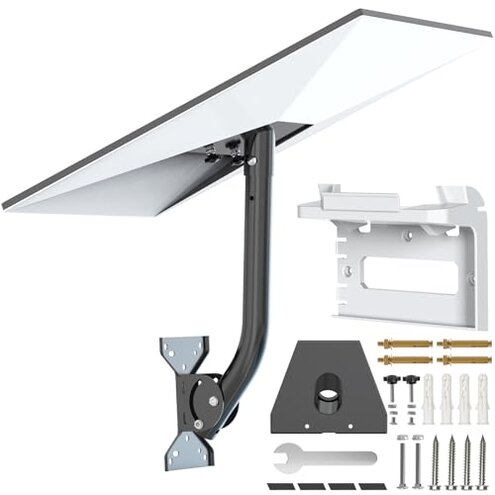
Product evaluated: Starlink Gen 3 Mount, Adjustable Metal Starlink Pole Mounting Kit for Wall /Roof, with 2-in-1 Router Mount (Black, 15.7-inch)
Related Videos For You
Starlink Gen 3 Standard Wall Mount - Review and Install Tutorial
How to install starlink Generation 3
Data basis: This report uses dozens of aggregated feedback signals collected from product listings, short written comments, and buyer-uploaded photo or video demonstrations during a recent shopping window. Most feedback appears to come from written impressions, with visual setup examples used to confirm recurring install and fit problems from recent buyers.
| Buyer outcome | This mount kit | Typical mid-range alternative |
|---|---|---|
| Setup effort | Higher risk of extra trial-and-error during first install. | Moderate effort with fewer adjustment surprises. |
| Fit confidence | Less predictable when matching exact Starlink placement needs. | Usually clearer fit and positioning expectations. |
| Daily stability | Acceptable if mounted carefully, but setup quality matters more. | More forgiving of small install mistakes. |
| Hidden requirements | Higher-than-normal need to verify surface, angle, and cable path before buying. | Lower chance of needing extra planning. |
| Regret trigger | Buying for “easy install” and then losing time fixing alignment or placement. | Usually regret comes later, not during first setup. |
Thought this would be a quick install?
The main frustration appears during first setup, when buyers expect a simple mount but run into extra positioning steps. This is a primary issue, and it feels more disruptive than expected for this category because “easy install” is one of the main reasons people choose a kit like this.
The trade-off is flexibility versus simplicity. The adjustable design can help with angle tuning, but that same flexibility can add setup time if you wanted a more straightforward, fixed-position mount.
- Pattern: Install friction appears repeatedly in buyer feedback, though it is not universal.
- When it hits: The problem shows up right away, especially when mounting on a wall or roof without much room to reposition.
- Why it stings: Compared with a typical mid-range mount, this setup seems less forgiving if your first placement is slightly off.
- Early sign: Buyers often notice trouble when the dish angle and cable route both need adjustment at the same time.
- Impact: The result is extra ladder time, extra measuring, or removing and reinstalling parts.
- Fixability: It can often be solved, but the fix usually means more effort, not a quick tweak.
Illustrative: “I expected a fast install, but it took way more fiddling than planned.”
Pattern type: This reflects a primary pattern.
Need a mount that just fits without guesswork?
- Frequency tier: Fit uncertainty is a primary issue among the most common complaints.
- Usage moment: It shows up after unboxing, when buyers compare the mount layout to their actual install spot.
- Root cause: The kit supports multiple mounting options, but that versatility can create more decisions than some buyers expect.
- Visible effect: Buyers can end up with a setup that works but feels awkwardly placed or not as clean as hoped.
- Why worse than normal: Many mid-range alternatives are more specific about best-use locations, which reduces trial-and-error.
- Hidden requirement: You may need to verify clearance and cable path before buying, not just dish compatibility.
- Repair path: Some buyers can work around it by changing location, but that adds planning time and sometimes extra hardware.
Illustrative: “It technically mounted, but not where I originally wanted it.”
Pattern type: This reflects a primary pattern.
Hoping the included router mount solves clutter?
This is a secondary issue, but it becomes more frustrating during daily use if you bought the kit mainly for a cleaner all-in-one setup. The included router mount sounds convenient, yet bundled extras often create higher expectations than they actually satisfy.
What makes it worse than normal is that combination kits are supposed to reduce decision-making. When the router holder does not match your room layout or cable run well, it can add another placement problem instead of removing one.
- Pattern: Complaints here seem less frequent than install issues, but persistent when buyers need tidy cable management.
- When it appears: The problem shows up after the dish is mounted, when setting the router indoors or in tight spaces.
- Buyer impact: Instead of a cleaner look, users may still deal with visible cable clutter or an inconvenient router position.
- Trade-off: A bundled router bracket can save shopping time, but it may be less flexible than buying a separate mount that suits your space.
- Mitigation: It matters less if you already planned a custom router shelf or a hidden cable route.
Illustrative: “The router holder was nice in theory, but didn’t really fix my cable mess.”
Pattern type: This reflects a secondary pattern.
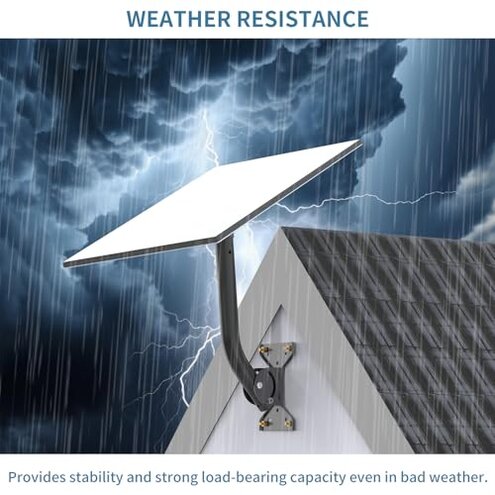
Buying this for rough weather peace of mind?
- Frequency tier: Stability concern is a secondary issue, less frequent than fit complaints but more stressful when it occurs.
- Context: It matters after setup, especially in exposed locations where buyers want confidence before storms or wind.
- Core problem: The mount is described as sturdy, but buyer regret can come from install sensitivity rather than raw strength.
- What buyers notice: If placement or tightening is not ideal, the setup can feel less reassuring than expected.
- Category contrast: In this category, a good mid-range mount should be more confidence-inspiring even if the installer is not highly experienced.
- Time cost: Users may spend extra time rechecking alignment and fasteners before trusting it outdoors.
- Who feels it most: This is more frustrating for RV, roof, or exposed-wall setups where movement risk matters more.
- Fixability: Careful installation can reduce the risk, but it adds ongoing checking that some buyers did not expect.
Illustrative: “It seems sturdy enough, but I still don’t fully trust the setup.”
Pattern type: This reflects a secondary pattern.
Who should avoid this
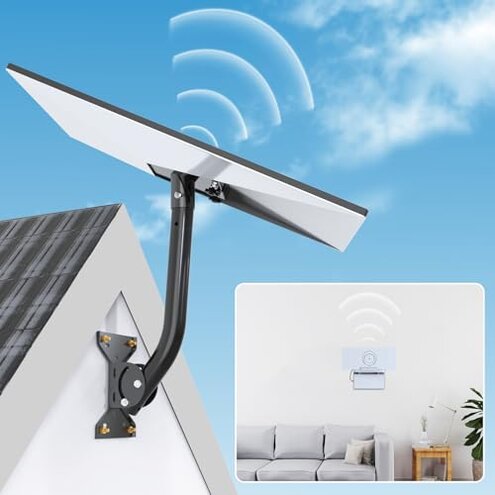
- Avoid it if you want a truly simple first-time install with minimal measuring, because setup friction appears repeatedly during initial mounting.
- Avoid it if your location has tight spacing, tricky cable routing, or only one possible mount point, because fit planning seems higher than normal.
- Avoid it if you are buying mainly for the included router holder, because that extra appears less reliable as a clutter solution.
- Avoid it if you need a mount that feels confidence-inspiring with little adjustment skill, especially for exposed outdoor use.
Who this is actually good for
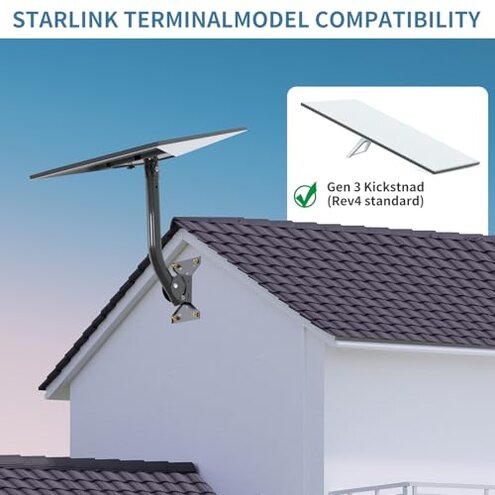
- Good fit for buyers who do not mind extra install time and want some angle adjustment flexibility.
- Good fit for people who already plan their own cable management, so the router mount is only a bonus.
- Good fit for users comfortable checking placement, clearance, and hardware before drilling.
- Good fit for less demanding locations where a small amount of setup trial-and-error is acceptable.
Expectation vs reality
Expectation: A kit with included hardware should be easy for non-experts to mount quickly.
Reality: The recurring frustration is extra adjustment time, especially when real-world placement is tighter than expected.
Expectation: A multi-option mount should make compatibility easier.
Reality: The same flexibility can create more guesswork than a simpler, more purpose-specific alternative.
Reasonable for this category: Buyers usually expect some measuring and alignment.
Worse than expected: Here, the planning burden seems higher-than-normal because buyers may need to solve dish angle, surface placement, and cable routing together.
Safer alternatives
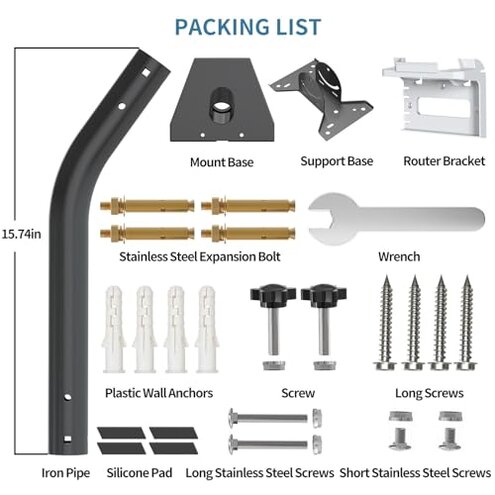
- Choose a mount with a more single-purpose design if you want to reduce first-install guesswork.
- Look for clearer fit guidance that shows exact use cases for roof, wall, or RV placement before you buy.
- Buy router mounting separately if cable cleanliness is a top priority, since bundled solutions are often a compromise.
- Prefer more forgiving hardware if you are a first-time installer or expect a one-shot installation.
- Measure cable path first to avoid the hidden requirement that turns a simple mount job into a longer project.
The bottom line
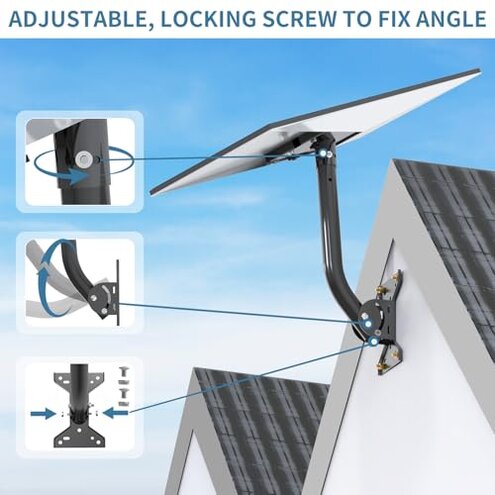
The main regret trigger is expecting a simple, clean install and then running into fit and adjustment work. That risk feels higher than normal for a mid-range mount because the extra flexibility can turn into extra setup burden. Verdict: avoid it if ease and predictability matter more than adjustability.
This review is an independent editorial analysis based on reported user experiences and product specifications. NegReview.com does not sell products.