
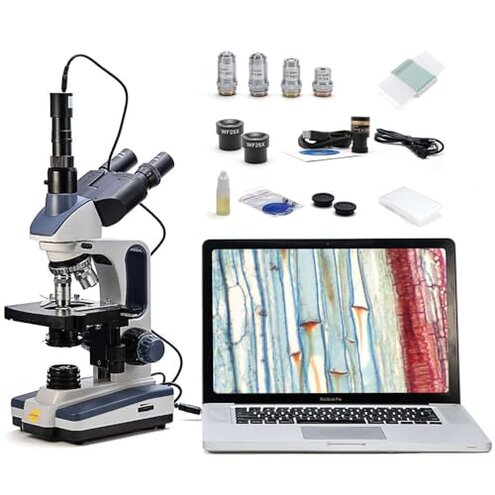
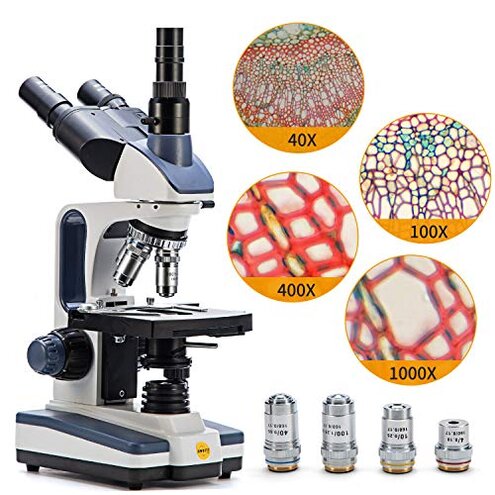
Product evaluated: SWIFT Trinocular Compound Microscope SW350T,40X-2500X Magnification,Siedentopf Head,Research-Grade,Two-Layer Mechanical Stage,1.3mp Camera and Software Windows and Mac Compatible
Related Videos For You
AmScope - Installing Your Camera to your SM Series Microscope
Trinocular / C-Mount Microscope Attachments - All You NEED to Know About FOCUS in 11 MInutes!!
Data basis: This report synthesizes dozens of buyer inputs gathered from a mix of written reviews, star ratings, and photo/video attachments where available, collected across a multi-year range up to the most recent listing period. Most feedback came from longer written notes, supported by shorter ratings-only posts and occasional setup visuals that clarified where frustration happens.
| Buyer outcome | SWIFT SW350T + camera | Typical mid-range microscope |
|---|---|---|
| First-day usability | Higher setup friction because camera + software adds steps | Lower friction if it ships with simpler phone adapter or no camera |
| Image capture reliability | Less consistent when drivers, ports, or app settings don’t cooperate | More predictable with fewer capture features and fewer dependencies |
| Learning curve | Steeper due to trinocular workflow and software choices | Moderate with simpler eyepiece-only use |
| Classroom sharing | Mixed because sharing depends on stable camera output | Steadier if it’s mainly optical viewing |
| Regret trigger | “I bought it for photos” but spend time troubleshooting instead | “I just need to see it” and accept no recordings |
Top failures
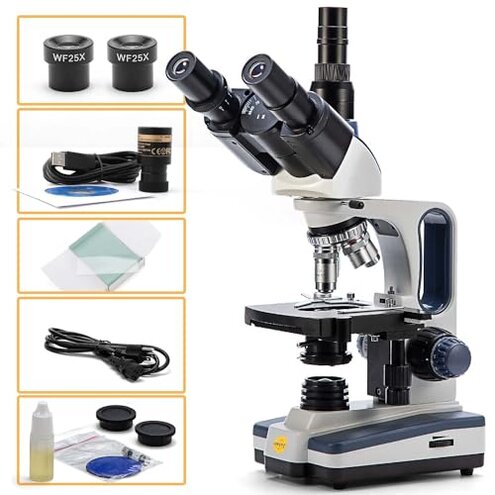
“Why is the camera harder than the microscope?”
Regret moment: you finally get a sharp view through the eyepieces, then the camera view looks different, won’t connect, or needs extra tinkering.
Severity: this is among the most disruptive complaints because it blocks the main reason many buyers pick this bundle.
Recurring pattern: problems with software setup and computer compatibility appear repeatedly, though it is not universal.
When it shows: it tends to hit during first setup, especially when installing from included media or switching computers.
Category contrast: a mid-range microscope is usually “plug-and-view” optically, but this bundle’s capture pipeline adds more failure points than typical.
Hidden requirement: you may need to source a downloadable installer if your computer lacks a CD drive, which adds time and support dependence.
- Early sign: the camera appears but the preview is laggy, cropped, or hard to focus alongside the eyepieces.
- Primary tier: connection friction shows up most often during first-day driver and app setup.
- Time cost: expect extra trial-and-error in settings before you can record anything usable.
- Workflow mismatch: the trinocular port can feel different than eyepiece viewing, so you refocus twice.
- Fixability: issues are sometimes improved by software updates, but that assumes stable vendor links and OS support.
- Mitigation: if imaging matters, plan for a dedicated laptop and avoid frequent OS or machine changes.
Illustrative: “The microscope is clear, but the camera software won’t behave.”
Pattern note: this reflects a primary setup-friction theme tied to capture.
“Why doesn’t 2500X look like the photos?”
- Regret moment: you dial up magnification and the image gets dimmer and harder to interpret, not more useful.
- Recurring pattern: expectations around top-end magnification show up repeatedly, especially for new hobby users.
- When it shows: it hits during first experiments when you try the highest magnification for “wow” results.
- Worsens with: long sessions make brightness and focus feel finicky as you keep re-centering and re-tuning.
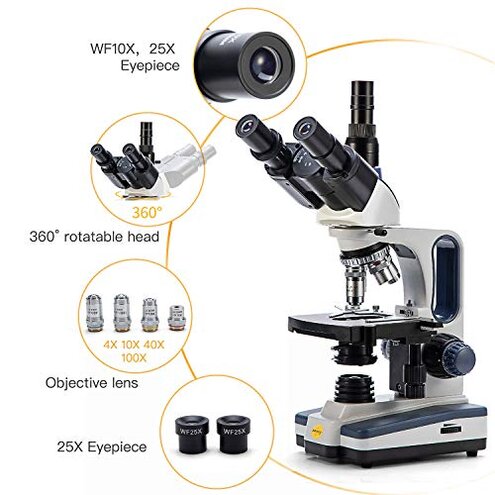
- Category contrast: in mid-range microscopes, extreme numbers are often more marketing than daily-use clarity, but this bundle’s 25X eyepiece option can amplify the disappointment.
- Practical impact: you end up using lower levels most of the time, which can feel like paying for specs you avoid.
- Mitigation: treat the upper magnifications as occasional and prioritize good slides and lighting technique.
Illustrative: “At the highest zoom it’s just dark and mushy.”
Pattern note: this reflects a secondary expectation gap around usable magnification.
“Why is the software path so old-school?”
- Hidden step: the included camera software may arrive on CD media, which can stall you if your computer has no drive.
- Recurring pattern: buyers repeatedly describe extra steps to get a working installer on modern machines.
- When it shows: this happens at unboxing, before you even learn the microscope controls.
- Worsens with: switching between Mac and Windows setups can add more troubleshooting than expected.
- Category contrast: many mid-range bundles now lean on simple USB apps or phone capture, so the friction feels higher than normal.
- Impact: the microscope can sit unused while you chase downloads, permissions, and settings.
- Mitigation: confirm you can get a download link before purchase if you lack optical media support.
- Workaround: some buyers reduce stress by using it as an optical-only microscope until software is stable.
Illustrative: “My laptop doesn’t take discs, so I’m stuck before setup.”
Pattern note: this reflects a primary hidden-requirement issue tied to installation.
“Why does sharing the view feel clunky?”
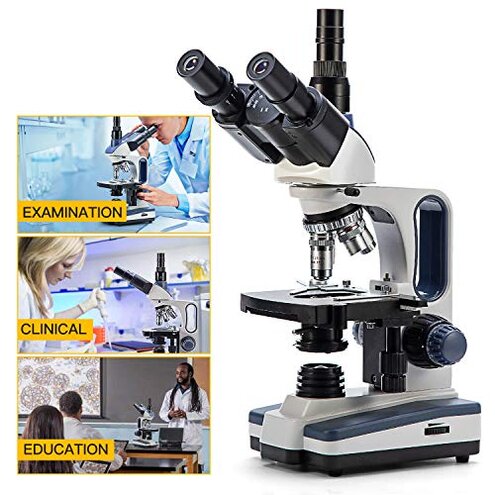
- Regret moment: you want to show a kid or class, but you juggle between eyepieces and a screen.
- Persistent: this complaint is less frequent than software failure, but it’s more frustrating when teaching is the goal.
- When it shows: it appears during live demonstrations when people are waiting for the image.
- Worsens with: frequent swapping between samples increases refocus time and screen adjustments.
- Category contrast: a typical mid-range teaching setup often uses one clear path to display, but here the camera layer can slow the flow.
- Impact: it can turn a fun session into pause-and-fix cycles that break attention.
- Mitigation: pre-stage slides and lock a repeatable lighting and focus routine before others watch.
Illustrative: “Great optics, but it takes forever to get the screen view right.”
Pattern note: this reflects a edge-case teaching-flow issue that depends on use style.
Who should avoid this
- Photo-first buyers who need reliable imaging on day one, because software friction is a primary complaint.
- Modern-laptop users without a disc drive, because the installer path can add delays and support dependency.
- Zero-tinker families, because camera + trinocular workflow adds extra steps beyond typical mid-range microscopes.
- High-zoom shoppers chasing the biggest number, because top-end magnification can disappoint in real viewing.
Who this is actually good for
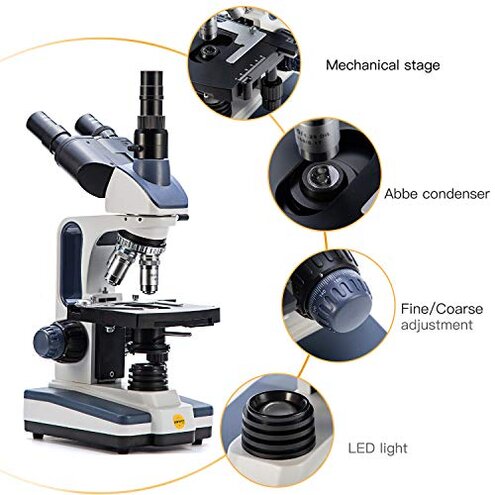
- Optics-first users who mainly view through eyepieces and treat the camera as a bonus they can troubleshoot later.
- Patient hobbyists who enjoy dialing in settings and can tolerate setup time to get recordings.
- School labs with a dedicated computer, because a stable machine reduces compatibility drift over time.
- Slide-practice learners who accept that usable results often come from mid magnification, not the maximum spec.
Expectation vs reality
Expectation: a camera bundle should be plug-and-play with simple install steps.
Reality: imaging can require driver work, software downloads, and repeated tuning before it feels dependable.
Expectation: it is reasonable for this category that high magnification needs careful technique.
Reality: the highest settings can be less usable than buyers expect, so you may live at lower magnifications.
| Expectation | What buyers report |
| Easy sharing for groups | Extra juggling between eyepieces and screen during live sessions |
| Fast first use after unboxing | More setup time if software media and OS don’t match |
Safer alternatives
- Reduce dependencies: choose an optical-only microscope if you don’t truly need recording, to avoid software failure as a regret trigger.
- Verify install path: pick a camera bundle that offers download-first installers, so no-disc computers don’t stall at day one.
- Prefer phone capture: if casual photos are enough, a phone adapter can avoid driver issues and still document findings.
- Shop for usability: prioritize models known for strong mid-range clarity rather than the biggest magnification number.
- Plan teaching flow: for sharing, look for systems designed for simple display without frequent refocusing between ports.
The bottom line

Main regret trigger: buyers often expect easy photos, but hit camera and software friction during first setup.
Why it exceeds normal category risk: the microscope can be fine optically, yet the bundle workflow adds extra failure points beyond typical mid-range setups.
Verdict: avoid if imaging must be reliable immediately, and consider it only if you can tolerate troubleshooting or use it optical-first.
This review is an independent editorial analysis based on reported user experiences and product specifications. NegReview.com does not sell products.