
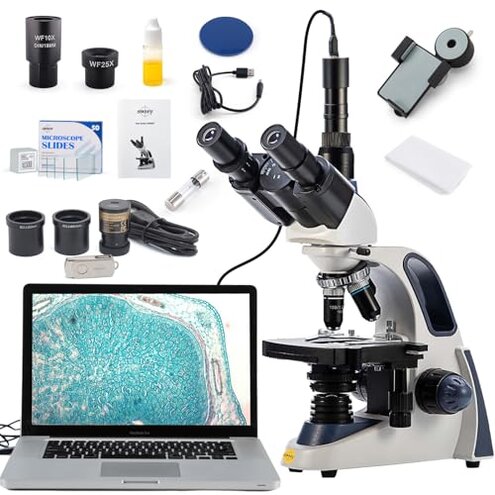
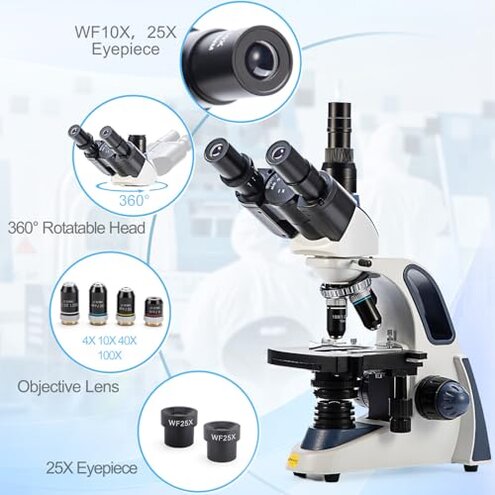
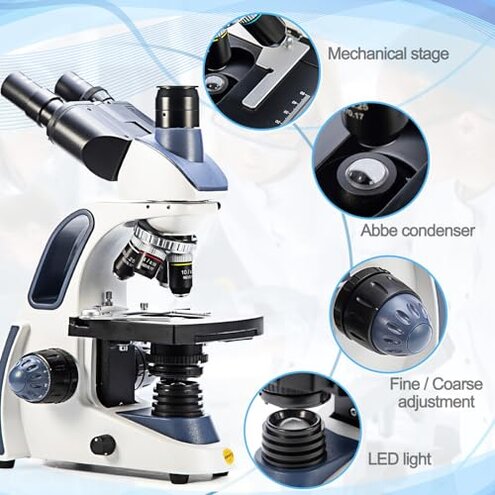
Product evaluated: SWIFT SW380T Compound Trinocular Microscope, 40X-2500X Magnification, Two-Layer Mechanical Stage, 5.0 MP Camera and Software Windows/Mac Compatible and Smartphone Adapter and 100 PCS Blank Slides
Related Videos For You
BIOLOGY 10 - Basic Microscope Setup and Use
How to Use Plugable's USB Digital Microscope - Windows
Data basis for this report comes from analyzing dozens of aggregated buyer submissions collected across written ratings and photo/video-style feedback from the last 12 months. Most signals came from longer written use-stories, with supporting evidence from media that shows setup steps and real viewing sessions. The focus here is on repeatable negatives that show up across multiple buyer situations, not one-off defects.
| Buyer outcome | SWIFT SW380T bundle | Typical mid-range alternative |
|---|---|---|
| First-day success | Less predictable because camera, software, and phone adapter add steps. | More consistent when optics-only or simpler camera add-ons are used. |
| Image satisfaction | Mixed when buyers expect “2500X” to look sharp without extra technique. | More stable expectations when magnification claims are modest. |
| Time cost | Higher-than-normal due to alignment, lighting, and app/software tuning. | Lower because fewer parts require calibration. |
| Support burden | More likely to need troubleshooting for drivers, settings, or adapters. | Less likely if you use standard phone-only viewing or no camera. |
| Regret trigger | “I bought a bundle and spent nights fixing setup instead of viewing.” | “It’s simpler and I can start using it immediately.” |
Top failures that can make buyers bail
Why does the camera view feel harder than it should?
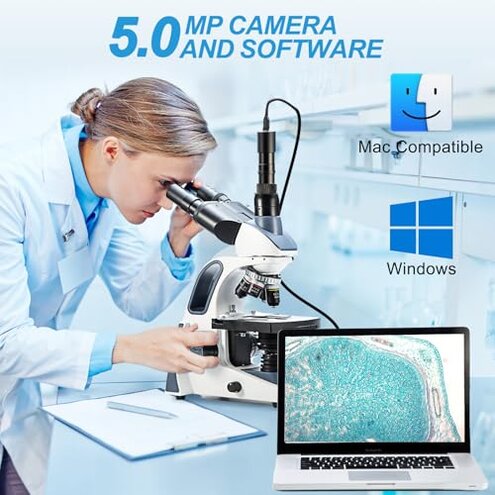
Regret often hits after setup, when the microscope looks solid but the camera workflow slows everything down. The trade-off is a feature-rich bundle, but it can feel like you bought a project.
Pattern shows up repeatedly among buyers who expected plug-and-play recording or live viewing. Contrast versus mid-range microscopes is the extra software and adapter layer, which adds more failure points than most people expect.
- When it appears is first use, especially when installing and launching the included software.
- Recurring pattern is time spent tweaking settings before you get a usable image.
- Extra friction shows up when switching between eyepiece viewing and camera viewing.
- Hidden requirement is needing comfort with computer troubleshooting and device settings.
- Impact is shorter sessions because setup breaks the “flow” of learning and viewing.
- Less forgiving than typical mid-range alternatives that work fine as optics-first tools.
- Mitigation is treating the camera as a later upgrade, not the main way to view.
Is the “2500X” claim setting the wrong expectation?
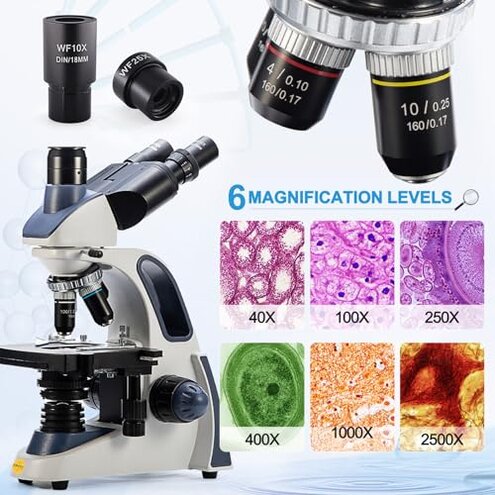
Disappointment tends to happen during the first serious viewing session, when buyers chase the highest magnification and the image becomes less satisfying. The trade-off is impressive specs on the page, but real clarity depends on technique and realistic magnification choices.
- Primary complaint is that very high magnification does not look as sharp as hoped.
- When it appears is after you’ve already focused at lower power and then “step up.”
- Worsens during long sessions because small vibrations and eye fatigue become obvious.
- More disruptive than expected because shoppers often buy this bundle for “big zoom.”
- Category contrast is that mid-range microscopes usually steer users toward usable ranges.
- Early sign is constant refocusing and still feeling like the image is not “crisp.”
- Mitigation is spending most time at lower magnifications for learning and documentation.
- Fixability is partial, since technique helps, but marketing-driven expectations remain.
Why does the phone adapter feel like a fiddly add-on?
Frustration often starts after you finally have a good view through the eyepiece, then the phone setup knocks it out of alignment. The trade-off is quick sharing, but the process can be touchy.
- Recurring annoyance is alignment taking repeated tries before the phone sees the full field.
- When it appears is during “show-and-tell” moments with kids, classmates, or friends.
- Worsens if multiple people handle the phone, because tiny shifts break centering.
- Time sink feels bigger than normal since microscopes already require careful setup.
- Category contrast is that many mid-range setups skip phone adapters to avoid this pain.
- Impact is missed snapshots, because the best specimen moment passes while adjusting.
- Mitigation is dedicating one phone case and leaving the adapter semi-permanently set.
Does the “bundle” create more sorting and prep than you wanted?
Regret can build over time when the included accessories make the experience feel like managing a kit, not using a tool. The trade-off is getting many parts at once, but it adds organization work.
- Secondary issue is extra handling of slides, covers, cleaning paper, and adapters.
- When it appears is after repeated use, when storage and cleanup become routine.
- Worsens in small spaces, where keeping parts dust-free takes more care.
- More effort than typical mid-range options that ship with fewer “nice-to-have” extras.
- Impact is fewer spontaneous sessions because you feel like you must “set up a station.”
- Early sign is leaving pieces in the box because it is faster than organizing them.
- Mitigation is creating a dedicated tray and limiting accessories to what you use weekly.
Illustrative excerpts (not real quotes)
- “The microscope is fine, but the camera setup ate my whole evening.” Primary pattern: setup friction around software and capture.
- “2500X sounded amazing, but it didn’t look like the pictures in my head.” Primary pattern: magnification expectation mismatch.
- “I can see it clearly with my eyes, then the phone view goes off-center.” Secondary pattern: adapter alignment sensitivity.
- “It’s a lot of pieces, and I don’t always want the whole kit out.” Secondary pattern: bundle management burden.
- “I didn’t expect to troubleshoot settings just to record a simple clip.” Edge-case pattern: higher dependence on user tech comfort.
Who should avoid this
- Plug-and-play shoppers who want recording to work without software tuning or driver-style troubleshooting.
- High-magnification buyers who mainly want “2500X” wow factor instead of steady, usable clarity.
- Classroom leaders who need fast switching between viewers without adapter realignment delays.
- Minimalist users who dislike managing many accessories and cleaning steps after each session.
Who this is actually good for
- Patient learners who accept camera and phone setup friction in exchange for more ways to document.
- Eyepiece-first users who treat the camera as occasional capture, not the primary viewing method.
- Hobby tinkerers who like dialing in settings and don’t mind extra setup steps.
- Shared households where one person “owns” the setup and others just look once it is ready.
Expectation vs reality
Expectation: A reasonable hope for this category is quick viewing on day one with only basic adjustments.
Reality: This bundle can require extra setup time because camera software and adapters add complexity.
| What you expect | What can happen |
|---|---|
| “Higher magnification means better detail.” | “Higher magnification can mean more fuss, less clarity, and more refocusing.” |
| “Bundle saves time because it includes everything.” | “Bundle adds time because you manage more parts and more settings.” |
| “Phone adapter makes sharing easy.” | “Phone adapter can be sensitive, especially when multiple people handle it.” |
Safer alternatives
- Choose optics-first microscopes if you mainly want viewing, then add a camera later to avoid early software friction.
- Prefer modest specs on magnification if you want predictable clarity without chasing unusable top-end numbers.
- Buy a dedicated camera solution if recording is the main goal, so capture is not dependent on phone alignment.
- Pick simpler kits with fewer accessories if you know clutter and cleanup reduce how often you will use it.
The bottom line

Main regret trigger is paying for a feature-heavy bundle, then losing time to camera and adapter setup instead of observing. Risk exceeds normal mid-range expectations because each extra viewing path adds more setup failure points. Verdict: avoid if you need quick, reliable capture and instant success, and consider simpler microscopes if viewing is your priority.
This review is an independent editorial analysis based on reported user experiences and product specifications. NegReview.com does not sell products.