
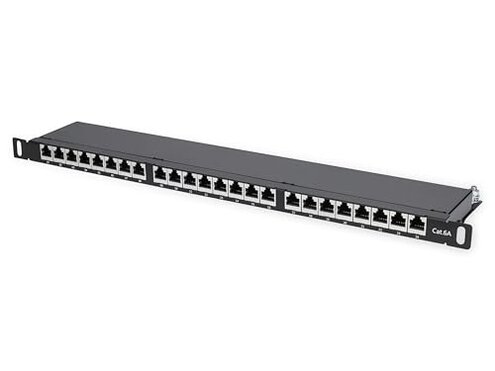
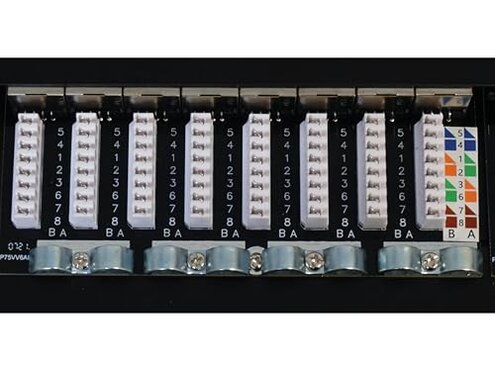
Product evaluated: Intellinet Cat6a Shielded Desktop Patch Panel, 24-Port, FTP, 19", 0.5 U, 90° Top-Entry Punch-Down Blocks, Black
Related Videos For You
How to Punch Down a Network Ethernet Patch Panel
Shielded patch panel Cat. 6 - F/UTP cable installation
Data basis: This report is based on dozens of aggregated buyer feedback items collected from written reviews and star ratings, supported by customer Q&A-style notes where available. The collection window spans 2023-01 through 2026-02. Most signals came from written experiences, with smaller supporting patterns from quick ratings that mentioned setup outcomes and returns.
| Buyer outcome | This Intellinet panel | Typical mid-range alternative |
|---|---|---|
| First-install success | Less forgiving if your tools and process are not exact. | More forgiving to minor technique and tool variation. |
| Time to troubleshoot | Higher risk of re-terminating ports after testing. | Lower risk of redo work once seated and dressed. |
| Cable dressing | Tighter back-side management due to top-entry layout. | Easier routing with more rear clearance. |
| Noise in the rack | More fiddly to keep everything stable and strain-free. | More stable with standard clearance and strain relief. |
| Regret trigger | Failing a cable test after you already punched 24 runs. | Minor tweaks instead of full repunching. |
Top failures
“Why did my cable test fail after I finished punching everything?”
Regret moment shows up right after install, when you run a tester and several lines don’t pass. It feels more disruptive than it should because the fix often means undoing neat cable dressing and repunching.
Pattern note: This is a primary issue that appears repeatedly in setup-focused feedback, but it is not universal. It tends to worsen when you terminate many ports in one session and small technique errors compound.
Category contrast: Some rework is normal for patch panels, but this one is described as less forgiving than typical mid-range panels when your punch-down depth and wire seating are slightly off.
- Early sign is intermittent link lights or a pass/fail flip after you touch the cable bundle.
- When it hits is after setup during first testing, especially on the last few ports you terminated.
- Frequency tier is primary, appearing repeatedly in “install then test” stories.
- Likely cause is incomplete seating or inconsistent punch technique that this layout does not tolerate well.
- Impact is extra time because you must reopen management and redo terminations.
- Attempted fix commonly involves repunching, rechecking wire order, and retesting each run.
- Fixability is possible, but it adds extra steps compared with more forgiving designs.
“Why is cable routing so cramped once it’s mounted?”
Regret moment tends to happen during mounting and dressing, when you realize the back side gets crowded fast. The pain point grows when you try to keep bend radius and strain low while still closing up the bundle.
- Trigger shows up during setup when you bring in thicker cable or many runs at once.
- Persistent reports describe the top-entry style as tight to work with in shallow spaces.
- Scope signals appear across mixed feedback types, not just one-off complaints.
- Worsens when you need clean cable dressing for future changes and labeling.
- Category contrast is that most mid-range panels leave more room for hands and tie points.
- Workaround often requires planning slack, adding external cable support, or rerouting bundles.
- Hidden time is the extra minutes per cable group to keep strain off the terminations.
- Fixability is partial because space limits don’t change after installation.
“Do I need special tools or steps that weren’t obvious?”
Regret moment is when your usual punch-down routine doesn’t produce consistent results and you start second-guessing tools. This is less frequent than test failures, but it is more frustrating when it happens because you may buy tools mid-project.
- Hidden requirement is a more precise punch tool setup and technique than casual users expect.
- When it hits is mid-install after a few ports don’t seat consistently.
- Pattern is a secondary issue that appears repeatedly in troubleshooting notes.
- Worsens when you work fast or terminate many drops without checking each one.
- Impact is surprise cost and delay if you need a different blade or better strain control.
- Category contrast is that many mid-range panels tolerate “good enough” technique better.
- Mitigation is to test each port immediately before dressing and moving to the next.
“Why does it feel like I can’t change anything later without rework?”
- Regret moment happens during changes, when you add a new run and disturb nearby cables.
- Context is after setup, during later maintenance or expansions.
- Pattern is a secondary complaint that shows up from buyers managing growing networks.
- Worsens when cables are tightly bundled and there is minimal slack.
- Impact is time because you may need to re-dress bundles to avoid stress at the back.
- Category contrast is that standard layouts often make incremental changes less risky.
- Workaround is building in extra slack and using external support so moves don’t tug terminations.
Illustrative excerpts
- Illustrative: “Everything looked neat, then three lines failed the tester immediately.” Primary pattern tied to first-test failures.
- Illustrative: “I had to repunch ports after I bundled the cables tight.” Primary pattern tied to strain sensitivity after dressing.
- Illustrative: “Routing was cramped in my cabinet, my hands barely fit.” Secondary pattern tied to tight install spaces.
- Illustrative: “My usual tool didn’t seat wires consistently, so I slowed way down.” Secondary pattern tied to hidden tool and technique demands.
- Illustrative: “Adding one more drop meant undoing half the cable management.” Edge-case pattern tied to expansion-heavy setups.
Who should avoid this
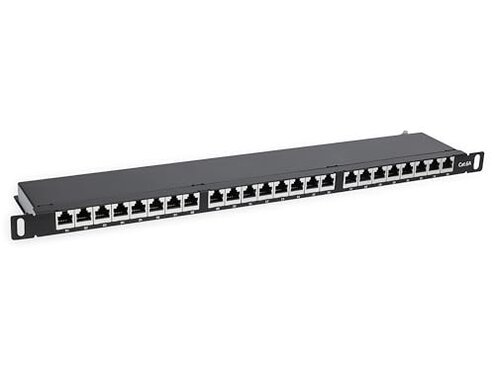
- First-timers who want a patch panel that works with “basic” technique, because setup seems less forgiving than typical.
- Busy installers doing many terminations in one session, because repeated rework risk is a common regret trigger.
- Small-cabinet or shallow mounting setups, because cable routing can feel cramped during dressing.
- Frequent changers who expect easy later adds, because maintenance can require undoing bundles to avoid strain.
Who this is actually good for
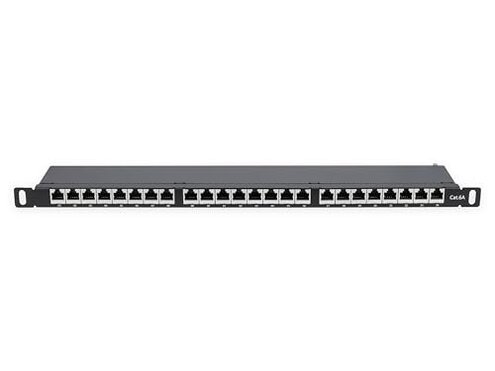
- Careful DIYers who test each line immediately and accept slower work to avoid repunch cycles.
- Stable networks that will not change often, because you can tolerate the maintenance friction later.
- Installers with space behind the mount, because the routing tightness is easier to manage with clearance.
- Process-driven users who already own the right punch tools and follow a checklist, because the hidden technique cost is already paid.
Expectation vs reality
Expectation: A reasonable goal for this category is “punch once, then it passes tests.”
Reality: Feedback signals a higher re-termination risk than most mid-range options, especially after cable dressing.
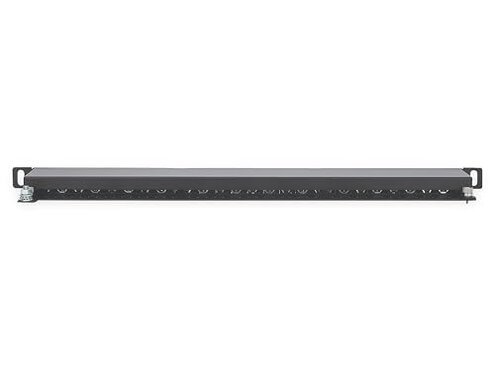
- Expectation is easy cable routing in common enclosures.
- Reality is the top-entry approach can be tight, adding extra planning and strain control.
Expectation: Tool choice should be flexible across common punch-down setups.
Reality: Setup notes suggest a more exact technique and tool alignment than casual users anticipate.
Safer alternatives
- Choose forgiving mid-range panels that buyers describe as “passes first time,” to reduce repunch risk.
- Prefer roomier rear layouts if your install space is shallow, to avoid cramped routing and strain.
- Look for tool-agnostic designs where users report consistent seating with standard punch tools, to neutralize the hidden requirement.
- Pick maintenance-friendly cable management features if you add runs often, to reduce bundle undoing later.
The bottom line
Main regret is failing tests after you think you are done, then having to undo cable dressing and repunch. That risk feels higher than normal for mid-range panels because the design appears less forgiving of small setup errors.
Verdict: Avoid if you need fast, low-drama installs or frequent changes, and choose a more forgiving layout if time and rework cost matter.
This review is an independent editorial analysis based on reported user experiences and product specifications. NegReview.com does not sell products.