
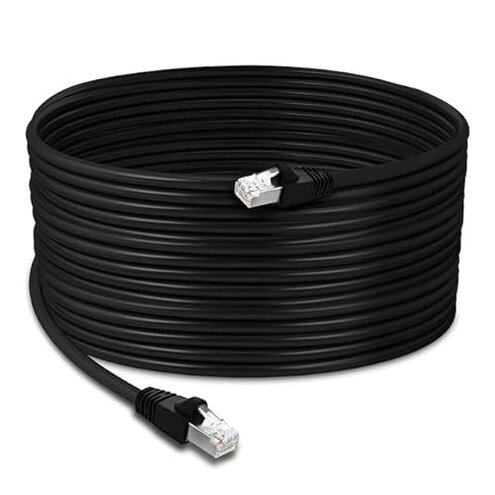
Product evaluated: Ultra Spec Cables 200ft Cat5e Ethernet Network Cable - Black
Related Videos For You
How to Wire Up Ethernet Plugs the EASY WAY! (Cat5e / Cat6 RJ45 Pass Through Connectors)
Data basis for this decision report comes from analyzing dozens of buyer comments and ratings collected between 2018–2026. Most feedback came from written reviews, supported by a smaller set of Q&A-style posts and photo-backed notes. The distribution leaned toward installation experiences and first-week outcomes, with fewer long-term follow-ups, which matters for a cable you may not touch again after routing.
| Buyer outcome | Ultra Spec Cables 200ft | Typical mid-range Cat5e cable |
|---|---|---|
| Install effort | Higher risk of re-routing due to stiffness or fit complaints. | Moderate effort with fewer handling surprises. |
| Out-of-box reliability | Higher-than-normal category risk of a “bad run” report on first hookup. | Lower chance of immediate failure when new. |
| Speed expectations | Confusion shows up when buyers expect modern speeds from older labeling. | Clearer expectations when listings emphasize real-world limits. |
| Connector fit | More fit/clip complaints during wall plates and tight ports. | Fewer port-fit problems reported. |
| Regret trigger | Re-running 200ft after discovering a dead link or unstable connection. | Less likely to force a full redo after routing. |
Top failures
“Why did my network still drop after I routed all 200ft?”
Regret moment tends to hit right after you finish routing and finally plug in, then you get no link light or a flaky connection. That’s more disruptive here than usual because the whole point of buying a single long cable is to avoid troubleshooting.
Pattern shows up repeatedly in aggregated feedback, but it is not universal. It appears most often at first use, and it feels worse than a typical mid-range cable because the fix can mean pulling the entire run back out.
- Early sign is a port light that never comes on after the first hookup.
- Primary issue is reports of a cable that arrives effectively unusable for a stable connection.
- Context is worst when you’ve already routed through walls, ceilings, or long baseboard runs.
- Impact is time loss because you end up swapping devices and ports to prove it’s the cable.
- Category contrast is that mid-range cables usually fail less often right out of the box.
- Mitigation is to test end-to-end before routing, even if it adds extra steps.
- Fixability is limited because most buyers can’t repair a long pre-terminated cable cleanly.
“Why is this cable such a pain to route cleanly?”
Regret moment is when you start turning corners or feeding it through a tight path and it fights you. This is a secondary complaint pattern, but it’s more annoying than expected at 200ft because small handling issues compound fast.
- Recurring note is that long runs feel harder to position without kinks or awkward bends.
- When it shows up is during installation, especially around door frames and sharp turns.
- Worsens when you’re trying to keep it hidden, flat, or tucked under trim.
- Trade-off is you may get a tidy look only after multiple re-tries and extra fastening points.
- Category contrast is that many mid-range alternatives feel more forgiving when you re-route.
- Attempted fixes often include looser routing paths, larger cable clips, or wider turns.
- Hidden cost is the extra time you don’t expect from a “plug-and-play” purchase.
- Mitigation is to plan the path first and avoid tight holes sized for thinner cords.
“Why doesn’t it fit right in some wall plates or devices?”
Regret moment shows up after setup when the connector doesn’t click in confidently or feels crowded in a tight jack. This complaint is less frequent than dead-on-arrival reports, but it’s more frustrating when your ports are already hard to access.
- Pattern appears repeatedly in feedback about connector fit and retention.
- When it happens is during final plug-in, especially behind furniture or in wall boxes.
- Worsens when you use recessed wall plates, keystone jacks, or tightly packed ports.
- Impact is intermittent drops if the clip doesn’t hold solidly during normal movement.
- Category contrast is that mid-range patch cables often seat more consistently across ports.
“Why isn’t my speed better even though it’s ‘Ethernet’?”
Regret moment is realizing your bottleneck didn’t disappear after you did a long cable run. This is a primary confusion pattern in aggregated feedback, and it usually shows up after setup when you run a speed test.
- Root cause is expectation mismatch around Cat5e labeling versus what your gear and plan can deliver.
- When it appears is after installation, once you compare Wi‑Fi vs wired results.
- Worsens when your router, switch, or modem is the real limiter and the cable gets blamed.
- Category contrast is that many mid-range listings explain common real-world limits more clearly.
- Mitigation is to confirm every device in the path supports your target speed before buying.
- Hidden requirement is needing a known-good short cable and a second device to isolate the problem.
Illustrative excerpts (not real quotes)
- “Routed it through the attic, then got no link light.” Primary pattern tied to first-use failure reports.
- “The plug feels loose unless I hold it just right.” Secondary pattern tied to connector-fit complaints.
- “Spent hours hiding the run, then had to pull it back.” Primary pattern tied to redo risk on long runs.
- “Expected faster internet, but speed barely changed.” Primary pattern tied to Cat5e expectation mismatch.
- “Way harder to snake around corners than my other cable.” Secondary pattern tied to routing friction.
Who should avoid this
In-wall installers should avoid it if you cannot easily re-run the line, because first-use failure reports create a high redo penalty.
Speed-chasers should avoid it if you’re buying to “fix” slow internet without checking your router and plan, because expectation mismatch shows up repeatedly after setup.
Tight-space setups should avoid it if your wall plate area is cramped, because connector-fit complaints can translate into annoying intermittent drops.
Low-tolerance buyers should avoid it if troubleshooting stresses you, since isolating a long-cable issue often requires extra devices and test steps.
Who this is actually good for
Open-route users who can test first and route later may tolerate the risk, because a quick bench test reduces the worst regret trigger.
Basic connectivity needs can fit if you just want a long wired link and can accept that routing may take extra time.
Experienced DIYers who already own a tester or spare cables can handle the hidden troubleshooting requirement with less frustration.
Non-critical runs like temporary setups can work if a rare failure won’t force you to tear out finished routing.
Expectation vs reality
- Expectation (reasonable for this category): a long Ethernet cable should work immediately once plugged in. Reality: first-use failure is reported often enough to create redo anxiety.
- Expectation: routing a cable is tedious but straightforward. Reality: handling complaints suggest more re-positioning than many mid-range alternatives.
- Expectation: “Ethernet” automatically means faster internet. Reality: recurring feedback shows device and service limits can dominate results.
Safer alternatives
- Pre-test strategy: choose any cable you can test end-to-end before routing to neutralize the biggest redo risk.
- Clear labeling: favor listings that plainly state common speed limits and use cases to reduce expectation mismatch.
- Connector consistency: pick mid-range options with strong fit/retention feedback if you use wall plates or recessed jacks.
- Routing-friendly: if you need many turns, shop for cables repeatedly described as flexible to reduce install time and rework.
The bottom line
Main regret is finishing a long 200ft route and then discovering an unstable or dead connection. That risk is higher-than-normal for the category because the cost is not just replacement, but the extra time to re-run the whole path. If your run is hard to access or you need “set it and forget it” reliability, this is a strong candidate to skip.
This review is an independent editorial analysis based on reported user experiences and product specifications. NegReview.com does not sell products.