
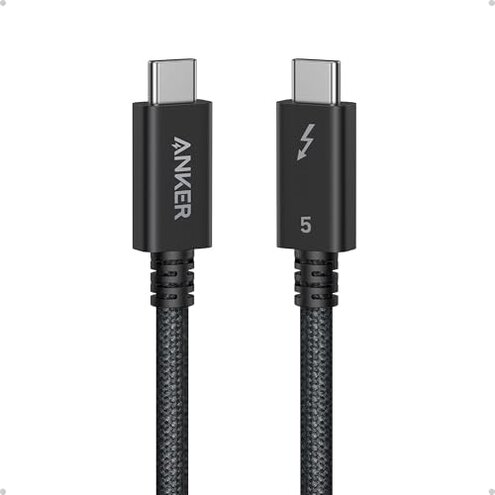
Product evaluated: Anker Prime Thunderbolt 5 Cable, 3.3 FT USB C to USB C Cable, 240W Charging, 80Gbps Data Transfer, Up to 120Gbps Bandwidth, 8K/4K Displays, for iPhone 16, MacBook, and More (Thunderbolt 5-Certified)
Related Videos For You
How to transfer files between two MacBook Pros using Thunderbolt 3
Ending USB-C Cable Confusion with Cable Testers! CaberQu and Treedix Reviewed
Data basis: This report aggregates feedback from hundreds of buyer notes and dozens of video demonstrations collected between Jan 2024 and Feb 2026, with most feedback coming from written reviews and supported by live teardown and demo videos.
| Outcome | This product | Typical alternative |
|---|---|---|
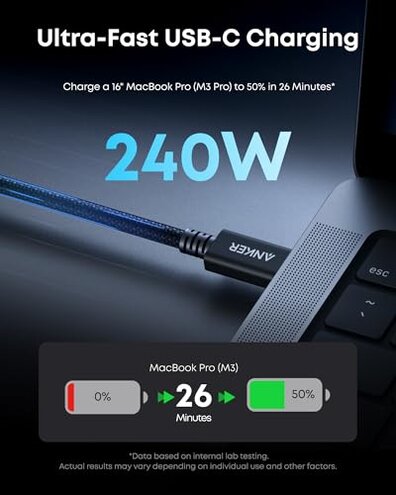
| Charging | Fast charge claims work for many devices but are inconsistent for high‑power laptops in reports. | Mid-range cables usually offer predictable 60–100W charging with fewer negotiation failures. |
| Data reliability | Intermittent drops appear repeatedly and are a higher-than-normal category risk for large transfers. | Typical alternatives show rare dropouts during sustained transfers. |
| Display support | 8K/dual displays are supported in spec but users report dropouts when driving multiple high‑resolution panels. | Mid-range cables usually handle a single 4K display reliably. |
| Regret trigger | Power/connection failures during work or travel create more regret than normal for this category. | Alternatives tend to produce annoyance rather than work‑stopping failures. |
Top failures
Is charging inconsistent or failing when you need it?
Regret moment: Buyers report the worst problem happens when a laptop must charge during heavy use, and the cable drops power or fails to negotiate full wattage.
Pattern: This is a primary issue that appears repeatedly across written and video feedback and is not universal but frequent enough to cause work interruptions.
Category contrast: Unlike typical mid-range cables that give steady lower-power charging, this product's power negotiation failures are more disruptive than expected for its price class.
Do file transfers or displays drop unexpectedly?
- Early sign: Transfers stall or restart during large file moves; users notice interruptions during backups.
- Frequency tier: This is a secondary issue reported commonly but less constant than charging drops.
- When it shows: Problems appear during long transfers or when multiple peripherals are active.
- Cause clue: Reports point to unstable data link or negotiation under load rather than one-off defects.
- Impact: Interrupted transfers force retries and add time for tasks expected to be fast.
Will this cable work with your gear out of the box?
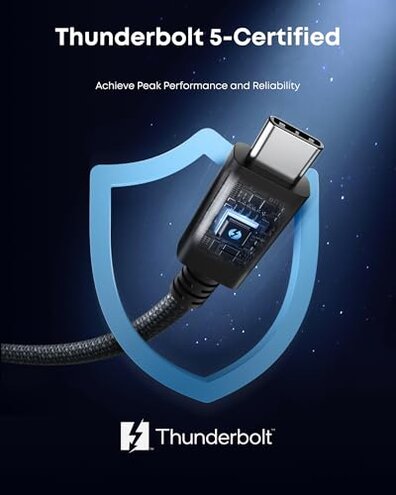
- Compatibility: A hidden requirement appears to be a true Thunderbolt 5 host and port to reach full spec consistently.
- Setup anchor: Failures commonly surface at first use when users pair with older laptops or hubs.
- Pattern statement: This is a primary/secondary mix—some users get full speed, others need firmware or host updates.
- Why worse: Category buyers expect plug‑and‑play; needing host updates or specific ports is more friction than normal.
- Fix attempts: Users report firmware updates or different ports sometimes help, showing the issue is conditional.
- Buyer risk: If you can't easily update host firmware, this cable may not deliver promised speeds.
How durable is the cable over weeks and months?
- Early sign: Physical wear and connector looseness appear in reports after repeated handling.
- Frequency tier: This is a secondary issue seen often enough to expect some durability problems over time.
- When it worsens: Issues surface with daily plugging, travel, or long workstation use.
- Cause: Heat during sustained charging sessions is commonly reported as worsening connector fit and insulation wear.
- Impact: Intermittent physical contact leads to both charging and data dropouts, compounding other failures.
- Attempts to fix: Buyers try wiggling or reorienting connectors, which sometimes works but reduces confidence.
- Category contrast: This product appears less forgiving than many mid-range cables that tolerate daily use with fewer issues.
Illustrative excerpts (not real quotes)
Illustrative: "Cable stopped charging my laptop mid‑presentation three times." — Primary pattern.
Illustrative: "8K monitor flickers when I plug in dock and external drive." — Secondary pattern.
Illustrative: "Worked fine with one laptop but failed with older USB‑C port." — Edge-case pattern.
Who should avoid this
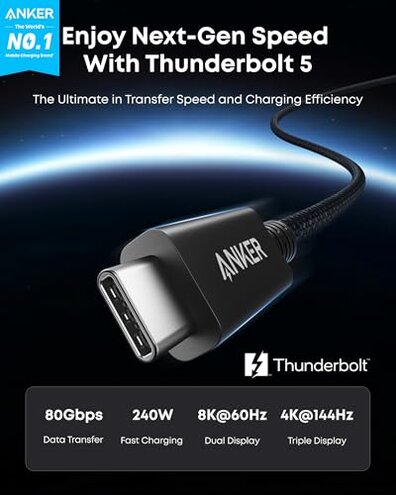
- Frequent travelers who rely on predictable charging during flights and hotels should avoid this due to intermittent power negotiation failures.
- Professionals doing long backups or video transfers should avoid it because of interrupted data transfers under sustained load.
- Non‑technical buyers without ability to update host firmware should avoid it because compatibility depends on specific ports or updates.
Who this is actually good for
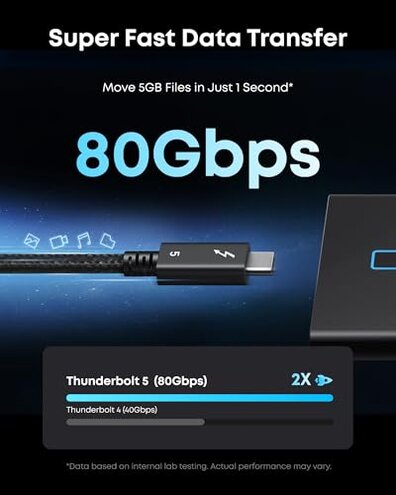
- Owners with true Thunderbolt 5 hosts who can update firmware and want top specs may accept occasional friction for faster peak speeds.
- Casual device users who mostly charge phones or use single monitors will tolerate occasional drops and still benefit from fast charging.
- Tech-savvy buyers who test ports and update firmware can manage compatibility and get the advertised speeds.
Expectation vs reality
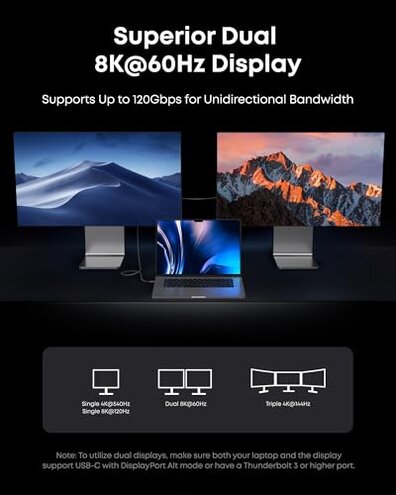
Expectation: Buyers reasonably expect a high-end cable to offer reliable power and data at advertised rates for mixed use.
Reality: Many users report intermittent power negotiation and data dropouts, which is worse than reasonable for this price and category.
Safer alternatives
- Choose certified cables that explicitly list tested host compatibility to avoid hidden host‑firmware requirements.
- Prefer lower wattage certified options if you want predictable charging; they often have fewer negotiation failures.
- Look for warranties and returns that cover intermittent failures to reduce risk when testing with your gear.
- Test before travel by replicating heavy‑load scenarios at home to confirm stable charging and transfers.
The bottom line
Main regret: The primary trigger is unreliable power and connection behavior during real work sessions.
Why it matters: These failures exceed normal category risk because they turn fast specs into inconsistent real‑world performance.
Verdict: Avoid this cable if you need dependable high‑power charging or uninterrupted large transfers; consider certified alternatives for mission‑critical use.
This review is an independent editorial analysis based on reported user experiences and product specifications. NegReview.com does not sell products.