
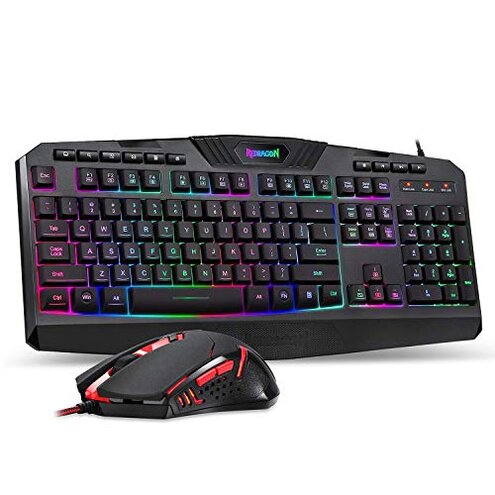
Product evaluated: Redragon S101-3 PRO Gaming Keyboard and Mouse, RGB Backlit Programmable Keyboard Mouse with Software, Independent Macro Record Keys, Value Combo Set, New Update Version
Related Videos For You
The best budget gaming keyboard ever!
How to Check Your Mouse DPI in Windows 10/11 (PC)
Data basis: This report aggregates dozens of buyer reviews and several video impressions gathered between January 2019 and December 2024. Sources: Most feedback came from written buyer reports, supported by unboxing and teardown videos, with a large share of evidence from hands-on user posts.
| Outcome | Redragon S101 combo | Typical mid-range keyboard/mouse |
|---|---|---|
| Backlight reliability | Inconsistent buyers report uneven RGB and single-color mouse light, a commonly reported setup disappointment. | More stable mid-range combos usually keep consistent lighting past initial setup. |
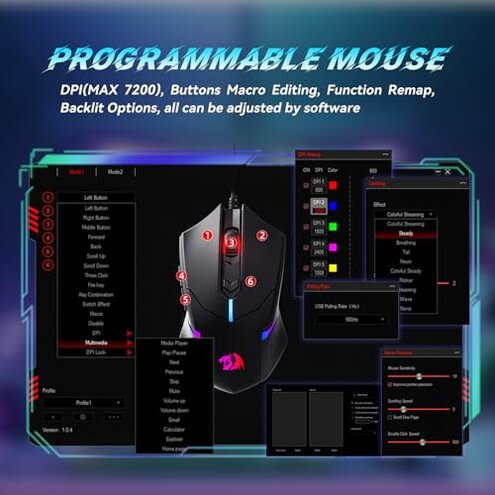
| Software & macros | Fragile software often requires extra steps and may not reliably save macros for many users. | Better support competitors often ship with stable config tools and clearer installation steps. |
| Durability | Higher risk reports of early key or mouse failures appear repeatedly and are more disruptive than expected. | More durable reasonable mid-range alternatives show fewer early-life failures. |
| Gaming performance | Mixed mouse DPI and feel are usable but inconsistent for competitive play under sustained use. | Smoother typical alternatives deliver steadier DPI and button feel during long sessions. |
| Regret trigger | Early failure lighting or hardware issues after setup are the most common reason buyers wish they avoided this combo. | Lower risk mid-range sets rarely combine immediate lighting faults with hardware breakdowns. |
Why does the RGB look wrong out of the box?
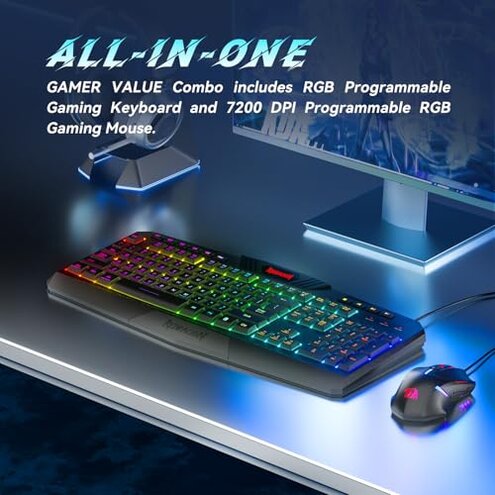
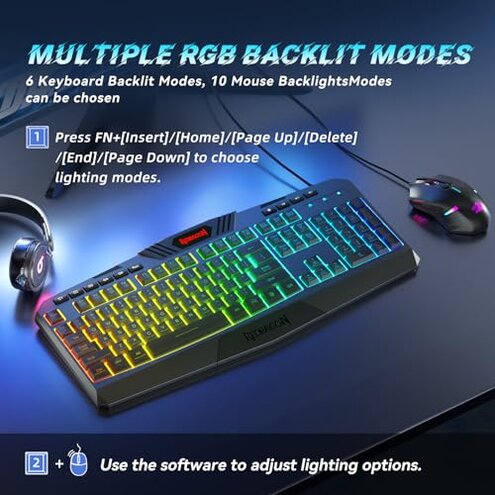
Regret moment: You plug the keyboard in and expect colorful RGB, but lighting appears uneven or the mouse only shows red.
Pattern: This problem is commonly reported and often happens at first use during out-of-box setup.
Category contrast: This feels worse than normal because many mid-range sets offer consistent factory-tested lighting.
Why does the software fail to keep my macros?
- Early sign: Macros appear to save locally but disappear after unplugging or rebooting.
- Frequency tier: A recurring complaint for many buyers and appears repeatedly across feedback types.
- Cause hint: Software installation and permissions are a hidden requirement for reliable macro storage.
- Impact: Gamers who need persistent macros face repeated reconfiguration and lost settings.
- Fixability: Workarounds require extra steps like installing drivers and running the program as admin every session.
Are the keyboard and mouse built to last?
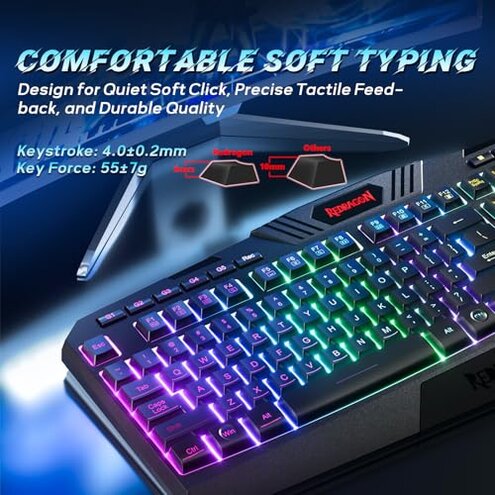
- Early sign: Keys become mushy or the mouse buttons degrade after weeks to months of daily use.
- Persistence: Durability complaints are a primary issue and more disruptive than expected for an entry-level set.
- Trigger conditions: Problems worsen during long sessions and heavy daily gaming or typing.
- Attempts: Buyers tried swapping cables and cleaning, but faults often returned.
- Hidden requirement: Some users needed firmware or driver updates to restore basic function, adding time and friction.
- Category contrast: This combo is less forgiving than most mid-range alternatives that typically last longer under similar use.
- Repairability: Failures usually require replacement rather than simple fixes for most buyers.
Why does the mouse feel inconsistent for gaming?
- Initial sign: DPI shifts or weight tuning feels uneven during play sessions.
- Usage anchor: The issue appears under fast-paced or extended gaming and with DPI switching.
- Frequency cue: This is a secondary but common pain point that appears in many hands-on reports.
- Cause hint: Sensor feel and button bounce seem less consistent than category norms.
- Impact: Competitive players notice aim drift or inconsistent clicks during critical moments.
- Attempts: Users adjusted DPI or weights but saw limited improvement.
- Contrast: Compared to reasonable mid-range mice, this device delivers more variability and less predictable performance.
- Workaround: Casual players can patch performance with software tuning, but it adds setup time.
Illustrative excerpts
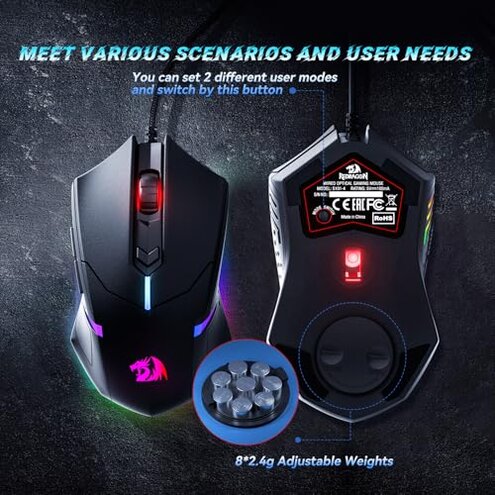
Excerpt: "Lights were uneven and the mouse only glowed red out of the box." — primary
Excerpt: "Macros reset after reboot unless I run the program as admin every time." — secondary
Excerpt: "Mouse buttons felt loose after a month of daily use." — primary
Excerpt: "Had to download firmware to get basic functions back." — secondary
Excerpt: "Good for casual typing but not for competitive FPS sessions." — edge-case
Who should avoid this
- Competitive gamers: Avoid if you need consistent DPI and button feel during long sessions, because performance variability appears repeatedly.
- Reliability-first buyers: Avoid if you require long-lasting peripherals, because early durability faults are a primary risk.
- Non-technical users: Avoid if you don’t want to install drivers or run extra software, because reliable macros need manual setup.
Who this is actually good for
- Budget casual users: Good for casual typing and light gaming where occasional lighting or macro glitches are tolerable.
- Decor-first buyers: Good if you want flashy RGB appearance and can accept uneven lighting without long-term expectations.
- Short-term use: Good for temporary setups like events or a loaner keyboard where longevity is not required.
Expectation vs reality
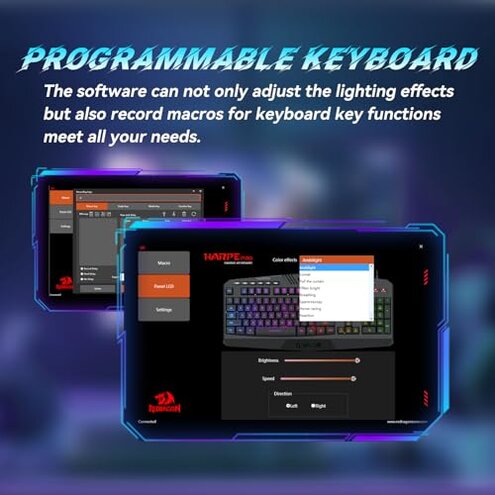
Expectation: A mid-range combo should offer stable RGB and working macros out of the box, which is reasonable for this category.
Reality: Lighting inconsistency and fragile macro storage are commonly reported and force extra setup and reconfiguration.
Expectation: Key and mouse components should survive months of daily use.
Reality: Durability complaints appear repeatedly and are more disruptive than the typical entry-level product.
Safer alternatives
- Pick separate parts: Buy a known mid-range keyboard and mouse separately to reduce combined failure risk and improve replacement options.
- Check software reviews: Choose sets with widely praised configuration tools to avoid repeated macro loss and hidden setup steps.
- Prioritize tested lighting: Look for products that advertise factory-tested RGB or per-key lighting for more consistent color results.
- Prefer replaceable options: Select devices with known customer-replaceable cables or modular parts to reduce disposal after partial failure.
The bottom line
Main regret: Lighting inconsistency and early hardware or software faults are the clearest buyer triggers for regret.
Risk level: These issues combine to exceed normal category risk for buyers who expect out-of-box reliability.
Verdict: Avoid this combo if long-term reliability or steady gaming performance matters to you.
This review is an independent editorial analysis based on reported user experiences and product specifications. NegReview.com does not sell products.