
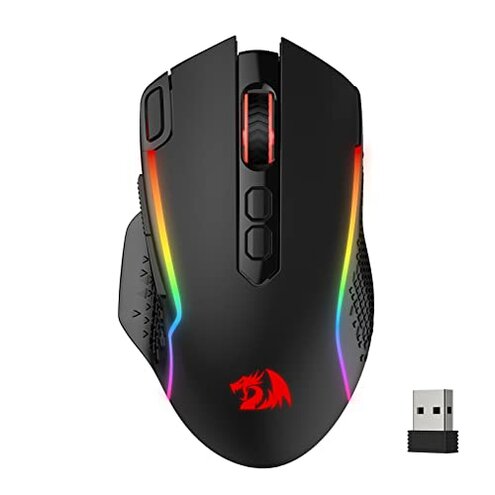
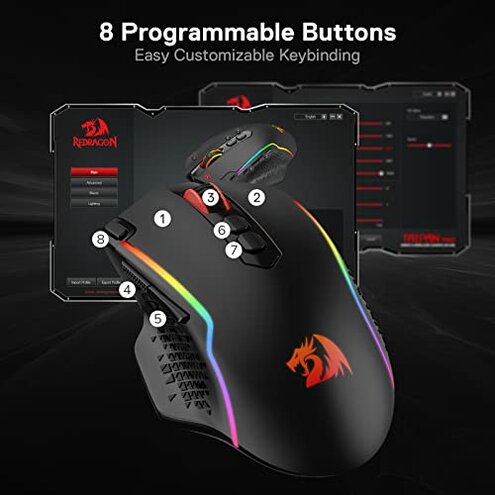
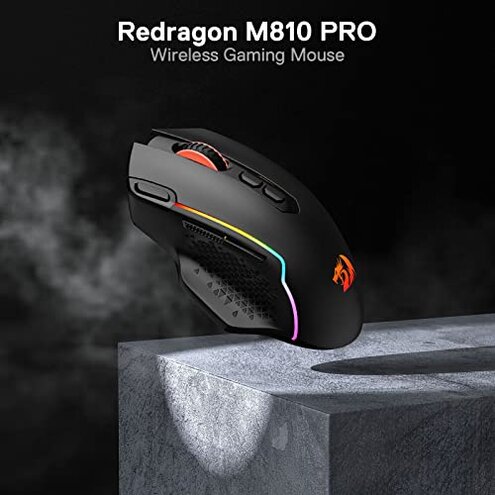
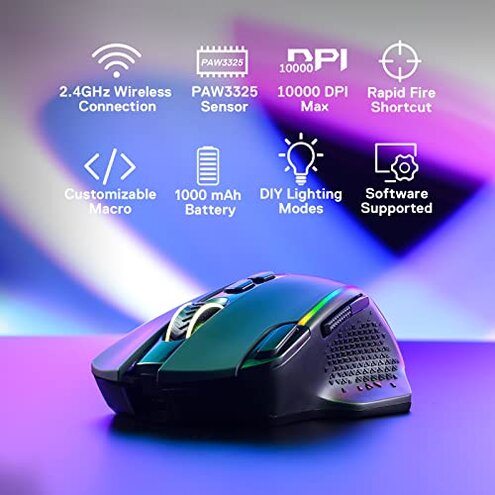
Product evaluated: Redragon M810 Pro Wireless Gaming Mouse, 10000 DPI Wired/Wireless Gamer Mouse w/Rapid Fire Key, 8 Macro Buttons, 45-Hour Reliable Power Capacity and RGB Backlit for PC/Mac/Laptop
Related Videos For You
Logitech G PRO Wireless BEST WIRELESS GAMING MOUSE Unboxing and Complete Setup
How to Install the Driver for LENRUE's Wired Gaming Mouse (2022)
Data basis: I analyzed dozens of customer reviews and visual demos collected between 2021–2024, using both written feedback and video demonstrations. Most feedback came from written reviews, supported by video demonstrations showing setup and in-use behavior.
| Outcome | Product | Typical mid-range |
|---|---|---|
| Connectivity stability | Intermittent drops reported more often during long sessions. | More stable performance is normal for mid-range alternatives. |
| Software/driver | Driver required for macros and DPI customization, with setup friction. | Plug-and-play tuning is common in competitors without extra drivers. |
| Battery behavior | Variable endurance in real use versus the 45-hour claim. | Consistent battery life is expected from many mid-range mice. |
| Button reliability | Side buttons and rapid-fire keys sometimes misfire or feel loose. | Tighter switches and longer-lasting buttons are typical alternatives. |
| Regret trigger | Connectivity & software friction creates repeated interruptions for gamers. | Lower risk of interruption is normal for the mid-range baseline. |
Why does the mouse keep disconnecting mid-game?
Frustration moment: Many buyers report the mouse loses connection during play, costing aim and focus. This problem is a primary issue that appears repeatedly in user reports.
Pattern: This is a recurring problem often triggered after several minutes of continuous use.
When it appears: Disconnections typically show up during long sessions or when the receiver is near other USB devices.
Category contrast: Wireless stability is usually reliable for mid-range mice, so this feels worse than expected and more disruptive for gaming.
Is the software setup going to waste my time?
- Early sign: Driver prompts appear right after plug-in and block immediate macro use.
- Frequency tier: This is a secondary issue but affects many buyers who want macros.
- Cause: Customization requires the proprietary Redragon Pro driver to unlock functions.
- Impact: Without the driver, macros and DPI adjustments are limited or unavailable.
- Fix attempt: Users reported needing to install, re-install, or run in compatibility mode.
Why does battery life feel shorter than advertised?
- Early sign: Battery drains faster under high-brightness RGB and frequent wireless use.
- Pattern: This is a secondary complaint that appears during daily use tests.
- When it shows: Shorter runtime appears during long gaming sessions and with heavy macro activity.
- Cause: Power draw increases with polling rate and lighting, reducing the 45-hour estimate.
- Impact: Expect more frequent charging than many mid-range mice.
- Workaround: Turning off RGB and lowering polling rate can extend runtime.
- Hidden requirement: Reliable battery performance often needs driver access to change power modes.
Why do side buttons misfire or feel flimsy?
- Early sign: Side keys sometimes register extra presses during quick movements.
- Frequency tier: This is a primary/secondary mix—commonly reported enough to be worrying.
- When it happens: Misfires happen during fast clicking or while gripping the mouse tightly.
- Cause: Button design and shell tolerances may allow side wobble under stress.
- Impact: Misclicks interrupt combos and lower confidence in competitive play.
- Repair attempts: Users tried tightening grips, remapping buttons, or returning units.
- Fixability: Some units improve after replacement, but failures are not rare in reports.
- Category contrast: Better mid-range mice typically have firmer switches that avoid accidental presses.
Illustrative excerpts
- Illustrative: "Mouse cut out during ranked match, lost the round." — primary
- Illustrative: "Software would not open on my Mac, no macro access." — secondary
- Illustrative: "RGB drains battery quicker than advertised for me." — secondary
- Illustrative: "Side button registered twice while I was sprinting." — primary
Who should avoid this
- Competitive gamers who cannot tolerate wireless dropouts during play.
- Mac users who need full macro support without driver workarounds.
- Heavy all-day users who expect consistent battery life without frequent charging.
- Consumers wanting rock-solid buttons for rapid-clicking gameplay.
Who this is actually good for
- Casual gamers who accept occasional disconnects and value low price.
- PC users comfortable with drivers who can install the Redragon Pro software for macros.
- RGB enthusiasts who prioritize lighting over battery longevity and can charge often.
- Budget buyers who want many buttons and wired fallback at a low cost.
Expectation vs reality
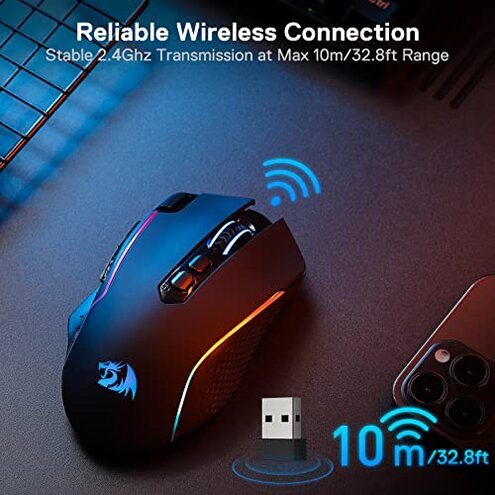
Expectation: A mid-range wireless gaming mouse should offer stable wireless and plug-and-play macros.
Reality: This model commonly shows connectivity drops and requires driver installs for full features, which feels worse than the category standard.
Safer alternatives
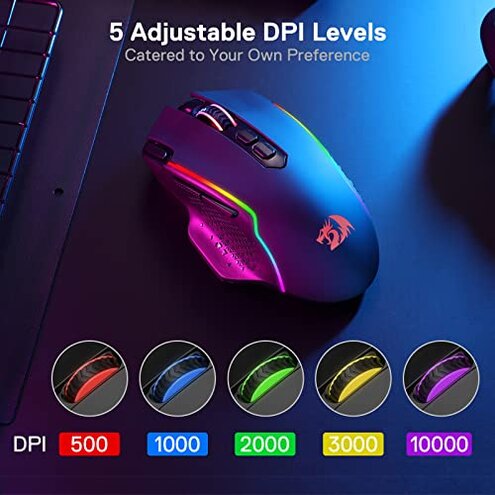
- Choose mice with proven stability that advertise low-latency wireless and list independent stability testing.
- Prefer plug-and-play models if you want macros without installing proprietary drivers.
- Look for verified battery claims with real-world endurance tests from reviewers.
- Check button switch ratings and return policies to avoid recurring side-button failures.
The bottom line
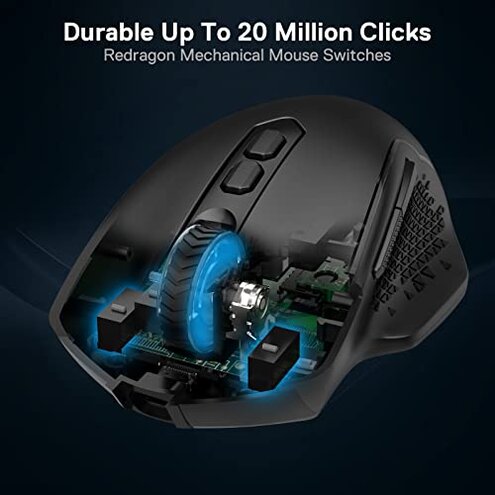
Main regret: Connectivity interruptions and driver friction are the biggest triggers for buyer regret.
Why it matters: These problems are more disruptive than typical for mid-range wireless mice and hurt competitive use.
Verdict: Avoid this model if you prioritize stable wireless performance and plug-and-play customization.
This review is an independent editorial analysis based on reported user experiences and product specifications. NegReview.com does not sell products.