
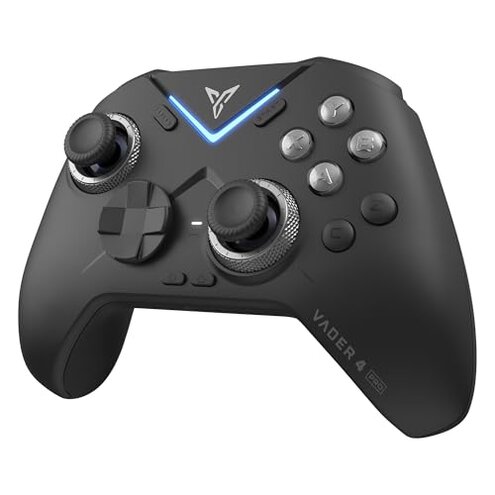
Product evaluated: FLYDIGI Vader 4 Pro PC Controller Force Adjustment Lever Joystick, Hall & Micro Triggers, 1000Hz Report Rate, 4-Motor Stereo Vibration, 800mAh, Multi-Platform for PC/NS/Android/TV
Related Videos For You
How To Play All PC Games With Any Controller or Generic USB Gamepad
How to FIX Xbox One Controller Won't Sync and Blinking Lights (Easy Method)
Data basis: This report is based on dozens of buyer reviews and video demonstrations collected between March 2025 and February 2026. Most feedback came from written reviews, supported by video demonstrations, giving a mixed but consistent signal.
| Outcome | FLYDIGI Vader 4 Pro | Typical mid-range controller |
|---|---|---|
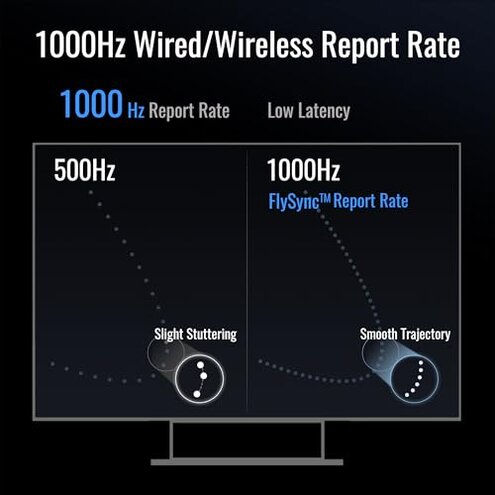
| Responsiveness | High polling when connected, but reported lag spikes under wireless modes. | Consistent responsiveness with fewer wireless dropouts for the class. |
| Connectivity stability | Unstable pairing/persistent drops reported across Bluetooth and dongle in real use. | More stable Bluetooth or single-mode wireless tends to be reliable. |
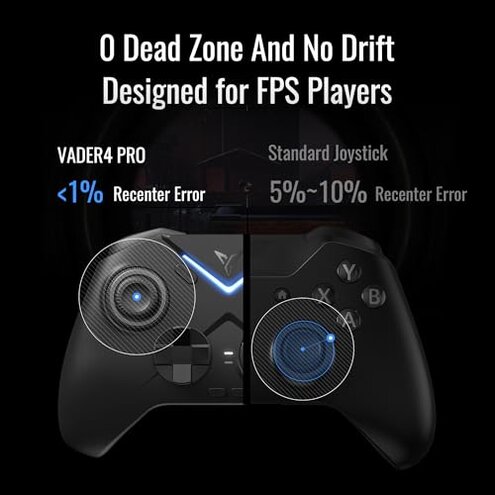
| Joystick reliability | Higher-than-normal risk of drift or inconsistent force feel after setup or weeks of use. | Lower risk of early drift with typical mid-range sticks. |
| Software & customization | Powerful features but requires PC software and extra setup steps. | Plug-and-play options are usually easier for casual users. |
| Regret trigger | Drift or disconnects during competitive or long sessions cause missed inputs and frustration. | Less frequent interruptions for similar buyers. |
Top failures
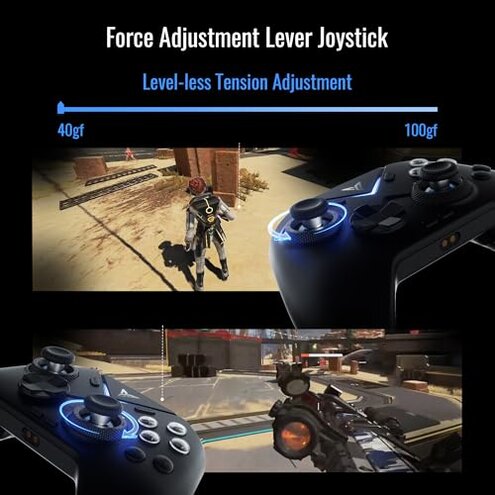
Why does the joystick feel wrong or drift so quickly?
Regret moment: Buyers report the stick developing a loose or wandering feel either on first use or after a few days of play.
Pattern: This is a commonly reported complaint across written and video feedback and often appears after initial setup.
Category contrast: The issue feels worse than typical mid-range controllers because recalibration or simple cleaning does not reliably restore stable input.
Why do connections drop or pairing fail?
- Early sign: Pairing may complete but you get intermittent drops within minutes of gameplay.
- Frequency tier: This is a primary issue for many buyers, appearing across Bluetooth and 2.4G dongle modes.
- When it happens: Drops often occur during long sessions or when switching between wired and wireless modes.
- Cause hint: Reports point to inconsistent mode switching and firmware handling as likely contributors.
- Impact: Dropped connections cause missed inputs that are more disruptive than occasional latency spikes.
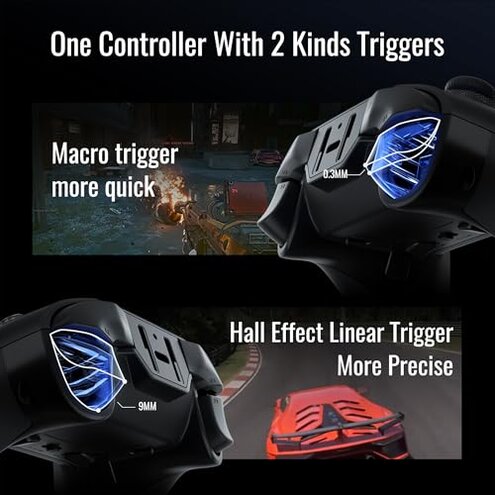
Why are triggers and vibration inconsistent?
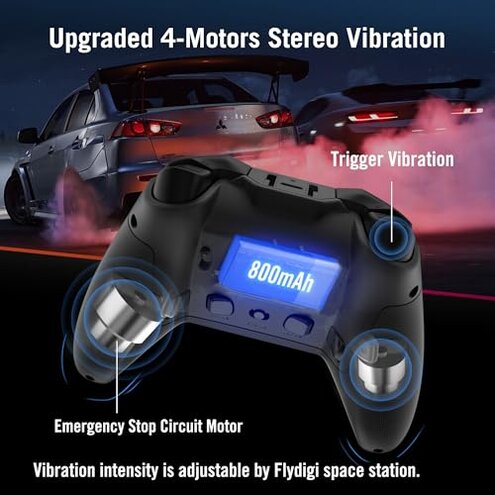
- Primary observation: Users see inconsistent vibration intensity across the four motors.
- Trigger confusion: The force-switchable trigger modes lead to unexpected behavior unless you manually switch settings.
- When noticed: Problems appear during intense gameplay or after toggling trigger modes mid-session.
- Frequency tier: This is a secondary complaint but more common than expected for controllers with multi-mode triggers.
- Attempts to fix: Buyers tried firmware updates and re-mapping in software with mixed results.
- Real impact: Inconsistent feedback reduces immersion and may cost timing in competitive play.
Why is the software and setup more work than advertised?
- Hidden requirement: Full customization needs the Flydigi Space Station PC software and sometimes specific drivers.
- Early sign: Basic controls work, but advanced features need extra setup and a PC.
- Scope: This appears repeatedly across reviews and is seen across multiple feedback sources.
- When it hurts: The burden is worst for users who expected plug-and-play functionality on consoles or Android.
- Fixability: Many buyers reported the software can tune settings, but it adds extra steps and time.
- Category contrast: Mid-range alternatives often deliver simpler in-device customization without a PC requirement.
- Net effect: The hidden setup increases total ownership effort and reduces out-of-box reliability.
Illustrative excerpts
"Illustrative:" "Stick started drifting after a week, pulls aim off during matches." — primary pattern.
"Illustrative:" "Bluetooth dropped repeatedly during long sessions, reconnecting was slow." — primary pattern.
"Illustrative:" "Must install PC app for full features; awkward for mobile-only users." — secondary pattern.
Who should avoid this
- Competitive players: Avoid if you need drift-free inputs and zero disconnects during ranked play.
- Casual mobile-only users: Avoid if you won’t use a PC, because full customization requires software.
- Long-session gamers: Avoid if you play for hours, as drops and inconsistent vibration appear under extended use.
Who this is actually good for
- Modders and tinkerers: Good if you accept the extra setup and want deep software customization.
- Occasional players: Works if you play casually and can tolerate occasional connectivity hiccups.
- Budget seekers: Reasonable if you want many features at a lower price and can accept higher maintenance.
Expectation vs reality
Expectation: A modern multi-mode controller should be plug-and-play across PC and mobile, reasonable for this category.
Reality: The Vader 4 Pro often requires PC software and troubleshooting, making setup more involved than typical mid-range controllers.
Safer alternatives
- Pick single-mode wireless controllers to avoid the Vader's mode-switching connectivity risk.
- Choose proven sticks with longer support records to reduce the chance of early joystick drift.
- Prefer plug-and-play options if you won’t use PC software for customization.
- Look for strong warranty terms to cover potential early failures like drift or trigger faults.
The bottom line
Main regret: Frequent reports of joystick drift and intermittent wireless drops are the primary triggers of buyer regret.
Risk assessment: These problems exceed normal category risk because they affect core inputs during competitive and long sessions.
Verdict: Avoid if you need reliable, out-of-box performance; consider only if you accept extra setup and possible fixes.
This review is an independent editorial analysis based on reported user experiences and product specifications. NegReview.com does not sell products.