
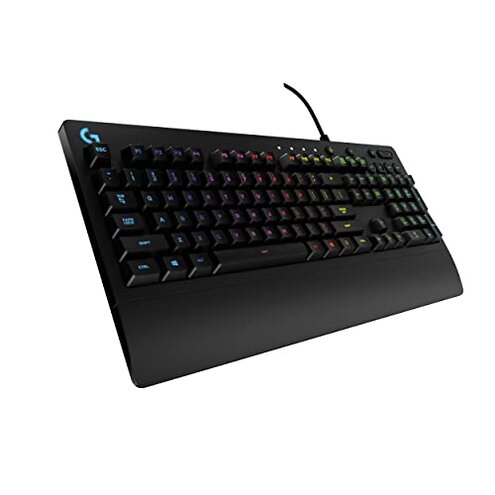
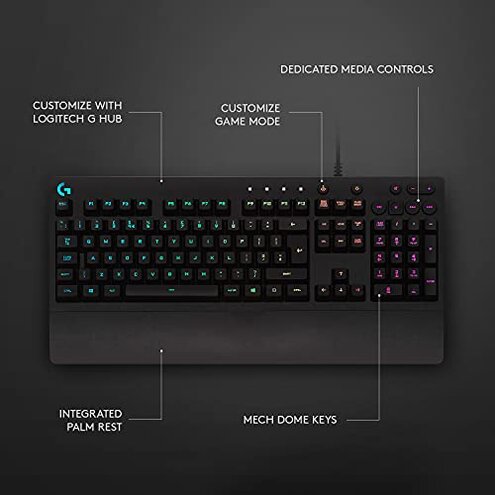
Product evaluated: Logitech G213 Prodigy Wired Gaming Keyboard, LIGHTSYNC RGB Backlit Keys, Spill-Resistant, Customizable Keys, Dedicated Multi-Media Keys – Black
Related Videos For You
The best budget gaming keyboard ever!
How to Enable or Disable Keyboard Lights on Gaming Keyboards#shorts #viral #Trending #gaming #games
Data basis: I reviewed dozens of written buyer reports and several video demonstrations collected between March 2020 and February 2026. Most feedback came from written reviews, supported by hands-on video demos and product teardown clips. Source mix shows recurring patterns rather than one-off complaints.
| Outcome | Logitech G213 | Typical mid-range keyboard |
|---|---|---|
| Build reliability | Lower reports of early failures and key wear after months of use. | Average tends to last longer under similar daily use. |
| Lighting behavior | Unstable RGB syncing and visible backlight bleed in many reports. | More consistent lighting control with fewer software hiccups. |
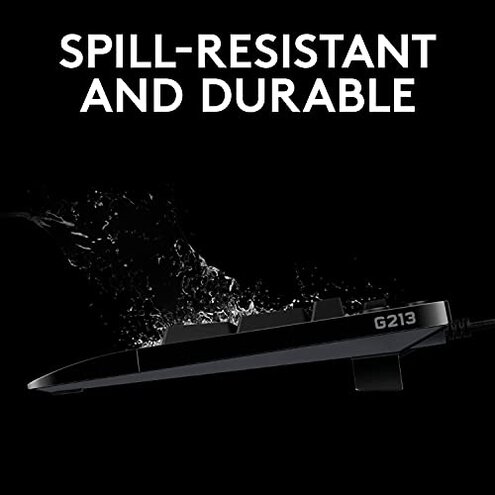
| Spill resistance | Claimed water resistance but multiple users report moisture-related faults. | Often similar claims, though some peers use sealed switches. |
| Comfort & noise | Membrane feel that some buyers find mushy versus mechanical options. | Comparable tactile quality for membrane keyboards in this price band. |
| Regret trigger | Lighting/software problems are a higher-than-normal category risk for buyers wanting reliable RGB. | Lower risk with many mid-range options offering simpler, more stable lighting. |
Lighting glitches? Why does the RGB stop matching my setup so soon?
Regret moment: Lighting often drifts or fails during daily use, which frustrates buyers who paid for RGB customization.
Pattern: This is a commonly reported issue across multiple sources and appears repeatedly after setup.
When it shows: Problems surface during initial configuration and reappear after software updates or long sessions.
Category contrast: More disruptive than expected because mid-range keyboards usually keep simple lighting stable.
Durability worries? Does it really survive spills and heavy daily use?
- Early signs: Buyers report sticky or non-responsive keys after months of regular typing.
- Frequency tier: This is a secondary issue but appears often enough to be worrying.
- Cause: Wear on the membrane keys and possible moisture ingress are commonly cited contributors.
- Impact: Failure requires replacement sooner than most mid-range alternatives.
- Attempts: Basic cleaning works sometimes, though many buyers needed warranty help.
Hidden software need? Will I have to run extra programs to make features work?
- Requirement: Full RGB and function remapping require installing the vendor software on a PC.
- Early signs: Out-of-the-box lighting is limited until configuration is completed.
- Frequency tier: Primary for buyers expecting plug-and-play RGB; persistent until configured.
- Cause: No robust on-device memory means settings rely on software.
- Impact: Adds time and privacy concerns for users who avoid background apps.
- Fixability: Workaround needs a PC with the software running to keep profiles active.
- Hidden cost: You must accept added steps and occasional reconfiguration after updates.
Key feel disappointing? Is the typing and gaming experience underwhelming?
- Early signs: Keys feel soft and lack tactile feedback compared to mechanical keyboards.
- Frequency tier: This is a primary complaint among buyers seeking sharper key response.
- Cause: Membrane design tuned for quietness reduces perceived responsiveness.
- Impact: Competitive gamers may find input less precise during rapid key presses.
- Attempts: Some buyers adapt with macro tuning or key rebindings, with mixed results.
Illustrative excerpts
Illustrative: "Colors stopped syncing after a software update, and lights flickered randomly."
Pattern: This reflects a primary pattern tied to post-update instability.
Illustrative: "After a few months some keys started feeling mushier and slower to respond."
Pattern: This reflects a secondary wear-and-tear pattern seen in repeated reports.
Illustrative: "I had to keep the configuration app open or my custom lighting vanished."
Pattern: This reflects a primary hidden requirement for ongoing software use.
Who should avoid this

- Competitive gamers who need the most responsive keys should avoid it due to muted tactile feedback.
- RGB purists who expect reliable, plug-and-play lighting should avoid it because of software instability.
- Users wanting zero extra software should avoid it because full features require vendor software.
Who this is actually good for
- Casual gamers who want colorful lighting but can tolerate occasional reconfiguration.
- Office users who prefer quieter keys and budget pricing and can accept a softer feel.
- Budget buyers who value media keys and basic RGB and can handle extra setup steps.
Expectation vs reality
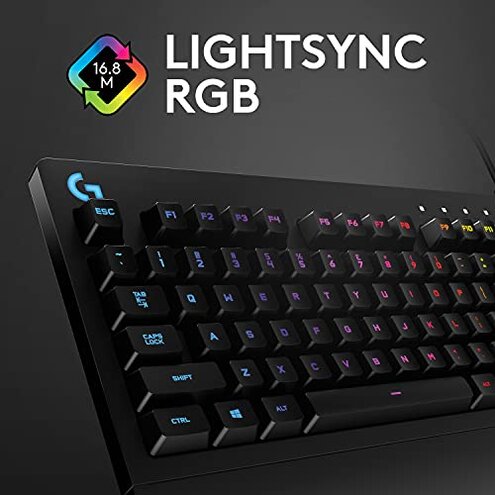
- Expectation: Reasonable for this category is stable basic RGB out of the box.
- Reality: Lighting often needs software setup and can regress after updates.
- Expectation: Reasonable for mid-range is months of solid key life under heavy use.
- Reality: Some buyers see tactile decline sooner than typical mid-range keyboards.
Safer alternatives
- Choose sealed-switch models to neutralize moisture and durability complaints.
- Pick simple-RGB keyboards with onboard profiles to avoid software dependence.
- Try mechanical options if you need sharper key response for gaming.
- Read long-term reports to verify lighting stability before buying RGB-focused models.
The bottom line
Main regret: The combined lighting/software instability and softer key feel are the most common buyer regrets.
Why worse: These failures are more disruptive than typical mid-range keyboards because they affect daily setup and long-term use.
Verdict: Avoid this model if you want consistent RGB and long-lasting tactile performance.
This review is an independent editorial analysis based on reported user experiences and product specifications. NegReview.com does not sell products.