
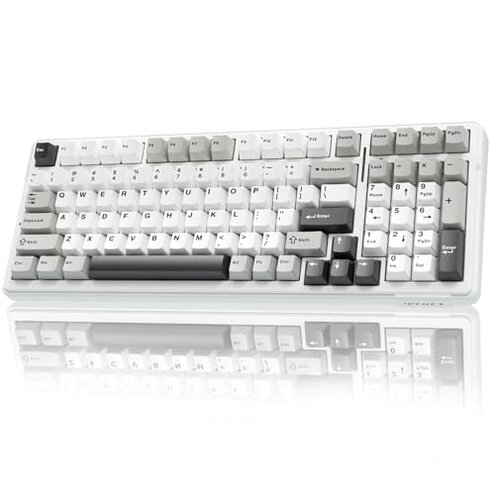
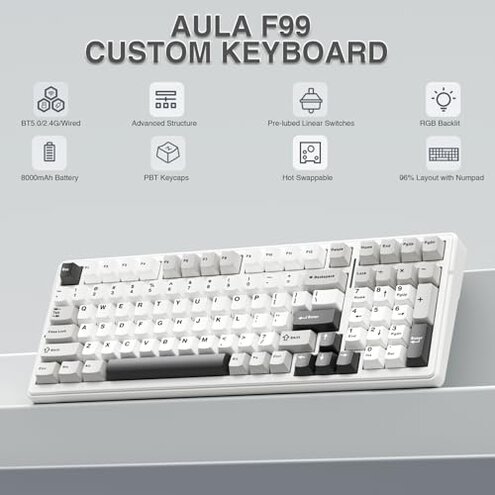
Product evaluated: AULA F99 Wireless Mechanical Keyboard,Tri-Mode BT5.0/2.4GHz/USB-C Hot Swappable Custom Keyboard,Pre-lubed Linear Switches,RGB Backlit Computer Gaming Keyboards for PC/Tablet/PS/Xbox
Related Videos For You
This can do it ALL!!!! - Keychron K4 V2 Wireless Mechanical Keyboard
How To Fix Mechanical Keyboard Switches. Keys Not Working .How to fix a key that does not respond.
Data basis: This report is based on dozens of written reviews and several video demonstrations collected between January 2024 and January 2026, with most feedback coming from written reviews supported by hands-on videos and customer Q&A.
| Outcome | AULA F99 (this product) | Typical mid-range keyboard |
|---|---|---|
| Connectivity reliability | Unstable — Bluetooth and 2.4GHz switching are commonly reported as dropping or needing re-pairing during daily use. | Stable — Most mid-range rivals keep solid BT or dongle connections for long sessions without frequent reconnects. |
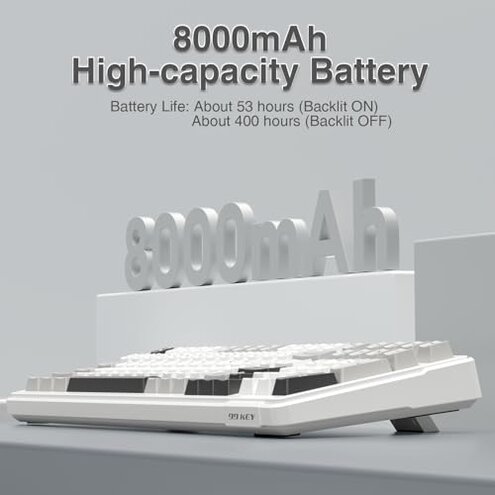
| Battery behavior | Inconsistent — Some buyers report faster-than-expected drains under RGB or multi-device use. | Predictable — Typical keyboards give steadier battery runtime with the same features enabled. |
| Software and macros | Hidden setup — Macro and RGB functions often require driver installs and extra steps to work fully. | Plug-and-play — Many mid-range models offer simpler on-device controls or clearer software support. |
| Build & hot-swap | Mixed — Hot-swap and key feel are praised by some but others report wobble or uneven stabilizers after weeks of use. | More consistent — Competitors usually show fewer stability complaints out of the box. |
| Regret trigger | Wireless drops — Connectivity interruptions during work or gaming are a higher-than-normal category risk here. | Lower risk — Mid-range options usually avoid frequent drops that interrupt tasks. |
Why does the Bluetooth keep dropping during use?
Regret moment: Buyers report losing connection in the middle of work or gaming, forcing re-pairing or a USB swap.
Pattern: This issue is commonly reported and seen across written reviews and video tests, not universal but frequent enough to disrupt sessions.
When it shows up: Drops appear after setup and during prolonged Bluetooth or 2.4GHz use, and they worsen when switching between paired devices.
Category contrast: This feels worse than typical mid-range keyboards because reconnecting interrupts flow and takes extra time compared to stable rivals.
Is battery life really as long as promised?
- Early sign: Battery reports initially look fine but drain becomes noticeable with RGB or heavy multi-device switching.
- Frequency tier: This is a secondary issue—commonly reported but less disruptive than connectivity for most buyers.
- Cause hint: High-power modes and constant wireless switching appear to increase draw more than expected.
- Impact: Users may need to charge more often than claims suggest, adding downtime.
- Fix attempts: Workarounds include disabling RGB or using wired mode, which reduces convenience.
Why does the RGB, macros, or function layer need extra setup?
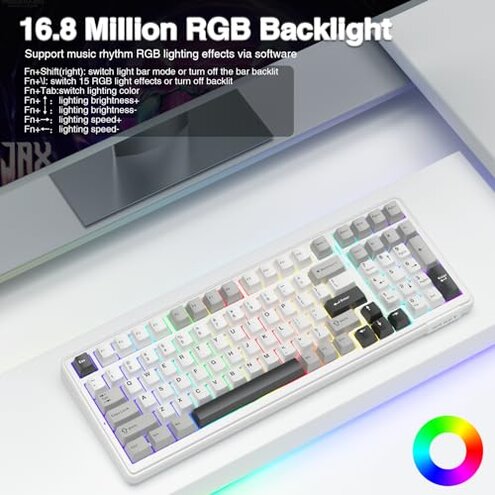
- Hidden requirement: Full macro and music-synced RGB features commonly require driver installation and extra steps.
- Pattern: This is a persistent pattern across multiple feedback types, not isolated to one user group.
- When it matters: Shows up during initial setup and when customizing keys or lighting profiles.
- Category contrast: Less friendly than many mid-range keyboards that offer on-board controls or clearer software.
- Impact: Buyers without patience or admin rights face blocked features or extra troubleshooting time.
- Fixability: Workable with time and software, but adds steps and potential compatibility hassle.
- Hidden cost: Requires extra time and possibly driver downloads, which some buyers overlooked before purchase.
Are there durability or feel problems with keys and hot-swap sockets?
- Early sign: Initial typing may feel smooth due to pre-lubed switches, but some buyers report wobble after repeated use.
- Frequency tier: This is an edge-case issue—less frequent but persistent when present.
- When it appears: Often noticed after weeks of daily typing or after swapping switches repeatedly.
- Cause: Stabilizer alignment or plate fitment seems to affect key stability in reported cases.
- Impact: Key wobble or uneven feel reduces typing satisfaction and can mimic durability failure.
- Attempts to fix: Buyers try reseating switches or adjusting stabilizers, which requires extra time and tools included.
- Category contrast: More upkeep than most mid-range hot-swap options, raising real regret for customization buyers.
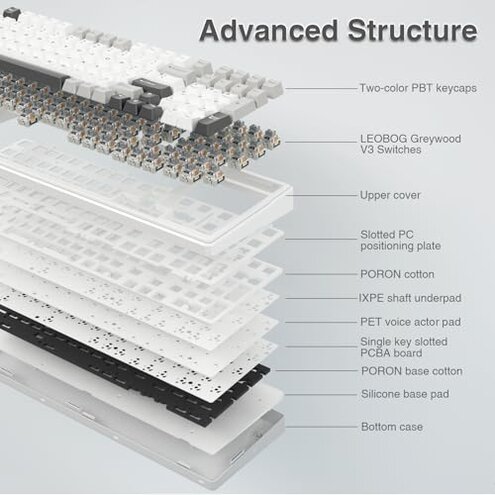
- Repairability: Hot-swap helps but does not remove the need for careful setup and maintenance.
Illustrative excerpts
Illustrative excerpt: "Bluetooth drops mid-game and I have to reconnect constantly." — primary pattern
Illustrative excerpt: "Macros worked only after I installed the driver and rebooted." — secondary pattern
Illustrative excerpt: "Some keys felt wobbly after I replaced switches twice." — edge-case pattern
Who should avoid this
- Remote workers who depend on steady Bluetooth for meetings and cannot tolerate mid-call disconnects.
- Non-technical buyers who do not want to install drivers or troubleshoot software to unlock features.
- Frequent switchers who swap switches or keycaps often and want minimal maintenance.
Who this is actually good for
- Customizers who like hot-swap and can spend time dialing stabilizers; they accept extra setup for a tailored feel.
- Wired-first users who plan to use USB-C most of the time and only occasionally test wireless modes.
- Budget RGB buyers who prioritize appearance and are willing to disable advanced wireless features to avoid issues.
Expectation vs reality
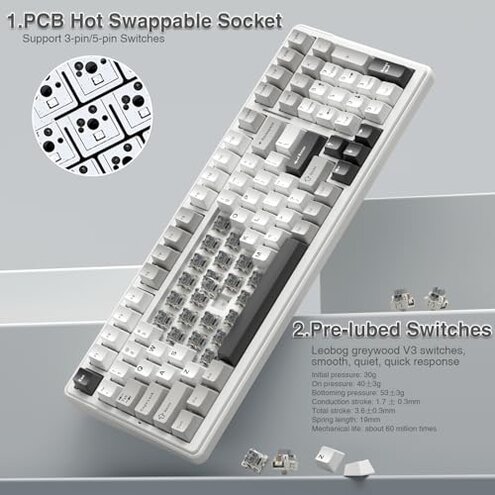
Expectation: Buyers reasonably expect stable Bluetooth or dongle connections for a tri-mode keyboard.
Reality: Connectivity is more fragile here, leading to more frequent reconnection than is reasonable for this category.
Expectation: Reasonable category baseline is simple macro/RGB setup or clear on-board controls.
Reality: This product often needs driver installs and extra steps, which adds time and friction.
Safer alternatives
- Choose proven wireless models with long-standing stable BT or dongle reputations to avoid frequent reconnects.
- Prefer on-board macro controls if you cannot or will not install drivers to unlock features.
- Pick solid-build hot-swap boards with fewer maintenance complaints if you change switches often.
- Test return policies and seller support before customizing, so you can swap if connectivity or wobble persists.
The bottom line
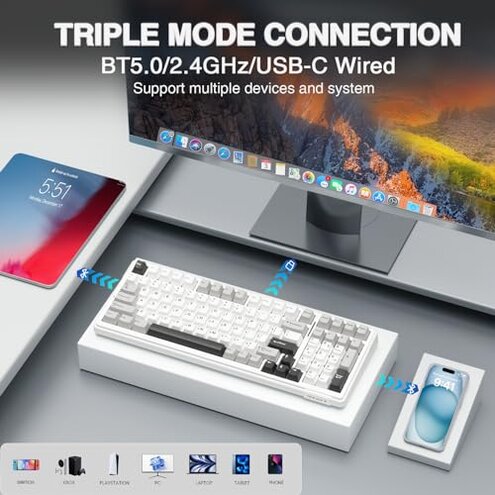
Main regret trigger: Frequent wireless drops and hidden driver dependence create the clearest buyer risk.
Why it exceeds normal risk: These issues interrupt work and add unexpected setup time compared with typical mid-range keyboards.
Verdict: Avoid this model if you need reliable wireless switching or plug-and-play macros; consider it only if you accept extra setup and maintenance.
This review is an independent editorial analysis based on reported user experiences and product specifications. NegReview.com does not sell products.