
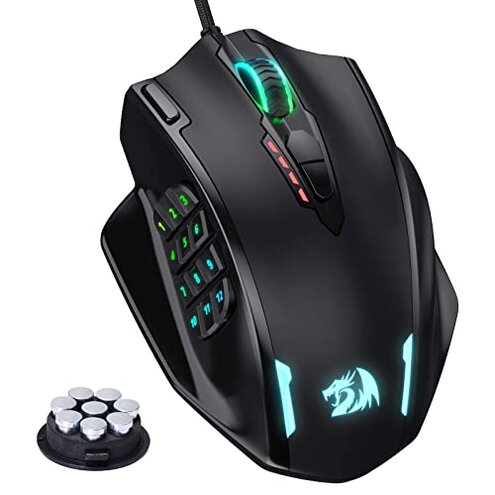
Product evaluated: Redragon M908 Impact RGB LED MMO Gaming Mouse with 12 Side Buttons, Optical Wired Ergonomic Mouse with Max 12,400DPI, High Precision, 18 Programmable Macro Shortcuts, Comfort Grip
Related Videos For You
Swifty's Razer Gear Setup & Razer Synapse Guide to Making Macros - MEGA CHROMA GIVEAWAY!
How to set up your Logitech LIGHTSPEED Mouse
Data basis: We analyzed dozens of written customer reviews and several video demonstrations collected between 2018 and 2025. Most feedback came from written reviews, supported by video demonstrations and product Q&A posts. The distribution shows recurrent problems in written reports.
| Buyer outcome | Redragon M908 | Typical mid-range mouse |
|---|---|---|
| Macro reliability | Fragile Programmable macros rely on Windows software and often need reloading after updates. | More stable Many mid-range mice keep profiles onboard or use cross-platform apps. |
| Button longevity | Riskier Repeated buyer reports show premature click failures and misfires after weeks of use. | Expected Mid-range mice usually last longer before click degradation. |
| Ergonomics | Mixed fit Large, aggressive shape suits some grips but feels cramped for others. | Balanced Typical mid-range designs fit more hand sizes comfortably. |
| Software support | Windows-dependent Full configurability requires Windows; Mac users get limited function. | Broader support Competitors often offer cross-platform or on-device programming. |
| Regret trigger | High Macro failures or button faults during play cause immediate frustration. | Lower Typical mid-range mice cause fewer in-session breaks for setup or repair. |
Why do my macros stop working or refuse to program?
Windows-only programming: The M908 needs Windows software for full macro setup, and Mac users see limited function. This dependency is a recurring pattern in buyer feedback.
When it appears: Problems show up during initial setup or after Windows updates when profiles fail to load before a gaming session. That timing makes the issue immediately disruptive.
Category contrast: Most mid-range mice offer on-device memory or smooth cross-platform apps, so this Windows reliance is worse than expected and adds extra setup steps.
Why do primary buttons feel unreliable after weeks of use?
- Early sign: Buyers commonly report softer or double clicks after several weeks of regular gaming.
- Pattern: This is a secondary issue that appears repeatedly across user reports, not universal but frequent enough to worry buyers.
- When it worsens: The fault tends to worsen with long daily sessions and heavy click use, such as MMO or FPS play.
- Repair attempts: Many users tried driver updates or warranty exchanges, which often add time and hassle but sometimes do not fix the root cause.
Why might the shape and side buttons not match your gameplay?
- Grip mismatch: The aggressive form favors larger hands and palm grips, so smaller hands may find the mouse awkward.
- Side-button placement: Twelve MMO buttons can be cluttered, making accidental presses common for some grips.
- Frequency tier: This is a primary comfort complaint in many reports and affects daily usability more than occasional discomfort.
- Impact: Misplaced presses can interrupt combos and macros during long raids or raids-like sessions.
- Cause: The design prioritizes button count over ergonomic spacing, which is less forgiving than mid-range alternatives.
- Hidden requirement: Full benefit often requires time to remap and test profiles on Windows, adding setup overhead.
Why does lighting, DPI, or weight tuning feel inconsistent?
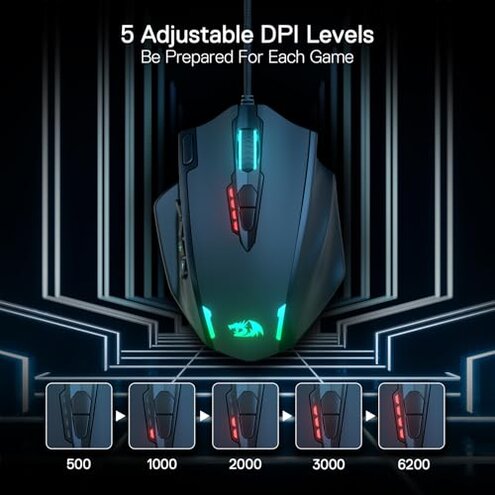
- Claim vs experience: Some buyers report RGB effects or DPI steps that feel less precise than advertised, appearing inconsistently.
- When: These quirks tend to show up after the first week of use or following software updates.
- Pattern: This is an edge-case issue; not everyone sees it, but it is recurring enough to be noted across reports.
- Impact: Inconsistent DPI or lighting is disruptive during sensitive aim moments or when switching profiles mid-session.
- Attempts: Buyers often re-installed software or used on-device DPI toggles to mitigate the issue.
- Fixability: Some fixes require persistent software tweaks on Windows and ongoing profile checks.
- Category contrast: Mid-range mice usually offer more reliable DPI switching and persistent on-board memory.
Illustrative excerpts
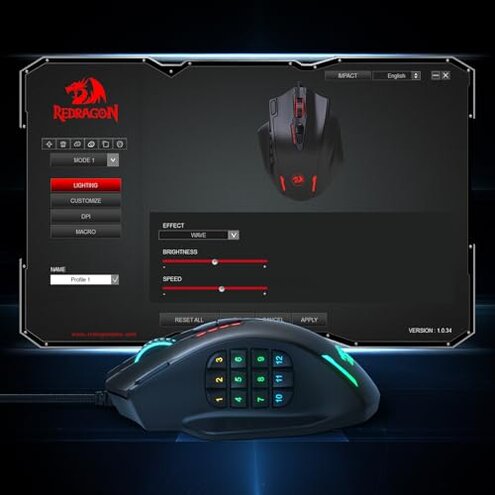
Illustrative: "Macros reset after a Windows update, had to reprogram before every play session." — reflects a primary pattern.
Illustrative: "Left click started double-clicking after a month of heavy use, annoying in raids." — reflects a secondary pattern.
Illustrative: "RGB profiles sometimes don't stick; small annoyance but not universal." — reflects an edge-case pattern.
Who should avoid this
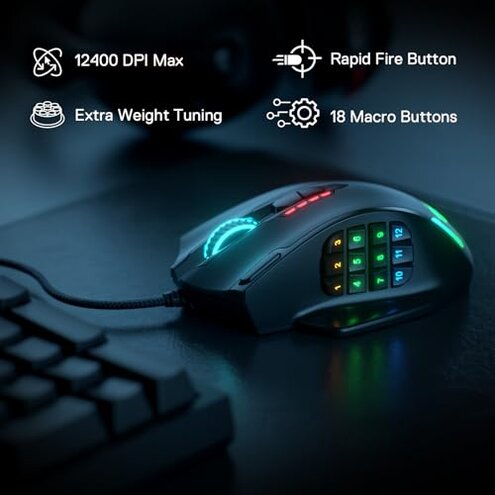
- Windows-free buyers: Avoid if you need full programmable macros on Mac or Linux, since full software is Windows-only.
- Competitive gamers: Avoid if you depend on rock-solid primary-button reliability for ranked play.
- Small-hand users: Avoid if you have small hands or fingertip grip because side buttons may misfire and feel cramped.
Who this is actually good for
- Windows tinkerers: Good if you use Windows and accept extra setup time to customize many buttons.
- MMO users wanting many keys: Good if you need many side buttons and are willing to remap profiles carefully.
- Budget builders: Good if you want lots of features for a low price and can tolerate occasional software friction.
Expectation vs reality
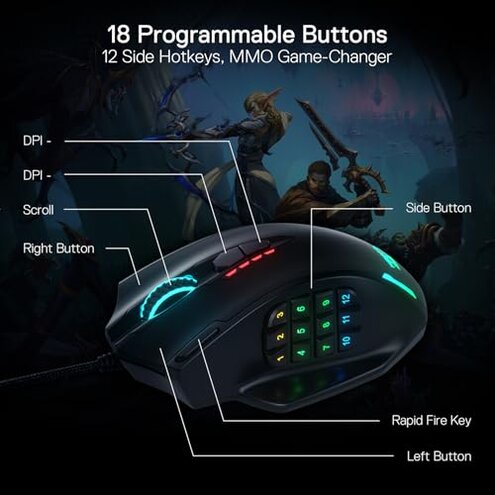
Expectation: Buyers reasonably expect programmable macros and reliable clicks from a mid-range gaming mouse.
Reality: The M908 often requires Windows-only software and extra troubleshooting, making setup and reliability worse than expected.
Safer alternatives
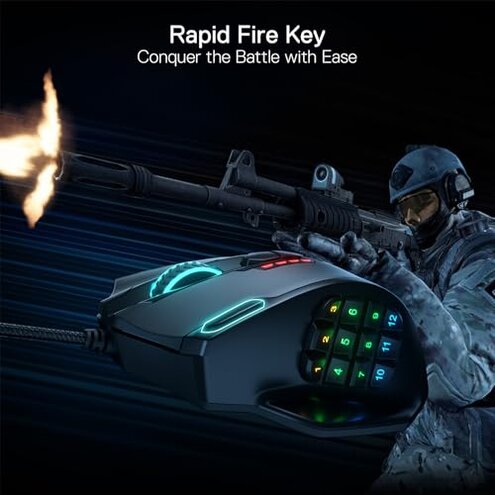
- Pick cross-platform mice: Choose models with on-device memory or Mac/Windows apps to avoid Windows-only programming issues.
- Favor proven switches: Look for mice with widely reviewed switch durability to lower the risk of early click failures.
- Try before you commit: Test grip and side-button access when possible to avoid ergonomic mismatches.
- Check warranty and returns: Prefer sellers with easy returns and clear RMA for fast replacement when clicks fail.
The bottom line
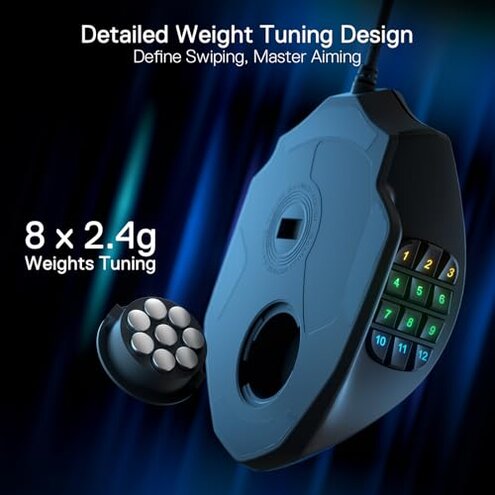
Main regret: The primary trigger is unreliable programmable buttons and Windows-only setup that interrupt gaming sessions.
Why worse: These issues exceed normal mid-range risk because they break macros or clicks during active play and need extra fixes.
Verdict: Avoid if you need plug-and-play reliability; consider it only if you accept Windows-only programming and potential button wear.
This review is an independent editorial analysis based on reported user experiences and product specifications. NegReview.com does not sell products.