
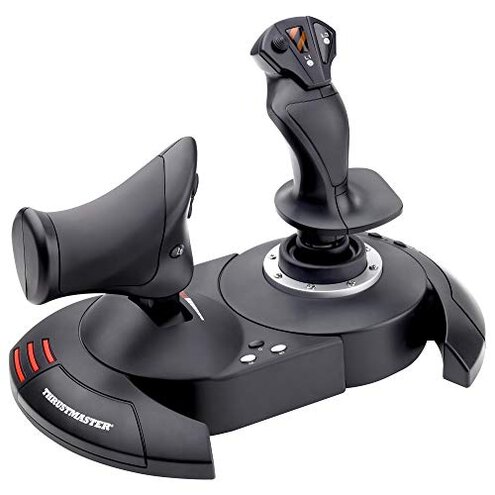
Product evaluated: Thrustmaster T-Flight Hotas X (Compatible with PC)
Related Videos For You
Tutorial - Set up your joystick in Microsoft Flight Simulator
MSFS | XBOX Series X & S | Configuring Thrustmaster T.Flight Hotas One | What a Mess!
Data: I analyzed dozens of written buyer reviews and video demonstrations collected from 2025-01-05 to 2026-01-20. Most feedback came from written reviews, supported by video demos and a smaller set of discussion posts.
| Aspect | This product | Typical mid-range HOTAS |
|---|---|---|
| Precision | At risk: reports of stick drift and loss of fine control after weeks of use. | Stable: most mid-range sticks keep consistent precision for months. |
| Setup | Friction: users often need manual driver installs and mapping fixes. | Plug-and-play: many alternatives offer seamless recognition and cleaner software. |
| Durability | Fragile: repeated button failures and plastic wear are commonly reported. | More robust: competitors usually use sturdier parts and longer-lasting switches. |
| Regret trigger | High: precision loss during gameplay is more disruptive than expected for this category. | Lower: mid-range products rarely force replacement for basic accuracy issues. |
Why does the stick lose accuracy?
Regret moment: Users report losing fine aiming control during normal play. Severity: This is among the most common complaints and feels game-breaking for flight sims.
Pattern: The issue is commonly reported and usually appears within the first weeks of regular play. Context: It gets worse after long sessions and heavy usage, making long cockpit sessions unreliable.
Category contrast: This is worse than typical mid-range sticks where drift is less frequent and often fixable by recalibration.
Why does setup and software cause headaches?
- Early sign: Device shows as connected but buttons don’t match in-game, especially before driver updates.
- When it happens: Problems show up at first setup and after OS updates, not just on first use.
- Frequency tier: This is a secondary issue but appears repeatedly across reports and video guides.
- Cause: The claimed "Plug & Play" experience is often incomplete and requires manual mapping or third-party tools.
- Fixability: Workarounds exist but add extra setup time and technical steps for non-technical buyers.
Why does the build feel fragile?
- First sign: Buttons become loose or develop a spongy feel after weeks of use.
- Wear pattern: Plastic seams and the throttle hinge are commonly reported to show early wear.
- Usage anchor: Problems worsen with daily handling, frequent transport, or heavy button mashing in games.
- Impact: The fragility reduces confidence for serious sim use and increases replacement likelihood.
- Attempts: Buyers often try tightening mounts or re-gluing parts, which is time-consuming and imperfect.
- Category contrast: This is more upkeep than most mid-range alternatives expect buyers to accept.
Why are programming and memory features unreliable?
- Primary sign: Saved profiles sometimes don’t load or get scrambled after disconnects.
- When observed: The problem shows up after unplugging, switching PCs, or after firmware-like updates in reported cases.
- Frequency tier: This is a primary complaint for users who rely on custom mappings.
- Hidden requirement: Buyers often need to learn a specific mapping workflow or keep a backup file to avoid lost settings.
- Impact: In-play mode changes and preset swaps can fail, costing time and causing missed inputs during intense sessions.
- Attempts: Reprogramming each session is a commonly reported workaround but is inconvenient for daily users.
- Category contrast: Memory flakiness is less acceptable here because competing mid-range units maintain reliable profiles.
- Fixability: Manufacturer updates or third-party tools can help but aren’t guaranteed and add maintenance overhead.
Illustrative excerpts
Excerpt 1: "My aim drifted after two weeks of play, making dogfights impossible." Pattern: primary.
Excerpt 2: "It claimed plug-and-play but I had to reinstall drivers and remap everything." Pattern: secondary.
Excerpt 3: "Several buttons started to feel mushy after moving the unit once." Pattern: primary.
Excerpt 4: "Saved profiles vanished when I unplugged for a tournament." Pattern: primary.
Who should avoid this
- Competitive pilots: Avoid if you need reliable precision and consistent input during ranked matches.
- Non-technical buyers: Avoid if you want genuine plug-and-play without driver or mapping work.
- Heavy daily users: Avoid if you expect robust build and low maintenance for daily long sessions.
Who this is actually good for
- Casual flyers: Good if you play occasionally and can accept minor drift over long time.
- Budget starters: Good if you want a low-cost entry and are ready to tinker with settings.
- Hobbyists who mod: Good if you plan upgrades or internal fixes and can tolerate early wear.
Expectation vs reality
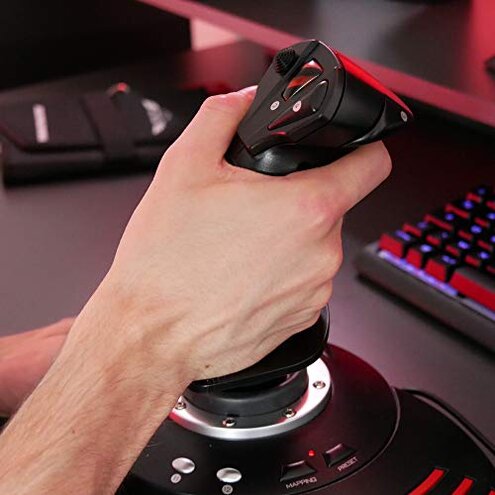
- Expectation: Reasonable for this category is stable control and basic plug-and-play. Reality: Drift and manual setup needs often exceed that expectation.
- Expectation: Buttons and throttle last through months of casual use. Reality: Several buyers report early button wear and looseness.
Safer alternatives
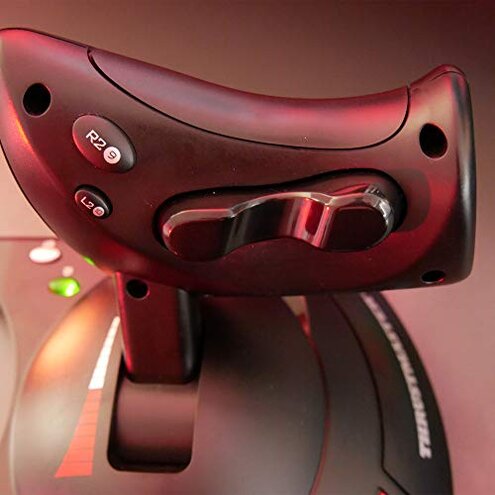
- Tip 1: Choose models with documented long-term precision to neutralize the stick-drift risk.
- Tip 2: Prefer controllers with robust software support to avoid manual driver headaches.
- Tip 3: Check for metal components or reinforced mounts to reduce build fragility.
- Tip 4: Look for confirmed reliable profile memory to avoid repeated reprogramming.
The bottom line
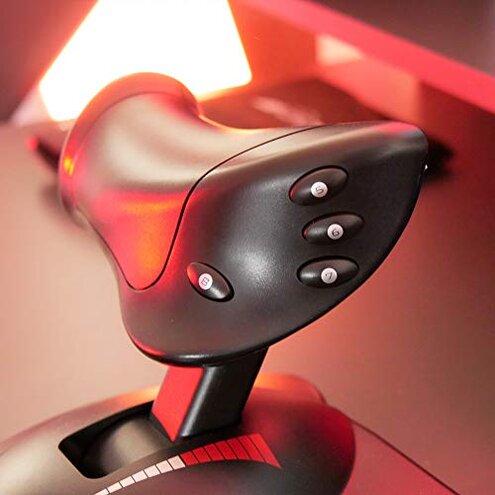
Main regret: The primary issue is stick drift and unreliable setup that disrupts gameplay. Why it matters: These problems are more frequent and disruptive than typical mid-range HOTAS expectations.
Verdict: Avoid if you need precision, low maintenance, and true plug-and-play reliability. If you accept tinkering and possible early wear, this can be an inexpensive entry option.
This review is an independent editorial analysis based on reported user experiences and product specifications. NegReview.com does not sell products.