
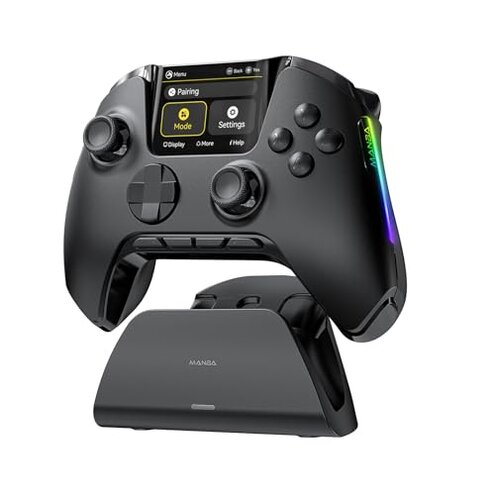
Product evaluated: ManbaOne Interactive Screen Wireless Gaming Controller for PC/Switch/Switch 2/iOS/Android,Hall Effect Stick & Trigger,RGB Lighting,Remappable Buttons,1800mAh with Charging Dock (Black)
Related Videos For You
How to WIRELESSLY connect PS4 controller to PS3 #ps3 #retrogaming #gaming #ps4
Fixing stick drift #stickdrift #gaming #console
Dozens of buyer-written reviews and video demonstrations were analyzed for this report, collected between Jun 2023 and Jan 2026. Most feedback came from written reviews, supported by short gameplay videos and image-based unboxings. Patterns below reflect what mostly recent buyers reported.
| Outcome | ManbaOne | Typical mid-range |
|---|---|---|
| Connection stability | Unstable — frequent dongle drops or Bluetooth hiccups during play, reported repeatedly. | Reliable — most mid-range controllers keep steady connection with a single dongle or wired mode. |
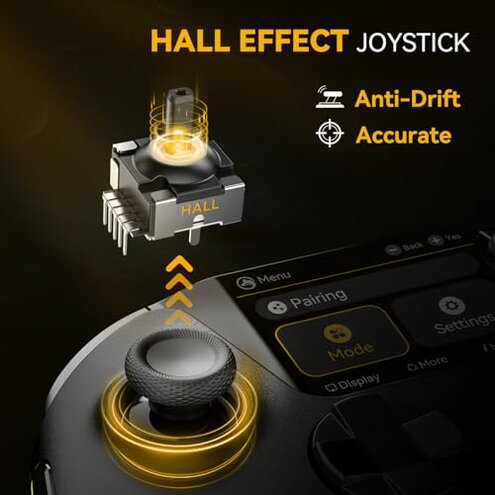
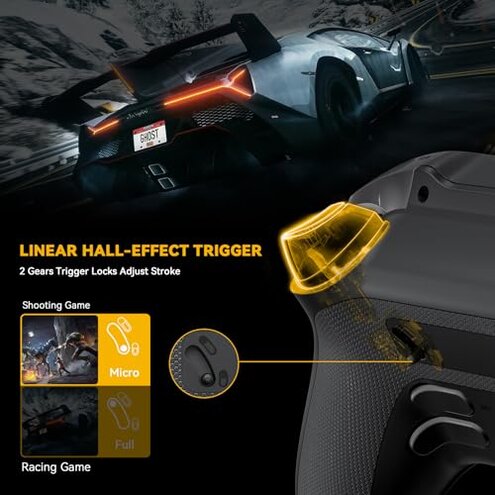
| Joystick/trigger longevity | Mixed — Hall-effect claim, but drift concerns appear repeatedly over time. | Predictable — similar price controllers may show gradual wear but fewer early drift reports. |
| Setup & remapping | Complex — on-device screen helps but many buyers find configuration confusing or incomplete. | Simpler — mid-range alternatives usually use companion apps or clear PC software for remaps. |
| Charging & battery | Inconvenient — charging dock and battery behavior caused repeated complaints after daily use. | Standard — typical controllers offer reliable wired charging and predictable battery life. |
| Regret trigger | Connection drop — more disruptive than expected for this category; can end matches or lose progress. | Lower risk — connection losses are less common and less game-breaking. |
Why does the controller lose connection during play?
Primary pattern: connection drops and Bluetooth instability are commonly reported and often happen mid-session while gaming.
Usage anchor: most buyers notice the problem during competitive matches or extended play sessions, where a drop interrupts gameplay.
Category contrast: this is more disruptive than typical mid-range controllers because the loss often forces a reconnect or restart mid-match, which exceeds normal tolerance in this price band.
What's wrong with the joysticks and Hall-effect claims?
- Early sign: users report stick sensitivity feels off within weeks of use.
- Frequency tier: this is a secondary issue — appears repeatedly but not universal.
- Cause clue: calibration or firmware steps sometimes required after first use and after firmware updates.
- Impact: drifting or inconsistent aiming makes shooters and precision games noticeably harder.
- Fixability: buyers tried recalibration and saw mixed results, so fixes are not guaranteed.
Why does the charging dock and battery cause headaches?
- Initial sign: the charging dock sometimes fails to seat the controller cleanly, interrupting charge.
- Pattern: this is a primary complaint for many reviewers after repeated daily charging.
- When it worsens: problems often show up after a few weeks of daily docks use, not just on first charge.
- Hidden cost: inconsistent charging adds time and steps before play sessions, unlike standard USB charging.
- Workarounds: users resorted to wired charging or leaving controllers on the dock for longer than expected.
- Category contrast: more upkeep than most mid-range alternatives, which commonly use dependable USB-C charging alone.
Why is screen-based remapping more trouble than help?
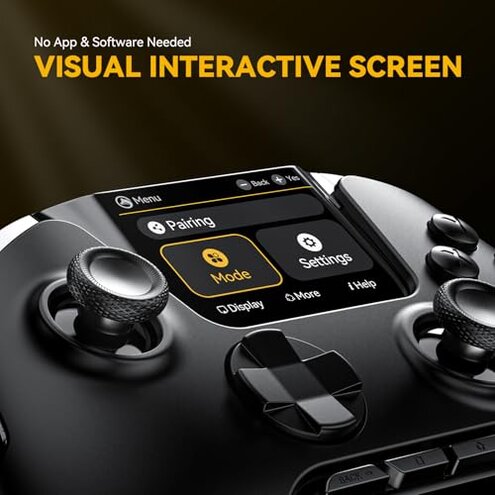
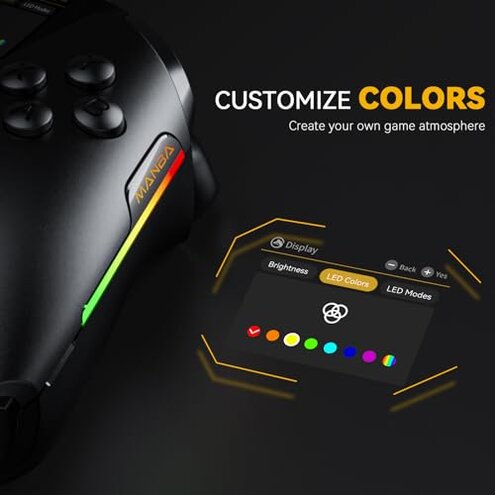
- First impression: the interactive screen promises easy on-device setup but many buyers find menus unclear.
- Compatibility note: stable PC play often requires the included wireless dongle, and Bluetooth PC mode is not recommended.
- Hidden requirement: buyers discovered you must switch modes for different platforms, adding unexpected steps.
- Frequency: this is a secondary pattern seen across written reviews and video demos.
- User impact: saved profiles sometimes fail to load consistently between sessions, causing lost settings.
- Support friction: attempts to fix settings often require contacting after-sales help or repeated resets.
- Category contrast: less forgiving than typical controllers that use clear PC apps or mobile apps for remaps.
Illustrative excerpts
Illustrative: "Dropped connection in the middle of a ranked match, had to reconnect."
Pattern: reflects a primary pattern.
Illustrative: "Dock doesn't always charge unless perfectly aligned, annoying daily."
Pattern: reflects a primary pattern.
Illustrative: "On-screen remap is clunky; I end up using PC software instead."
Pattern: reflects a secondary pattern.
Who should avoid this
- Competitive players: avoid this if connection drops would ruin matches or ranked progress.
- Users needing plug-and-play: avoid if you want a controller that just works without extra dongle or mode switching.
- Low-tolerance for upkeep: avoid if you dislike troubleshooting charging docks, calibrations, or remapping.
Who this is actually good for
- Customizer hobbyists: ok if you value on-device screen remapping and are willing to invest time tuning profiles.
- Non-competitive casuals: fine if occasional disconnects are tolerable during casual play.
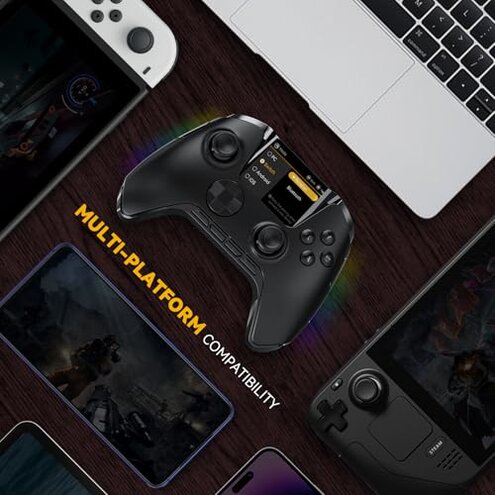
- Multi-platform tinkerers: useful if you switch between Switch and mobile and accept using the dongle for PC stability.
Expectation vs reality
Expectation: a mid-range controller should offer stable connection and easy setup out of the box. Reality: many buyers faced reconnects, mode switching, or dongle dependence instead.
Expectation: Hall-effect sticks mean long-term drift resistance. Reality: drift reports still appear and sometimes require recalibration or contact with support.
Safer alternatives
- Pick controllers with proven dongles: choose products that emphasize a single, stable wireless receiver and strong buyer feedback on connectivity.
- Prefer USB-C charging: avoid dock-only setups and pick controllers with reliable wired charging options.
- Look for strong software: favor controllers with clear PC or mobile apps to handle remaps instead of small on-device screens.
- Check long-term reviews: read feedback that covers weeks of use to spot drift and charging issues early.
The bottom line
Regret trigger: the most common buyer pain is connection drops and the follow-on inconvenience of dock and remap troubles. This combination is more disruptive than typical for mid-range controllers. Buyers who need reliable, low-maintenance play should avoid this model; casual customizers may accept the trade-offs.
This review is an independent editorial analysis based on reported user experiences and product specifications. NegReview.com does not sell products.