
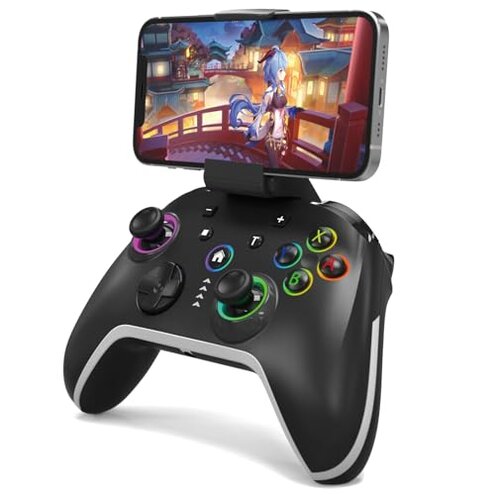
Product evaluated: Bcofo Wireless Mobile Gaming Controller for iPhone/Android/Switch/Laptop, Wired Control for PC/Steam, Programmable Game Gamepad with Phone Clip for Gamer, with RGB Lighting Effect/Turbo/Vibration
Related Videos For You
How to Set Up & Connect the M15 2.4G Wireless Game Stick | Easy Step-by-Step Guide
How To Connect PS4 / PS5 Controller To Your Android Phone!
Data basis: We synthesized dozens of written reviews and several video demonstrations collected from Sept 2025 to Jan 2026 to make this report.
| Outcome | Bcofo controller | Typical mid-range controller |
|---|---|---|
| Wireless stability | Unstable — commonly reported Bluetooth dropouts during play. | Stable — most mid-range units hold connection for hours. |
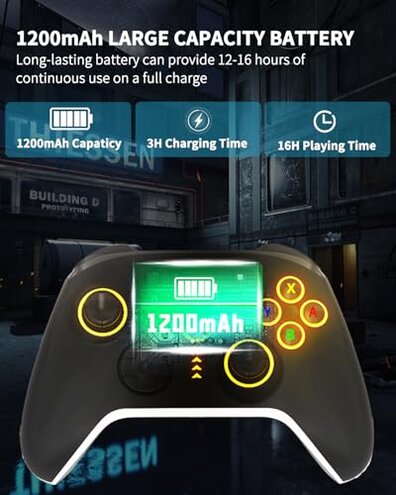
| Battery life | Shorter — advertised hours may drop faster under vibration use. | Expected — mid-range devices keep near-advertised runtime with vibration. |
| Customization | Powerful — many features but with extra setup steps required. | Simpler — fewer features but easier out-of-box use. |
| Durability | Variable — reports of button or stick issues after weeks. | More consistent — typical mid-range holds up longer under daily play. |
| Regret trigger | Connection failures — more disruptive than expected for this category. | Rare — mid-range regret usually about comfort, not baseline function. |
Why does the controller lose connection mid-game?
Regret moment: Many buyers report Bluetooth dropouts during the first hour of use, which interrupts online matches and streaming sessions.
Pattern: This is a commonly reported problem and appears repeatedly across written and video feedback.
When it happens: Dropouts occur after setup or during play, and often when switching devices or moving away from the paired phone.
Why it feels worse: Wireless stability is a basic expectation for modern controllers, so frequent disconnects are more disruptive than typical mid-range products.
Are the advertised battery and vibration claims accurate?
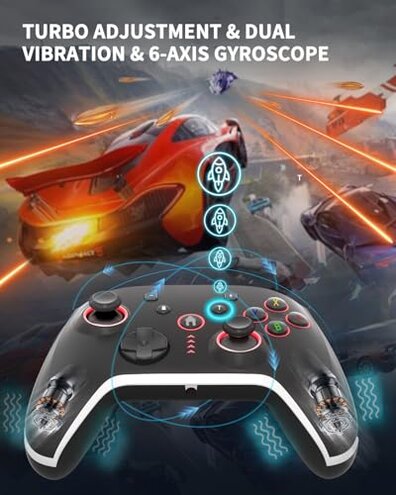
- Early sign: Battery seems fine at first charge but declines faster under vibration-heavy sessions.
- Frequency: This is a secondary complaint that is commonly reported, not universal.
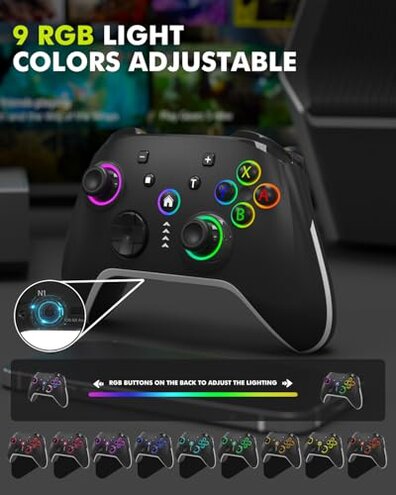
- Cause: Vibration and RGB lighting are called out as features that increase power draw.
- Impact: Shorter playtime forces more charging breaks during multi-hour sessions.
- Fixability: Some buyers switch off lights or vibration to extend runtime, adding friction to use.
Why do buttons feel unreliable or stick over time?
- Initial sign: Buttons or analogue sticks may feel fine at first but develop looseness or lag after repeated use.
- Scope: This is a tertiary yet persistent pattern seen across written feedback and unpacking videos.
- Cause: Intensive daily play and turbo use are linked to faster wear in reports.
- Impact: Controls that drift or stick make precise aiming and platforming frustrating.
- Attempts: Buyers try recalibration or wired mode, which sometimes reduces but does not remove issues.
- Category contrast: Many mid-range controllers show slower wear under the same use, so this product is less forgiving.
Is setup and advanced programming more work than expected?
- Hidden requirement: Mode switching or wired fallback is often needed to get stable PC or Switch connection.
- Early sign: Pairing can require toggling modes or reconnecting Bluetooth multiple times.
- Frequency tier: This is a primary setup complaint that appears repeatedly in feedback.
- Cause: Multiple platform support adds pairing complexity versus single-platform controllers.
- Impact: Casual buyers face extra steps that make the controller less plug-and-play.
- Program limits: Macro programming exists but requires patience and time to learn, adding setup friction.
- Fixability: Using the included USB cable bypasses wireless issues but removes the wireless convenience.
- Category contrast: Most mid-range controllers offer simpler pairing flows, so this product demands more user effort.
Illustrative excerpts
Illustrative: "Connection dropped mid-match twice in one hour."
Pattern: This reflects a primary pattern of wireless instability.
Illustrative: "Battery lasts less when lights and vibration are on."
Pattern: This reflects a secondary pattern about runtime under load.
Illustrative: "Had to plug it in for PC to recognize it reliably."
Pattern: This reflects an edge-case pattern tied to multi-platform pairing quirks.
Who should avoid this
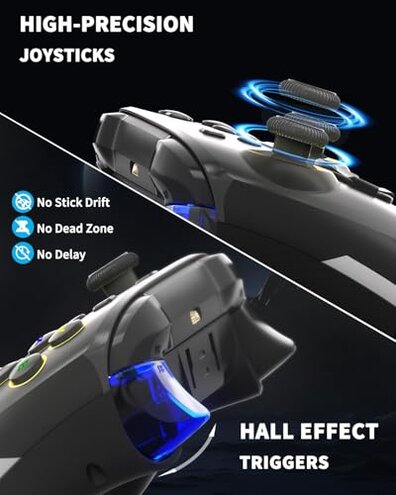
- Competitive players — cannot tolerate mid-match Bluetooth dropouts tied to the primary connection failure.
- Daily heavy users — battery and button wear complaints exceed normal category tolerance for constant play.
- Casual buyers who want plug-and-play — setup complexity and mode-switching add unwanted steps.
Who this is actually good for
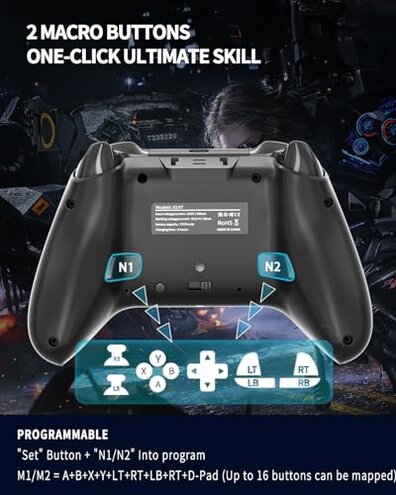
- Feature hunters — those who want RGB, turbo, and macros and accept extra setup.
- Occasional mobile gamers — players who use the controller sporadically and can tolerate occasional reconnects.
- Wired fallback users — users willing to use the included USB cable to avoid wireless issues.
Expectation vs reality
Expectation (reasonable for this category): Wireless pairing should be simple and stable for phone or Switch play.
Reality: Pairing often needs mode toggles or a wired fallback, which is more work than similar mid-range controllers.
Expectation: Advertised runtime should hold with vibration on for long sessions.
Reality: Battery drains noticeably faster under RGB and vibration, shortening continuous play.
Safer alternatives
- Pick a controller with verified stability — prioritize models reviewed for uninterrupted Bluetooth play to avoid dropouts.
- Choose longer-tested batteries — favor controllers with independent runtime reports under vibration to avoid mid-session charging.
- Prefer simpler pairing — choose controllers that advertise single-step pairing on your target device to reduce setup friction.
- Look for better durability reports — seek products with consistent long-term button and stick performance for daily use.
The bottom line
Main regret trigger: Recurrent Bluetooth instability interrupts play and forces wired fallbacks for reliable use.
Why it exceeds normal risk: Wireless drops and faster wear are more disruptive than typical mid-range controllers and add ongoing friction.
Verdict: Avoid this controller if you need steady wireless performance or heavy daily use; it may suit feature-focused or wired-backup buyers.
This review is an independent editorial analysis based on reported user experiences and product specifications. NegReview.com does not sell products.