
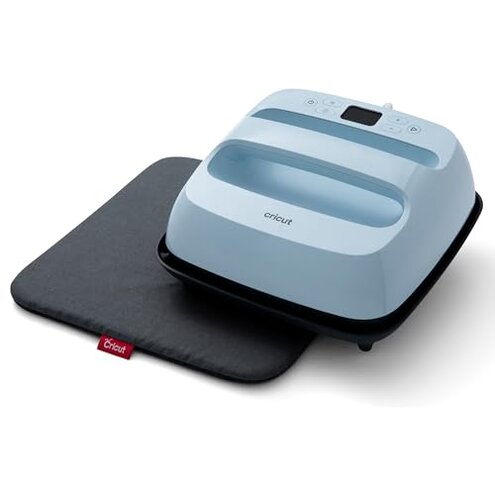
Product evaluated: Cricut EasyPress 3 Heat Press Machine (9"x 9") with Heat Press Mat (15" x 12")
Related Videos For You
Sapphire 6-in-1 Heat Press Machine Tutorial - How to use Sapphire 6-in-1 Heat Press Machine
🤓 Beginners Guide to Using a Heat Press - How to use a Heat Press
Data basis This report summarizes dozens of buyer comments collected from written feedback and short video-style demonstrations between 2024 and 2025. Most input came from written reviews, with smaller support from hands-on clips and update discussions, which helps separate first-use setup problems from daily-use frustrations.
| Buyer outcome | This Cricut bundle | Typical mid-range alternative |
| First-use setup | Higher friction because app connection and guided setup can add extra steps before pressing. | Usually simpler with more on-device control and less phone dependence. |
| Daily workflow | Less flexible if you want to change heat fast without opening another screen. | More direct for quick temperature and timer changes. |
| Learning curve | Above normal for casual crafters who expected iron-like simplicity. | More forgiving for occasional use. |
| Heat result consistency | Mixed risk when users rely on presets and light pressure during varied projects. | Similar category risk, but usually with fewer setup distractions. |
| Regret trigger | Buying for convenience and then facing app dependence, extra steps, or trial-and-error. | Buying for speed and getting a more predictable routine. |
Do you want a heat press, not another app to manage?
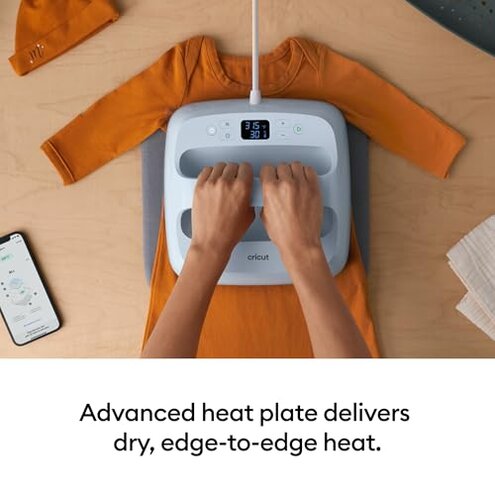
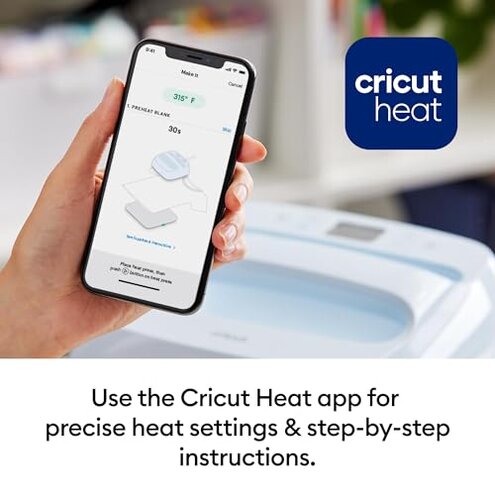
Primary issue for this model is setup friction. The regret moment usually happens on first use, when buyers expect a simple press and run into pairing, app prompts, or extra steps.
Recurring pattern appears repeatedly across feedback and feels more disruptive than expected for this category. A mid-range press is usually judged by how fast it gets you making things, not how smoothly it talks to a phone.
- When it hits it shows up during first setup or after reconnecting the machine for a new session.
- Frequency tier this is among the most common complaints, especially from casual users.
- Why it stings the hidden requirement is phone-based control for features many buyers assumed were fully onboard.
- Buyer impact it adds delay before simple jobs like shirts, tote bags, or small gifts.
- Common attempt buyers often retry pairing, reopen the app, or restart the workflow before pressing.
- Fixability it is sometimes manageable, but not ideal if you wanted a low-friction craft tool.
Illustrative: “I just wanted to press a shirt, not troubleshoot my phone first.”
Primary pattern because it reflects the most repeated convenience complaint.
Does it feel less simple than the iron-like pitch suggests?
Secondary issue is usability friction during normal projects. This tends to appear after setup, once buyers try to move quickly between heat settings and materials.
Persistent pattern is not universal, but it shows up often enough to matter for gift-making or batch crafting. Compared with a typical mid-range press, this feels less forgiving when you want fast manual changes.
- Early sign you keep checking settings instead of focusing on placement and timing.
- Context it worsens during back-to-back projects that need different heat or time settings.
- Category contrast some learning is normal, but this bundle can feel more workflow-heavy than expected.
- Trade-off the guided approach helps some users, yet slows others who prefer direct controls.
- Real regret buyers expecting plug-in simplicity can feel they paid more for extra steps.
Illustrative: “It works, but every small change feels slower than it should.”
Secondary pattern because it reflects recurring workflow annoyance rather than total failure.
Are you expecting perfect transfers just because the settings are guided?
- Primary risk some buyers report uneven or disappointing results during early projects, especially while learning pressure and placement.
- When it appears it often shows up on first-use shirts or layered craft items where positioning matters more.
- Pattern signal this is commonly reported, though less frequent than setup friction.
- Why worse here guided settings can raise expectations, so misses feel more frustrating when results still need technique.
- Usage condition it gets harder when switching among different blanks or trying repeated transfers in one session.
- Buyer impact failed projects waste time and materials, which hurts more than the machine price alone.
- Typical attempt users often retry with more pressure or slightly changed timing, adding trial-and-error.
- Fixability many people improve with practice, but that weakens the “no-stress” promise for beginners.
Illustrative: “The preset looked foolproof, but my first transfer still peeled.”
Primary pattern because outcome inconsistency is a major regret driver in real use.
Will occasional crafting justify a tool this tied to a specific workflow?
Edge-case issue is ecosystem mismatch. It tends to bother buyers after the honeymoon phase, when they realize the machine fits best if they are comfortable staying inside Cricut-style steps.
Less frequent but persistent complaints come from people who wanted a more standalone tool. In this category, some brand workflow is normal, but this can feel more locked-in than expected for occasional crafters.
- Who notices first buyers making simple family shirts or one-off gifts often question the extra structure.
- Worse conditions it becomes more obvious when you craft only once in a while and forget the steps.
- Time cost re-learning the routine each session can make short projects feel longer than they should.
- Regret trigger paying for convenience and getting a system that works best for repeat users.
Illustrative: “Nice machine, but it feels built for people deeper into the Cricut system.”
Edge-case pattern because it affects fit more than raw performance.
Who should avoid this
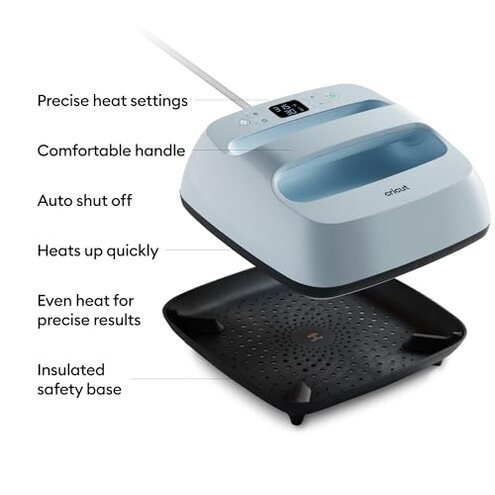
- Avoid it if you want a fully standalone heat press with minimal phone involvement.
- Skip it if you craft only occasionally and get annoyed by re-learning setup steps each time.
- Pass if you expect guided settings to remove most trial-and-error on first projects.
- Look elsewhere if quick temperature changes matter more than app-connected convenience.
Who this is actually good for
- Good fit for regular Cricut users who already accept app-based steps and want matching workflow.
- Works better for patient beginners who can tolerate a learning curve in exchange for guided presets.
- Makes sense for buyers doing basic shirt or tote projects, not constant rapid switching.
- Fine choice for users willing to practice technique and not blame every early transfer miss on the machine.
Expectation vs reality
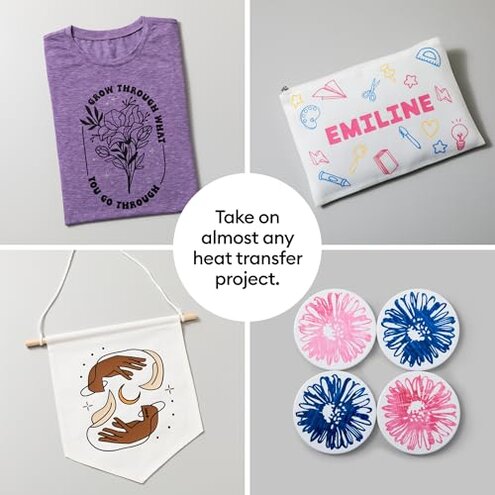
Expectation: a heat press that feels almost as simple as using an iron, only faster.
Reality: first use can feel more like device setup, which is worse than a reasonable category expectation.
- Expectation: guided settings should make results nearly automatic.
- Reality: transfers still depend on pressure, placement, and project handling during real use.
- Expectation: app features add convenience.
- Reality: for some buyers, the app becomes the main friction point.
Safer alternatives
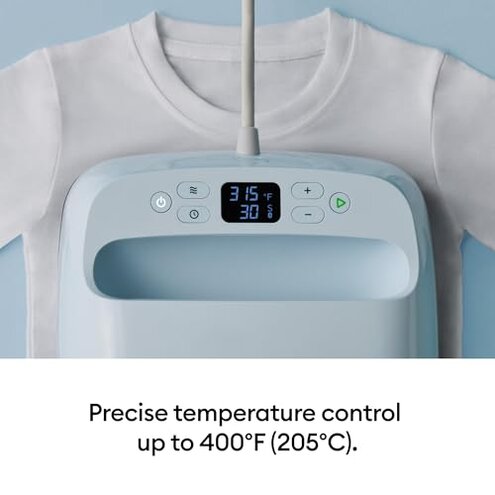
- Choose direct controls if you want to avoid the hidden phone requirement and reduce first-use friction.
- Prioritize simple interfaces if you often switch temperatures during one crafting session.
- Buy for usage pattern and pick a more standalone press if you make projects only a few times a year.
- Value forgiving workflow over smart features if failed early transfers would be expensive or discouraging.
The bottom line
Main regret comes from buying this for easy convenience and finding more app dependence and workflow friction than expected. That risk feels higher than normal for a mid-range heat press because setup hassle interferes with the basic promise of quick crafting. Avoid it if you want simple, standalone pressing more than connected guidance.
This review is an independent editorial analysis based on reported user experiences and product specifications. NegReview.com does not sell products.