
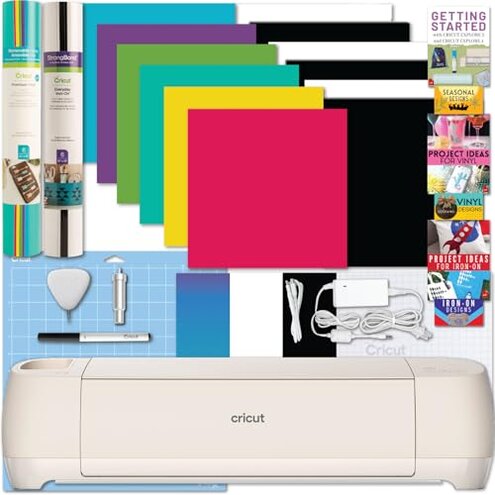
Product evaluated: Cricut Explore 4 Machine with Vinyl and Iron-On Bundle - Beginner Friendly Craft Cutting Machine with Essential Materials, HTV and Adhesive Vinyl Variety Pack- DIY Decor Projects, Apparel and Decals
Related Videos For You
How to use Cricut Cutting Machines (For Beginners!)
How to use a Cricut for the First Time + Best Beginner Projects | The DIY Mommy
Data basis This report uses dozens of buyer feedback signals gathered from written comments and video-style demonstrations collected from recent retail listings and broader shopping discussion surfaces between late 2024 and early 2026. Most feedback came from written impressions, with video walkthroughs helping confirm where frustration shows up during setup and first projects.
| Buyer outcome | Cricut Explore 4 bundle | Typical mid-range alternative |
|---|---|---|
| First-day setup | Higher friction because account, app, and digital guide access can add extra steps before cutting starts. | Moderate friction, but setup materials are usually easier to find in-box. |
| Beginner confidence | Less forgiving if you expect to open the box and work without troubleshooting. | More predictable for simple labels, decals, and basic paper cuts. |
| Bundle value | Mixed value if included sheets do not match your first projects or if digital extras feel optional. | Steadier value when starter supplies are simpler and more clearly explained. |
| Hidden requirements | Higher-than-normal risk of needing more time, logins, and learning than the bundle wording suggests. | Lower risk of surprise setup dependence for basic use. |
| Regret trigger | Strongest trigger is paying for a beginner bundle and still hitting setup delays before the first successful cut. | Typical trigger is only limited material range, not delayed usability. |
Want to craft right away, but the first setup turns into homework?
This is a primary issue. The most disruptive regret pattern appears during first use, when buyers expect a beginner-friendly start but run into account steps, software guidance, and digital access work first.
The trade-off is clear. You get a capable cutting machine, but the path from unboxing to a clean first project can feel slower than expected for this category.
This pattern appears repeatedly across buyer feedback, though it is not universal. It tends to feel worse for people who bought the bundle specifically to avoid extra research.
Category contrast matters here. Some setup is normal for smart cutting machines, but this feels more involved than a typical mid-range alternative because even the guide is digital-only.
- Early sign: frustration starts when the printed box contents do not fully replace the need to find digital instructions.
- When it hits: it shows up before the first real project, especially if you hoped to learn from paper materials in the box.
- Why it stings: the bundle is sold as beginner friendly, so buyers often expect less setup interpretation.
- Hidden requirement: you may need extra screen time and more self-guided learning than the product wording suggests.
- Fixability: patience helps, but the extra steps still add time that some buyers did not plan for.
Buying the bundle for convenience, then realizing the included extras may not carry you far?
- Primary pattern: bundle disappointment is a secondary issue, less frequent than setup friction but still persistent.
- Usage moment: it appears after setup, when buyers move from sample cuts to actual decals, shirts, or labels.
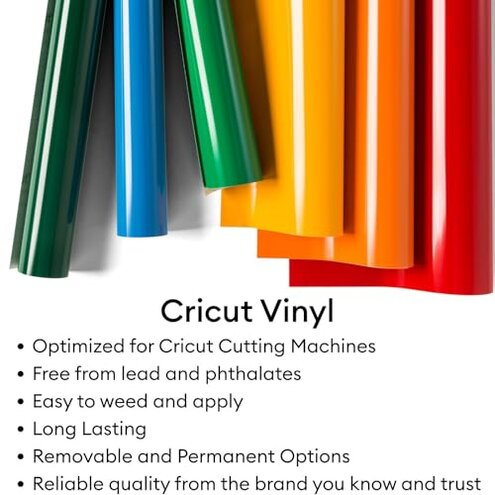
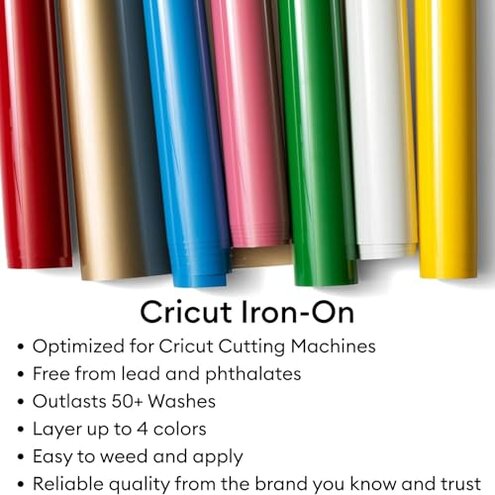
- What buyers notice: the included vinyl and iron-on sheets can feel more like a taste than a complete starter path.
- Why regret happens: the bundle suggests you can get going immediately, but many real projects quickly create extra shopping.
- Category contrast: starter packs often include limited materials, but this can feel more frustrating than expected when the machine price is already high.
- Worsening condition: if you are testing multiple project types, the included variety can become too scattered to support repetition.
- Practical impact: beginners may spend their first session figuring out what else they need instead of learning the machine smoothly.
Need simple beginner results, but the machine feels less forgiving than the listing sounds?
This is another primary issue. The regret moment usually happens during early projects, when buyers expect easy wins on paper, vinyl, or iron-on and instead find a learning curve.
It is not rare. This pattern shows up as a recurring gap between the easy-start message and the amount of practice many beginners still need.
What makes it worse is category expectation. Cutting machines always take some learning, but this feels less forgiving than many shoppers assume from a beginner bundle.
When it worsens is easy to recognize. It gets more frustrating when buyers switch materials quickly or try a gift project before they understand settings and workflow.
- Signal: the issue appears across multiple feedback types, especially from first-time craft machine buyers.
- Visible symptom: users do not always fail completely, but they often need more trial-and-error than expected.
- Severity cue: this is more disruptive than expected because it affects the very first impression of value.
- Cause pattern: the machine can do many tasks, but that flexibility also means more choices for beginners to sort through.
- Impact: time goes into troubleshooting cuts and process steps instead of finishing the planned project.
- Attempted workaround: digital guides and tutorials help, but they still require extra learning effort.
- Fixability: persistence usually improves results, yet buyers who wanted a low-friction hobby tool may still feel disappointed.
- Buyer mismatch: if you want fast confidence, this can feel like the wrong kind of starter machine.
Paying near mid-range machine money and expecting fewer surprises?
- Frequency tier: value concerns are a secondary issue, but they become sharper when setup and learning friction stack together.
- When it appears: this regret tends to show up after the first few sessions, once buyers judge what the bundle really saved them.
- Main complaint: the machine may be capable, yet the package can still feel thin on convenience for the price.
- Why it feels worse: mid-range buyers usually accept some learning curve, but they expect the starter experience to reduce friction more clearly.
- Context: the issue is stronger for shoppers choosing this bundle over a bare machine because they wanted fewer extra purchases.
- Comparison point: a typical mid-range alternative is not always more powerful, but it can feel easier to justify if the first-day experience is smoother.
Illustrative: “I thought beginner bundle meant I could start without chasing guides online.”
Pattern: This reflects a primary setup-friction complaint.
Illustrative: “The samples got me started, but not far enough for my real project.”
Pattern: This reflects a secondary bundle-value complaint.
Illustrative: “It works, but my first afternoon was more troubleshooting than crafting.”
Pattern: This reflects a primary learning-curve complaint.
Illustrative: “I expected easier first cuts for something sold as beginner friendly.”
Pattern: This reflects a primary expectation-gap complaint.
Who should avoid this
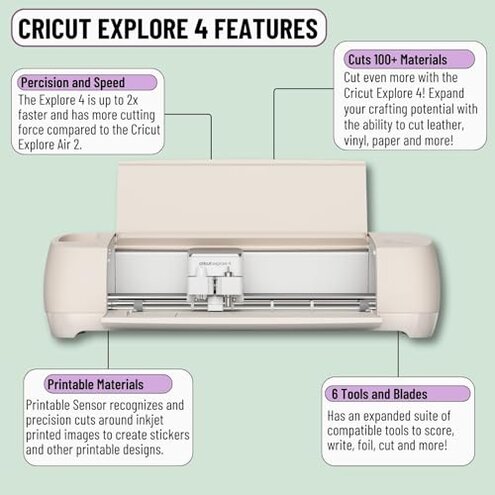
- Avoid it if you want a true open-box-and-go machine, because the setup path can add more steps than many beginners expect.
- Avoid it if you dislike digital-only instructions, since that hidden requirement can slow first use immediately.
- Avoid it if you are buying one bundle to finish several projects, because the included materials may only cover initial experimentation.
- Avoid it if frustration tolerance is low, since the learning curve feels steeper than the beginner wording suggests.
Who this is actually good for
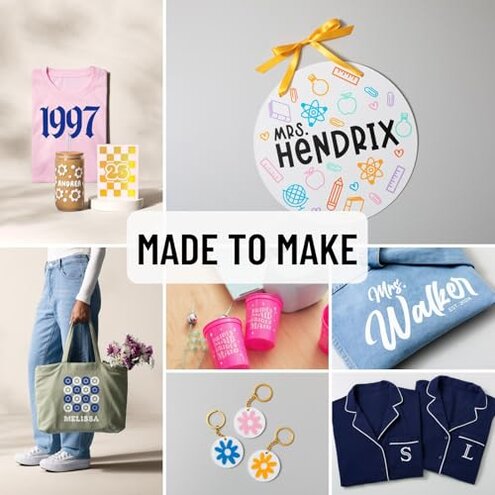
- Good fit for buyers already comfortable with craft apps and digital tutorials, because the setup friction will likely feel manageable.
- Good fit for hobby users who want speed and material range and do not mind spending time learning the workflow.
- Good fit for people who already expect to buy extra supplies, since the starter bundle then feels more like a sampler than a promise.
- Good fit for patient beginners who accept trial-and-error as part of the hobby and value machine flexibility more than simplicity.
Expectation vs reality
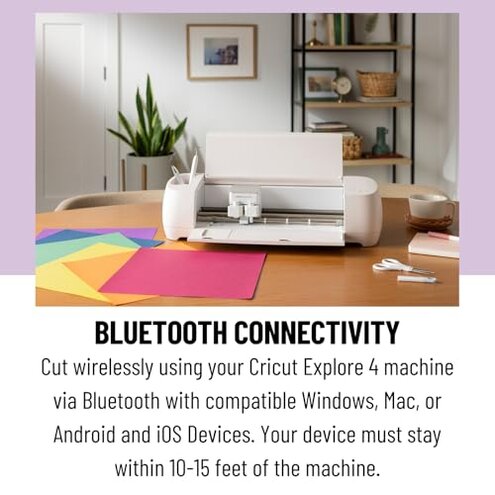
Expectation: A beginner bundle should cut down first-day confusion.
Reality: Setup friction can still dominate the first session.
- Expectation: Included sheets should cover a meaningful starter run.
- Reality: Real projects can push you into extra purchases quickly.
- Expectation: Reasonable for this category is a learning curve with some guidance.
- Reality: Guidance access may feel more self-service and less hand-holding than expected from a beginner pitch.
- Expectation: Mid-range pricing should reduce avoidable friction.
- Reality: Value doubts grow when convenience falls short of the bundle promise.
Safer alternatives
- Choose simpler kits that include clearer printed quick-start help if you want to neutralize the digital-only setup burden.
- Buy for one project type instead of a mixed starter bundle if you want to avoid scattered materials that do not go far.
- Prioritize easy onboarding over feature range if your main risk is first-day frustration rather than long-term flexibility.
- Check refill costs early if bundle value matters, because starter materials often look generous before real project planning begins.
- Watch real setup demos before buying if you are sensitive to hidden account, app, or tutorial steps.
The bottom line
The main regret trigger is paying for a beginner-friendly Cricut bundle and still facing a first-use experience that can feel more involved than expected. That exceeds normal category risk because some learning curve is standard, but the hidden dependence on digital guidance and extra follow-up purchases makes the convenience pitch weaker. Verdict: avoid this if your top priority is a low-friction start, not just machine capability.
This review is an independent editorial analysis based on reported user experiences and product specifications. NegReview.com does not sell products.