
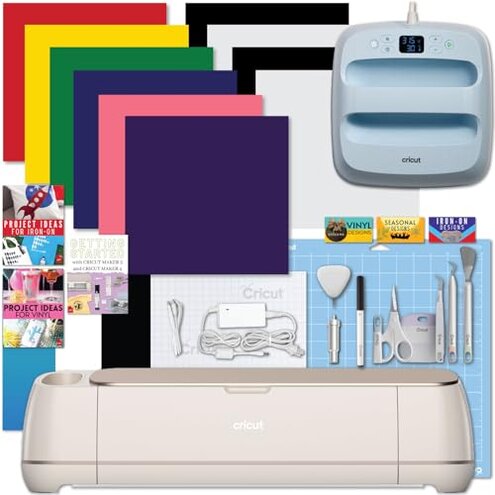
Product evaluated: Cricut Maker 4 with Easy Press 3 Machine and Iron-On Combo Bundle - Craft Cutting Machine and Heat Press Combo Set, Cricut Machine Kit for Beginners and Gifts, DIY Apparel and Tote Bags, HTV Materials
Related Videos For You
How to use Cricut Cutting Machines (For Beginners!)
How To Heat Press A T-Shirt 101 ~ Easy Tutorial
Data basis for this report comes from dozens of buyer comments collected from written feedback and video-style demonstrations between late 2024 and early 2026. Most feedback came from written impressions, with supporting patterns from unboxing and setup-focused clips, which helps separate first-day excitement from problems that appear after setup and during normal crafting use.
| Buyer outcome | This bundle | Typical mid-range alternative |
|---|---|---|
| First-day setup | Higher friction because the cutting machine, heat press, app pairing, and digital guide add extra steps before a first project. | Usually simpler when fewer connected pieces need activation and setup. |
| Learning curve | Steeper for beginners because success depends on software, press settings, and material matching. | More forgiving for basic labels and simple cuts. |
| Bundle value | Mixed if you only use one part often, since the package price is high and some extras may sit unused. | Safer when buyers build a smaller tool set around actual needs. |
| Category risk | Higher-than-normal regret risk for casual users because mistakes can happen in both cutting and heat pressing workflows. | Lower when the workflow has fewer moving parts. |
| Regret trigger | Paying bundle price and then realizing the machine still needs time, practice, and ongoing material decisions. | Buying smaller and upgrading later if crafting becomes a steady hobby. |
Do you just want to make one simple project fast?
This is one of the primary frustration points, and it is more disruptive than expected for this category. The regret moment usually happens on first use, when buyers expect a guided start but hit account setup, app steps, pairing, and tool choices before anything useful is made.
The pattern appears repeatedly, though it is not universal. It worsens when the buyer opens the full bundle at once and tries to learn cutting, pressing, and design software in the same session.
- Early sign: setup already feels long before the first cut or press starts.
- Frequency tier: this is a primary issue and among the most common complaints around beginner regret.
- When it hits: it shows up after unboxing and during app-guided activation, not weeks later.
- Why worse here: a typical mid-range machine often has fewer pieces to learn, while this bundle adds a second workflow immediately.
- Buyer impact: some users delay projects because the start feels more like a process than a hobby.
- Common workaround: using only the cutter first helps, but that means part of the bundle sits unused.
Illustrative excerpt: “I wanted one tote bag tonight, not a whole learning project.” Primary pattern reflecting first-day setup friction.
Will the bundle save money if you are still figuring out the hobby?
This is a secondary issue by frequency, but it becomes more frustrating when it occurs because the price point is $599.99. The regret usually appears after a few uses, when buyers realize they mainly use one machine and the rest feels like overbuying.
- Value risk: the bundle can feel front-loaded, meaning you pay for capability before knowing your real crafting habits.
- Pattern strength: this concern is persistent across beginner-focused feedback, especially from gift buyers and casual users.
- Usage context: it shows up when early projects stay basic, like simple vinyl cuts or one-off shirts.
- Category contrast: starter buyers often expect some unused extras, but this package creates a bigger commitment than many mid-range alternatives.
- Hidden requirement: you need enough repeat projects to justify both the cutting machine and the heat press.
- Practical impact: if one tool sits on a shelf, the bundle value drops fast in real life.
- Fixability: this is not easy to fix after purchase because the issue is fit, not a defective part.
Illustrative excerpt: “It works, but I paid for more machine than I actually use.” Secondary pattern tied to bundle-value regret.
Are you expecting beginner-friendly results without much trial and error?
This problem is a primary issue because it affects everyday satisfaction, not just setup. It becomes noticeable during early projects, when buyers move from the promise of cutting many materials to the reality of choosing the right settings and process.
The pattern is recurring rather than universal. It worsens when switching between iron-on, vinyl, paper, and other project types too quickly.
What makes this feel worse than normal is the gap between broad capability and beginner ease. In this category, more power usually means more learning, but this bundle can demand more judgment than casual buyers expect.
- Scope: seen across multiple feedback types, especially in comments describing the jump from unboxing to a real project.
- Trigger moment: problems show up when users try to match material, blade, mat, and heat settings correctly.
- User-visible result: wasted materials, uneven transfers, or projects that need to be redone.
- Why it stings: mistakes cost extra time and supplies, which feels heavier at this bundle price.
- Attempted fix: the included digital guide helps some buyers, but it also creates one more thing to locate and follow.
- Less obvious burden: the machine may be fast, yet the decision-making around each project still slows beginners down.
- Who notices most: buyers who want gift-ready results quickly tend to feel this hardest.
Illustrative excerpt: “The machine was fast, but getting the settings right took forever.” Primary pattern showing workflow complexity.
Do you dislike products that depend on apps, pairing, and digital-only instructions?
This is less frequent than the learning-curve issue, but more frustrating when it occurs because it blocks basic progress. The pain point usually appears during setup or when using the heat press features that rely on app guidance.
- Pattern level: this is an edge-case issue, but it is persistent for buyers who prefer plug-in simplicity.
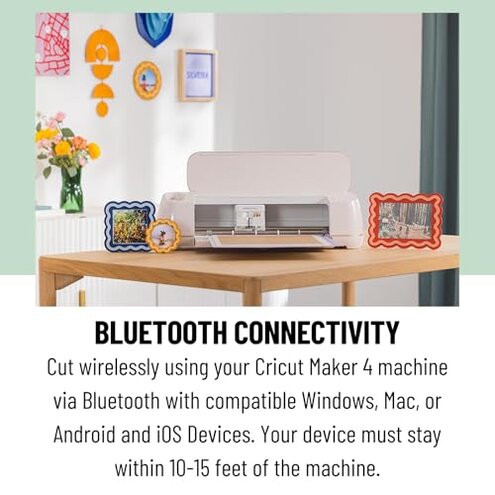
- Hidden requirement: the guide is digital only, so buyers expecting a printed walkthrough may feel slowed down immediately.
- Where it worsens: it gets worse in shared households, gift situations, or craft rooms where phone-based setup is inconvenient.
- Category contrast: connected features are normal now, but this bundle is less self-contained than basic alternatives.
- Impact: setup can feel fragile if pairing, app access, or digital instructions are not smooth from the start.
- Buyer workaround: experienced crafters usually adapt, but first-time users often want fewer dependencies.
- Regret angle: some buyers expected a craft tool and got a software workflow along with it.
- Fixability: manageable if you are comfortable with apps, but annoying if that was never part of your buying plan.
Illustrative excerpt: “I thought this was hardware first, but the app runs the experience.” Edge-case pattern tied to digital dependence.
Who should avoid this
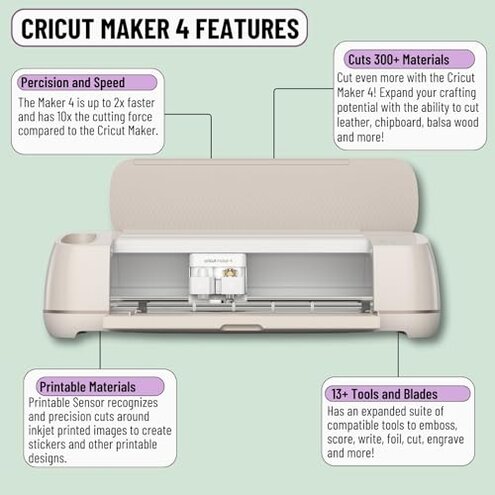
- Avoid it if you want a low-stress starter machine, because the setup and workflow are less forgiving than typical basic cutters.
- Avoid it if you are buying for occasional crafts, since the bundle price and dual-tool setup can create more commitment than your use justifies.
- Avoid it if you dislike app pairing or digital instructions, because that hidden requirement can feel bigger than expected on day one.
- Avoid it if you need fast gift-ready results, since trial-and-error can eat materials and time early on.
Who this is actually good for
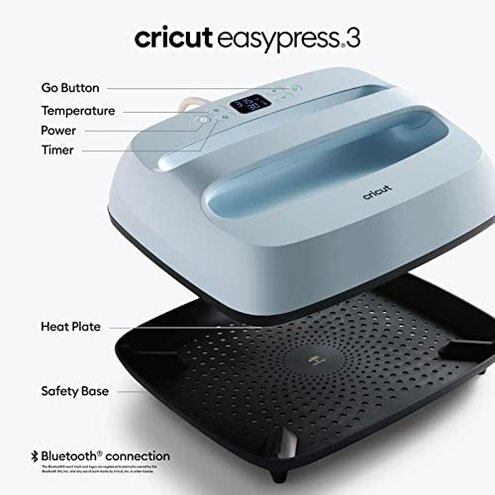
- Good fit for committed hobby crafters who already expect setup time and are willing to learn both cutting and pressing.
- Good fit for buyers who know they will make repeat apparel projects, because the bundle cost makes more sense with steady use.
- Good fit for users comfortable with apps and digital guides, since the software-heavy parts will feel normal rather than annoying.
- Good fit for people upgrading from simpler tools who want more capability and can tolerate a steeper learning curve.
Expectation vs reality
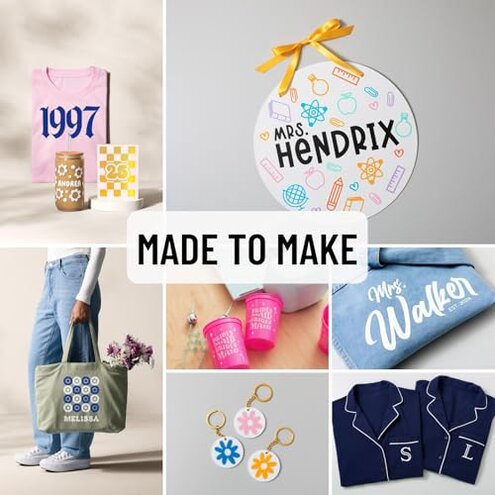
- Expectation: “A bundle saves time.”
- Reality: more pieces often means more setup, more decisions, and a slower first project.
- Expectation: “A smart heat press will make results easier.”
- Reality: guidance helps, but buyers still need to manage materials and workflow correctly.
- Expectation: “Reasonable for this category” is some learning before great results.
- Reality: this bundle can feel worse than expected because it stacks software learning, cutting choices, and heat pressing into one purchase.
- Expectation: “A big bundle is the best beginner value.”
- Reality: value depends on using both major tools often enough to justify the price.
Safer alternatives
- Buy smaller first if you are new, so you can learn one workflow before adding a heat press.
- Choose simpler models if you mainly want labels, decals, or occasional projects, which reduces setup and settings fatigue.
- Look for a package with printed guidance or clearer beginner onboarding if digital-only instructions annoy you.
- Match tools to project type before buying, so you do not pay bundle pricing for features you may rarely touch.
- Test your habits with a few planned projects first, which helps avoid the common regret of buying more capability than you really use.
The bottom line
The main regret trigger is not that the bundle lacks capability. It is that the combination of high price, multi-step setup, and beginner workflow complexity creates a higher-than-normal risk of feeling overbought.
If you already know you will use both machines regularly, the trade-off can make sense. If you do not, this is easier to regret than a typical mid-range alternative because the time and learning burden arrive immediately.
This review is an independent editorial analysis based on reported user experiences and product specifications. NegReview.com does not sell products.