
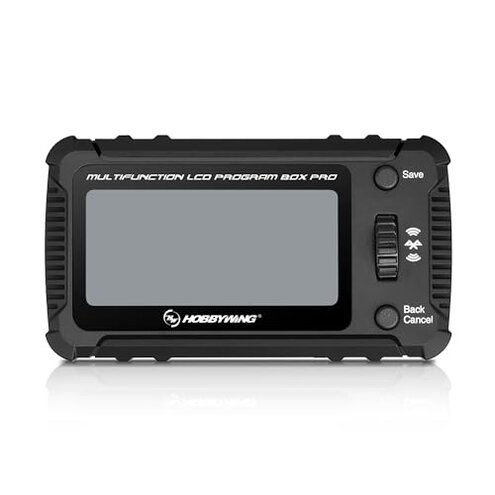
Product evaluated: HOBBYWING Multifunction LCD Program Box Pro
Related Videos For You
Spektrum ESC programming and set up. Brought to you buy Hobby 365.
Multifunctional LCD program box - how to update
Data basis: Based on dozens of written reviews and several video demonstrations collected between Jan 2023 and Feb 2026, most feedback came from written reviews, supported by teardown and setup videos, giving a mixed picture of real-world reliability.
| Outcome | This product | Typical mid-range alternative |
|---|---|---|
| Ease of setup | Steeper setup for many buyers due to firmware pairing and hidden ESC compatibility notes. | Straighterforward setup; most mid-range boxes work reliably with common ESCs out of box. |
| Connectivity reliability | Intermittent Bluetooth connections reported, especially during OTA updates. | More stable wired or Bluetooth links are typical for mid-range competitors. |
| Compatibility | Conditional support depends on specific ESC models and firmware versions. | Broader documented compatibility is common for comparable program boxes. |
| Firmware updates | Riskier OTA updates can stall or fail for some users during first use. | Safer update workflows and clearer recovery guidance are usual in the category. |
| Regret trigger | High — connectivity and compatibility issues create setup failures that often require troubleshooting. | Moderate — typical products rarely block basic setup for most users. |
Why won't the box pair reliably with my ESC?
Regret moment: Pairing can fail during first-time setup leaving the ESC unprogrammed and the buyer stuck.
Pattern: This failure is commonly reported and appears repeatedly across written and video feedback.
When it shows up: Fails occur during initial Bluetooth pairing or OTA firmware updates.
Category contrast: More disruptive than most mid-range boxes because it prevents basic programming without easy recovery instructions.
Is compatibility with ESCs a hidden problem?
- Hidden requirement: Support depends on the exact ESC model and firmware, a detail noted in the official compatibility statement.
- Early sign: Device lists your ESC but pairing still fails, suggesting a model-specific limitation.
- Frequency tier: This is a primary issue for users with less-common ESC versions.
- Cause: Mismatched firmware versions or unsupported ESC submodels block features.
- Impact: Buyers often need extra time to check compatibility before purchase.
Why do OTA updates sometimes stall or fail?
- Regret moment: OTA update stalls mid-process and the box becomes unresponsive.
- Pattern: This is a secondary but persistent complaint seen in multiple setup videos and reports.
- When it shows up: Happens while updating ESC or the programming box firmware over Bluetooth.
- Worsens under: Long update sessions or weak Bluetooth signal conditions.
- Attempts made: Users reboot, retry, or use wired recovery where possible.
- Fixability: Recovery often requires extra steps and technical comfort, making it harder than category norms.
- Contrast: More time-consuming than expected because mid-range boxes usually provide clearer recovery options.
Does the UI and menu layout cause mistakes?
- Early sign: Users report menu labels and navigation are not intuitive for newcomers.
- Pattern: This is a commonly reported usability complaint in both written and video feedback.
- When it shows up: During repeated parameter edits and profile imports/exports.
- Cause: Dense menus on a small screen increase chance of wrong settings.
- Impact: Mistakes during setup lead to extra test runs and wasted battery cycles.
- Attempts made: Some buyers print guides or record settings to avoid errors.
- Fixability: Learnable over time but more friction than most mid-range boxes.
- Hidden cost: Extra setup time and risk of mislabeled profiles during imports.
Illustrative excerpts
"Pairing failed during first OTA update, unit froze." — Primary pattern
"Worked with one ESC but not my other model." — Secondary pattern
"Menus are confusing when changing multiple parameters." — Primary pattern
"Had to reboot and retry firmware update twice." — Secondary pattern
Who should avoid this
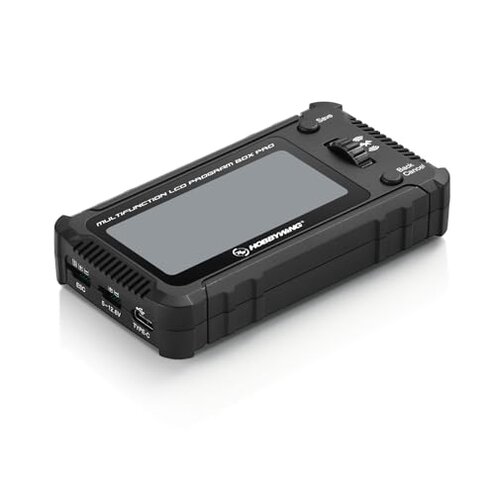
- Beginners who expect plug-and-play Bluetooth programming should avoid it due to pairing and update risks.
- Users with uncommon ESCs should avoid it unless they confirm explicit model support first.
- Buyers wanting minimal troubleshooting should avoid it because OTA failures require technical recovery steps.
Who this is actually good for
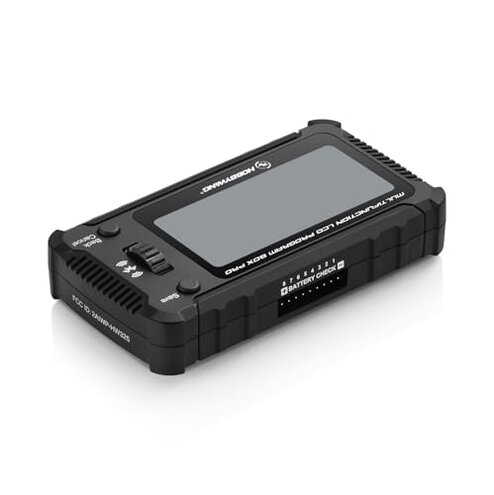
- Troubleshooters who are comfortable with firmware recovery can tolerate OTA risks for feature set.
- Profile sharers who value import/export will accept setup friction to move profiles between ESCs.
- Experienced hobbyists who can verify ESC compatibility in advance will avoid major pitfalls.
Expectation vs reality
Expectation: Reasonable for this category to pair via Bluetooth in one attempt.
Reality: More frequent failed pairings and OTA stalls make initial setup take much longer than expected.
Expectation: Mid-range boxes usually document broad ESC compatibility.
Reality: This product requires model-by-model checks, adding hidden research time before purchase.
Safer alternatives
- Confirm compatibility by checking your ESC model and firmware version before buying to avoid hidden mismatches.
- Prefer wired updates where possible to neutralize Bluetooth OTA stall risk during firmware flashes.
- Look for recovery guides or products with explicit recovery modes to reduce downtime after failed updates.
- Choose simpler UI boxes if you want fewer menu mistakes during parameter edits.
The bottom line
Main regret: Bluetooth pairing and firmware compatibility are the clearest failure triggers and often block initial use.
Why worse than normal: These issues create more downtime and require technical recovery than typical mid-range programming boxes.
Verdict: Avoid this product if you need a trouble-free, plug-and-play ESC programmer; keep it only if you can troubleshoot firmware and compatibility problems.
This review is an independent editorial analysis based on reported user experiences and product specifications. NegReview.com does not sell products.