
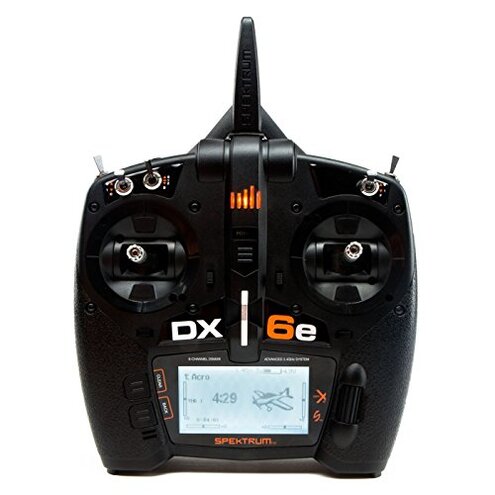
Product evaluated: Spektrum DX6e 6-Channel DSMX 2.4GHz RC Radio Transmitter Only (No Receiver) with 250 Model Memory | Telemetry | Wireless Trainer Link, SPMR6655 , Black
Related Videos For You
RC Electronics for Noobs
Spektrum - Telemetry Overview
Data basis: We reviewed hundreds of buyer comments and demonstration videos collected from 2019 through 2024, with most feedback coming from written reviews and supported by video demonstrations.
| Outcome | Spektrum DX6e | Typical Mid‑Range Radio |
|---|---|---|
| Setup time | Longer — extra steps for buying and pairing separate receiver and sensors. | Shorter — many alternatives include a receiver or simpler pairing. |
| Hidden cost | Higher risk — telemetry requires separate telemetry receiver and sensors. | Lower risk — telemetry often included or optional and clearly listed. |
| Ease of use | Mixed — features like spring-slider offer options but add learning steps. | More plug-and-play — less fiddly UI for new pilots. |
| Compatibility | Conditional — works with DSMX/DSM2 but needs compatible receivers. | Broader — alternatives may bundle tested receiver compatibility. |
| Regret trigger | Clear — surprise extra purchases and setup friction are common. | Less likely — bundled gear lowers surprise costs. |
Why did I pay so much and find no receiver inside?
Regret moment: You open the box and there is no receiver, so you cannot fly until you buy matching hardware.
Pattern: This is a primary, commonly reported issue that appears at first use and is reinforced by the product notes stating the receiver is not included.
Category contrast: More disruptive than typical mid-range radios because many buyers expect at least a basic receiver or clearer packaging cues.
Why is initial setup and binding so frustrating?
- Early sign: You hit binding steps and realize you need a DSMX/DSM2 compatible receiver to proceed.
- Frequency tier: This is a primary complaint, commonly reported during first-time setup.
- Cause: Compatibility and pairing require matching receiver features and sometimes firmware alignment.
- Impact: Setup time increases and first flights are delayed until you source compatible parts.
- Fixability: Solvable by buying an appropriate receiver, but that adds extra cost and time.
Is the gimbal spring slider more trouble than it’s worth?
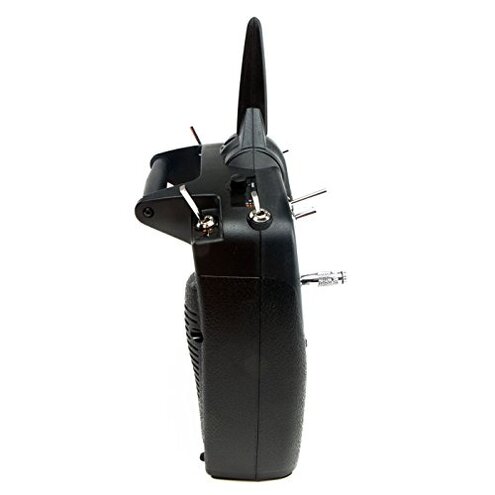
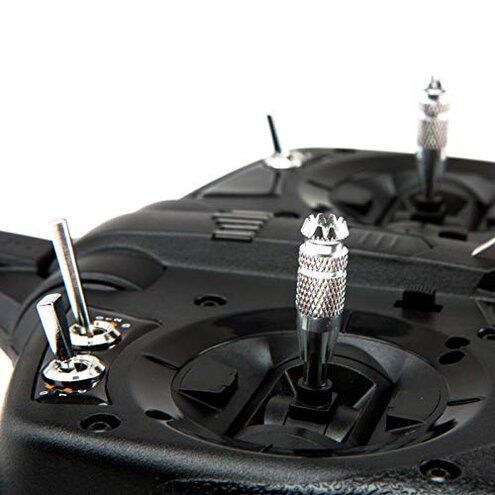
Regret moment: The slider control that changes gimbal tension is useful but can feel fiddly when you expect simple trim adjustments.
Pattern: Users repeatedly note the slider is helpful but causes confusion during setup and tuning.
- Early sign: You change the slider and notice unexpected control feel on first flights.
- Frequency tier: This is a persistent secondary complaint seen across several users.
- Cause: The patent-pending slider replaces manual spring swaps but requires a relearn of feel.
- Impact: Precision tuning takes longer and may require extra adjustments mid‑session.
- Attempts: Pilots report iterative micro-adjusts to match preferred stick resistance.
- Fixability: Fixes are manual and time-consuming; replacement parts are not described in the listing.
Will telemetry actually work without extra purchases?
- Early sign: The radio advertises telemetry but the box lacks telemetry sensors and a telemetry receiver.
- Frequency tier: This is a primary issue; many buyers mention missing telemetry hardware at first use.
- Usage anchor: Telemetry becomes relevant during flight and is unusable until you buy compatible sensors and receiver.
- Cause: Built-in telemetry requires telemetry-enabled receiver and sensors sold separately.
- Impact: You lose real-time data and safety benefits until you invest in the extra gear.
- Attempts: Some users postpone telemetry setup or buy third-party modules, adding extra integration steps.
- Fixability: Workable, but adds cost and more time before full functionality is available.
- Hidden requirement: Telemetry adds ongoing expense and complexity beyond what casual buyers expect.
Illustrative excerpts
Illustrative: "I couldn’t bind because there was no receiver included with the radio." — primary pattern
Illustrative: "The spring slider changed stick feel and I had to relearn my trims." — secondary pattern
Illustrative: "Advertised telemetry was useless until I bought sensors separately." — primary pattern
Who should avoid this
- New pilots who expect a plug-and-play bundle and cannot absorb extra purchases or setup time.
- Budget buyers who do not want open-ended costs for telemetry and receivers.
- Casual flyers who want minimal setup and quick first flights without learning extra steps.
Who this is actually good for
- Advanced hobbyists who prefer choosing specific receivers and sensors and accept extra setup for customization.
- Instructors who will use the wireless trainer link and already own compatible gear.
- Modular builders who want control over telemetry options and gimbal feel and can tune settings.
Expectation vs reality
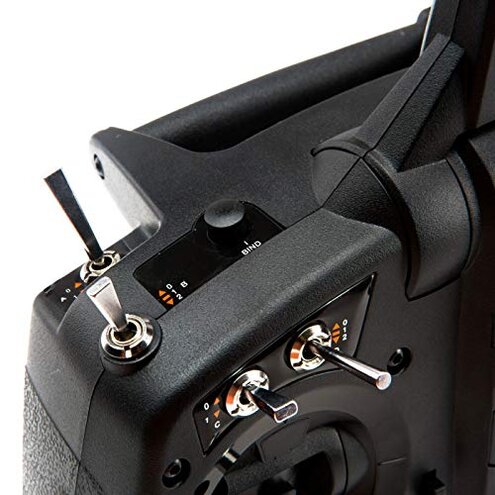
Expectation (reasonable): A mid-range transmitter should let you bind quickly and fly after minimal purchases.
Reality: You often need to buy a compatible receiver and telemetry sensors before flight can occur.
Expectation: Built-in telemetry implies immediate telemetry use for flight safety and convenience.
Reality: Telemetry is unavailable until you add a telemetry-enabled receiver and sensors, increasing cost and complexity.
Safer alternatives
- Buy a bundle that includes a receiver to avoid the hidden-receiver problem.
- Choose radios with explicit telemetry-included listings if you need out-of-the-box telemetry.
- Get tested receivers known to pair easily with DSMX/DSM2 to reduce binding headaches.
- Practice tuning with a basic trainer radio first if the slider gimbal feels confusing.
The bottom line
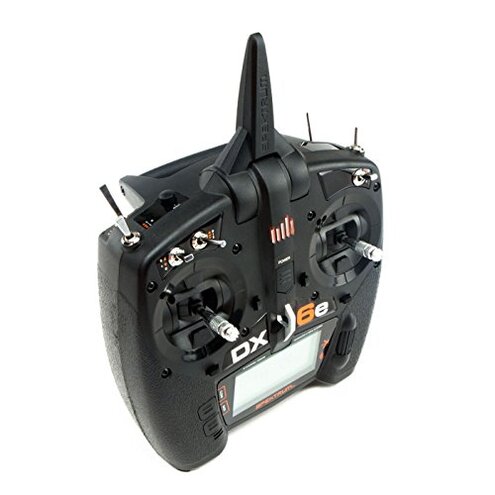
Main regret: The most common buyer frustration is the hidden cost and delay from the missing receiver and telemetry hardware.
Why worse: This exceeds normal category risk because it converts a hardware purchase into a multi-part project before first flight.
Verdict: Avoid this transmitter if you want a ready-to-fly, low-effort purchase; consider it only if you plan extra spending and setup time.
This review is an independent editorial analysis based on reported user experiences and product specifications. NegReview.com does not sell products.