
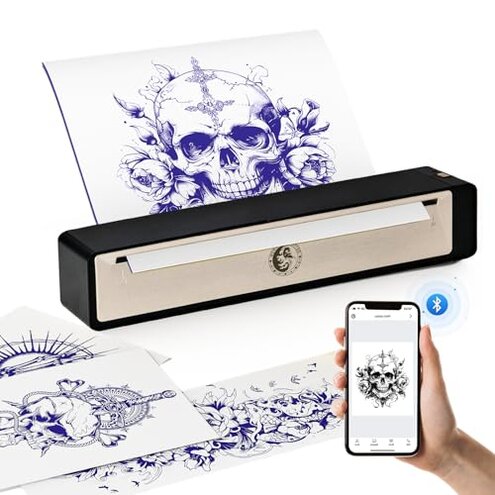
Product evaluated: Wormhole Tattoo Stencil Printer, Wireless Bluetooth Tattoo Printer with 2500mAh Battery, Portable Tattoo Thermal Copier Machine Compatible with Smartphones & PC N202007
Related Videos For You
How to use a Thermal Printer for tattoo stencil
Print my tattoo stencil with M08F inkless printer. #tattoostyle #tattooartist #tattoo #tatoodesign
Data basis: This report is based on dozens of buyer comments gathered from written feedback and short video-style demonstrations collected across recent months into early 2026. Most input came from written reviews, with supporting signals from setup clips and usage walk-throughs, which helps show both first-use problems and day-to-day frustration.
| Buyer outcome | Wormhole printer | Typical mid-range alternative |
|---|---|---|
| First setup | Higher friction; app pairing and device connection appear more disruptive than expected. | Moderate friction; still a setup step, but usually less finicky. |
| Daily reliability | Mixed consistency; transfer quality can vary during normal use. | More predictable; not perfect, but usually steadier session to session. |
| Phone use | Hidden requirement; mobile convenience depends heavily on app behavior and device compatibility. | Lower risk; mobile printing is still limited, but less often the main complaint. |
| Portable use | Conditional benefit; battery and wireless freedom help only if connection stays stable. | More balanced; portability is less likely to be cancelled out by setup time. |
| Regret trigger | Fast printing promise turns into extra retry time before a usable stencil. | Usually fewer retries for a basic clean transfer. |
Why does “wireless” still feel like extra work?
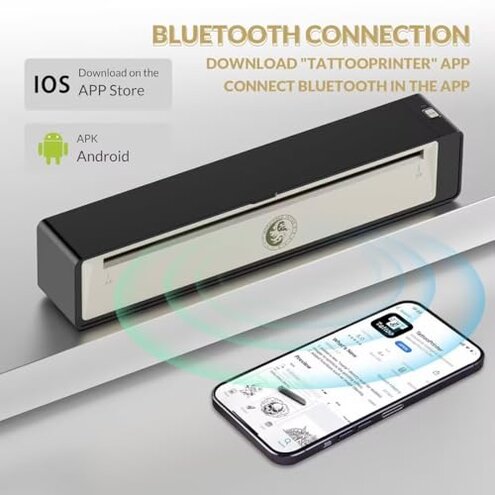
This is a primary issue. The most common regret moment happens on first setup, when buyers expect quick Bluetooth printing and instead hit app, pairing, or device-recognition friction.
The pattern appears repeatedly. It shows up most often when switching between phone and computer, or when trying to get the printer working quickly before a session.
That feels worse than normal. In this category, some setup friction is expected, but this kind of product is sold on convenience, so connection trouble cuts directly against the main reason people buy it.
- Early sign: The printer powers on, but the app or device link takes extra steps before anything prints.
- Frequency tier: Primary complaint; connection trouble is among the most common issues buyers mention.
- When it hits: First use is the biggest pain point, especially during initial app install and pairing.
- What makes it worse: Time pressure makes the problem feel bigger when users need a stencil immediately.
- Buyer impact: Retry cycles add delay, and some users end up testing multiple devices instead of printing.
- Hidden requirement: App tolerance is part of the purchase, not just the printer itself.
- Fixability: Sometimes fixable with patience, but not as plug-and-play as many buyers expect.
Illustrative excerpt: “I bought wireless to save time, but setup took longer than my old one.” Primary pattern.
Why are the stencils not as clean as expected?
- Core problem: Print consistency is a secondary issue, but more frustrating when it appears because it affects actual tattoo prep.
- Pattern signal: Persistent but not universal; some buyers get usable output, while others report uneven clarity.
- Usage moment: After setup, the problem becomes obvious once users compare printed lines to the original design.
- Worsening condition: Detailed artwork makes flaws easier to notice than simple text or bold shapes.
- Why it stings: Extra reprints use time and interrupt workflow more than expected for this category.
- Category contrast: Thermal printers are never perfect, but mid-range options are usually more forgiving with routine stencil work.
- Common response: Users adjust image size, contrast, or app settings, which adds trial and error.
Illustrative excerpt: “Simple designs looked okay, but fine lines came out weaker than expected.” Secondary pattern.
Does the portable battery benefit hold up in real use?
This is a secondary issue. Buyers like the idea of a rechargeable, compact printer, but the real benefit drops fast if they still need repeated reconnects or test prints.
The pattern is recurring. It shows up during mobile use, small workspaces, and on-the-go printing, where convenience matters most.
That trade-off feels off. A portable printer should remove friction, not shift it from wires to troubleshooting.
Compared with category norms, this feels less forgiving than typical mid-range portable units because portability only helps when startup is dependable.
Illustrative excerpt: “It’s compact, but I still had to stop and mess with it.” Secondary pattern.
Will it work smoothly with every device you already use?
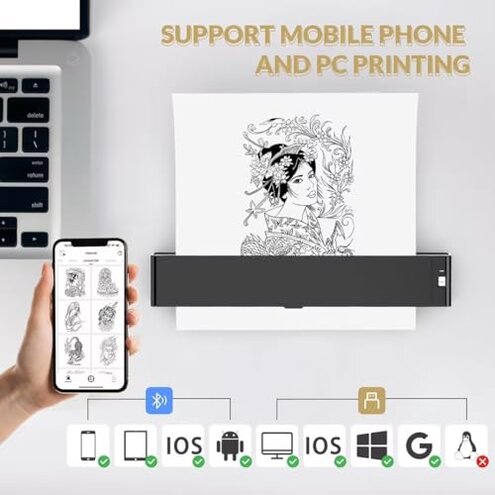
- Main concern: Compatibility confidence appears weaker than the broad device support claims suggest.
- Pattern statement: Less frequent but persistent; not every buyer hits this, but it creates outsized frustration when they do.
- Real moment: Device switching is where trouble shows up, especially when moving between phone and computer workflows.
- What worsens it: Mixed-device homes make setup more complicated than expected.
- Why regret happens: Broad compatibility sounds reassuring, so buyers expect fewer workarounds than they actually face.
- Category contrast: Most mid-range options still have limits, but they usually do not create the same “should have been easier” reaction.
- Workaround burden: Alternative device testing becomes the hidden task buyers did not plan for.
- Fix outlook: Situation-dependent; one user’s easy setup can be another user’s repeated failure.
Illustrative excerpt: “It finally printed, just not from the device I planned to use.” Edge-case pattern.
Who should avoid this
- Avoid it if you need dependable first-try printing before client work, because setup friction is a primary complaint.
- Avoid it if detailed stencil clarity matters more than portability, because output consistency appears less forgiving than normal.
- Avoid it if you dislike app troubleshooting, because the hidden requirement is comfort with software steps.
- Avoid it if you switch devices often, because compatibility friction becomes more likely in mixed setups.
Who this is actually good for
- It fits buyers who mainly want a compact backup printer and can tolerate setup retries.
- It fits casual users printing simpler designs, where minor quality variation is easier to accept.
- It fits people comfortable testing apps and settings, because that reduces the pain of the main failure.
- It fits users who value cordless placement more than speed, especially in tight spaces.
Expectation vs reality
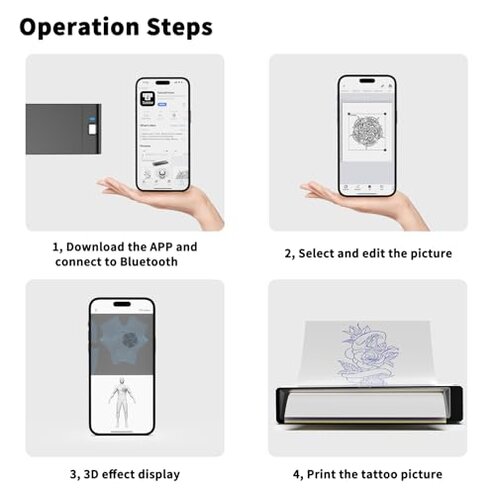
- Expectation: Wireless means quick and easy from a phone. Reality: The primary risk is that connection convenience turns into extra setup time.
- Expectation: A thermal stencil printer should give routine, usable transfers. Reality: This one appears less consistent than a reasonable mid-range category baseline.
- Expectation: Broad compatibility means any common device should work smoothly. Reality: Compatibility may exist, but not always without workarounds.
- Expectation: Portability saves effort during mobile use. Reality: The benefit drops if reconnecting becomes part of every session.
Safer alternatives
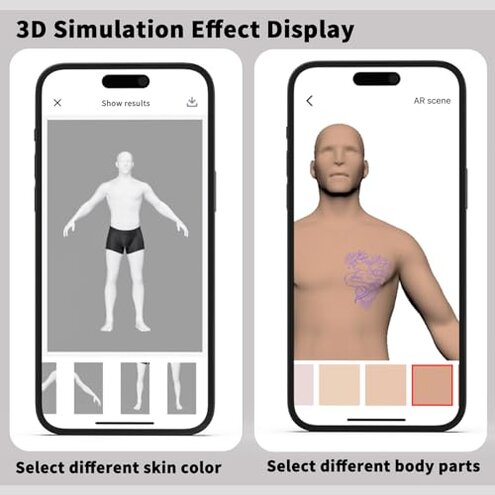
- Choose proven apps if you want to avoid the main setup risk; prioritize models with consistently easier phone pairing.
- Favor print consistency over battery claims if you regularly print fine-line designs.
- Check real device pairing before buying if you use both phone and computer, because mixed-device use is a known friction point here.
- Pick simpler workflows if this is your first stencil printer; fewer app steps usually mean fewer early regrets.
- Treat portability as secondary unless the model is also known for stable startup, since mobility alone does not fix reliability problems.
The bottom line
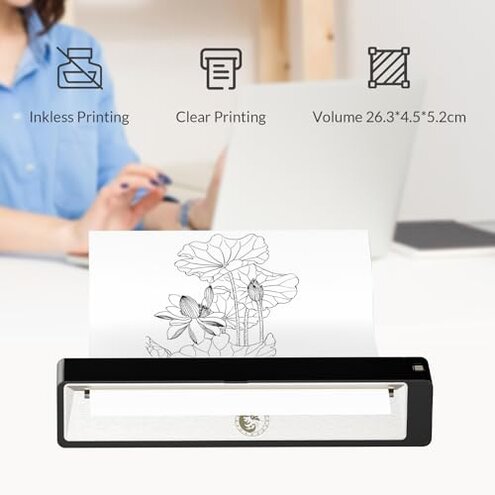
The main regret trigger is simple: buyers expect quick wireless stencil printing, but the strongest negative pattern is setup and connection friction. That exceeds normal category risk because convenience is the main selling point here, and repeated retries cancel out that advantage. If you want predictable, low-hassle printing, this is one to skip.
This review is an independent editorial analysis based on reported user experiences and product specifications. NegReview.com does not sell products.