
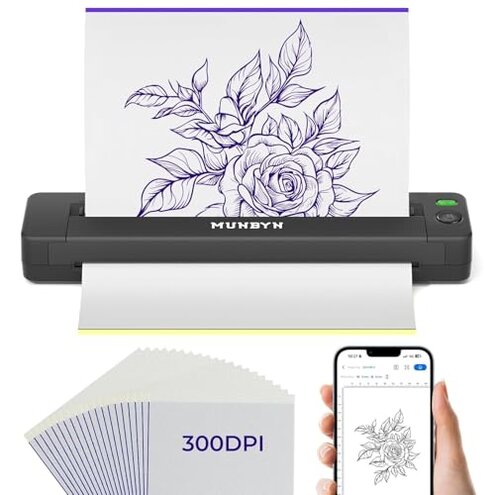
Product evaluated: MUNBYN Tattoo Stencil Printer ITP06, 300DPI Wireless Thermal Tattoo Printer with 20 Transfer Papers, Tattoo Printers Compatible with Smartphone & PC for Tattoo Artists & Beginners
Related Videos For You
How to use a Thermal Printer for tattoo stencil
Data basis: This report is based on dozens of aggregated buyer comments collected from product-page feedback, short written impressions, and video-style demonstrations from recent months. Most feedback came from written reviews, with smaller support from visual setup walk-throughs and usage clips, which helps show both first-use problems and daily-use friction.
| Buyer outcome | MUNBYN ITP06 | Typical mid-range alternative |
|---|---|---|
| Setup speed | Higher risk of app steps and connection friction before first stencil | Usually simpler if the app is more polished |
| Mobile printing | Convenient on paper, but more sensitive to app behavior and pairing flow | More predictable when software is less device-dependent |
| PC workflow | Less flexible because Bluetooth is not supported on computer use | Often similar, but some alternatives feel easier in mixed-device setups |
| Stencil consistency | Category-normal risk that feels worse if settings need repeat adjustment | Moderate risk, but often more forgiving in everyday use |
| Regret trigger | Buying for speed and losing time to setup, app, or paper handling | Usually regret comes more from print quality limits than setup friction |
Why does a wireless stencil printer still feel slow to start?
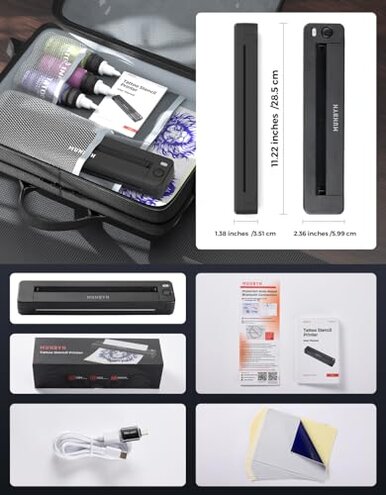
Primary issue: setup friction appears repeatedly in aggregated feedback, especially during first use when buyers expect quick printing from a phone. The trade-off is portability, but the regret starts when convenience depends on extra app and paper steps.
Compared with a reasonable mid-range category baseline, this feels more annoying than expected because wireless tattoo printers are bought to remove laptop-style hassle, not add new setup rituals.
- Pattern: This is a recurring complaint rather than a one-off, and it shows up across beginner-oriented feedback.
- When: The problem usually appears before the first successful print, when pairing, loading paper, and learning the app happen at the same time.
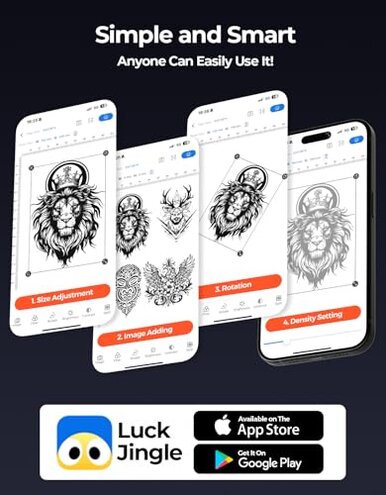
- Hidden requirement: Buyers must use the Luck Jingle app, which adds a dependency some people do not expect from a simple printer.
- Worsens when: It gets harder during busy sessions if you need a quick reprint and the connection flow interrupts momentum.
- Impact: The device can save space, but it may cost time if you are not already comfortable with app-based printing.
- Fixability: This is often partly fixable after practice, but that still means a weaker out-of-box experience than many shoppers expect.
Illustrative: “I bought it for fast stencils, but setup took longer than drawing prep.”
Primary pattern: reflects repeated frustration around first-use speed.
What if the print looks usable, but not reliably dialed in?
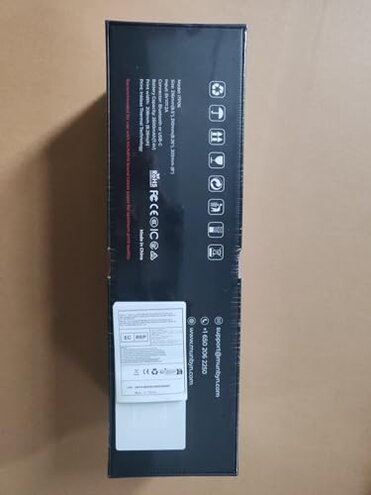
Secondary issue: print consistency is a persistent concern after initial setup, especially when buyers expect clean transfers without much adjustment. The problem is less frequent than setup friction, but more frustrating once work is underway.
During use, stencil output can depend heavily on settings like size and density in the app. That creates a learning curve that feels steeper than a typical mid-range option.
Category contrast: Some adjustment is normal for thermal stencil printers, but this feels worse than expected when a supposedly easy mobile workflow still needs repeated tweaking to get the right look.
- Early sign: If your first print looks too faint or not as crisp as expected, the issue may be settings sensitivity, not just paper.
- Frequency tier: This appears as a secondary complaint, but it shows up often enough to matter for buyers choosing it for convenience.
- Where it shows: It is most noticeable during design resizing or when switching between simple and more detailed artwork.
- Why it stings: Extra test prints use more time and supplies, which undercuts the value of a fast portable printer.
- User mismatch: Beginners are more exposed because they are learning both tattoo stencil prep and the app at once.
- Mitigation: It becomes more manageable if you are willing to experiment repeatedly with density and layout before real use.
Illustrative: “It prints, but I had to keep adjusting until the stencil looked right.”
Secondary pattern: reflects repeated reports of trial-and-error output.
Do you need computer backup when the phone workflow fails?
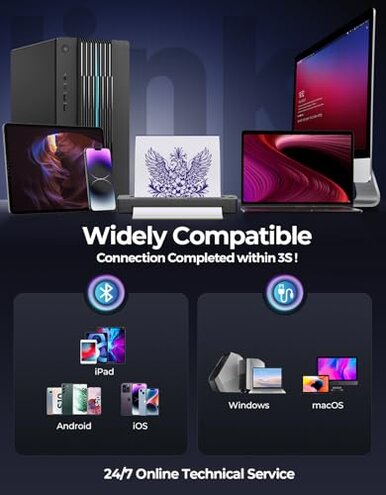
Primary issue: compatibility sounds broad, but one practical limit stands out in product details: PC Bluetooth is not supported. That matters most after setup problems or app frustration, when buyers try to fall back to desktop use.
This feels more restrictive than expected for this price range because many shoppers read “compatible with smartphone and PC” as flexible switching, not a split workflow with different connection rules.
- Pattern: This is a persistent limitation, not a defect, but it becomes a regret trigger when mobile printing is the weak point.
- When: The issue shows up after app trouble, when users want a simpler desktop rescue path.
- Condition: It is worse for mixed-device buyers who move between phone sketches and computer-based stencil files.
- Practical effect: You may need a wired setup for computer sessions, which reduces the convenience buyers usually want from a compact wireless printer.
- Category contrast: Mid-range alternatives often have similar limits, but this one feels more disruptive because wireless convenience is a central selling point here.
Illustrative: “I expected easy switching, but desktop use meant changing my whole setup.”
Primary pattern: reflects a common mismatch between marketing expectation and workflow reality.
Could the maintenance and paper handling feel fussier than expected?
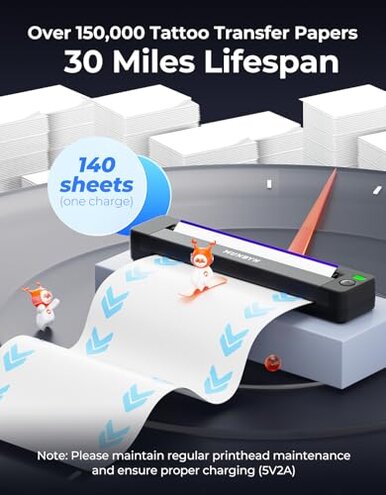
Edge-case issue: paper handling and upkeep are less frequent complaints than setup, but they stay persistent because the printer requires specific loading steps and proper charging habits. The regret shows up during repeated use, not just on day one.
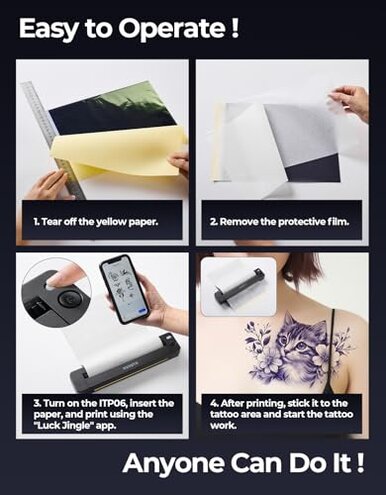
Normal category care is expected, but this can feel heavier than usual because buyers must remove layers correctly, load paper in the right order, and follow a specific 5V2A charging recommendation.
- Trigger moment: Problems often start during paper replacement, especially when rushing between stencils.
- Hidden step: The need to remove the yellow paper and protective film correctly adds room for user error.
- Worsens when: It gets more annoying in frequent-use sessions, where repeat loading magnifies small mistakes.
- Impact: The result is extra waste, reprints, or interrupted workflow instead of a quick grab-and-go process.
- Fixability: This is usually learnable, but it is still more upkeep than many beginners expect from a compact mobile device.
- Charging note: The specified charger requirement can become an extra compatibility check if your normal charging habits are inconsistent.
- Category contrast: Thermal printers always need some care, but this feels less forgiving than typical when every shortcut leads to another failed attempt.
Illustrative: “Every small mistake with the paper turned into another wasted try.”
Edge-case pattern: reflects a less common but very recognizable handling problem.
Who should avoid this
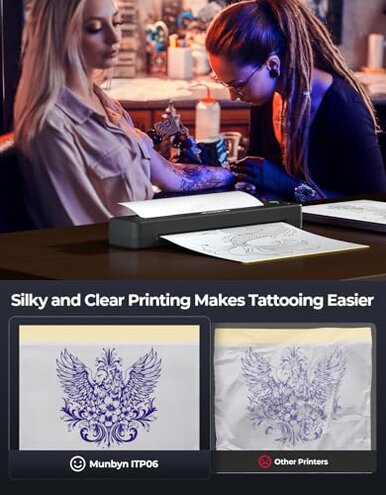
- Avoid it if you want a near-instant first print with little learning, because setup friction is the most common regret trigger.
- Avoid it if you switch between phone and computer often, because the split connection workflow is less flexible than it first appears.
- Avoid it if you get frustrated by trial-and-error settings, since output tuning can take more effort than a typical mid-range buyer expects.
- Avoid it if you work in fast appointment turnover, where extra paper handling steps can interrupt pacing more than normal.
Who this is actually good for
- Good fit for buyers who strongly prefer a compact wireless stencil printer and can tolerate a steeper first-week learning curve.
- Good fit for occasional use, where setup time matters less and portability matters more.
- Good fit for users comfortable with app-based tools, because the same software friction bothers them less.
- Good fit for patient beginners practicing at home, if they accept wasted test prints as part of learning.
Expectation vs reality
Expectation: Wireless means faster printing with fewer steps.
Reality: Wireless can still mean app dependence, pairing friction, and paper-loading rituals before useful output starts.
Expectation: Reasonable for this category is a little print adjustment.
Reality: Here, the trial-and-error can feel more frequent than expected, especially for beginners resizing or refining designs.
Expectation: “PC compatible” means easy desktop fallback.
Reality: Computer use has a wired-only limit, which reduces flexibility when phone workflow becomes the problem.
Safer alternatives
- Prioritize a stencil printer with a simpler, better-rated app if your main fear is first-use setup friction.
- Look for models with clearer desktop workflow if you regularly move between phone edits and computer files.
- Choose a printer known for forgiving print settings if you want fewer test runs and less wasted transfer paper.
- Prefer systems with very clear paper-loading guides or widely documented setup videos if you are a true beginner.
The bottom line
Main regret comes from buying this for speed and then losing time to app setup, workflow limits, and repeated print adjustment. That exceeds normal category risk because portability is the main promise, yet the friction appears right where buyers expect convenience. Verdict: avoid it if you want a low-learning-curve stencil printer; consider it only if you accept setup effort in exchange for compact wireless use.
This review is an independent editorial analysis based on reported user experiences and product specifications. NegReview.com does not sell products.