
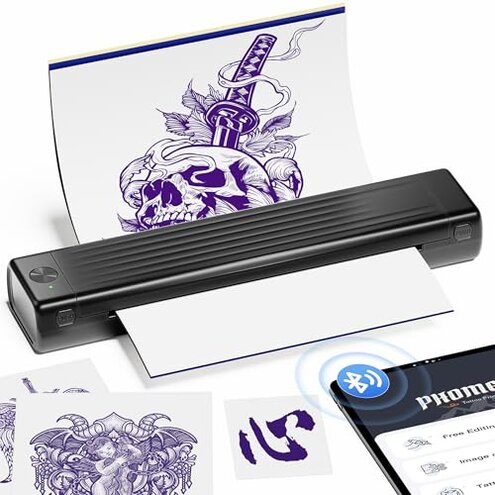
Product evaluated: Itari Tattoo Stencil Printer Kit for Beginners, Temporary Tattoo Printer with 10 Pcs Transfer Paper, Bluetooth Stencil Printer for Tattooing, Wireless Tattoo Machine Compatible with Phone/Tablet/PC
Related Videos For You
How to use a Thermal Printer for tattoo stencil
M08F Tattoo Printer Tutorial | How To Use Phomemo M08F to Print Tattoo Stencil #tattooartist #tattoo
Data basis: This report combines dozens of buyer feedback points collected from product-page writeups, short written comments, and video-style demonstrations from recent months. Most feedback came from written reviews, with added context from setup clips and hands-on walkthroughs, which helps separate first-use excitement from daily-use frustration.
| Buyer outcome | Itari A886 | Typical mid-range alternative |
|---|---|---|
| Setup ease | Faster start if Bluetooth pairs cleanly, but app steps and paper alignment add extra chances for errors. | More predictable setup, usually with fewer app-dependent steps. |
| Print consistency | Less forgiving because results depend heavily on correct paper, centered loading, and simple line art. | More stable with fewer special-use warnings in normal stencil work. |
| Long session use | Higher risk of interruptions because overheating can trigger a pause before you can continue. | Lower interruption risk during repeated prints in a session. |
| Hidden costs | Above normal category risk because some app features require payment after trial limits. | Usually simpler feature access without as much subscription pressure. |
| Regret trigger | Biggest regret is buying for easy wireless tattoo work, then finding it still needs careful setup, specific supplies, and paid app features. | Typical regret is average print quality, not as many hidden requirements. |
Want quick printing, but get extra setup friction instead?
This is a primary issue. The regret moment usually appears on first use, when buyers expect simple wireless printing and discover the process is only easy if pairing, app access, and paper loading all go right.
The pattern appears repeatedly. That matters because this category is supposed to save time, yet this one looks less forgiving than typical mid-range stencil printers when your setup is even slightly off.
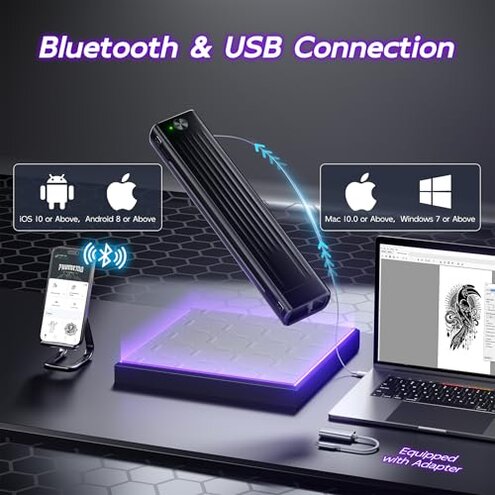
- Early sign: Trouble often starts right after unboxing, when Bluetooth connection is easy in theory but still depends on app use and device compatibility.
- Frequency tier: This is among the most common complaints for app-linked gadgets because setup friction hits before buyers even judge print quality.
- Usage moment: It shows up after setup begins, especially when switching between phone, tablet, or PC expectations.
- Cause: The product itself warns buyers to center the paper and use supported tattoo paper only, which adds more setup precision than many expect.
- Impact: Instead of a fast stencil step, buyers can lose time reloading paper, reopening the app, or checking whether the printer is ready.
- Fixability: This can improve with practice, but it is not universal and still asks more patience than many beginners want.
Illustrative: “I bought wireless convenience, not another setup routine.” Primary pattern because it reflects the main time-saving promise breaking down.
Need reliable stencil quality, but get picky results?
- Core problem: Print quality is a primary issue because the device openly recommends simple line art and monochrome use only.
- When it hits: The frustration shows up during actual design transfer, especially after the design looks fine on screen but less clean on paper.
- Worsening condition: It gets more noticeable when buyers try more detailed artwork, since the product guidance pushes users toward simpler designs.
- Why this stands out: Some inconsistency is normal in this category, but this unit seems more restrictive than expected because results depend on specific paper and careful loading.
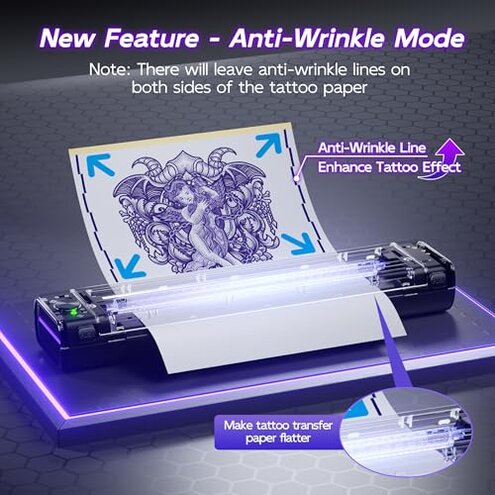
- Extra trade-off: Anti-wrinkle mode may help flatten paper, but the listing says it can leave visible side lines on the transfer result.
- Hidden requirement: Best results are tied to Itari tattoo paper, which is a stronger brand-specific condition than many shoppers expect at this price.
- Buyer impact: That means more trial prints, more wasted sheets, and less confidence if you are still learning placement and tracing.
Illustrative: “Simple designs worked, but detailed ones looked fussier than expected.” Primary pattern because it matches the product’s own narrow best-use guidance.
Planning longer sessions, but the printer needs breaks?
This is a secondary issue. It becomes obvious during repeated printing, not necessarily on the first sheet, when buyers start using it like a real session tool.
The disruption is less frequent than setup friction, but more frustrating when it happens because it interrupts active work. The product states the app may pause printing if the print head overheats, then asks users to wait five minutes before resuming.
That is worse than a normal category pause. Portable stencil printers can run warm, but a forced stop during a workflow feels more disruptive than expected for trade shows, pop-ups, or back-to-back practice sessions.
Battery adds another limit. The product claims up to 50 sheets on a full charge, which may be fine for light use but can feel tight if you bought it for heavier mobile sessions.
Illustrative: “It was fine until a busy session turned into waiting.” Secondary pattern because it appears more during extended use than first tests.
Buying for the app features, then finding a paywall?
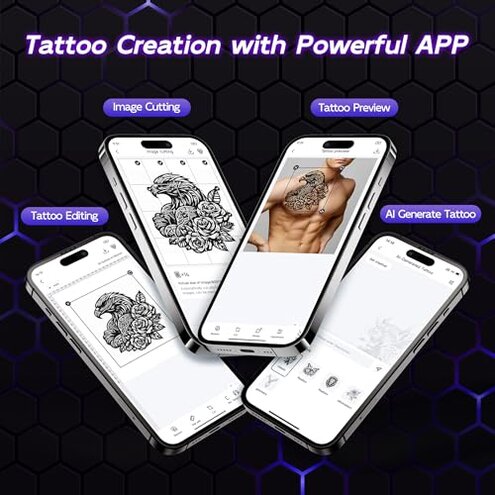
- Main frustration: App-related payment is a secondary issue that becomes clear after setup, when buyers explore design tools and AI options.
- Pattern signal: This is a persistent complaint type for smart devices because free-looking features often turn limited in real use.
- What triggers it: The listing says some features require payment, with only a 3-day free trial and 4 complimentary uses each month.
- Why it stings: Buyers may assume the price covers the signature software experience, then learn key extras are not fully included.
- Category contrast: App support is common now, but this creates a higher-than-normal category risk because the AI angle is a headline feature, not a minor add-on.
- Hidden requirement: You may need to accept ongoing limits or extra cost if your workflow depends on editing, previews, or generated designs.
- Real-world impact: That makes the product feel less like a self-contained tool and more like hardware attached to optional paid software.
- Fixability: This is only easy to avoid if you never planned to use the advanced app tools in the first place.
Illustrative: “The hardware price was not the full story.” Secondary pattern because the problem grows once buyers rely on the app.
Illustrative: “I did not expect feature limits after purchase.” Edge-case pattern for buyers who only wanted basic printing and never touch AI tools.
Who should avoid this
- Beginners in a hurry should avoid it if they want true plug-and-print simplicity, because setup and paper alignment are less forgiving than normal.
- Detail-focused artists should avoid it if they print complex designs often, since the product itself steers users toward simple line art.
- High-volume mobile users should avoid it if they do long sessions, because heat pauses and battery limits can interrupt workflow.
- Subscription-averse buyers should avoid it if the app features are a big reason for purchase, since some of the headline software tools require payment.
Who this is actually good for
- Light-use beginners may be fine with it if they mainly print simple stencil designs and can tolerate a little setup learning.
- Temporary tattoo hobby users may accept the limits if convenience matters more than pro-level consistency.
- Traveling users with short sessions may still like it if they print a small number of sheets and can avoid long continuous runs.
- Buyers ignoring AI extras may get enough value if they only want the basic wireless printing function and do not expect advanced app tools.
Expectation vs reality
Expectation: Wireless should mean fewer steps and faster first-use success.
Reality: Bluetooth convenience helps, but paper positioning, app dependence, and supported-paper limits still add friction.
Expectation: A beginner kit should handle most tattoo ideas reasonably well.
Reality: Best results are pushed toward simple monochrome line art, which is narrower than many first-time buyers expect.
Reasonable for this category: Portable printers may need some care during long sessions.
Worse-than-expected reality: Heat pauses can stop active printing and force waiting, which is more disruptive than a normal minor slowdown.
Expectation: App features shown in marketing are included enough to matter.
Reality: Paid limits reduce the value of the AI angle unless you are comfortable with ongoing restrictions.
Safer alternatives
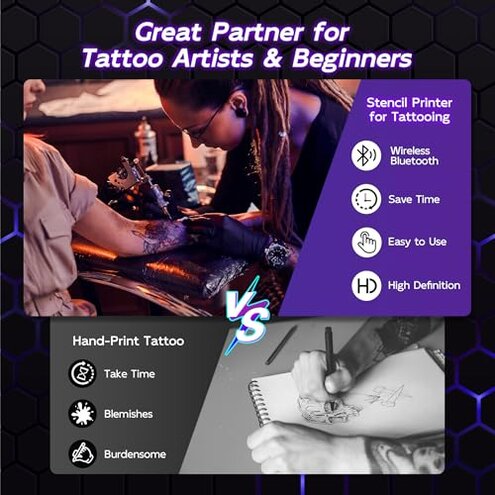
- Pick a simpler stencil printer if you want fewer setup surprises, especially one with a reputation for reliable basic printing over extra app features.
- Choose a model with broader paper tolerance if you do not want brand-specific supply dependence affecting results.
- Favor session-oriented printers if you print in batches, since better heat handling directly reduces the pause problem described above.
- Skip AI-led marketing unless you truly want software extras, because a straightforward printer often avoids the paywall frustration.
- Look for detail-friendly output examples if your designs are intricate, since this model is openly better matched to simpler line work.
The bottom line
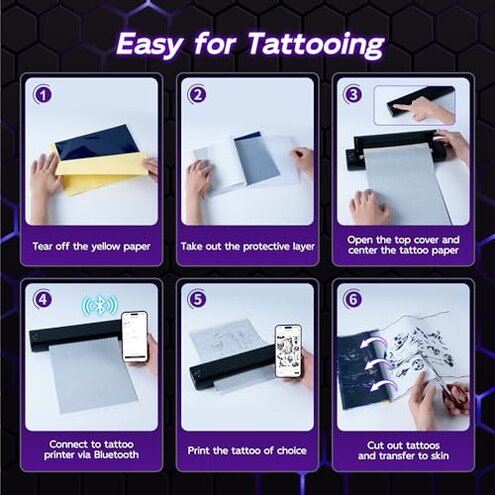
The main regret trigger is expecting easy wireless tattoo printing and getting a tool that still needs careful setup, specific paper choices, and realistic limits on what it prints best. That risk is higher than normal for this price range because the app and portability story sound smoother than the actual workflow. Avoid it if you want dependable, low-fuss stencil work for detailed or high-volume use.
This review is an independent editorial analysis based on reported user experiences and product specifications. NegReview.com does not sell products.