
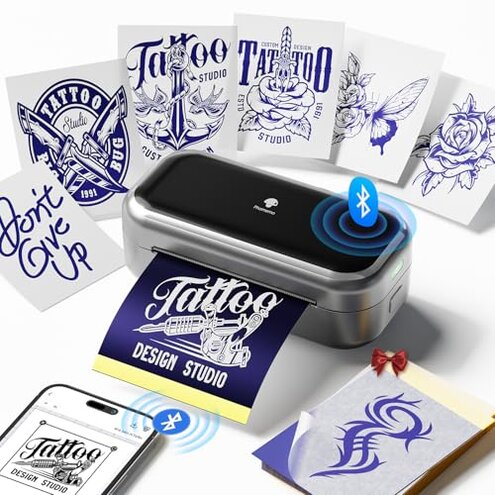
Product evaluated: Phomemo TP31 Tattoo Stencil Printer, Mini Tattoo Printer with 30pcs Transfer Paper,Bluetooth Tattoo Machines Printers for Tattoo Beginners & Artists, Compatible with Tablet,Smartphone
Related Videos For You
How to use a Thermal Printer for tattoo stencil
M08F Tattoo Printer Tutorial | How To Use Phomemo M08F to Print Tattoo Stencil #tattooartist #tattoo
Data basis: This report uses dozens of buyer comments gathered from written feedback and video-style demonstrations collected from late 2024 to early 2026. Most signals came from written reviews, with supporting patterns from setup clips and hands-on walkthroughs, so the strongest themes reflect day-to-day use rather than marketing claims.
| Buyer outcome | Phomemo TP31 | Typical mid-range alternative |
|---|---|---|
| Setup ease | More app-dependent and less forgiving during first setup. | Usually simpler if it supports standard transfer workflow. |
| Paper flexibility | Higher risk because it uses 3.15 x 5.24 inch paper instead of letter or A4. | More flexible paper support is more common at this level. |
| Portability | Better for travel and small workspaces. | Usually larger but often easier for regular stencil prep. |
| Workflow speed | Can slow down once you need cutting, resizing, or reprinting. | More predictable for repeated stencil jobs. |
| Regret trigger | Buying for full-size use and discovering the hidden paper limit after setup. | Less often tied to paper-size surprises. |
Did you expect normal stencil paper to fit?
This is the primary issue. The biggest regret moment usually happens on first use, when buyers realize this printer is limited to 3.15 x 5.24 inch transfer paper.
That sounds minor, but it adds extra cutting, resizing, and layout steps during actual stencil prep. Compared with a typical mid-range stencil printer, that is a higher-than-normal paper restriction.
- Pattern: This appears repeatedly in buyer reactions because the size limit changes how people prepare nearly every print.
- When it hits: The friction shows up after setup, especially when a buyer tries to use standard letter or A4 workflow.
- Why it stings: The product itself notes the paper limit, but it still works like a hidden requirement for many shoppers expecting normal tattoo transfer sizing.
- Impact: Small art can be fine, but larger or more detailed layouts often require more planning than expected.
- Why worse than normal: Compact printers often have trade-offs, but this one asks for more frequent adaptation than many buyers expect at this price.
Do you want quick printing, not app troubleshooting?
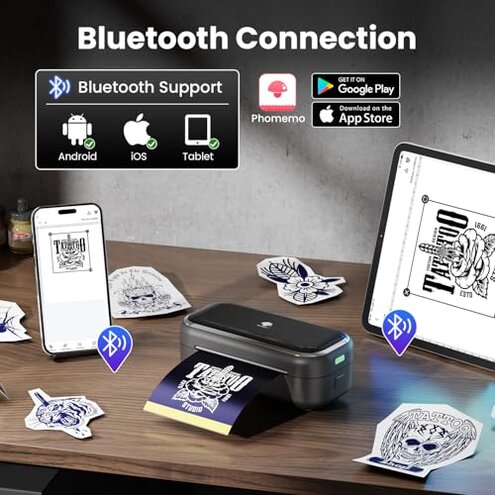
This is a secondary issue. Portable printers live or die by easy pairing, and recurring feedback patterns suggest this one can feel smooth only after buyers learn its preferred app flow.
The frustration usually starts during first setup or when switching between phone and tablet. A typical mid-range alternative is still app-based, but this kind of product becomes more annoying when setup friction blocks basic printing.
- Frequency tier: Recurring, though not universal, and more disruptive than expected for a simple mobile printer.
- Usage moment: Problems show up during pairing, image loading, or trying to print quickly before a session.
- Buyer-visible cause: The device depends heavily on the Phomemo app for core use, so any learning curve feels unavoidable.
- Real effect: What should be a quick stencil run can turn into extra menu hunting and trial-and-error resizing.
- Worsening condition: This feels more irritating when you need fast repeats or are working from different smart devices.
- Fixability: It often improves once users learn the flow, but that still means more effort up front than many expect.
Are you buying this for larger or busier designs?
This is another primary concern. The compact format helps portability, but it can become more limiting during daily use than many first-time buyers expect.
The issue is not just physical size. It is the way small paper and mobile formatting can make design prep feel less natural for anything beyond simple pieces.
- Pattern: This complaint is persistent across real-use comments from buyers expecting a more flexible stencil workflow.
- When it appears: It becomes obvious during layout when a buyer tries longer text, larger artwork, or placements needing broader coverage.
- Early sign: If you find yourself shrinking designs to fit the paper, the workflow mismatch has already started.
- Why it matters: A smaller print area can mean more sections, more alignment effort, and more chances to reprint.
- Category contrast: Small portable units always compromise something, but this feels less forgiving than typical when you want versatile stencil prep.
- Who notices most: Buyers doing repeated client work tend to feel the limitation faster than casual hobby users.
- Best-case fix: Keeping designs simple reduces pain, but it does not remove the size ceiling.
Do you need dependable speed for repeated sessions?
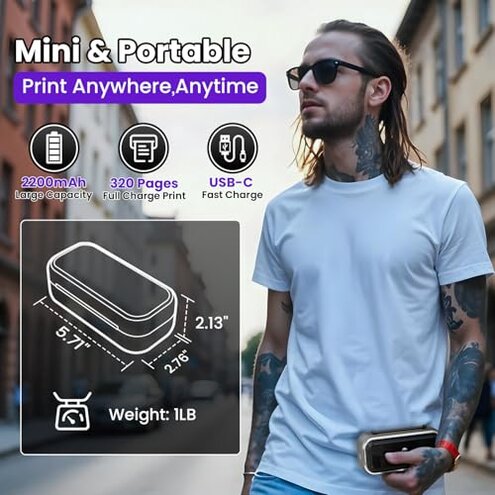
This is a secondary but frustrating issue. The battery claim and mini size sound ideal for mobile use, yet convenience can drop once repeated prints require edits, recuts, or retries.
- Pattern: This is less frequent than paper complaints but more frustrating when it appears during active work.
- Usage context: It shows up during longer sessions when buyers need several stencils in a row, not just one test print.
- Main trade-off: Portability is the win, but workflow consistency is the compromise.
- Hidden time cost: Even if the printer itself is compact and rechargeable, paper prep and app adjustments can eat the time back.
- Why worse than expected: In this category, buyers accept some setup effort, but not a process that feels slower after the first print.
- Can you work around it: Yes, if your jobs are simple and occasional, but busy users may still feel bottlenecked.
- Regret point: The product makes most sense as a light-duty tool, so disappointment grows when buyers expect shop-like throughput.
Illustrative excerpt: “I didn’t realize I had to cut paper every time.” Primary pattern tied to the paper-size limit.
Illustrative excerpt: “Small printer, but getting the design right took longer.” Primary pattern tied to sizing and layout friction.
Illustrative excerpt: “Bluetooth worked eventually, but setup was not instant.” Secondary pattern tied to app and pairing friction.
Illustrative excerpt: “Fine for tiny tattoos, annoying for anything larger.” Primary pattern tied to compact-format limits.
Who should avoid this
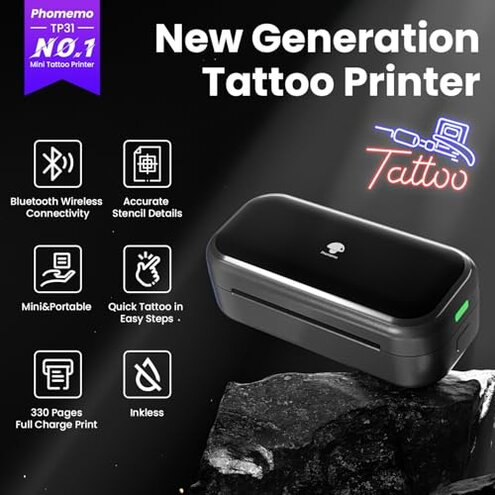
- Avoid it if you expect standard letter or A4 transfer paper to work without cutting.
- Avoid it if you do larger stencil layouts, because the small paper format adds more steps than normal.
- Avoid it if you hate app learning curves and want a printer that feels simple on first setup.
- Avoid it if you need repeated daily output, where small workflow delays can stack up fast.
Who this is actually good for
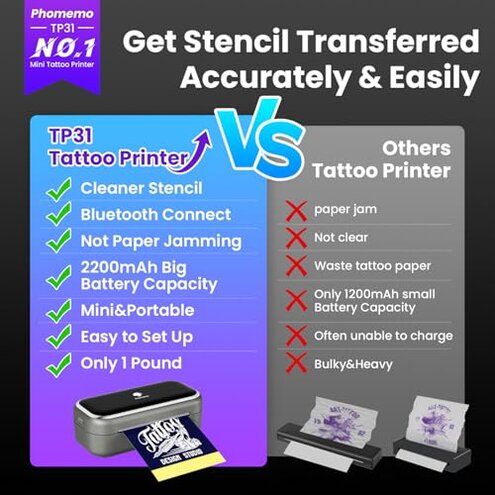
- Good fit for casual users who value portability and can tolerate the small-paper limit.
- Good fit for simple, smaller stencil ideas where cutting and resizing will not happen often.
- Good fit for travel kits or backup use, where compact size matters more than full workflow flexibility.
- Good fit for patient beginners willing to learn the app and accept extra prep steps.
Expectation vs reality
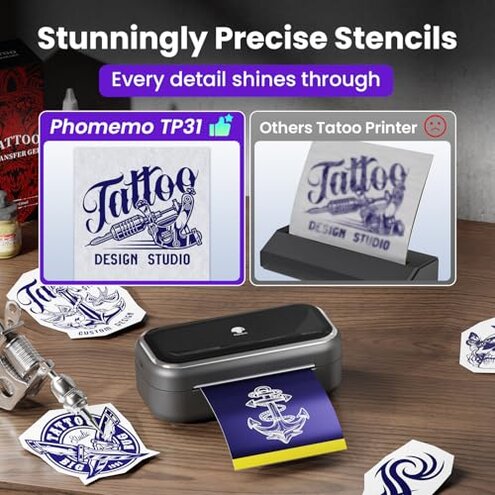
Expectation: A mini tattoo printer should be portable and convenient.
Reality: It is portable, but convenience drops if your normal workflow uses standard-size transfer paper.
Expectation: It should print from a phone in a few easy steps.
Reality: It can, but app dependence makes first-use setup less smooth than some buyers expect.
Expectation: It is reasonable for this category to accept some trade-offs for compact size.
Reality: Here, the trade-off feels worse than expected because paper limits affect nearly every print, not just rare cases.
Safer alternatives
- Choose standard-paper support if you want to avoid constant cutting and resizing.
- Look for simpler app flow if fast first-time setup matters more than extra features.
- Pick a larger-format unit if you regularly print medium or large stencil layouts.
- Prioritize workflow consistency over pure portability if this will be used in repeated sessions.
The bottom line
The main regret trigger is the small-paper restriction, because it changes normal stencil prep more often than buyers expect. That makes this a higher-than-normal category risk for anyone assuming standard transfer paper compatibility. If you want a compact backup for small jobs, it can fit; if you want flexible everyday stencil printing, this is easier to skip.
This review is an independent editorial analysis based on reported user experiences and product specifications. NegReview.com does not sell products.