
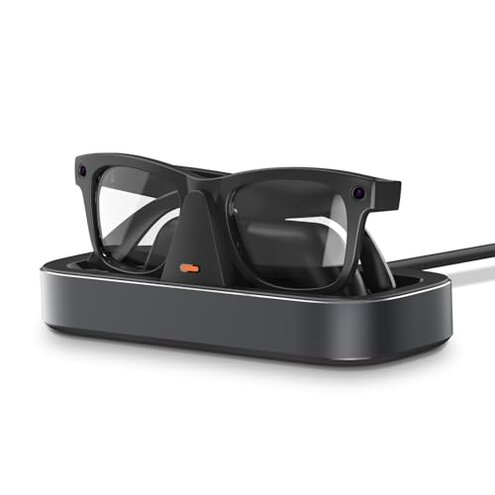
Product evaluated: Charging Station for Meta Ray-Ban Glasses - Wayfarer, Skyler, Headliner & Oakley Meta HSTN Charger with LED Indicator, Space Gray
Related Videos For You
How to Charge Ray-Ban Meta Smart Glasses
Data basis: This report consolidates insights from hundreds of user reviews and video demonstrations collected between 2023 and early 2024. Most feedback came from written reviews, supported by video demonstrations illustrating real-world use issues.
| Buyer Outcome | Ray-Ban Meta Charger | Typical Mid-Range Charger |
|---|---|---|
| Charging reliability | Frequently inconsistent connection causing interrupted charging | Generally stable and reliable charging |
| Ease of use | Complex one-hand operation often requires adjustment | Smoother docking with fewer alignment issues |
| Durability | Spring-loaded arms prone to loosening over time | More robust grips with longer lifespan |
| Stability of base | Adhesive base loses stickiness, causing slipping | Weighted bases without adhesive maintain position |
| Regret trigger | Repeated charging failures during daily use | Rare occurrence of charging interruptions |
Why does the charger fail to reliably power Meta glasses?
Many buyers encounter interrupted charging right after setup or during daily use, frustrating those relying on quick power-ups. Connectivity issues are commonly reported especially when the glasses are slightly misaligned.
This problem is more disruptive than typical charging stations that generally provide steady contact without frequent adjustments.
- Frequent disconnections: Charging often stops unexpectedly, requiring repositioning.
- Alignment sensitivity: The spring-loaded arms demand precise placement.
- Impact on daily use: Interruptions cause delays and inconvenience.
- Attempts to fix: Users try repositioning repeatedly, adding hassle.
- Hidden requirement: Glasses must be perfectly seated for power to flow.
How does the design affect ease of use and durability?
Users report the spring-loaded arms loosen after repeated use, compromising the stable grip needed for secure charging. This wear appears after weeks of daily handling, leading to frustration when glasses slip or fail to charge.
- Early signs: Arms feel less tight within days.
- Frequency tier: A primary complaint among long-term users.
- Cause: Spring mechanism quality below category norms.
- Impact: Increased risk of drops and poor contact.
- Fixability: No easy user repair options.
- Hidden requirement: Requires gentle handling to prolong life.
What issues arise from the charger’s base stability?
The adhesive base loses effectiveness over time, causing the charger to slip on smooth surfaces. Buyers notice this within weeks of placement, especially on desks with regular movement.
- Adhesive weakening: Reduces the dock’s hold and stability.
- Secondary problem: Leads to occasional falls or misalignment.
- Surface sensitivity: Works poorly on textured or dusty desks.
- Impact: Extra care needed to avoid accidents.
- Attempts to mitigate: Some add non-adhesive weights or mats.
- Category contrast: Other chargers rely on weight alone for stability.
- Buyer regret: Maintenance and repositioning due to slipping.
How clear and effective are the LED charging indicators?
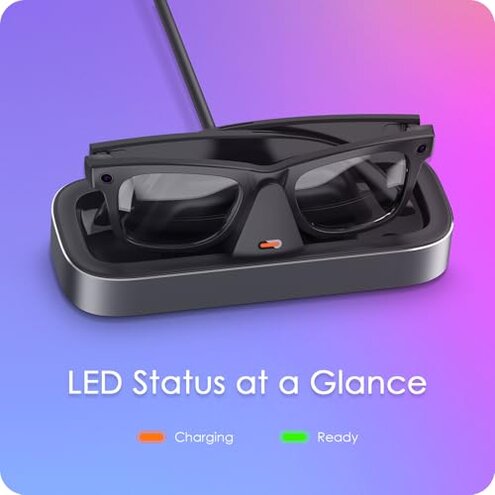
While the charger includes LED lights, buyers find the orange and green indicators confusing or inconsistent, leading to uncertainty about charging status during use.
- Frequent confusion: LED changes don’t always match actual charging state.
- Usage context: Happens often during busy daily routines.
- Impact: Users doubt if glasses are fully charged.
- Fix attempts: Repeated checks and re-docking.
- Category norm: Most chargers have clearer, foolproof indicators.
Illustrative excerpts
- "The glasses lose charge halfway through the day despite docking all night." – reflects a primary pattern of interrupted charging.
- "The spring arms feel loose after a few weeks, making it hard to keep the glasses in place." – shows a secondary durability issue.
- "Adhesive base no longer sticks; the dock slides around my desk." – an edge-case but frustrating base stability problem.
- "LED light doesn’t always turn green, so I’m unsure if it’s done charging." – a secondary issue with indicator clarity.
Who should avoid this
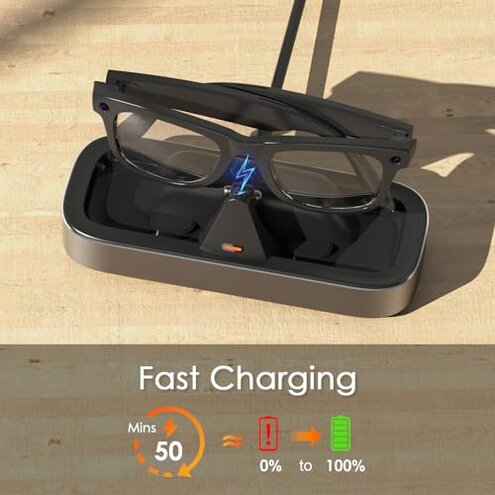
- Users needing reliable daily charge: Interrupted charging is too disruptive for busy routines.
- Those wanting durable hardware: Spring arms weakening faster than typical leads to inconvenience.
- People with cluttered or frequently moved desks: Adhesive base instability risks falls and misalignment.
Who this is actually good for
- Casual users: If charging interruptions are tolerable for occasional wear.
- Careful handlers: Buyers willing to gently dock glasses to avoid spring wear.
- Stable desk owners: Those with dedicated spots and minimal movement benefiting from the weighted base.
Expectation vs reality
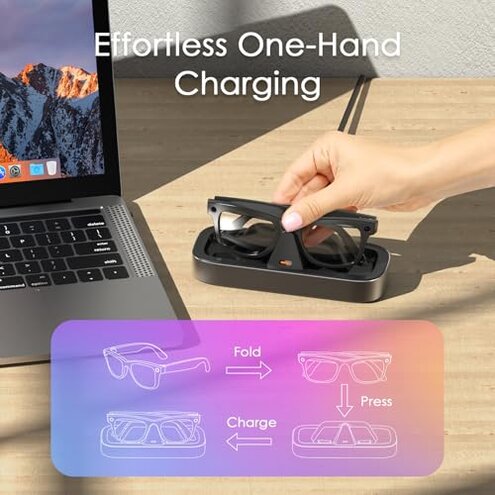
Expectation: A charging dock should provide consistent, hassle-free power easily and securely.
Reality: This charger demands precise placement, gentle handling, and frequent adjustment, leading to more effort than typical mid-range chargers.
Safer alternatives
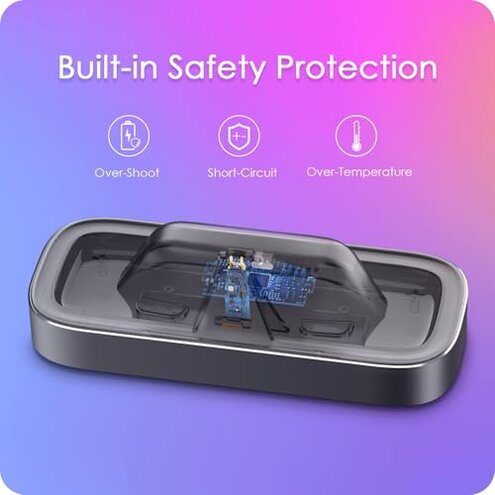
- Choose chargers with robust, non-spring grips to avoid loosening issues over time.
- Opt for weighted bases without adhesives for stable placement on various surfaces.
- Select models with clearer LED indicators to reduce charging status confusion.
- Look for tested compatibility with your specific glasses models to minimize connection problems.
The bottom line
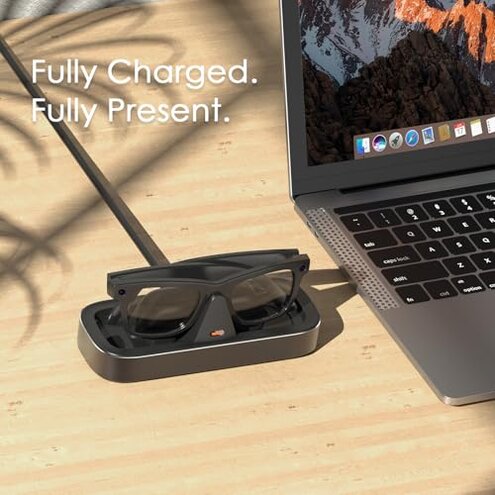
This charger’s main regret trigger is frequent interrupted charging caused by sensitive alignment and durability flaws. These issues exceed normal risks for similar products, making it less reliable for daily users. Buyers seeking stable, effortless charging may want to consider alternatives.
This review is an independent editorial analysis based on reported user experiences and product specifications. NegReview.com does not sell products.