

Product evaluated: BOBOVR D3 Charging Dock, Wireless Charging for Controller, B100 Fast Charging,Compatible with Quest 3
Related Videos For You
How to use the Compact Charging Dock | Meta Quest 3 + Meta Quest 3S
Review: 8bitDo Xbox Dual Charging Dock
Data basis: This report aggregates dozens of user reviews and video demonstrations from early 2024, focusing on buyers’ hands-on experiences with the BOBOVR D3 Charging Dock. Most feedback was drawn from detailed written reviews, supplemented by real-use video tests.
| Buyer Outcome | BOBOVR D3 Charging Dock | Typical Mid-Range Charging Dock |
|---|---|---|
| Charging Speed | Slow with 18W charger; recommends 45W for full speed | Usually consistent charging speed with included charger |
| Charger Included | Not included; must buy separately | Often included with product |
| Setup Complexity | Requires compatible charger and covers for wireless charging | Plug-and-play with minimal hidden requirements |
| Controller Charging Convenience | Controllers charge wirelessly without removing covers | May require removing covers or cables |
| Regret Trigger | Hidden charger requirement causes delays and extra cost | Lower surprise cost, faster initial readiness |
Why does setup feel complicated and frustrating?
Many users encounter unexpected setup hurdles because the dock does not include its own charger. This leads to delays and additional purchases right after buying the dock. The frustration is amplified by the need for a charger rated at 45W or higher for optimal performance.
This hidden requirement is commonly reported among new users during initial setup. Unlike most mid-range charging docks that come ready to use, this product demands buyers either use an existing charger or buy one separately, complicating a typically straightforward process.
Illustrative excerpt: "Just got the dock but no charger included, so I had to wait and buy one." (Primary pattern)
Why does charging feel slower than expected?
- Slow charge speeds: Charging the B100 battery with an 18W charger can take 4-5 hours, longer than most expect.
- Usage context: This delay appears during regular daily charging and worsens when using lower-powered chargers.
- Category contrast: Many competing docks offer consistent speed with included chargers, avoiding long waits.
- Impact on gaming: Longer downtime between sessions disrupts gameplay plans.
- Attempts to fix: Users often upgrade to 45W chargers after initial frustration.
- Hidden requirement: Optimal charging speed depends heavily on charger wattage, not clearly emphasized.
Illustrative excerpt: "Took way too long to charge fully with my old charger; didn’t realize wattage mattered." (Primary pattern)
Why do some users find wireless controller charging inconsistent?
- Intermittent charging: Some users report controllers don’t always start charging wirelessly when placed on the dock.
- When it shows up: Issues arise after repeated use or with certain controller covers.
- Cause: Compatibility with BOBOVR covers is touted, but real-world fit can vary.
- Impact: Adds extra steps like repositioning controllers or removing covers.
- Fixability: Limited; may require manual adjustment every time.
- Frequency: A secondary, but persistent, inconvenience for regular users.
Illustrative excerpt: "Sometimes controllers don’t charge unless I adjust them, which gets annoying." (Secondary pattern)
Why is the lack of included accessories a bigger problem than usual?
- Missing charger: The dock ships without a charger, unlike many peers.
- Buyer impact: Increases total cost and delay before the dock can be used.
- Hidden costs: New charger purchase is mandatory for proper use.
- Category norm: Most mid-range docks include chargers, making this dock less user-friendly.
- Frustration: Buyers feel the need to research compatible chargers separately.
- Attempts to mitigate: Some use existing chargers, but not all have suitable ones.
Illustrative excerpt: "Was excited until I learned I had to buy a charger separately, adding hassle." (Primary pattern)
Who should avoid this
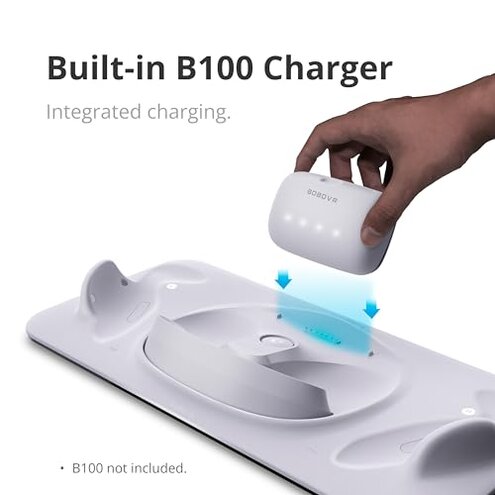
- Buyers without a 45W or higher charger, as they face slow charging and extra cost.
- Users expecting a plug-and-play setup with no hidden accessories.
- Gamers needing fast turnaround charging to avoid downtime.
- Those sensitive to inconsistent wireless charging of controllers.
Who this is actually good for
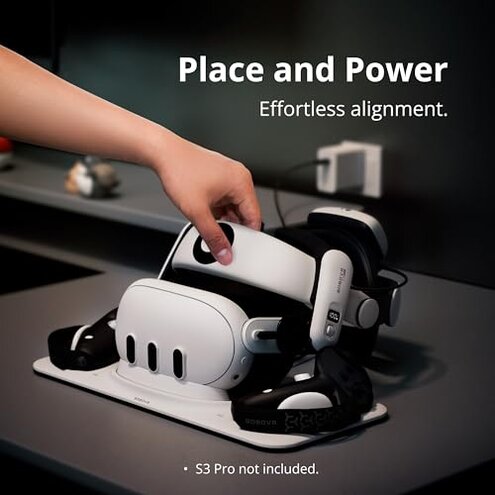
- Users who already own a compatible 45W charger and want a tidy all-in-one dock.
- Owners of BOBOVR G3 Plus covers who value wireless controller charging convenience.
- Buyers who do not mind extra setup steps or purchasing accessories separately.
Expectation vs reality
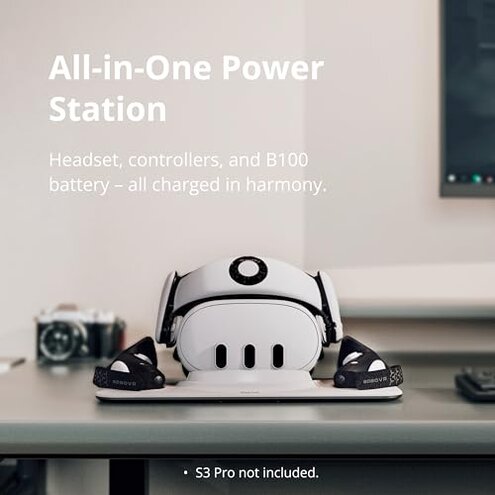
Expectation: Charging dock includes everything needed for quick setup. Reality: No charger included, causing delays and extra cost.
Expectation: Fast charging with any standard charger. Reality: Slow charging unless using recommended 45W charger.
Expectation: Wireless controller charging works seamlessly. Reality: Some users face inconsistent charging requiring manual repositioning.
Safer alternatives
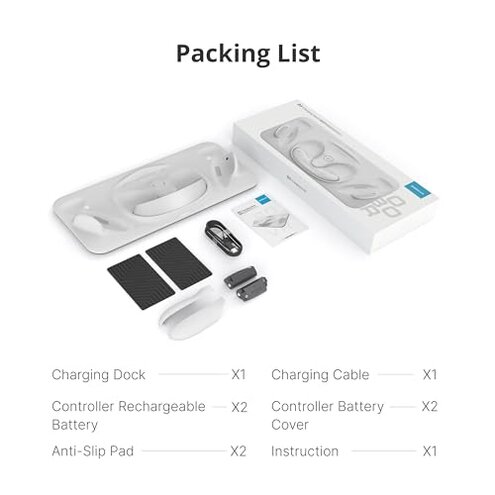
- Choose docks that include compatible chargers to avoid hidden costs and delays.
- Look for products with verified fast charging claims using standard wattage.
- Select controllers and docks with proven seamless wireless charging compatibility.
- Check reviews for real-world setup ease, prioritizing plug-and-play designs.
The bottom line
The main regret with the BOBOVR D3 Charging Dock is its lack of included charger and the slow charging speed when using lower wattage power sources. This hidden requirement creates a higher-than-normal category risk, inconveniencing buyers right after purchase. Buyers without existing high-wattage chargers or those seeking hassle-free setup should proceed cautiously or consider alternatives.
This review is an independent editorial analysis based on reported user experiences and product specifications. NegReview.com does not sell products.