
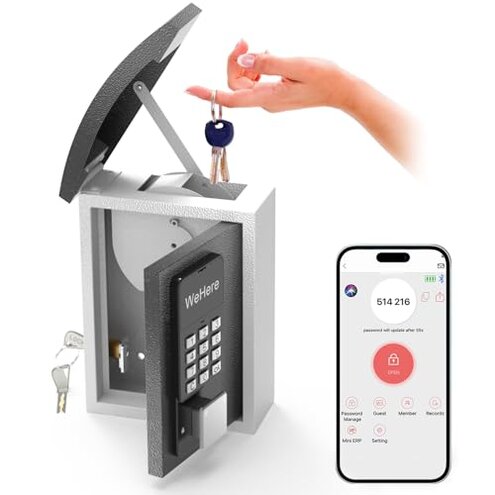
Product evaluated: WeHere Key Lock Box Wall Mount with Key Drop Slot, Smart Digital Lockbox, OTP/APP Bluetooth/Wi-Fi/Fixed Code/Key Unlock, Key Safe Security Storage for House Outside, Realty Business, Apartment, Store
Related Videos For You
[1032] No Tools Needed: Master Lock Push Button Key Box Decoded
How to Setup WeHere Key Lock Box with the App
Data basis: This report used dozens of written reviews and several video demonstrations collected between April 2024 and January 2026. Most feedback came from written reviews, supported by video demos. Findings reflect aggregated buyer experiences across early adopters and recent purchasers.
| Outcome | WeHere lock box | Typical mid-range alternative |
|---|---|---|
| Installation friction | Moderate — pre-drilled holes included but mounting alignment issues appear during setup. | Lower — most mid-range boxes align easily and include clearer templates. |
| Connectivity reliability | High risk — Bluetooth and remote access failures reported more often than expected. | Normal — typical competitors give steadier Bluetooth and optional integrated Wi‑Fi. |
| Power & alerts | Spotty — battery warnings and app notifications are inconsistent in daily use. | More reliable — many alternatives give clearer battery status and alerts. |
| Weather resilience | Limited — outdoor use needs sheltered mounting to avoid water exposure. | Better — mid-range options often advertise stronger weatherproofing. |
| Regret trigger | Remote access failure — missing Wi‑Fi bridge and flaky app make missed entries likely. | Lower — alternatives rarely require extra hardware for remote access. |
Top failures
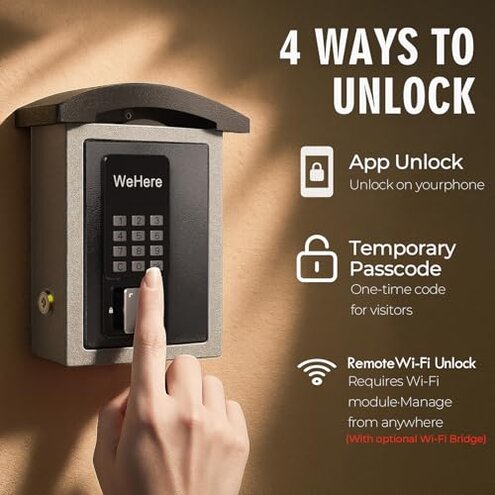
Why does the app or Bluetooth stop working when I need the key?
Regret moment: Buyers report being locked out because the Bluetooth or app disconnects during setup or daily use.
Pattern: This is a commonly reported issue that shows up during first use and reappears in daily access attempts. It is more disruptive than typical mid-range smart lockboxes.
Why is remote access not actually ready out of the box?
- Hidden Wi‑Fi bridge: Remote Wi‑Fi needs a separate bridge purchase, which many buyers did not expect.
- Extra cost: The bridge adds extra steps and expense before you get true remote unlocking.
- Setup complexity: Buyers describe extra time and troubleshooting when adding the bridge to the app.
- Expectation gap: Many users assumed the lockbox would include integrated remote access like mid-range competitors.
Why does the box struggle outdoors or with weather?
- Early signs: Water ingress and fading keypad feedback pop up when the box is exposed to heavy rain.
- Frequency tier: This is a secondary issue seen across several recent outdoor installs.
- Cause: The product recommends sheltered installation; buyers who ignore that report faster wear.
- Impact: Weather damage leads to sticky lids and failing locks after months of exposure.
- Attempts: Users tried sealants or porch placement to reduce failures, with partial success.
- Fixability: Mitigation requires extra materials or relocation, adding time and cost.
Why do batteries and notifications feel unreliable?
- Battery alerts: Buyers report missed low-battery notifications during daily use.
- Usage anchor: The problem often appears after weeks of ownership when battery level changes.
- Notification lag: App alerts arrive late or not at all, increasing lockout risk.
- Category contrast: This is worse than expected for mid-range smart boxes, which usually give accurate alerts.
- Attempted fixes: People replaced batteries early or checked app permissions, which sometimes helped.
- Residual risk: Even after fixes, some buyers still saw intermittent failures.
- Hidden requirement: Regular battery checks and manual backups (physical key) are needed to avoid lockouts.
- Long-term effect: Repeated notification failures make the product less reliable for critical access routines.
Illustrative excerpts
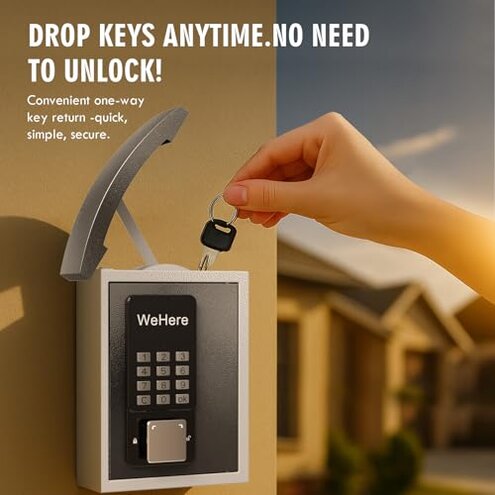
Illustrative excerpt: "App lost Bluetooth right before my cleaner arrived, no remote unlock." — Primary pattern
Illustrative excerpt: "I had to buy a Wi‑Fi bridge separately to use remote access." — Secondary pattern
Illustrative excerpt: "After months outside the lid began sticking in rain." — Secondary pattern
Who should avoid this
- Remote-dependent hosts: Avoid if you need reliable remote access without extra hardware.
- Critical access users: Avoid if you cannot tolerate intermittent app or Bluetooth failures.
- Fully outdoor installs: Avoid if you plan unsheltered outdoor mounting and expect long-term weatherproofing.
Who this is actually good for
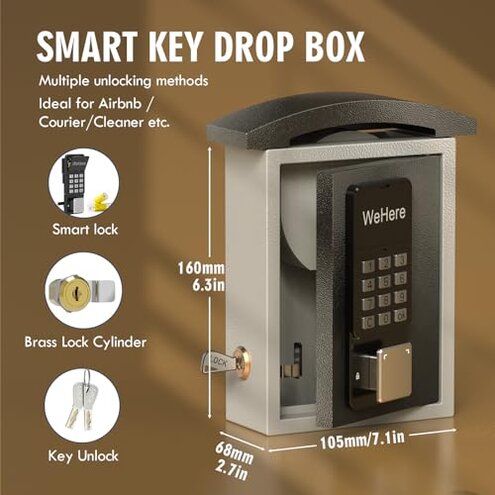
- Short-term rentals on-site: Good if you or a host are present to hand over keys and can tolerate app hiccups.
- Sheltered-entry homes: Good if mounted under a porch where weather exposure is minimal.
- Tech-savvy buyers: Good for people willing to add the Wi‑Fi bridge and troubleshoot Bluetooth issues.
Expectation vs reality
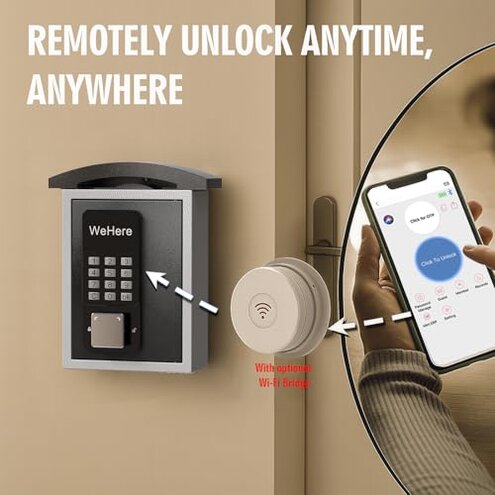
- Expectation (reasonable): A smart lockbox should provide reliable Bluetooth and optional remote access out of the box.
- Reality: Remote access often requires a separately sold bridge and the Bluetooth/app connection is less reliable than expected.
- Expectation (reasonable): Battery alerts should warn you early to avoid lockouts.
- Reality: Notifications are inconsistent, forcing manual battery checks to prevent problems.
Safer alternatives
- Choose integrated Wi‑Fi: Buy boxes with built-in Wi‑Fi to avoid extra bridge purchases and setup steps.
- Prioritize reliable app reviews: Look for models with a strong history of stable Bluetooth and notification reports.
- Pick weather-rated units: Select products explicitly rated for outdoor exposure to avoid sheltering workarounds.
- Keep a physical backup: Always pair with a mechanical key or spare code as a guard against connectivity failures.
The bottom line
Main regret: The primary issue is unreliable Bluetooth and remote connectivity, which directly causes missed entries.
Why worse: The need for a separate Wi‑Fi bridge and flaky notifications make this risk higher than typical mid-range boxes.
Verdict: Avoid if you need dependable remote access or outdoor resilience without extra purchases and regular checks.
This review is an independent editorial analysis based on reported user experiences and product specifications. NegReview.com does not sell products.