
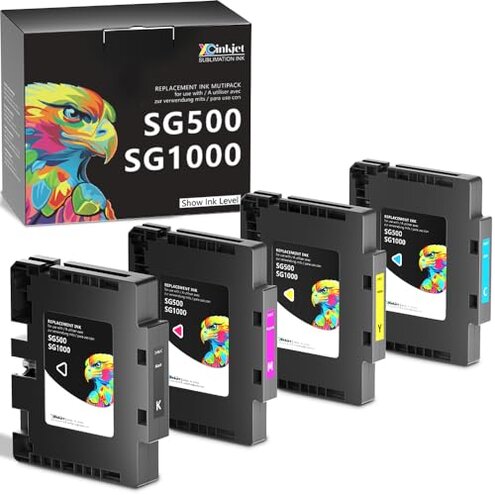
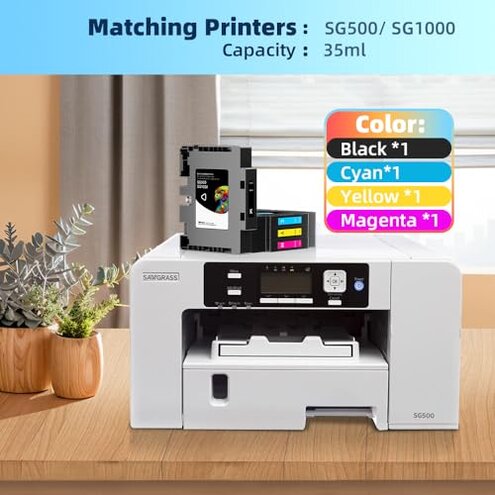
Product evaluated: Xcinkjet Version 3.09 Sublimation Ink Cartridge Compatible with Sawgrass Virtuoso SG500 SG1000 Printers(1 Black, 1 Cyan, 1 Magenta, 1 Yellow, 4-Pack)
Related Videos For You
Best Sublimation Printer for Beginners: Set Up an Epson EcoTank for Sublimation | Full Process!
Sublimation for Beginners: Printers, Ink, Paper, and EVERYTHING You Need to Get Started!
Data basis: This report aggregates feedback from dozens of buyer posts and product reviews, plus several video demonstrations collected from 2022 through Jan 2026. Most feedback came from written reviews, supported by user videos and Q&A posts. The pattern signals here reflect common and repeated buyer experiences.
| Outcome | This product | Typical mid-range alternative |
|---|---|---|
| Cartridge recognition | Unreliable: users commonly report recognition errors, especially after firmware updates. | Mostly reliable: compatible options usually work with occasional resets required. |
| Color accuracy | Variable: faded or off-hue prints appear repeatedly in buyer reports. | Consistent: mid-range inks generally match expected color more often. |
| Setup time | Longer: initial setup often needs extra chip steps and retries. | Smoother: typical alternatives need fewer manual steps. |
| Long-term reliability | Higher-than-normal risk: recurring failures reported after repeated use. | Lower risk: mid-range compatible cartridges usually last through multiple refill cycles. |
| Regret trigger | Printer lockout: recognition issues can halt work and need troubleshooting. | Minor delays: other compatibles rarely cause full workflow stoppage. |
Why won’t the printer recognize these cartridges?
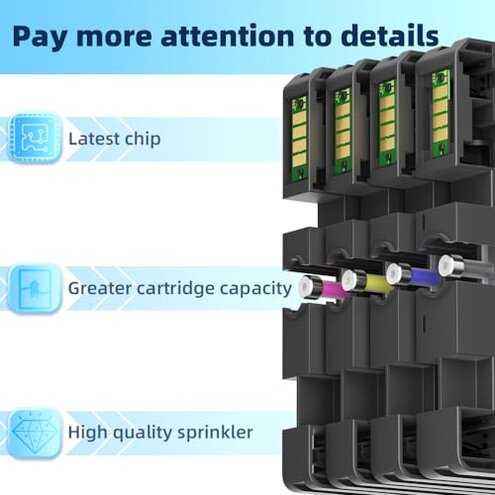
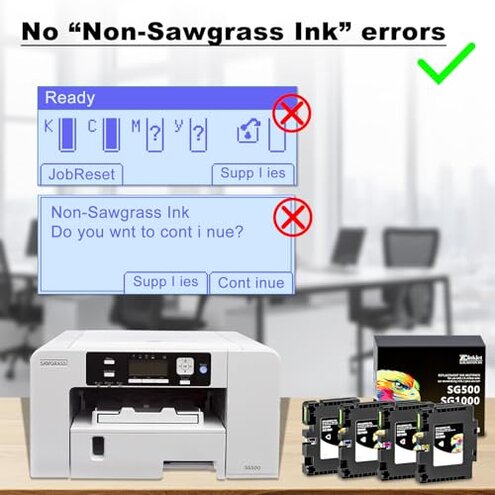
Recognition failure is the regret moment when the printer shows an error or refuses to print right after cartridge insertion. Pattern: this appears repeatedly and is commonly reported by recent buyers.
Usage anchor: the issue commonly shows up during first setup or after a printer firmware update. Category contrast: compatible cartridges in this category usually require occasional resets, but not the persistent recognition errors buyers report here.
Why are my print colors faded or off?
- Early sign: prints look faded on first pages, a primary pattern seen in reviews.
- Frequency tier: this is a secondary but recurring complaint across buyer feedback.
- Cause hint: color shift often appears during daily use or after replacing cartridges.
- Impact: faded output forces reprints and wastes time and materials.
- Fixability: some buyers temporarily recovered color through deep cleaning, but results varied.
Why does performance degrade after repeated use?
- Primary sign: quality drops after multiple cartridge swaps, commonly reported by longer-term users.
- Worsening context: degradation appears during frequent printing sessions or daily operation.
- Scope signal: this pattern appears across written reviews and video demonstrations.
- Cause theory: chip misalignment or inconsistent formulation is suspected by users trying fixes.
- Attempts: manual resets and reinstallation help less often than expected for this category.
- Hidden cost: repeated failures add time and wasted media, making total cost higher than initial price suggests.
Why is support and documentation inadequate?
- Instructions gap: included directions are sparse, a common secondary complaint.
- Customer service: response times are reported as slow or unhelpful in multiple buyer reports.
- Hidden requirement: buyers often need firmware-matching steps not documented in the box.
- Troubleshooting pain: workarounds require technical patience and extra tools for some users.
- Expectation mismatch: mid-range compatibles usually include clearer setup notes.
- Recovery difficulty: once errors begin, many users report repeated attempts before success.
- Persistence: poor documentation makes recurring problems more frustrating than typical for the category.
Illustrative excerpts
"Printer shows 'cartridge not recognized' right after install." — Primary pattern: frequent first-use recognition failures.
"Colors were washed out until I deep-cleaned heads twice." — Secondary pattern: color inconsistency sometimes recoverable.
"After a week of heavy printing, prints went streaky and faded." — Primary pattern: degradation during repeated use.
"Support told me to update firmware but gave no steps." — Edge-case pattern: missing documentation worsens fixes.
Who should avoid this
- High-volume shops: avoid if you need reliable long-run printing without interruptions.
- Non-technical buyers: avoid if you cannot perform firmware or chip troubleshooting.
- Color-critical work: avoid if accurate color on first pass matters to your customers.
Who this is actually good for
- Budget hobbyists: OK if you accept extra setup time and occasional reprints to save cost.
- Technical tinkerers: OK if you can handle firmware steps and manual fixes for compatibility.
- Short-run projects: OK if occasional recognition issues are tolerable for low-volume work.
Expectation vs reality
Expectation: reasonable for this category is that compatibles work after a quick install. Reality: this product often needs extra chip steps or firmware attention, causing workflow stops.
Expectation: mid-range inks keep color consistent across replacements. Reality: buyers report faded or shifted tones that require cleaning to correct.
Safer alternatives
- Choose OEM or tested compatibles: pick manufacturers with clear firmware notes to avoid recognition failures.
- Look for documented support: favor sellers that publish step-by-step setup and chip reset guides.
- Buy from sellers with return ease: choose options with clear return policies to reduce risk if errors persist.
- Check long-term reports: prefer cartridges with stability reports over months to lower degradation risk.
The bottom line

Main regret: the cartridge set's most common trigger is persistent recognition errors that stop printing and need technical fixes. Why worse: this exceeds normal category problems because it often requires firmware or chip workarounds. Verdict: avoid if you need reliable, color-accurate printing without extra troubleshooting.
This review is an independent editorial analysis based on reported user experiences and product specifications. NegReview.com does not sell products.