
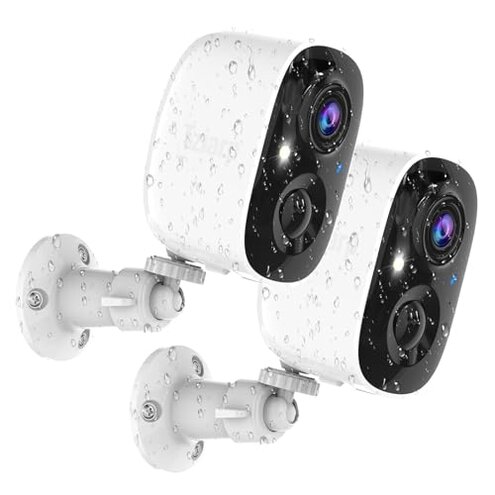
Product evaluated: Security Cameras Wireless Outdoor,2K Indoor WiFi Wireless Cameras,Outside Battery Powered Camera for Home Security,AI Motion Detection,Color Night Vision,Spotlight,Siren Alarm,SD/Cloud Storage,2 Pack
Related Videos For You
Blink Outdoor Camera Setup - [COMPLETE Beginner's Guide]
365 Day Battery!? - Eufy Wireless Security Camera!
Data basis: This report is based on dozens of written reviews and several video demonstrations collected between Jan 2024 and Jan 2026. Most feedback came from written reviews, supported by video demos, with additional notes from Q&A and product pages.
| Outcome | This camera | Typical mid-range camera |
|---|---|---|
| Connectivity | Unstable — frequent 2.4GHz disconnects reported during daily use. | Stable — most mid-range models maintain steady 2.4GHz connections. |
| Battery life | Variable — real-world drains faster than advertised under motion-heavy conditions. | Predictable — typical models give clearer run-time expectations for similar use. |
| Core features | Paywalled — advanced AI and zones require subscription to unlock. | More inclusive — many rivals include better on-device or free core detection. |
| Set-up friction | App-only — mobile-only control and strict 2.4GHz requirement add steps. | Flexible — alternatives often support web access or broader network compatibility. |
| Regret trigger | High — connectivity + subscription surprises cause the most buyer regret. | Lower — mid-range peers rarely combine both failure types at once. |
Top failures
Why does the camera keep dropping offline while I’m watching live?
Regret moment: Buyers report losing live view during routine checks, often when trying to view footage remotely.
Pattern: This is a commonly reported issue across recent feedback, not universal but frequent.
When it shows up: Most problems appear during daily use and worsen with weak 2.4GHz signals or distant router placement.
Category contrast: Connectivity instability is more disruptive than expected for mid-range outdoor cameras, which usually stay connected under similar Wi‑Fi conditions.
Why does the battery die much faster than I expected?
- Early sign: Rapid battery drops after enabling alerts, seen within the first weeks of use.
- Frequency tier: This is a primary issue for motion-heavy homes and frequent checks.
- Cause: Continuous reconnects plus spotlight and siren use increase power draw more than advertised.
- Impact: Expect extra maintenance and more frequent recharges compared with comparable models.
- Fix attempts: Users tried lowering motion sensitivity and scheduling recordings to reduce drain; results varied.
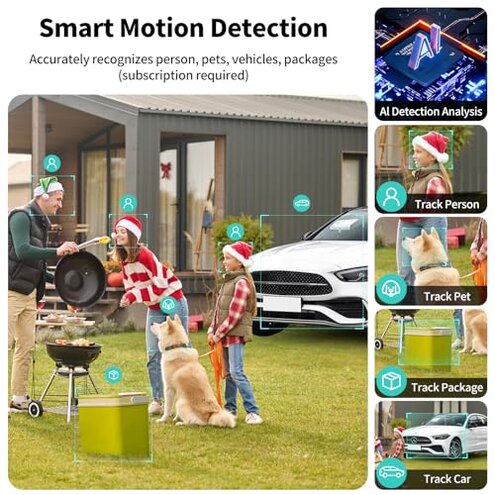
Why do I have to pay to get useful alerts and accurate detection?
- Hard requirement: Advanced person/vehicle/pet recognition and custom zones are subscription-locked, seen repeatedly in product notes.
- Usage anchor: The limitation becomes obvious after setup when basic motion floods alerts and you can’t refine zones without paying.
- Pattern: This is a secondary issue but appears across many buyer reports as an unpleasant surprise.
- Why worse: Unlike some mid-range cameras that include basic AI, this model keeps key features behind a paywall, adding ongoing costs.
- Impact: Extra subscription costs or manual filtering of many false alerts add time and frustration.
- Hidden requirement: The camera needs a strong 2.4GHz Wi‑Fi link and internet for core features, which some buyers missed during purchase.
- Fixability: Workarounds include local SD storage and stricter motion settings, but these reduce usefulness of the product.
Why is setup and daily management more annoying than I expected?
- First hurdle: The camera is app-only and does not support computers or third-party apps, creating added friction for multi-device households.
- Early sign: Problems often start during initial setup when the device rejects 5GHz networks or weak 2.4GHz signals.
- Frequency tier: This is a primary issue for buyers with complex home networks or strict router placement.
- Cause: Strict 2.4GHz-only compatibility and mobile-only control add extra setup steps and potential troubleshooting calls.
- Impact: Users spend extra time moving routers, adding extenders, or switching phones to complete setup.
- Attempts: Buyers reported success after adding Wi‑Fi extenders or moving the camera closer to the router.
- Why worse: Compared to category baseline, this product is less forgiving of common home Wi‑Fi setups, increasing time and expense.
- Fixability: Technical fixes exist but often require additional hardware or a subscription to unlock smarter detection.
Illustrative excerpts (not real quotes)
"Camera drops connection every other day, live view fails." — primary
"Battery lasted a week with normal alerts, not months." — primary
"Had to pay for AI to stop constant false alarms." — secondary
Who should avoid this

- Reliability-first buyers: Avoid if you need stable live view for remote monitoring without extra network work.
- Low-maintenance users: Avoid if you cannot recharge batteries often or install Wi‑Fi extenders to improve range.
- Budget avoiders: Avoid if you won’t pay ongoing subscription fees for useful AI features.
Who this is actually good for
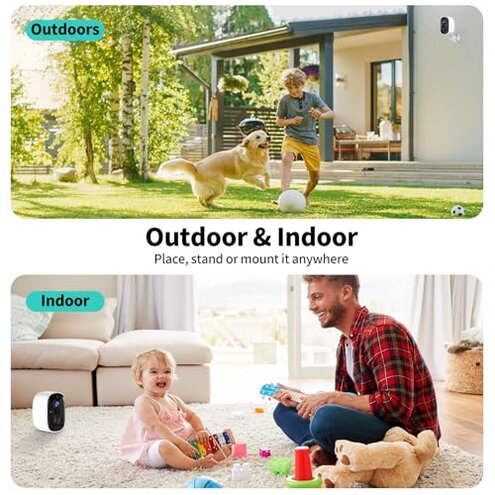
- Cord-free installers: Good for users who prioritize wire-free placement and can tolerate recharging every few weeks.
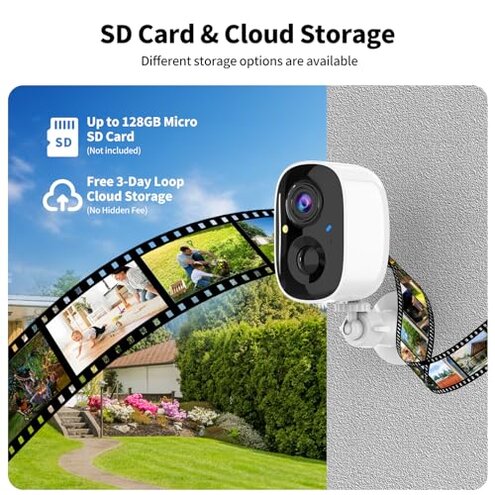
- Local-storage preferers: Useful if you plan to rely on an SD card for recordings and skip cloud AI features.
- Budget short-term users: OK for short-term monitoring where subscription costs and occasional disconnects are acceptable.
Expectation vs reality

- Expectation: Reasonable for this category to expect weeks of battery life with light motion. Reality: Battery often depletes faster under typical home motion.
- Expectation: Mid-range cameras usually include decent detection options. Reality: Key AI features are locked behind a paid plan here.
- Expectation: A Wi‑Fi camera should connect reliably on 2.4GHz. Reality: This model exhibits frequent drops unless signal strength is very strong.
Safer alternatives

- Prioritize labeled connectivity: Look for cameras that advertise dual-band or explicit stable 2.4GHz performance to avoid dropouts.
- Choose included AI: Pick models that offer basic object detection without subscription to reduce long-term costs.
- Check battery specs in use: Favor cameras with clear real-world battery claims or replaceable batteries to reduce recharge headaches.
- Prefer multi-access apps: Select cameras that support web or desktop access if mobile-only control is a deal-breaker.
The bottom line
Main regret: The combination of unstable connectivity and paywalled AI is the primary trigger for buyer disappointment.
Why it exceeds risk: Both issues together demand extra hardware, ongoing fees, and time, making this camera less forgiving than typical mid-range options.
Verdict: Avoid if you need reliable, low-maintenance outdoor monitoring; consider only if you accept extra setup and subscription trade-offs.
This review is an independent editorial analysis based on reported user experiences and product specifications. NegReview.com does not sell products.