
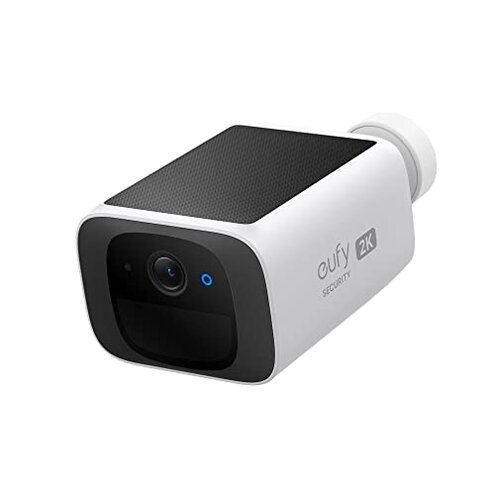
Product evaluated: eufy Security SoloCam S220, Solar Security Camera, Wireless Security Camera Outdoor, 2K Resolution, Continuous Power, No Monthly Fee, HomeBase 3 Compatible, 2.4 GHz Wi-Fi, for Outdoor Surveillance
Related Videos For You
STOP TRESPASSERS AND THIEVES! How to Build solar security camera pods that work anywhere!
How to Trouble Shoot Security Cameras - Learn the easy steps the pros know.
Data basis: Dozens of buyer reports and video demonstrations were reviewed between 2023 and 2025, with most feedback coming from written product reviews and a smaller set from hands-on videos. The summary emphasizes repeat signals and common setup-time problems found across sources.
| Outcome | This eufy S220 | Typical mid-range camera |
|---|---|---|
| Installation friction | Medium — setup often needs Wi‑Fi and optional HomeBase for features. | Low — most mid-range models work out-of-the-box with basic Wi‑Fi. |
| Live view stability | Unstable — viewers report connection drops during daily use. | Usually stable — mid-range cameras handle live view better under similar Wi‑Fi. |
| Power & charging | Higher risk — solar charging commonly fails in low sun or shaded installs. | Moderate — battery models need recharge but are more predictable. |
| Alert accuracy | Mixed — human detection sometimes misses or triggers false alerts. | More consistent — many competitors tune detection more reliably. |
| Regret trigger | Power + connection — the combo causes the most buyer regret during daily use. | Single issues — competitors usually have one predictable weakness, not both. |
Top failures
Why does my camera lose live view and alerts?
Regret moment: Live view drops mid-watch and alerts stop arriving, which is disruptive for real-time monitoring.
Pattern: This is a commonly reported problem that appears repeatedly during daily use, not an isolated glitch.
When it happens: Typically seen right after setup and during regular streaming, and it worsens when Wi‑Fi is busy or the router is far away.
Category contrast: More disruptive than most mid-range cameras because the device depends heavily on a steady 2.4 GHz link without automatic fallback.
Why does solar charging not keep the camera powered?
- Early sign: Battery drops despite having the solar panel installed.
- Frequency tier: This is a primary issue that appears commonly for shaded or north-facing installations.
- Cause: Low or intermittent sunlight reduces daily trickle charge enough to deplete the camera over days.
- Impact: Cameras enter low-power mode or stop recording during cloudy weeks.
- Attempted fixes: Buyers tried repositioning the panel, but improvements were inconsistent.
Why are motion alerts and recorded clips unreliable?
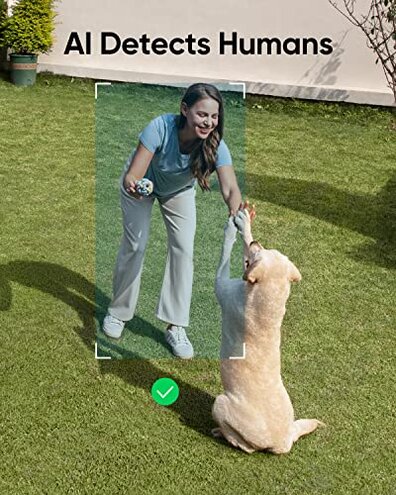
- Detection inconsistency: Human detection sometimes misses people and sometimes flags small motion.
- Usage anchor: Most reports describe problems after daily operation, not only during setup.
- Cause pattern: This is a secondary, persistent issue linked to firmware tuning and placement.
- Impact on safety: Missed alerts reduce trust in the camera for critical moments.
- Fixability: Firmware updates help occasionally but do not fully resolve the pattern.
- Hidden requirement: Some advanced detection features require a HomeBase device, which buyers did not expect.
- Category contrast: Worse than typical mid-range models that provide clearer separation of human vs. pet motion.
Why is setup more complex than advertised?
- Misleading simplicity: The box claims "wire-free" and "easy install," but real setups often add steps.
- Wireless limits: The camera requires a stable 2.4 GHz network and struggles with congested routers.
- Accessory need: To unlock features like local facial recognition buyers commonly need to buy or pair a HomeBase 3.
- Support friction: Some buyers report that getting help adds extra wait time and troubleshooting steps.
- Placement sensitivity: Achieving reliable alerts and solar charging needs precise mounting location.
- Frequency: Setup friction is a commonly reported early experience across user reports.
- Why worse: More effort than most mid-range alternatives, which usually work with one scheduled app flow.
- Hidden cost: Extra accessories or better routers are often required to reach advertised behavior.
Illustrative excerpts (not real quotes)
Excerpt: "Live view disconnects every night when Wi‑Fi is busiest at home." — primary pattern
Excerpt: "Solar panel worked great for weeks, then battery drained under cloud cover." — secondary pattern
Excerpt: "Had to buy a HomeBase to get face alerts I expected from the camera." — primary pattern
Excerpt: "Motion missed a delivery even though the camera filmed the yard." — secondary pattern
Who should avoid this
- Poor Wi‑Fi homes: Avoid if you have weak 2.4 GHz coverage, since connection drops are a common regret.
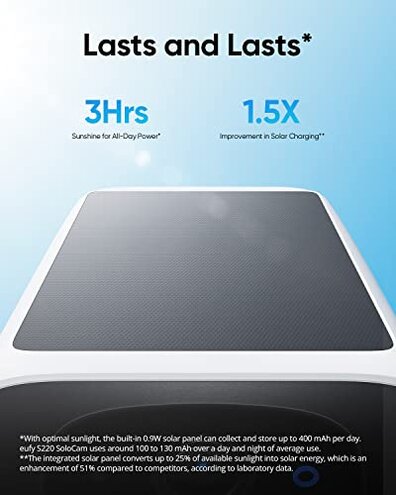
- Shaded installs: Avoid if your install site gets limited sun, because solar charging often fails under low light.
- Need flawless alerts: Avoid if you require near-perfect motion detection for safety, as detection is inconsistent.
Who this is actually good for

- Sunny, covered spots: Good for buyers with a well-lit, unobstructed solar mount who can tolerate occasional drops.
- Tech willing to tweak: Good for users who can adjust placement and router settings to stabilize Wi‑Fi.
- HomeBase owners: Good for those who already own HomeBase 3 and accept the extra hardware trade-off for features.
Expectation vs reality
- Expectation: Reasonable for this category to claim "no monthly fee" and local storage.
- Reality: The lack of subscription is real, but unlocking full detection features often requires extra hardware.
- Expectation: Solar keeps the camera charged with casual sun exposure.
- Reality: In practice solar performance drops in low light and requires precise placement to be reliable.
Safer alternatives
- Pick a wired-power model: Choose a hardwired or larger-battery camera to eliminate solar-charge risk.
- Prefer 2.4/5 GHz support: Buy cameras that support both bands to reduce live-view drops on congested networks.
- Check accessory needs: Verify whether advanced features need a hub before buying to avoid surprise costs.
- Look for proven alerts: Favor models with consistent third-party reports of accurate human detection.
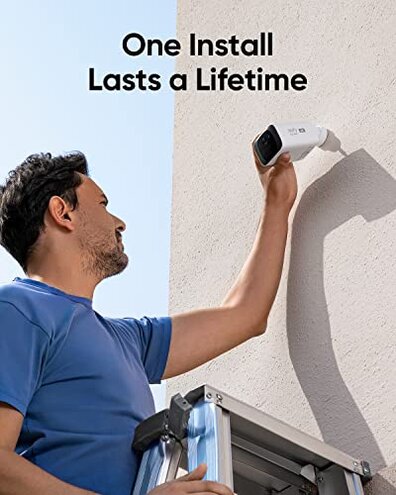
- Plan mount location: Measure sun exposure for a week before buying a solar camera.
The bottom line
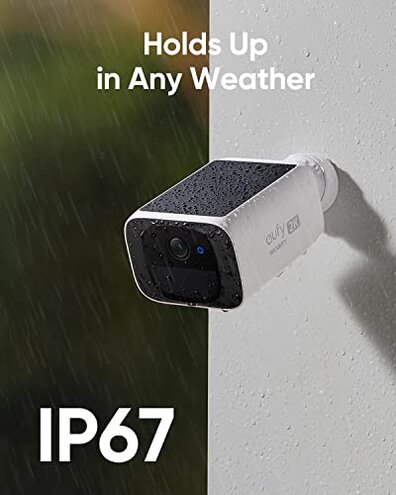
Main regret: The combination of unstable Wi‑Fi and unreliable solar charging is the most frequent buyer complaint.
Exceeds category risk: These two issues together are more disruptive than a single predictable weakness in typical mid-range cameras.
Verdict: Avoid this model if you cannot guarantee strong 2.4 GHz coverage or consistent sun at the mount, or if you expect flawless alerts without extra hardware.
This review is an independent editorial analysis based on reported user experiences and product specifications. NegReview.com does not sell products.