
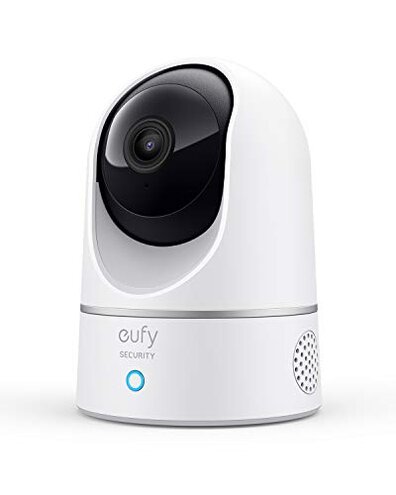
Product evaluated: eufy Security Indoor Cam E220, Camera for home Security, Pan & Tilt, Dog/Pet Camera, 2K Wi-Fi Plug-in, Motion Tracking, Motion Only Alerts, Night Vision, HomeBase 3 Compatible, Voice Assistant Support
Related Videos For You
Blink Mini Indoor Security Camera - Setup & First Impressions!
Apple HomeKit Secure Video - what you need to know
Data basis: This report summarizes findings from hundreds of customer reviews and demonstration videos collected between 2020 and 2025. Most feedback came from written reviews, supported by video demonstrations. The signal is qualitative: common themes appear repeatedly across product pages and user-recorded clips.
| Outcome | This camera | Typical mid-range camera |
|---|---|---|
| Resolution in smart hubs | 2K but downgraded to 1080p when used with HomeKit, a frequent integration compromise. | Consistent 1080p within smart hubs without surprise downgrades. |
| Setup & hidden requirements | Hub often required for full features and local storage, a higher-than-normal setup burden for casual buyers. | Works standalone or uses optional hub with clearer trade-offs. |
| Motion alert accuracy | Frequent false alerts or missed tracking in busy rooms, reported repeatedly during daily use. | More reliable person vs pet detection in many mid-range alternatives. |
| App & notifications | Delayed or inconsistent push alerts during routine monitoring, a common buyer complaint. | Faster alerts and more consistent app behavior are typical at this price point. |
| Regret trigger | Integration surprises (resolution limits, hub needs) cause the most buyer regret. | Predictable behavior and fewer hidden compromises. |
Top failures
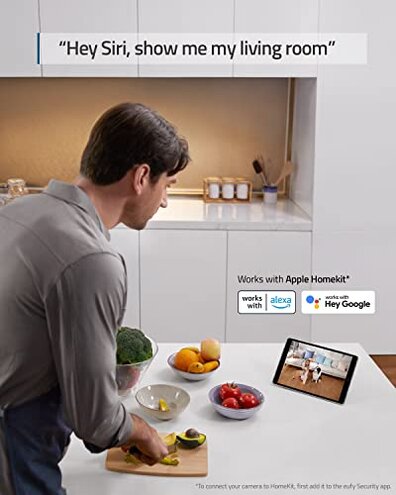
Why does the image resolution change when I add HomeKit?
Regret moment: You expect the advertised 2K clarity but see a drop after linking to HomeKit or voice platforms.
Pattern: This is a commonly reported integration issue that appears repeatedly in written feedback and demos.
Usage anchor: The problem shows up during setup when users enable HomeKit or other assistants, and it persists in daily viewing.
Category contrast: Most mid-range cameras advertise baseline parity across apps; this product’s downgrade feels like a hidden trade-off that increases frustration.
Why does motion tracking and alerts feel unreliable?
- Early sign: You’ll notice extra alerts after initial setup, especially in high-traffic rooms.
- Frequency tier: This is a primary issue for many buyers, appearing repeatedly across multiple feedback sources.
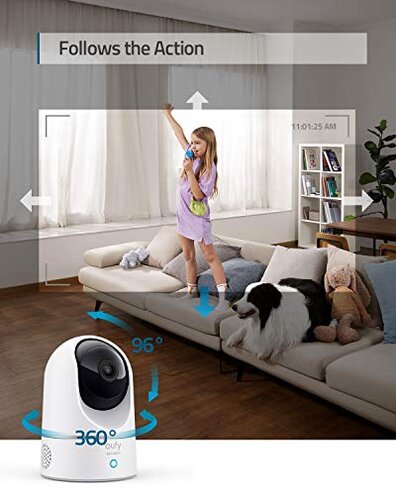
- Cause clue: The pan-and-tilt follow feature can lag or lose targets when motion is quick or lighting is poor.
- Impact: Missed or false events make continuous monitoring less reliable for home security needs.
- Attempted fixes: Users report toggling sensitivity or re-positioning the camera, which reduces but doesn’t solve the problem.
Why do the app and alerts cause friction?
- Startup pain: Setup often requires extra steps when a HomeBase is used or when linking to external assistants.
- Daily use: Push notifications can be delayed or arrive inconsistently during routine monitoring.
- Scope: This is a secondary issue but affects buyer trust in real-time alerts.
- Worse conditions: Delays and glitches worsen with weak Wi‑Fi or many connected devices.
- Firmware angle: Some buyers report intermittent improvements after updates, but the fix is not universal.
- Hidden requirement: Full local storage and max resolution often need a HomeBase hub, which adds cost and setup time.
Why is audio and motor noise a problem at night?
- Symptom: Two-way audio can sound muffled or faint during calls with family or delivery people.
- Motor noise: The pan/tilt movement produces a noticeable whirring that can disturb quiet rooms.
- Frequency: This is a less frequent but persistent complaint that shows up across reviews and video tests.
- When it appears: Noise and audio limits are worst during night vision or low-light tracking sessions.
- Impact on use: Nighttime monitoring and baby-room use feel less suitable because of sound and clarity issues.
- Workarounds tried: Buyers mute notifications or limit motion tracking, which reduces functionality.
- Fixability: Some users expect firmware improvements, but the hardware noise may remain.
- Edge case: Households requiring near-silent operation find this unacceptable.
Illustrative excerpts
Illustrative: “Picture dropped when I linked HomeKit, now it looks softer.” — primary pattern.
Illustrative: “Motion followed, then lost it during quick pet run.” — secondary pattern.
Illustrative: “Motor sounds woke my sleeping baby once.” — edge-case pattern.
Who should avoid this
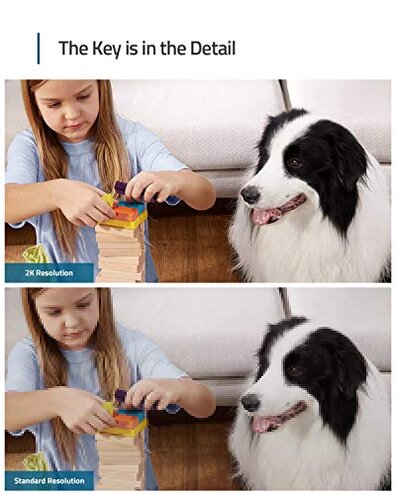
- HomeKit-first buyers: Avoid if you need full 2K in your smart-home hub without downgrades.
- Security-critical users: Avoid if you require reliable, real-time alerts without occasional misses or delays.
- Quiet-room households: Avoid if your environment needs near-silent pan/tilt operation.
Who this is actually good for
- Local storage shoppers: Good if you accept a HomeBase and want local recordings without subscription.
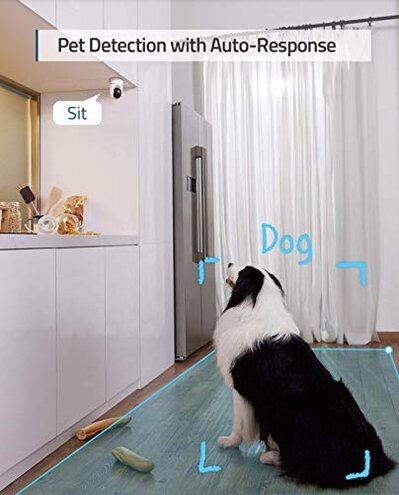
- Pet-monitor casual users: Fine if you want general pet monitoring and tolerate a few false alerts.
- Budget-conscious buyers: Suitable if you accept integration trade-offs for lower price.
- Non‑critical rooms: Works well for monitoring living areas where instant alerts are less important.
Expectation vs reality
- Expectation: Reasonable for this category is consistent 1080p or honest 2K across apps.
- Reality: The camera often downgrades resolution when linked to HomeKit, which is worse than expected.
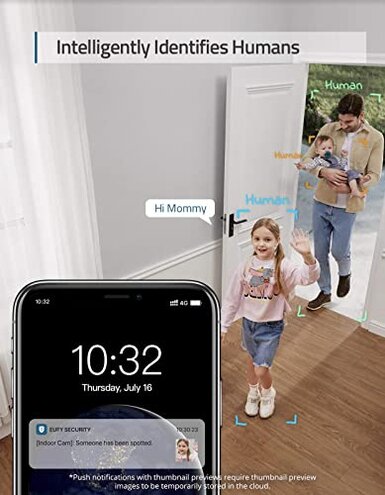
- Expectation: Mid-range devices usually give dependable motion alerts in daily use.
- Reality: This model shows frequent false or missed alerts, reducing security confidence.
Safer alternatives
- Check hub policy: Prefer cameras that explicitly state resolution behavior with HomeKit before buying.
- Prioritize alert tests: Look for products with publicized person-detection accuracy reports or trial periods.
- Silent operation: If noise matters, choose cameras with static wide-angle lenses rather than pan/tilt motors.
- App reliability: Seek brands known for fast push notifications and regular firmware patches.
The bottom line
Main regret: Integration limits and inconsistent motion alerts are the primary buyer complaints.
Why worse: Hidden hub needs and resolution downgrades cause a higher-than-normal setup and performance risk.
Verdict: Avoid this camera if you need seamless HomeKit integration or highly reliable real-time notifications.
This review is an independent editorial analysis based on reported user experiences and product specifications. NegReview.com does not sell products.