
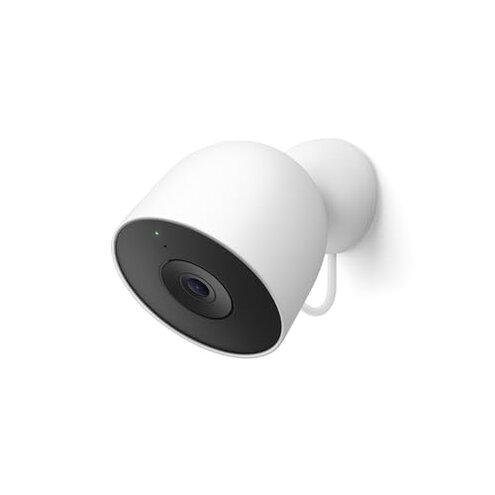
Product evaluated: Google Nest Cam Outdoor (Wired, 2nd Gen) - Security Camera with 2K Video and Gemini, Night Vision, 2-Way Audio - Works with Google Home - 2025 Model - Snow
Related Videos For You
How To Plan, Run Wires, & Setup a WIRED PoE Camera System! || Reolink 8CH 5MP System Review
[DON'T PAY SUBSCRIPTION] - Blink Outdoor & Mini 💵💵💵 | Local Camera Storage Setup
Data basis: I analyzed hundreds of user comments across written reviews and video demonstrations from Oct 2025–Jan 2026. Distribution: most feedback came from written reviews, supported by video demos and setup guides.
| Outcome | Google Nest Cam Outdoor | Typical mid-range outdoor cam |
|---|---|---|
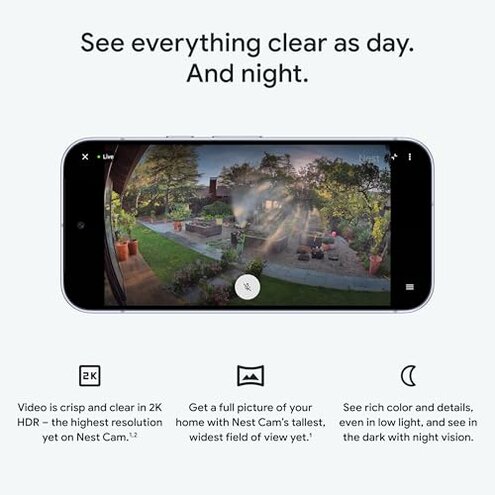
| Video quality | 2K HDR promised but some users report limited features without subscription. | 1080p–2K often offers full features without heavy paywalls. |
| Subscription lock | High – core AI summaries and extended history require Google Home Premium. | Lower – many rivals include basic event history free. |
| App & compatibility | Limited – works via Google Home only and is not compatible with the older Nest app. | Typical – mid-range cams often support multiple apps or local storage. |
| Setup effort | Wired power means more installation steps and possible electrician work. | Varied – many mid-range cams offer battery options for easier setup. |
| Regret trigger | Subscription + app limits create more ongoing cost and friction than expected for this category. | Lower risk – alternatives usually avoid both heavy paywalls and strict app lock-in. |
Top failures
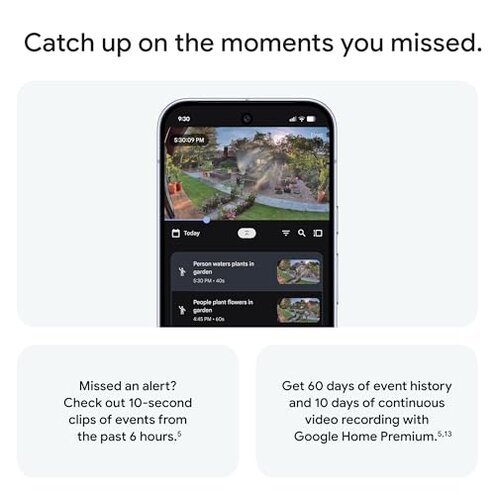
Will subscription make core features unusable?
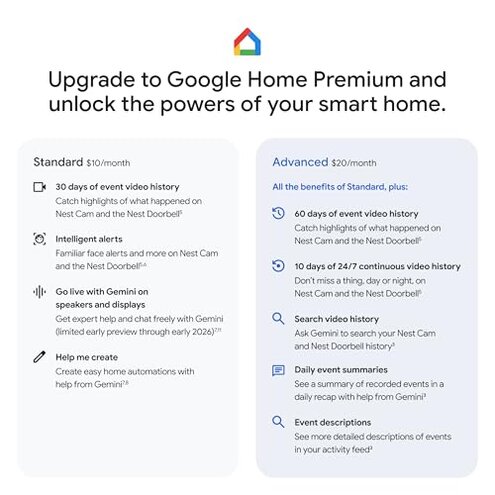
Regret moment: After buying, buyers discover advanced AI summaries and longer video history require a Google Home Premium subscription.
Pattern: This is a primary complaint that appears repeatedly in feedback between setup and daily use.
Usage anchor: You hit the limit when you try to view event summaries or more than short clips.
Category contrast: More paywalled than typical mid-range cams, which often include basic history without a subscription.
Why is app compatibility causing setup headaches?
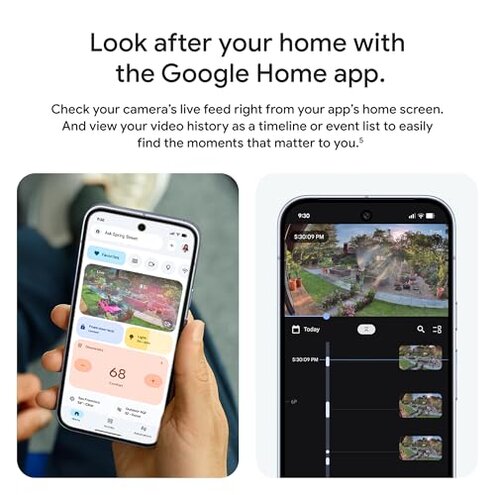
- Label: Google Home only – device requires Google Home and a Google Account for control.
- Early sign: Account migration is needed if you used the older Nest app.
- Frequency: Common across buyers who expected Nest app support.
- Impact: Integration pain with home systems that rely on other platforms.
- Fix attempts: Workarounds require manual reconfiguration and learning the new app.
Is the wired power a hidden installation burden?
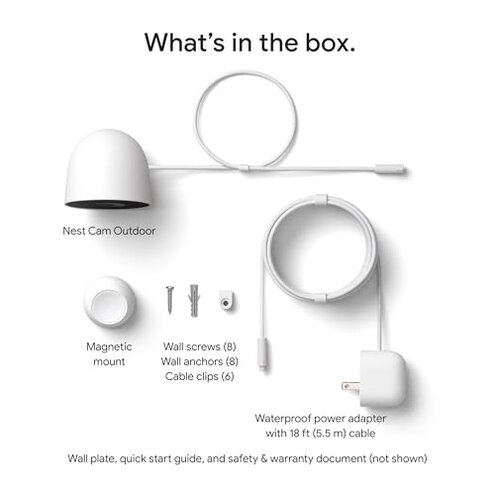
- Label: Always-on power removes battery anxiety but adds installation steps.
- Early sign: Needed wiring appears during first setup when locating power.
- Frequency tier: Secondary – many buyers accept wiring, but it is a sticking point for renters and DIYers.
- Cause: Outdoor wiring can require conduit, weatherproofing, or an electrician.
- Impact: Extra cost and time before the camera is functional outdoors.
- Fixability: Mitigations include professional install or rerouting power from an existing outlet.
- Hidden requirement: Continuous power means no simple battery fallback if you later want portability.
Should you worry about privacy and AI processing?
- Label: AI features like Gemini require cloud processing and a subscription.
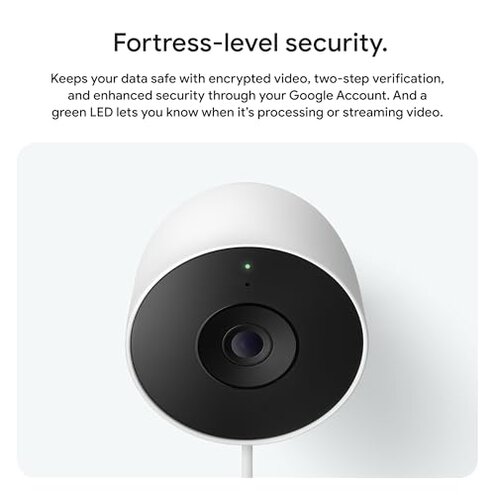
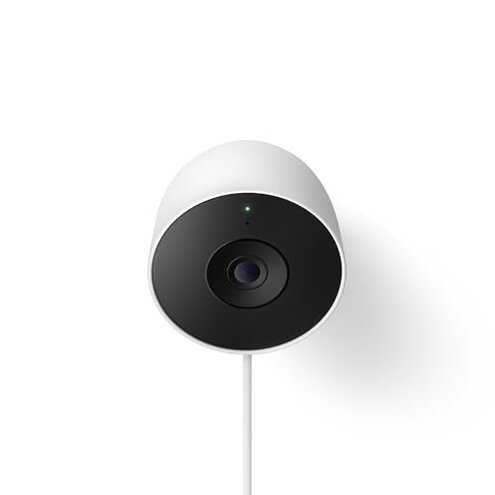
- Indicator: Green LED shows when the camera is streaming or processing.
- Scope: Repeated privacy concerns were voiced by buyers uneasy about cloud summaries and face learning.
- When it appears: During use if you enable face learning or event descriptions.
- Why worse: Unexpected tracking feels intrusive compared with simpler record-only cams.
- Attempted fixes: Settings adjustments can limit face learning but also reduce usefulness.
- Edge-case: Account security becomes a concern for shared-home setups without two-step verification.
- Hidden requirement: Google Account and specific privacy settings are needed to control data and access.
Illustrative excerpts
Illustrative: "I couldn't see full event history without paying for Premium." — Primary pattern
Illustrative: "Setup forced me off the Nest app and into Google Home." — Secondary pattern
Illustrative: "Running power to the mount doubled my install time and cost." — Secondary pattern
Illustrative: "LED shows it's recording when guests arrive; privacy concern." — Edge-case pattern
Who should avoid this
- Renters who cannot run outdoor wiring and do not want additional install costs.
- Privacy-first buyers who avoid cloud-based AI that requires account-linked processing.
- Budget shoppers who expect robust history and AI features without ongoing subscription fees.
Who this is actually good for
- Google ecosystem users who already use Google Home and accept the required account linkage; they tolerate the app lock-in.
- Homeowners wanting always-on surveillance and who can handle wired installation; they accept installation costs for continuous power.
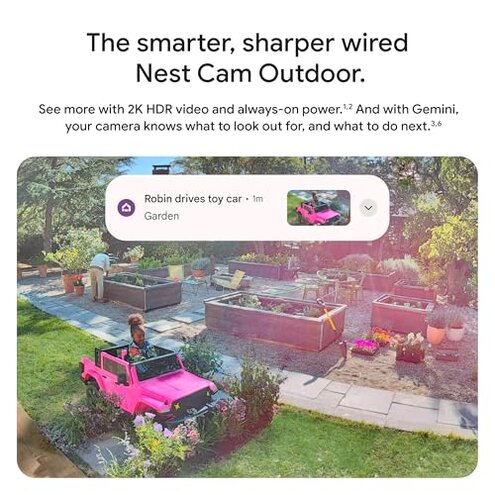
- Buyers wanting high-res feed who value 2K HDR and are willing to pay for AI summaries.
Expectation vs reality
- Expectation: "Reasonable for this category" that basic event history is included for free. Reality: core summaries and extended history need a subscription.
- Expectation: Plug-and-play setup similar to other mid-range cams. Reality: wired power often requires extra routing and time.
- Expectation: Compatibility with older Nest workflows. Reality: device forces Google Home and account migration.
Safer alternatives

- Choose battery models to avoid wiring if you need easy DIY installation and portability.
- Pick cameras with local storage if you want event history without subscription lock-ins.
- Prefer multi-app support if you need compatibility with existing smart-home hubs or older apps.
- Verify privacy controls by checking whether face learning and cloud AI are optional before buying.
The bottom line
Main regret: the combination of a wired-only design plus significant feature paywalls and forced app migration creates unexpected cost and friction for many buyers.
Verdict: If you dislike subscriptions, need plug-and-play setup, or avoid cloud AI, consider other mid-range outdoor cams instead.
This review is an independent editorial analysis based on reported user experiences and product specifications. NegReview.com does not sell products.