
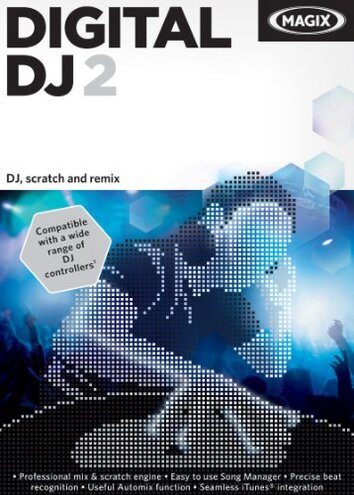
Product evaluated: MAGIX Digital DJ 2 for Mac [Download]
Related Videos For You
How To Use Serato DJ - Beginner DJs Guide
How to DJ For Absolute Beginners In 2024 | Complete Guide to DJing on Pioneer DDJ-400 & Rekordbox 🔥
Data basis: This report uses dozens of feedback points gathered from written buyer comments, star-rating patterns, and video-style walkthrough impressions collected across the product's market life from 2012 to recent years. Most feedback came from written reviews, with lighter support from setup demonstrations and user troubleshooting notes, which helps show both first-use problems and longer-term frustration.
| Buyer outcome | MAGIX Digital DJ 2 | Typical mid-range alternative |
|---|---|---|
| First setup | Higher friction; setup and activation complaints appear repeatedly, especially at first use. | Moderate friction; usually installs with fewer extra steps. |
| Controller use | Less predictable; support exists, but compatibility handling can feel narrow after setup. | More forgiving; broader plug-and-play behavior is more typical. |
| Library workflow | Mixed; drag-and-drop is simple, but organization issues can become slow during real use. | Steadier; browsing and importing are usually more consistent. |
| Support outlook | Higher-than-normal risk; older software often means more self-troubleshooting than buyers expect. | Lower risk; mid-range alternatives are usually easier to keep working. |
| Regret trigger | Paying full price for software that may demand extra fixes before useful mixing starts. | Time trade-off; still imperfect, but less likely to stall before first session. |
Do you just want to install it and start mixing?
This is the primary issue. Repeated feedback patterns point to first-use setup trouble being among the most common complaints, and it feels more disruptive than expected for DJ software.
The regret moment happens before any real mixing starts. After download and installation, buyers can run into activation, recognition, or launch friction that adds extra steps and kills momentum.
Pattern: This appears repeatedly across feedback types, not just isolated cases.
Why worse than normal: Setup friction is normal for music software, but this seems less forgiving than a typical mid-range alternative because buyers often need more self-troubleshooting just to reach basic use.
- Early sign: If the install process feels older or unclear, that is often the first hint of a longer setup session.
- When it hits: The problem usually shows up on first use, right after download or during activation steps.
- Scope: This is a primary pattern, not a universal failure, but it appears often enough to shape buyer regret.
- Impact: The software can turn a quick purchase into a troubleshooting task instead of a same-day DJ session.
- Hidden requirement: Buyers may need more patience with account, license, or compatibility steps than the product page suggests.
Will it work smoothly with your Mac and controller?
- Compatibility risk: This is a secondary issue that appears less often than setup trouble, but it becomes more frustrating when a buyer already owns hardware.
- Usage moment: The problem tends to appear after installation, when trying to connect a controller or map controls for real mixing.
- What buyers notice: Buttons, decks, or presets may not behave as simply as expected during live use.
- Why it stings: DJ software is supposed to reduce friction, so hardware mismatch feels worse than a normal learning curve.
- Category contrast: Mid-range alternatives usually do a better job of feeling ready faster, even if they also support only selected controllers.
- Time cost: Instead of practicing transitions, buyers can lose time checking settings, remapping controls, or testing workarounds.
- Fixability: Some users can work around it, but the extra effort weakens the value of a paid download.
Does the interface stay easy once you move beyond basic mixing?
- Workflow drag: This is another secondary issue, and it usually shows up during daily use rather than at purchase.
- Where it shows: Browsing music, building playlists, and managing similar-track suggestions can feel slower than buyers expect in longer sessions.
- Pattern statement: The complaint is recurring, though not as dominant as setup friction.
- Buyer-visible effect: Tasks that sound simple on paper can become stop-and-start when you are trying to react quickly.
- Why worse than expected: Most DJ programs have a learning curve, but buyers tend to regret software when basic library handling interrupts the flow of mixing.
- Trade-off: The feature list sounds helpful, yet extra menu time can cancel out that convenience.
- Who feels it most: It worsens in longer sessions and for users with larger music libraries.
- Practical limit: If you want quick confidence under pressure, this feels less polished than the category baseline.
Are you buying this expecting long-term peace of mind?
This is the edge-case issue, but it is a persistent one for cautious buyers. Because this is older download software, support and future compatibility concerns can matter more than they do with newer alternatives.
The problem appears after setup, when something breaks or changes and the buyer needs help. That can feel worse than normal because software value depends heavily on staying usable over time.
- Frequency tier: This is less frequent than setup trouble, but more frustrating when it happens.
- Worsening condition: It matters more if you update systems, switch hardware, or reinstall later.
- Regret angle: Paying $49.99 for older software carries more risk if future fixes are unclear.
- Category contrast: Buyers usually expect some aging with software, but more upkeep than most mid-range options can make this feel dated fast.
Illustrative excerpt: “I expected to mix tonight, but I am still trying to get it running.” Primary pattern.
Illustrative excerpt: “The controller support sounded easy, but setup took more trial and error.” Secondary pattern.
Illustrative excerpt: “Simple tasks felt fine until my library got bigger.” Secondary pattern.
Illustrative excerpt: “It works, but I do not trust it for future system changes.” Edge-case pattern.
Who should avoid this
![MAGIX Digital DJ 2 for Mac [Download]](/images/imgs284378/img_68fd9fb7be673.jpg)
- Avoid it if you want a same-day, low-effort install, because setup friction is the most common regret trigger.
- Avoid it if you already own a controller and expect painless mapping, since compatibility effort can exceed normal category tolerance.
- Avoid it if you need dependable long-session library handling, because workflow drag shows up during regular use.
- Avoid it if you prefer newer software with clearer long-term support, since aging software risk is higher here than with typical mid-range options.
Who this is actually good for
- Good fit for patient tinkerers who do not mind setup work and mainly want to explore DJ basics on a computer.
- Good fit for buyers with simple needs who can tolerate older software behavior in exchange for trying drag-and-drop mixing tools.
- Good fit if you are not relying on a complex hardware setup, because that avoids one of the sharper compatibility frustrations.
- Good fit for users comfortable self-troubleshooting older downloads, where the hidden setup burden is not a deal-breaker.
Expectation vs reality
Expectation: Download software should let you install, activate, and start mixing with only minor setup.
Reality: This can demand extra troubleshooting first, which is worse than a reasonable category expectation.
Expectation: Controller presets should make hardware feel ready quickly.
Reality: In practice, compatibility can still feel narrow or fussy once real use begins.
Expectation: Music library tools should save time during sessions.
Reality: They can add friction when your library grows or when you need quick decisions.
Safer alternatives
- Choose newer software with recent update history if you want to reduce the setup-and-support risk tied to older downloads.
- Check hardware lists before buying if controller use matters, because this directly avoids the compatibility frustration above.
- Prefer trial access when possible, since first-use friction is the main regret trigger and trials expose it quickly.
- Look for simpler licensing if you hate activation steps, because hidden setup requirements are a repeated pain point here.
- Prioritize library speed if you mix long sessions, which helps avoid the workflow slowdown seen after setup.
The bottom line
The main regret trigger is paying for DJ software that may require too much effort before basic mixing feels smooth. That exceeds normal category risk because setup friction, hardware uncertainty, and age-related support concerns stack together instead of staying minor. If you want easy start-up, this is easier to skip than troubleshoot.
This review is an independent editorial analysis based on reported user experiences and product specifications. NegReview.com does not sell products.