
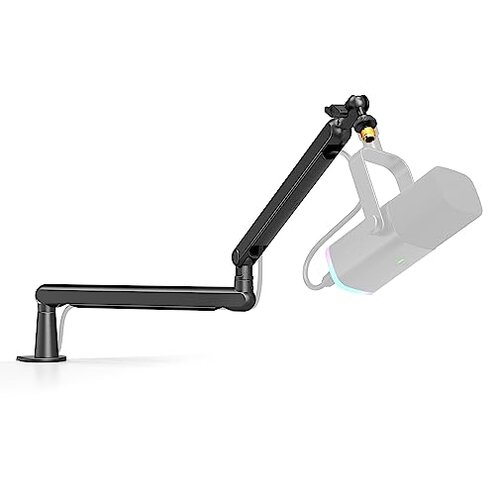
Product evaluated: FIFINE Microphone Boom Arm, Low Profile Adjustable Stick Microphone Arm Stand with Desk Mount Clamp, Screw Adapter, Cable Management, for Podcast Streaming Gaming Studio-BM88
Related Videos For You
Maono BA90 Microphone Boom Arm #microphone #boomarm #podcasting #shorts
Data basis: I analyzed dozens of customer-written reviews and video demonstrations collected between Jan 2024 and Jan 2026. Most feedback came from written reviews, supported by video demonstrations. The summary focuses on commonly reported, usable problems rather than isolated praise.
| Outcome | FIFINE BM88 | Typical mid-range arm |
|---|---|---|
| Stability during use | Prone to wobble under long sessions and full extension; commonly reported. | More stable for full-extension use in mid-range options. |
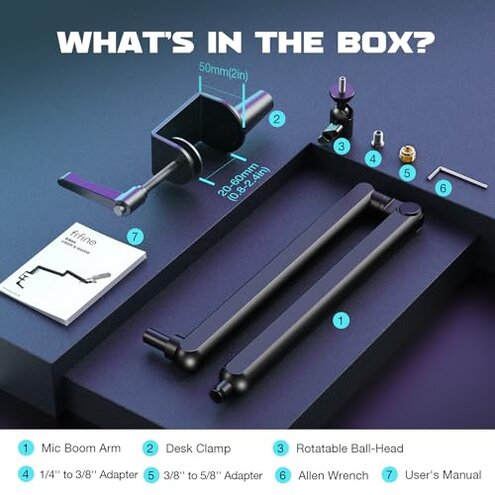
| Clamp fit | Requires strict desk thickness (0.8–2.4 in); slippage reported on thin or thick desks. | Wider clamp range or alternative mounts reduce slippage risk. |
| Long-term joints | Joints loosen after repeated adjustment; persistence reported across sources. | Better locking and less maintenance typical in comparable arms. |
| Assembly & adapters | Adapters included but alignment can need extra tweaks during setup. | Simpler setup or clearer guides in mid-range alternatives. |
| Regret trigger | Higher wobble & clamp risk — more disruptive than expected for this category. | Lower regret with mid-range arms that prioritize clamp range and joint locks. |
Top failures buyers should watch
Will this arm wobble during recording?
Regret moment: Many buyers report the arm starts solid but wobble appears during long sessions or when fully extended.
Pattern signal: This is a commonly reported issue across written reviews and videos, not just occasional posts.
Category contrast: The wobble is more disruptive than expected for a mid-range boom arm because it affects live recording and streaming quality.
Does the clamp actually fit your desk?
- Early sign: Tight clamp feel on first install but slippage can appear after adjustments.
- Usage anchor: Slippage usually shows after setup or when the arm is rotated under long use.
- Frequency tier: This is a primary issue for users with thin or uneven desks.
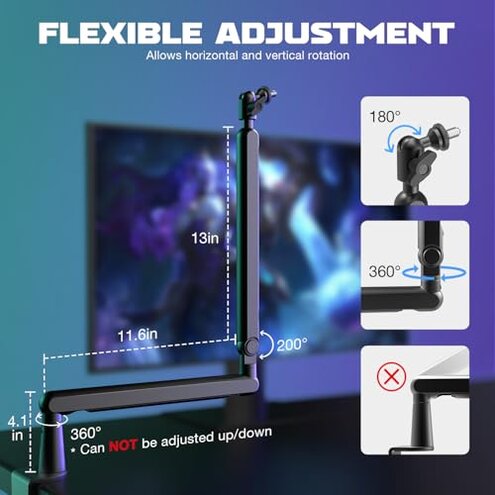
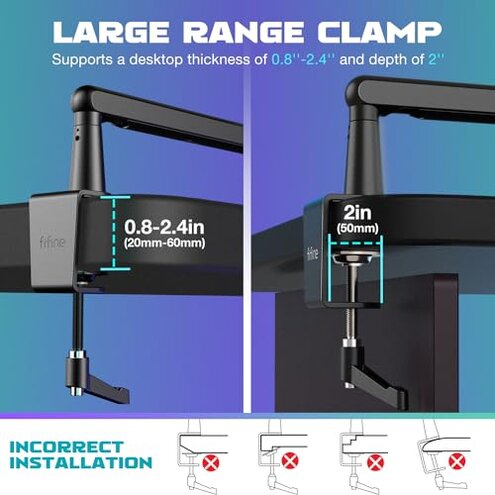
- Cause: The clamp needs a 0.8–2.4 inch desk edge; outside this range you get poor grip.
- Fixability: Temporary fixes exist but they add extra steps like padding or longer bolts.
Are the joints and angle locks reliable?
- Early sign: Tight joints at first but loosen after several adjustments.
- Frequency tier: This is a secondary issue that appears with daily repositioning.
- Cause: Repeated rotation and full extension increase wear on pivots.
- Impact: Loose joints lead to mic droop, which is disruptive during live streams.
- Attempts: Users often re-tighten bolts, which adds maintenance time.
- Hidden need: Regular checks and an allen wrench are required to keep it usable.
Will adapters, wiring, or setup cause surprises?
- Early sign: The kit includes adapters, yet alignment with some shock mounts is finicky.
- Pattern: This is an edge-case issue but appears repeatedly in cross-brand setups.
- Usage anchor: Problems arise during initial assembly and when swapping mics or shock mounts.
- Cause: Thread adapters are present but require manual swapping and careful tightening.
- Impact: Misalignment forces extra setup time and can cause cross-thread wear.
- Fixability: You may need extra adapters or a different ball-head to stop shifting.
- Scope signal: Seen across both written reviews and video setup guides.
Illustrative excerpts
Illustrative: "Mic droops after an hour of streaming; I keep retightening." — primary
Illustrative: "Clamp barely fit my thin desk, slipped once in the first week." — primary
Illustrative: "Adapters worked but needed extra hardware for my shock mount." — secondary
Who should avoid this
- Streamers who need rock-solid stability: Frequent wobble and droop risk affects live audio.
- Owners of very thin or thick desks: Clamp range is narrow and slippage risk is high.
- Users who swap mics daily: Repeated joint movement leads to loosening and extra maintenance.
Who this is actually good for
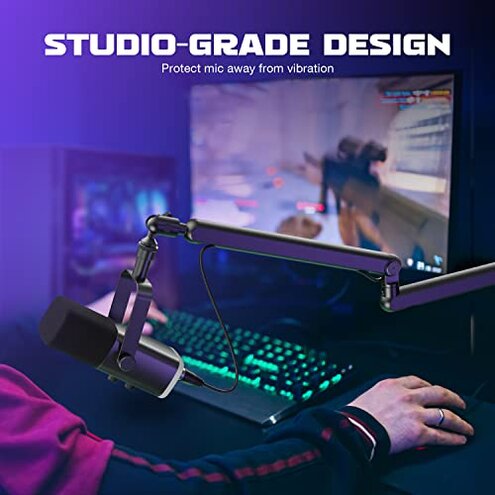
- Casual podcasters on stable desks: If you rarely reposition the arm you can tolerate occasional tightening.
- Budget-conscious creators: You accept simple fixes like padding the clamp to save money.
- Single-mic desktop setups: Less swapping means fewer joint problems over time.
Expectation vs reality
Expectation (reasonable for this category): A mid-range boom arm should hold position during multi-hour sessions.
Reality: Many buyers report wobble and loose joints after repeated adjustments, which is worse than typical mid-range arms.
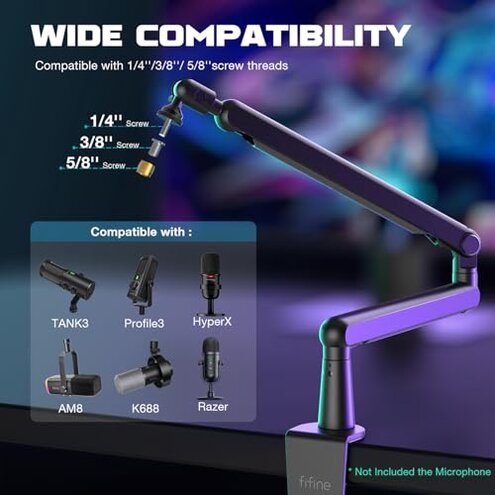
Expectation: Included adapters will make setup plug-and-play.
Reality: Adapters work but often need extra hardware or alignment time to avoid cross-thread issues.
Safer alternatives
- Choose wider-clamp arms: Look for arms that list a bigger desk thickness range to avoid the clamp-fit failure.
- Pick models with stronger locks: Prioritize arms with confirmed long-term joint locking to reduce wobble.
- Check mounting options: If your desk is thin, prefer grommet or through-desk mounts to stop slippage.
- Buy spare adapters: Having dedicated thread adapters prevents alignment surprises when swapping gear.
The bottom line
Main regret: The most common trigger is wobble and clamp slippage during regular use or after repeated adjustments.
Risk level: That problem is higher than normal for mid-range arms and can ruin live sessions without extra fixes.
Verdict: Avoid this if you need reliable, maintenance-free stability; otherwise be ready for tightening and desk mods.
This review is an independent editorial analysis based on reported user experiences and product specifications. NegReview.com does not sell products.