
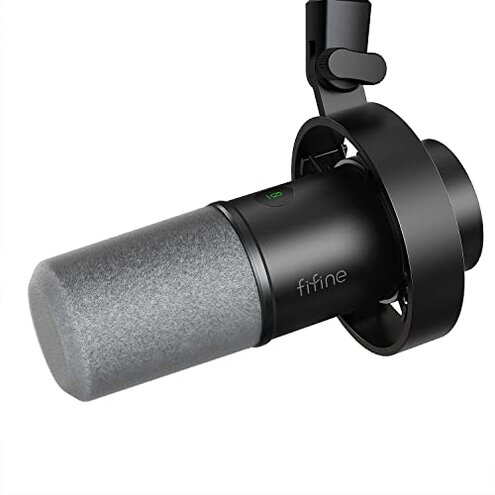
Product evaluated: FIFINE Dynamic Microphone, XLR/USB Podcast Recording PC Microphone for Vocal Voice-Over Streaming, Studio Metal Mic with Mute, Headphone Jack, Monitoring Volume Control, Windscreen-Amplitank K688
Related Videos For You
Connect your dynamic mic to your laptop︱With the SM58 and Behringer UM2
Listen to your microphone voice without delay (mic monitor passthrough)
Data basis: This report is built from dozens of buyer reviews and several video demonstrations collected through Jan 2026, with most feedback coming from written reviews supported by video walkthroughs.
| Comparison | This product | Typical mid-range mic |
|---|---|---|
| Sound clarity | Variable — clear on close voice, commonly reported lack of punch at distance. | Stable — mid-range alternatives usually keep fuller voice at normal speaking distance. |
| Setup friction | High — multiple buyers report hidden XLR needs and extra cables for full features. | Lower — most rivals offer consistent USB or documented XLR workflows out of box. |
| Monitoring & controls | USB-only — monitoring and mute/gain controls work only via USB connection. | More flexible — many peers provide consistent controls across USB and XLR modes. |
| Reliability risk | Persistent — reports show intermittent connection or clarity loss after repeated use. | Typical — mid-range mics usually show fewer connection surprises for daily use. |
| Regret trigger | Hidden gear — buyers often need extra audio hardware to use XLR features as expected. | Clear expectation — rivals rarely require surprise purchases for key features. |
Why does setup feel unexpectedly difficult?
Surprise setup: Many buyers report the microphone’s XLR path lacks the same controls and monitoring available on USB.
Pattern: This is a commonly reported problem that appears during first-time configuration and when switching connectors.
Why worse than normal: Category baseline expects either full-feature USB or a clearly documented XLR workflow; this product mixes modes, creating extra gear and time costs.
Is the mic missing features depending on how I plug it in?
- Primary pattern: USB-only controls — mute, gain, and headphone monitoring work only when using the USB cable.
- Usage anchor: This shows up at first use when buyers try XLR and notice functions are disabled.
- Category contrast: More disruptive than typical mid-range mics that keep basic controls consistent across connections.
- Hidden requirement: Using XLR as expected commonly requires a mixer or audio interface, adding cost and setup time.
- Fixability: Not easily fixed without buying extra hardware or relying on USB only for full features.
Will sound quality meet streaming or podcast needs?
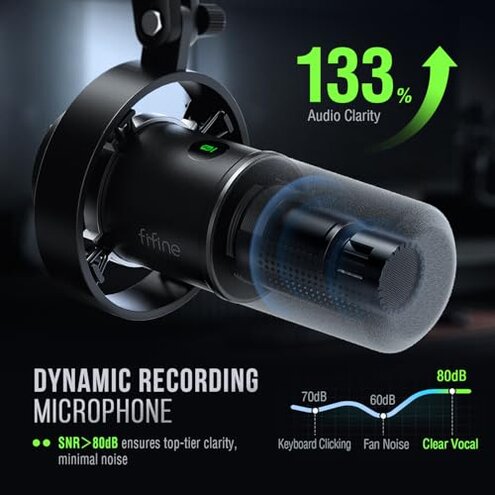
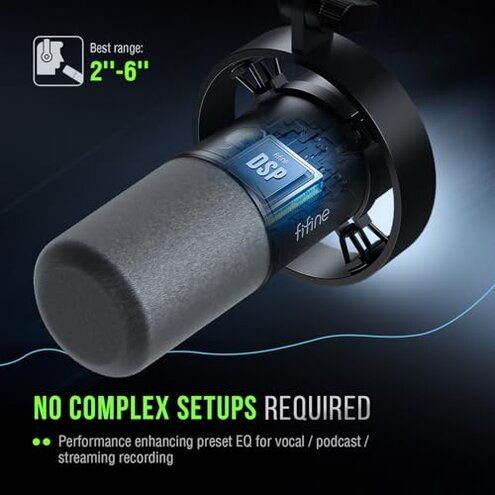
- Early sign: Voice sounds thin unless the speaker is kept very close to the capsule.
- Frequency tier: This is a primary issue for content creators who record at normal desk distance.
- Cause: Directional pickup requires close placement; buyers report more room noise when farther away.
- Impact: The need to stay close is more limiting than most mid-range dynamic mics, reducing natural movement.
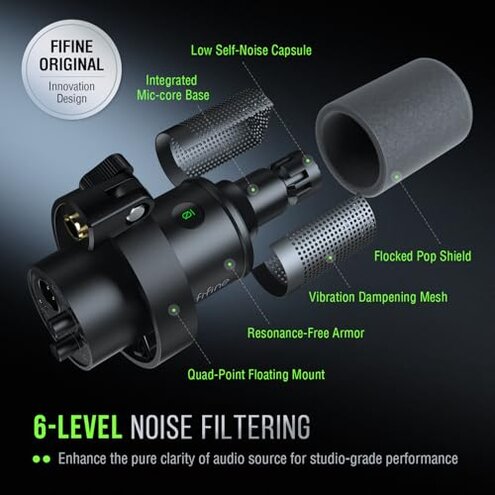
- Attempted fixes: Buyers try foam windscreens and shock mounts but still note inconsistent bass and presence.
- When it worsens: Long sessions and louder environments make the thinness and background noise more noticeable.
Are there reliability or durability surprises?
- Pattern: Intermittent connection or clarity loss appears as a secondary but persistent complaint over repeated use.
- Early sign: Audio drops or hiss sometimes appear after daily handling or cable switching.
- Scope signal: Seen across multiple buyer reports and across both USB and XLR setups.
- Cause: The mixed USB/XLR design increases points of failure compared with simpler single-mode mics.
- Impact: Recording sessions require extra checks and retakes, adding time and frustration.
- Fix attempts: Users repeatedly re-seat connectors or switch cables; results are inconsistent.
- Hidden upkeep: Expect extra cable replacements or gear if you plan heavy daily use.
Illustrative excerpts
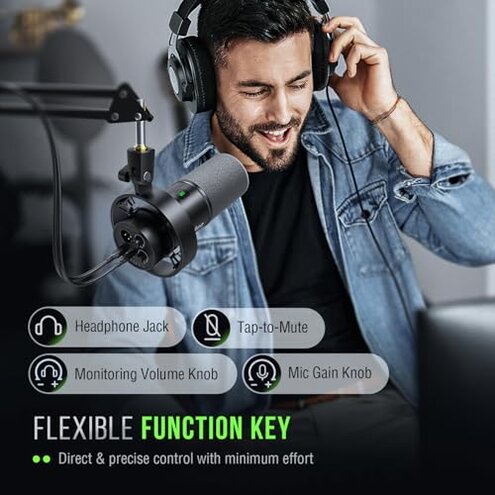
"Controls vanish when I switch to XLR, so I lost monitoring." — primary pattern
"Voice is thin unless mouth is almost on the mic." — primary pattern
"Had to buy an interface to get the features I thought were included." — secondary pattern
Who should avoid this

- Live podcasters: Avoid if you need consistent monitoring and controls across connections.
- Studio buyers without interface: Avoid if you expect full XLR operation without extra hardware.
- Remote guests: Avoid if you require usable sound at normal desk distance and movement.
Who this is actually good for
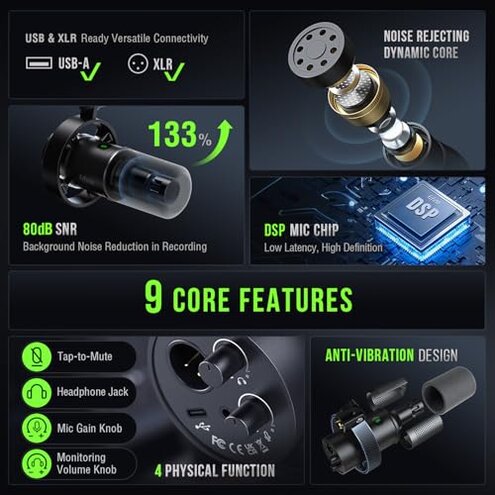
- USB-only streamers: Good if you plan to use USB exclusively and accept limited XLR use.
- Budget beginners: Good for those who want a cheap starter mic and can stay close to the capsule.
- Mobile podcasters: Good if you prioritize plug-and-play USB with lightweight monitoring for short sessions.
Expectation vs reality
- Expectation (reasonable): Buy a mic with both USB and XLR and expect the same features on each.
- Reality: This mic offers full features only on USB, forcing extra purchases to get XLR parity.
- Expectation: Mid-range dynamics capture usable voice at normal desk distance.
- Reality: This product often requires much closer placement, reducing natural movement during recording.
Safer alternatives
- Choose single-mode USB: If you want monitoring and controls without extra gear, pick a USB-only mic with built-in monitoring.
- Buy an interface first: If you need XLR, allocate budget for a simple audio interface to avoid missing features.
- Prefer proven dynamics: Look for mics that advertise consistent pickup at desk distance to avoid thin voice issues.
The bottom line
Main regret: The biggest trigger is the hidden XLR/USB split that disables controls unless on USB.
Why it matters: That mismatch creates higher setup and ongoing risk than expected for a mid-range microphone.
Verdict: Avoid this model if you need reliable XLR features or natural desk-distance sound without buying extra gear.
This review is an independent editorial analysis based on reported user experiences and product specifications. NegReview.com does not sell products.