
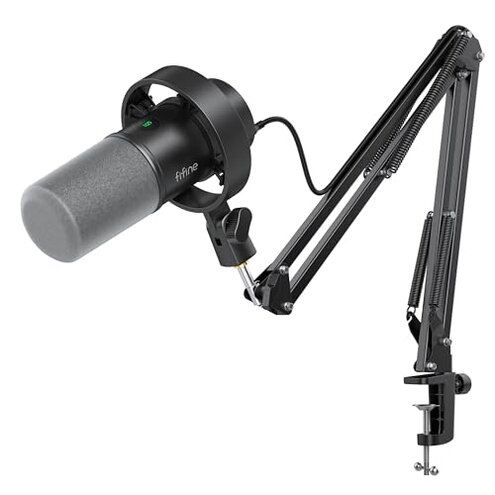
Product evaluated: FIFINE K688 Podcast Microphone Kit, USB/XLR Dynamic Microphone with Boom Arm for PC/XLR Mixer, Gaming Mic with Mute Button, Headphone Jack for Vocal, Voice-Over, Streaming, Music Recording -K688CT
Related Videos For You
Best CHEAP Podcast Setup for Beginners (Everything You Need to Start!)
FiFine AmpliGame AM8 USB/XLR Mic: Detailed Review: Pros, Cons & Comparison
Data Dozens of buyer reviews and several video demonstrations were read for this report, collected between Dec 2023 and Jan 2026. Sources include written product feedback and visual setup tests. Distribution most feedback came from written reviews, supported by video demonstrations.
| Comparison | FIFINE K688 | Typical mid-range mic |
|---|---|---|
| Sound consistency | Variable reports of low or uneven volume when switching USB/XLR modes. | Steady level control is common with simpler USB-only rigs. |
| Setup friction | Higher-than-normal because functions work in USB but are disabled on XLR, adding extra steps. | Lower many mid-range mics are plug-and-play or have consistent controls across connections. |
| Physical stability | Mixed boom arm/clamp works but needs correct desk thickness and careful tightening. | Typical mid-range kits often include more forgiving clamps or clearer setup tolerances. |
| Monitoring & controls | Limited on XLR mode; USB offers tap mute and headphone jack but features vanish when using XLR. | Better many rivals keep monitoring features available with common audio interfaces. |
| Regret trigger | Setup surprises that require adapters, gain adjustments, or a mixer to get reliable volume. | Fewer surprises; mid-range alternatives usually offer consistent out-of-box volume or clearer guidance. |
Why is my mic too quiet or inconsistent when I switch connections?
Regret Many buyers hit low volume or uneven output when moving between USB and XLR modes, creating dead air during recordings. Severity This is a primary complaint and leads to re-records or extra gear purchases.
Pattern The issue appears repeatedly in written feedback and setup videos. When it shows up during first setup or after switching to an XLR interface, users must add gain on an interface or move the mic unusually close.
Contrast Compared with a reasonable mid-range expectation, this product is less plug-and-play and requires extra audio gear or setup time to reach normal recording levels.
Why do controls stop working in XLR mode?
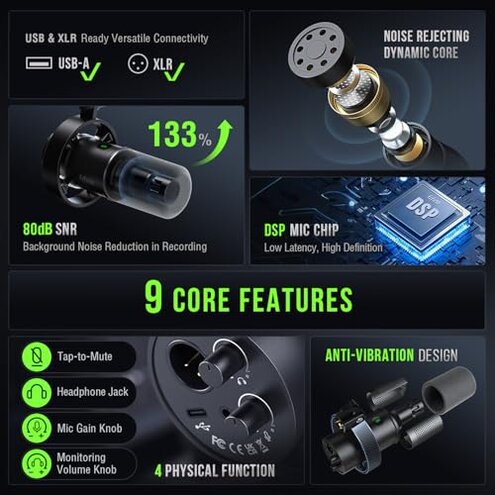
- Symptom USB-only features like tap-to-mute and gain knob become inactive when using XLR.
- Frequency This is a commonly reported issue across feedback sources.
- When it occurs mostly during the switch from USB to XLR for mixer or interface use.
- Impact Users lose on-device convenience and must rely on external mixer controls.
- Workaround Add a mixer or interface to regain those controls, which adds cost and complexity.
Why is the boom arm and clamp more fussy than expected?
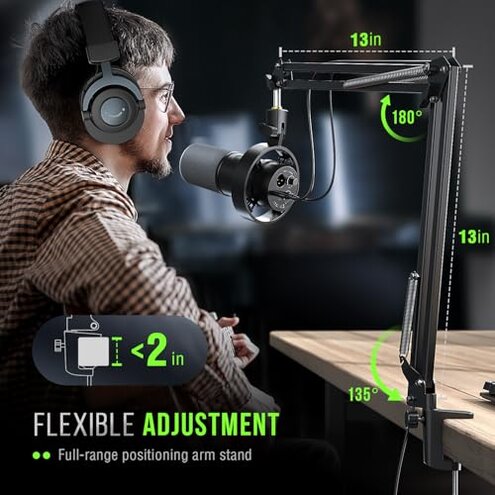
- Early signs include loose angles and a clamp that requires desks under 2 inches thick.
- Scope Multiple buyers note fit or tightening issues after moving the mic for daily use.
- Cause The clamp spec is a hidden requirement; desks thicker than 2 inches need a different mount.
- Impact Worsens with frequent repositioning or heavier microphones on the arm.
- Attempted fixes include adding washers or buying a sturdier stand.
- Fixability Medium; mechanical fixes often work but mean extra cost and time.
Why does background noise and monitoring feel worse than expected?
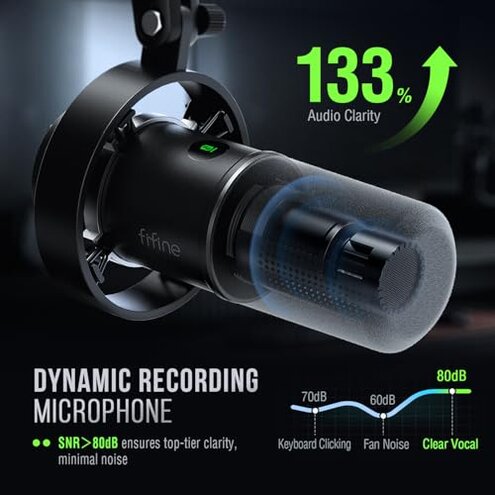
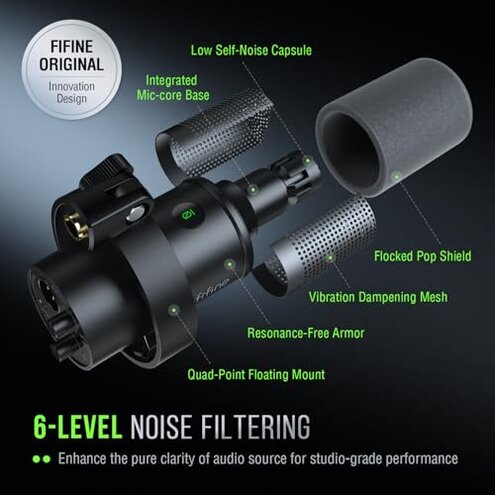
- Noise Cardioid pattern helps, but users still report ambient hiss and room pickup in real sessions.
- Monitoring Headphone jack works on USB, but latency or low monitor level is reported by several buyers.
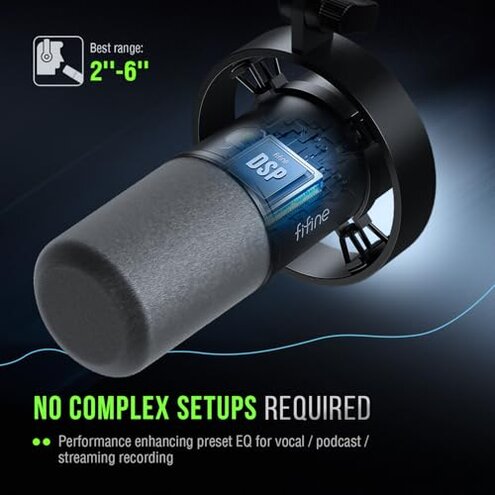
- When problems appear during longer streams or when gain is cranked to compensate low output.
- Frequency This is a secondary but persistent complaint among written and visual reports.
- Cause Extra gain requirements when using XLR push up the noise floor more than expected for mid-range kits.
- Impact Leads to editing time, noise gates, or buying external preamps to fix recordings.
- Hidden requirement: reliable quiet recordings often need an interface with clean gain, not just the mic alone.
- Action Without that extra gear, buyers face more cleanup work than typical for this category.
Illustrative excerpts (not real quotes)
Excerpt "Mic was whisper-quiet until I switched to my mixer and raised gain." — primary
Excerpt "Tap mute disappears on XLR, left me scrambling mid-recording." — secondary
Excerpt "Clamp fit fine on my thin desk but not my home desk." — edge-case
Who should avoid this

- Streamers who need consistent plug-and-play volume across USB and XLR should avoid this due to inconsistent output.
- Podcasters who rely on on-device mute and monitoring will be frustrated by disabled functions in XLR mode.
- Non-tech buyers who do not want to buy a mixer or interface to fix volume or noise issues should avoid it.
Who this is actually good for
- DIYers who already own an audio interface can tolerate extra setup and use the mic in XLR mode.
- Budget hobbyists who want a basic USB mic and can accept occasional extra editing work.
- Users who value the included boom arm and can ensure a compatible desk clamp will find this kit usable.
Expectation vs reality
- Expectation Reasonable for this category: a USB/XLR hybrid should switch modes with similar convenience.
- Reality The K688 drops USB conveniences in XLR mode, creating setup surprises and extra costs.
- Expectation Out-of-box usable sound at normal recording distance is common in mid-range kits.
- Reality Many buyers had to move the mic closer or add gain to reach expected levels.
Safer alternatives
- Pick a USB-only mic if you want consistent plug-and-play volume and monitoring without an interface.
- Choose a mic that explicitly supports on-device controls in both USB and XLR to avoid disabled features.
- Buy an audio interface with clean gain if you need XLR flexibility and quieter recordings.
- Confirm desk clamp compatibility before purchase to avoid mounting surprises.
The bottom line
Core The main regret trigger is inconsistent volume and disabled controls when switching between USB and XLR.
Severity This exceeds typical mid-range risk because it forces extra gear or setup time to reach reliable recordings.
Verdict Avoid this if you need straight plug-and-play reliability; consider it only if you can add an interface or expect setup work.
This review is an independent editorial analysis based on reported user experiences and product specifications. NegReview.com does not sell products.