
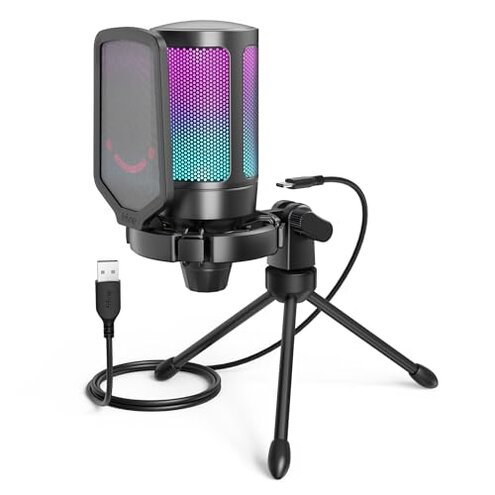
Product evaluated: FIFINE Gaming USB Microphone for PC PS5, Condenser Mic with Quick Mute, RGB Indicator, Tripod Stand, Pop Filter, Shock Mount, Gain Control for Streaming Discord Twitch Podcasts Videos- AmpliGame
Related Videos For You
HOW TO USE A USB MIC ON XBOX THE NEW WAY 2023
HyperX QuadCast S VS AT2020 USB+ VS Headset Mic (HyperX Cloud Flight) Audio Test
Data basis Dozens of written reviews and several video demonstrations were analyzed between Jan 2022 and Jan 2026, with most feedback coming from text reviews supported by visual tests. This report emphasizes recurring user-visible failures and real-use clips rather than isolated praise.
| Outcome | FIFINE A6V | Typical mid-range mic |
|---|---|---|
| Voice clarity | Thin/variable capture often reported during live chat and streams. | Consistent clarity for gaming and calls in usual mid-range models. |
| Noise rejection | Higher risk of picking up keyboard and room noise in normal use. | Lower risk thanks to better directional response in peers. |
| Hardware reliability | Inconsistent mute/gain behavior sometimes appears after setup. | Stable physical controls are more common in comparable mics. |
| Mount stability | Wobble-prone tripod and shock mount need frequent adjustment. | Sturdier stands or desk arms are typical for alternatives. |
| Regret trigger | Live-use disruptions — audio dropouts, noise, or mute failures during sessions. | Fewer interruptions reduce regret for mid-range buyers. |
Top failures
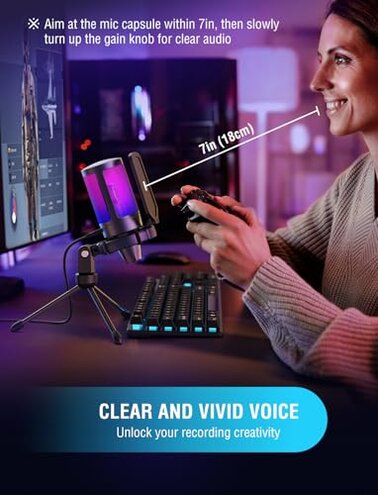
Why does my voice sound thin or pick up room noise?
Regret moment Users notice a thin or distant voice and obvious keyboard or fan noise during live streams and calls. This is a primary issue and commonly reported across written feedback and demo clips.
Usage anchor The problem appears quickly: during first use and under normal gaming desk conditions. It worsens with louder keyboards, open microphones, or poor room acoustics.
Category contrast Mid-range USB mics usually provide clearer voice isolation, so this mic feels worse than expected for its price and makes live-chat quality more fragile.
Why does the mute or gain act unpredictably?
- Pattern Not universal but frequently reported as a secondary issue in written reports.
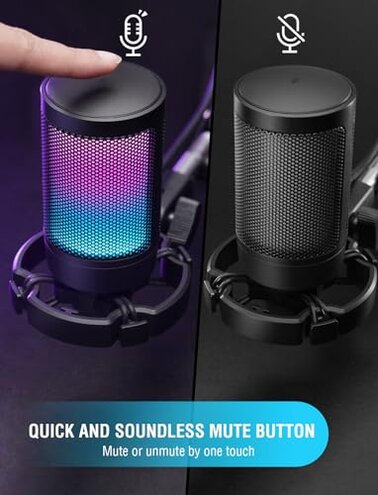
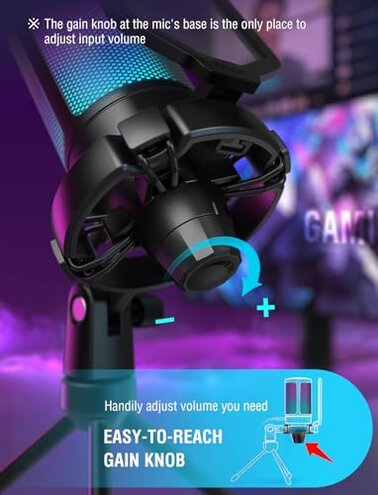
- When it shows Inconsistent mute response appears right after setup or after waking the PC.
- Cause Likely USB polling or simple hardware switch sensitivity under normal use.
- Impact Can cut audio mid-stream or leave you accidentally unmuted during calls.
- Fixability Temporary fixes often require replugging or changing OS settings, adding extra steps before streaming.
Why does the mount and pop filter feel flimsy or noisy?
- Early sign Tripod wobble or loose thumbscrew shows up in first setup.
- Frequency tier Secondary to primary audio issues but persistently mentioned by buyers.
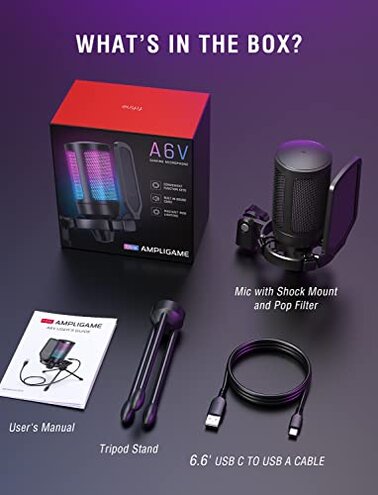
- Cause Lightweight tripod and rubber-band shock mount allow handling noise through the mic.
- Impact Keyboard taps, lean-ins, and small bumps register on recordings.
- Attempted fixes Buyers tighten or replace stand, or add damping, which costs time and money.
- Hidden requirement You often need an aftermarket desk arm or heavier mount to avoid regret.
- Category contrast Many mid-range kits include more robust mounting or accept common desk arms without extra cost.
Why is RGB, plug-and-play, or compatibility misleading?
- Pattern Edge-case but recurring in video demos and user notes.
- When Issues appear during setup, when RGB behaves unexpectedly or OS audio defaults mis-route sound.
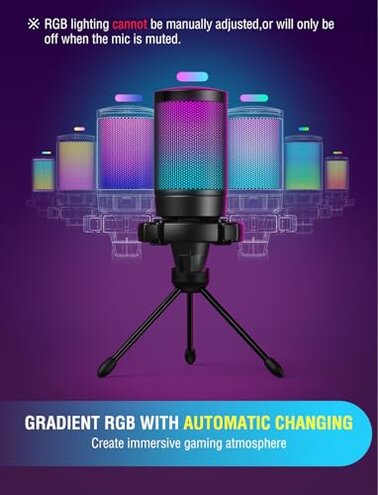
- Cause RGB indicator and mute LED sometimes do not reflect actual mic state in real use.
- Impact Visual cues may mislead streamers into thinking they are muted when they are not.
- Frequency Less frequent than core audio problems but more troublesome during live streams.
- Fixability Requires manual verification in audio settings or additional software steps that contradict the plug-and-play claim.
- Category contrast Typical mid-range mics either have reliable LEDs or clearer driver support to avoid this confusion.
- Hidden requirement Expect to check OS sound settings and sample rate when first connecting the mic.
Illustrative excerpts (not direct quotes)
"Mic sounds distant and picks up every keyboard click" — reflects a primary pattern about noise and clarity.
"Mute light flickers but audio still goes through" — reflects a secondary pattern about unreliable controls.
"Tripod wobbles when I lean back in my chair" — reflects an edge-case pattern about mounting stability.
Who should avoid this

- Serious streamers who need consistent live audio isolation and reliable mute behavior should avoid this mic.
- Podcasters needing studio-grade clarity and mount stability will likely find the audio and hardware shortcomings unacceptable.
- Shared-space users who depend on good noise rejection during calls should skip this unless they plan extra upgrades.
Who this is actually good for
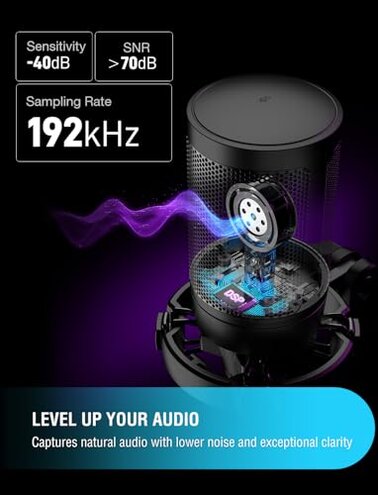
- Casual gamers who want RGB flair and low cost and can tolerate extra background noise or occasional replugging.
- Beginner streamers who accept simple sound improvements later and can live with the tripod or buy a desk arm.
- Budget content creators who prioritize price and lighting over absolute mute reliability and studio isolation.
Expectation vs reality
- Expectation Reasonable for this category: "plug-and-play USB equals reliable setup."
- Reality Yet many users must tweak OS settings or replug to fix mute/gain and routing problems.
- Expectation Reasonable for price: "included accessories make it ready to use."
- Reality The tripod and shock mount often require replacement for stable, low-noise recording.
Safer alternatives
- Pick mics with stronger noise rejection to avoid the primary clarity and noise issues noted here.
- Choose models with verified hardware controls to eliminate unpredictable mute/gain problems during live sessions.
- Budget for a desk arm or sturdy stand if you decide to keep this mic to solve mounting wobble cheaply.
- Check community compatibility notes for OS and RGB behavior before buying to reduce setup surprises.
The bottom line
Main regret The most common trigger is noisy, inconsistent voice capture combined with occasional mute/gain glitches during live use. This pattern appears more often than is reasonable for a mid-range USB mic.
Verdict Avoid this unit if you need reliable live audio without extra fixes; consider alternatives or plan for upgrades to mounting and sound isolation.
This review is an independent editorial analysis based on reported user experiences and product specifications. NegReview.com does not sell products.