
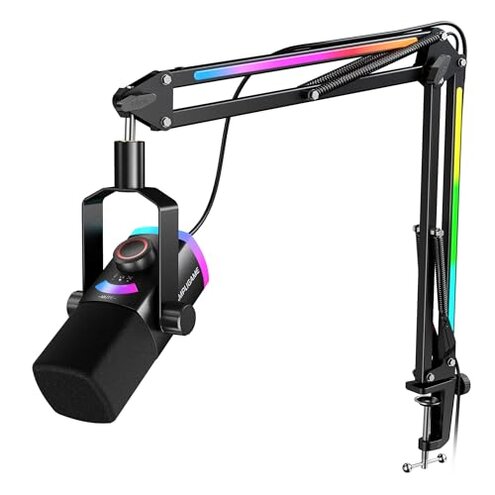
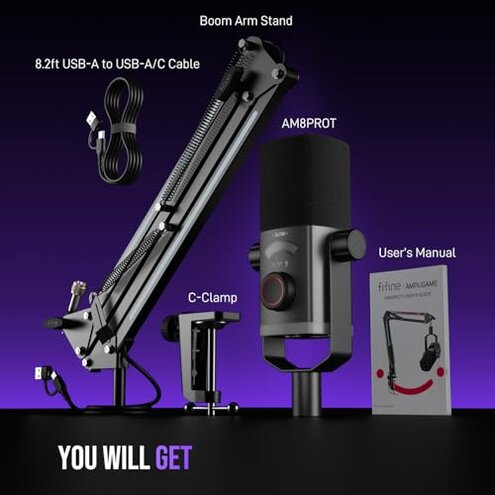
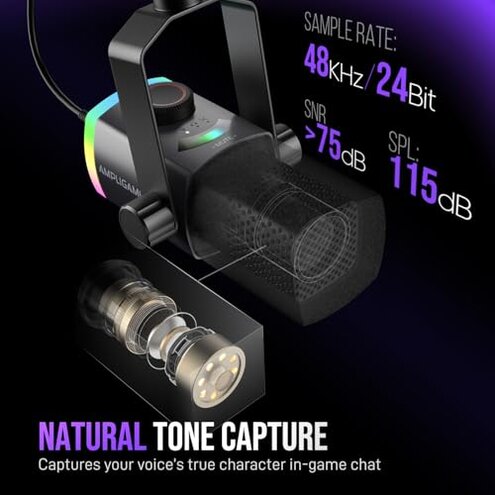
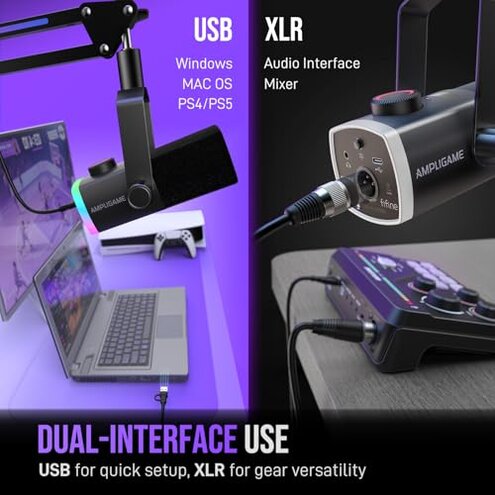
Product evaluated: FIFINE Gaming Microphone Kit, XLR/USB Dynamic PC Microphone with Boom Arm for Podcast Recording, RGB Streaming Mic Set, Tap-to-Mute, Mix Control, Headphone Jack-AmpliGame AM8PROT
Related Videos For You
PINK MIC SISTER UPGRADE #pcupgrade #girly #aestheticsetup #cozysetup #suprise
mic monitoring explained
Data basis: I analyzed dozens of buyer comments and several video demonstrations collected through early-2024 to 2026 feedback. Most feedback came from written reviews, supported by video demonstrations and seller Q&A. The distribution shows written experience dominant, with some hands-on clips confirming issues.
| Outcome | This product | Typical mid-range alternative |
|---|---|---|
| Audio clarity | Inconsistent—commonly reported dropouts or muffled voice during long sessions. | Steady—mid-range mics usually have consistent USB monitoring and fewer dropouts. |
| Build & stability | Wobble-prone—boom arm complaints appear repeatedly, higher-than-normal risk for desk setups. | More stable—typical kits have firmer arms or better clamps for similar price. |
| Monitoring & controls | Confusing—mix knob and tap-to-mute behavior often misreported during setup or gameplay. | Intuitive—mid-range alternatives usually have clearer LED feedback and quieter knobs. |
| RGB & extras | Cosmetic—RGB works but sometimes conflicts with USB power or software lighting expectations. | Similar—extras common at this price, but usually less disruptive to core audio. |
| Regret trigger | Audio dropouts + wobble—these combined issues cause the most buyer regret after setup. | Minor—alternatives usually present one small annoyance rather than multiple core failures. |
Why does my voice cut out or sound muffled mid-stream?
Immediate regret: Many buyers notice audio dropouts during first use or extended streaming sessions. This pattern is commonly reported and appears repeatedly in multiple feedback sources.
Usage anchor: Dropouts show up during live gameplay sessions or long recording takes when background processes run. The problem worsens under heavy CPU or USB hub use.
Category contrast: This is worse than typical mid-range mics because the category baseline expects stable USB monitoring for live streams, not intermittent loss of signal.
Why does the boom arm still wobble despite thickening claims?
- Early sign: Boom wobble usually happens at first repositioning and becomes more pronounced during long sessions.
- Frequency tier: Primary issue—seen across several buyer reports and supported by video clips.
- Likely cause: Clamp or joint tension appears insufficient for heavier mic positions.
- Impact: Noise transfer from wobble makes gameplay and voiceovers sound unprofessional and interrupts recordings.
- Fix attempts: DIY tightening or extra clamps sometimes helps but adds extra setup time and effort.
Why are the controls and monitoring harder to use than expected?
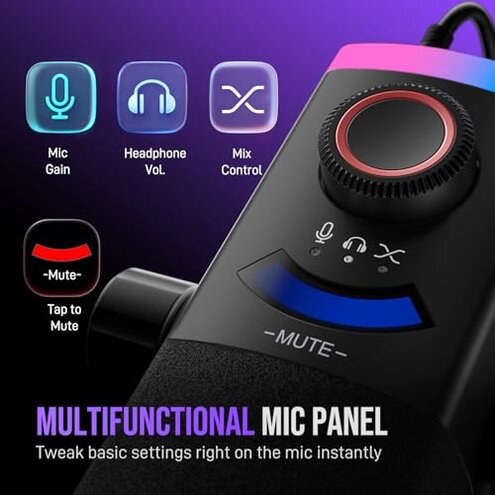
- Control confusion—Users report the mix knob and tap-to-mute behavior is inconsistent during first-hour setup.
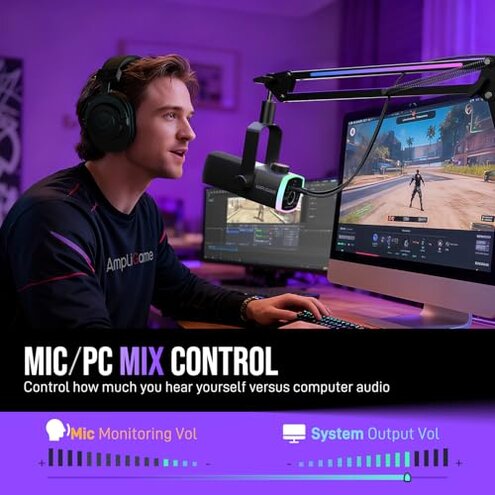
- Monitoring lag—Real-time headphone monitoring sometimes shows latency or echo when balancing game and mic audio.
- Pattern level—This is a secondary issue but it appears repeatedly in hands-on demonstrations.
- When it appears—Problems surface during multi-app use, like game + voice chat + streaming software running simultaneously.
- Why worse here—Most mid-range kits offer clearer LED feedback or quieter knobs, so this product’s controls feel less reliable.
- Workarounds—Some buyers needed to re-plug USB, change ports, or use a dedicated audio interface to stabilize monitoring.
- Hidden requirement—A clean USB path (no hubs) is often needed for stable control behavior.
Why is RGB and tap-to-mute more trouble than benefit?
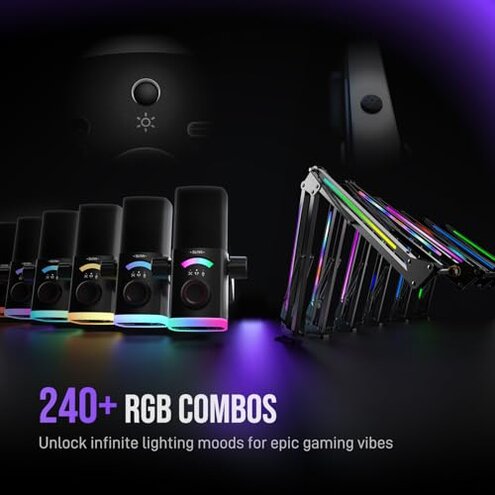
- Cosmetic trade-off—RGB issues are common and sometimes conflict with powering under certain USB setups.
- Disruptive timing—LEDs or mode changes often happen during live streams, drawing attention away from audio problems.
- Tap unreliability—The tap-to-mute function can be slow to respond or require multiple taps in some use cases.
- Pattern rank—This is a secondary issue but more frustrating because it affects live confidence.
- Cause clue—Power or USB negotiation likely alters the LED behavior and the mute sensing speed.
- Impact—Unexpected unmuting or LED flicker can cause hot-mic moments and viewer discomfort.
- Fixability—Some users resolved problems by avoiding hubs or disabling RGB when stability mattered most.
- Hidden requirement—A dedicated USB port and occasional firmware or driver tweaks can be necessary for smooth operation.
Illustrative excerpts (not real quotes)
Excerpt: "Sound drops mid-match even after changing USB ports" — Primary pattern indicating repeated audio cutouts.
Excerpt: "Arm drifts and taps mic into frame during streams" — Primary pattern about boom wobble and noise transfer.
Excerpt: "Mix knob changes echo, I had to replug every time" — Secondary pattern about monitoring and control instability.
Who should avoid this
- Competitive streamers who need rock-solid audio and minimal setup time should avoid this due to audio dropouts.
- Content creators relying on reliable tap-to-mute for live recordings should avoid this because of inconsistent mute behavior.
- Users with weak desks or tight spaces should avoid this because the boom wobble risk is higher than normal.
Who this is actually good for
- Casual streamers willing to accept occasional hiccups to get RGB and a full kit at a lower price.
- Hobby podcasters who can allocate time for DIY fixes and don’t need uninterrupted multi-hour sessions.
- Budget buyers who prioritize aesthetics and basic functionality and can tolerate extra setup steps.
Expectation vs reality
Expectation: Buyers reasonably expect plug-and-play stability from a USB gaming mic kit at this price.
Reality: The product often demands extra troubleshooting, like re-plugging, port changes, or disabling RGB to achieve stable audio.
Expectation: The boom arm should hold position without drift for normal desk setups.
Reality: Many users find the arm less stable than typical mid-range options, causing noise transfer and interruptions.
Safer alternatives
- Choose models with verified stability—look for kits whose listings emphasize reinforced clamps to neutralize boom wobble complaints.
- Prefer clear control feedback—select mics with dedicated LED status for mute and monitoring to avoid control confusion.
- Avoid USB hubs—use a direct port to the PC to reduce dropouts and control latency.
- Disable nonessential RGB—turn off lighting when stability matters to cut power negotiation issues.
The bottom line
Main regret: The combination of audio dropouts and boom instability is the core trigger driving buyer dissatisfaction.
Why worse: These failures are more disruptive than typical mid-range annoyances because they affect live performance and require fixes.
Verdict: Avoid this unit if you need dependable live audio and a stable arm; consider budget alternatives with stronger stability and clearer controls.
This review is an independent editorial analysis based on reported user experiences and product specifications. NegReview.com does not sell products.