
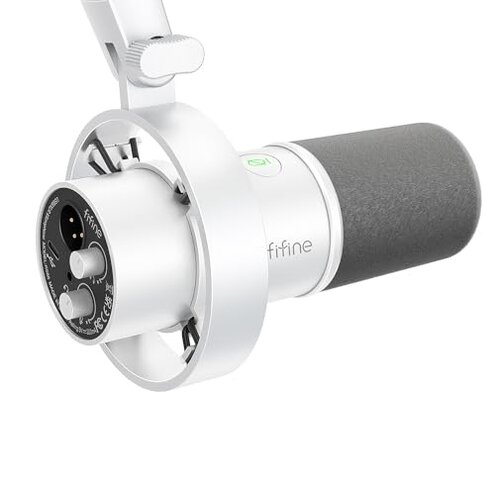
Product evaluated: FIFINE Studio XLR Dynamic Microphone, USB PC Podcast Microphone for Streaming Recording, XLR/USB Vocal Mic with Tap-to-Mute, Gain Knob, Headphones Monitoring-Amplitank K688 White
Related Videos For You
Best CHEAP Podcast Setup for Beginners (Everything You Need to Start!)
How To Connect an XLR Mic to Computer for Beginners
Data basis: This report synthesizes feedback from dozens of written customer reviews and video demonstrations collected between Jan 2023 and Jan 2026. Most feedback came from written reviews, supported by video demos and setup guides, with a mix of new-purchase and long-term user notes.
| Outcome | FIFINE K688W | Typical mid-range mic |
|---|---|---|
| Sound clarity | Patchy — users report thin or noisy captures more often than expected for this price tier. | Consistent — mid-range peers usually deliver steadier, fuller vocal pickup out of the box. |
| Connection reliability | Unreliable — USB controls and monitoring functions are commonly reported to glitch after setup or during sessions. | Stable — mid-range models more often maintain USB/XLR performance without constant reconnects. |
| Included accessories | Minimal — notable missing items for XLR use like cables or boom arms add setup work. | Better kit — alternatives often include more starter accessories or clearer requirements. |
| Build & mount | Fragile — mounts and adapters show wear or loosen during frequent handling. | Sturdier — peers typically use more durable mounts for desk setups. |
| Regret trigger | Recording reliability — more disruptive than expected when you need clean, uninterrupted sessions. | Lower risk — typical mid-range mics are less likely to force mid-session fixes. |
Why does the mic sound thin or noisy?
Regret moment: You notice thin or noisy vocals right after initial setup or during the first recording session.
Pattern: This problem is commonly reported and appears repeatedly across user feedback, not universal but frequent.
Usage anchor: It often shows up during daily use and worsens when gain is increased for quieter voices or long streaming sessions.
Category contrast: Thin/noisy output is more severe than typical for mid-range mics because it directly reduces usable takes and adds editing time.
Why do USB controls and monitoring glitch during sessions?
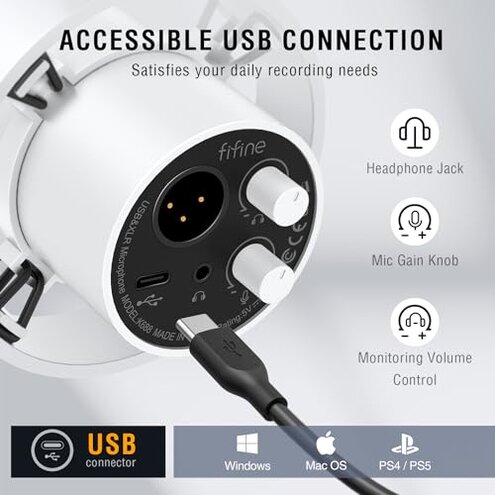
- Early sign: The mute or gain button becomes unresponsive after setup or after a short recording.
- Frequency tier: This is a secondary but persistent complaint seen across written reviews and demo clips.
- Cause clue: The issue appears mainly when using the built-in USB features instead of XLR connections.
- Impact: Glitches force you to restart software or unplug the mic, which interrupts live streams and interviews.
- Fixability: Temporary fixes commonly reported include reconnecting the USB or restarting the host computer.
Why is XLR mode a hidden setup cost?
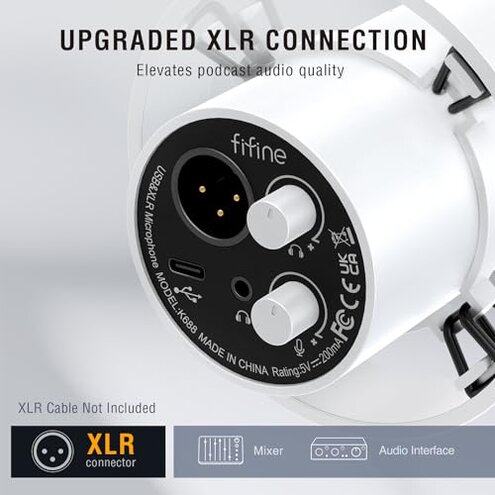
- Hidden requirement: The product ships without an XLR cable or boom arm, so XLR use requires extra purchases.
- When it appears: Buyers discover this during setup when they expect plug-and-play XLR capability.
- Scope signal: This complaint is commonly reported by buyers trying to switch from USB to XLR.
- Category contrast: Many mid-range alternatives include either cables or clearer lists of required gear, making this more inconvenient here.
- Cost impact: The extra purchases add time and money, reducing the expected value for buyers on tight budgets.
- Workaround: Users recommend buying a quality XLR cable and interface separately before planning XLR recording.
Why does the mount or adapter feel fragile?
- First sign: The shock mount or adapter may loosen after frequent adjustments, often within weeks of regular use.
- Frequency tier: This is a primary mechanical complaint that appears across multiple buyer reports.
- When it worsens: The issue gets worse with daily handling or when moving the mic between setups.
- Cause hint: The included 5/8" to 3/8" adapter and shock mount appear underspecified for heavier setups.
- Impact: Loose mounts change mic placement and cause low-frequency thumps that ruin recordings.
- Attempts: Buyers often replace mounts or buy a separate boom arm as a corrective step.
- Hidden need: Reliable mounting hardware is a must-buy for consistent performance with this mic.
Illustrative excerpts
"Mic sounded thin and I had to raise gain then noise exploded." — primary pattern
"Buttons stopped responding mid-stream; unplugging fixed it temporarily." — secondary pattern
"No XLR cable included, so I had to order extra gear before recording." — secondary pattern
"Shock mount loosened after a few weeks of moving it around." — primary pattern
Who should avoid this
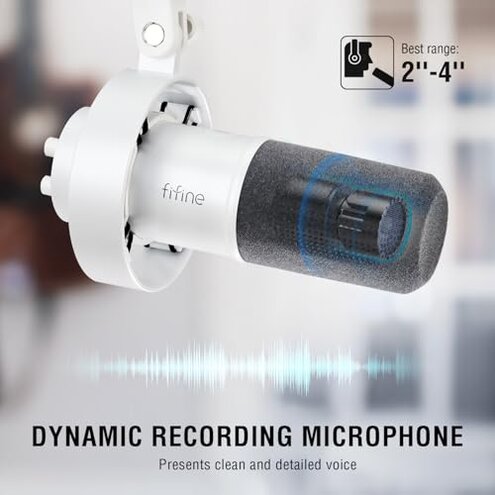
- Pro podcasters: Avoid if you need reliable, clean audio without editing; sound issues are common.
- Live streamers: Avoid if you can’t tolerate mid-session USB control failures during broadcasts.
- Buyers on tight budgets: Avoid if you expect a ready-to-use XLR setup, since extra gear is required.
Who this is actually good for
- Hobbyists: Good if you accept occasional fixes and want a budget mic with both USB and XLR options.
- Casual streamers: Works if short streams and post-editing can hide thin/noisy takes.
- Users wanting flexibility: OK if you plan to use the mic mainly on USB and can tolerate occasional control glitches.
Expectation vs reality
Expectation: A mid-range mic should deliver consistent clean vocals out of the box.
Reality: The mic more often needs extra setup, accessories, or fixes to reach that same consistency.
- Reasonable for this category: Some setup is normal, but here the time and extra cost are higher than typical mid-range alternatives.
Safer alternatives
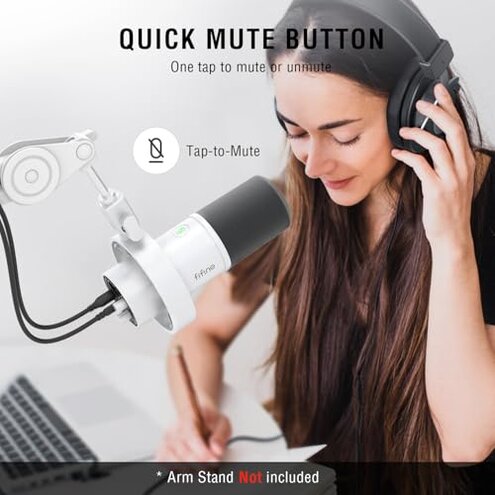
- Choose mics with included accessories: Pick models that include an XLR cable or boom arm to avoid hidden purchases.
- Prioritize stable USB drivers: Look for reviews that emphasize reliable USB control and monitoring during live sessions.
- Invest in a solid mount: Buy a proven boom arm and shock mount to neutralize the fragile-mount failure.
- Compare sound tests: Watch side-by-side audio demos to verify clarity at typical voice gain levels.
The bottom line
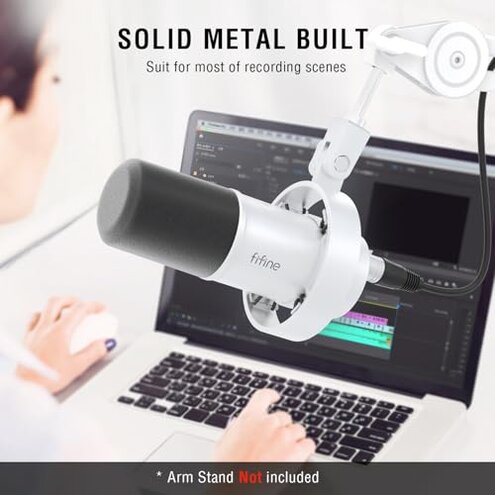
Main regret: The most common trigger is unreliable recording quality caused by noise, USB control glitches, and missing XLR accessories.
Verdict: This mic can be a budget choice for hobbyists, but buyers needing dependable, plug-and-play performance should consider sturdier mid-range alternatives.
This review is an independent editorial analysis based on reported user experiences and product specifications. NegReview.com does not sell products.