
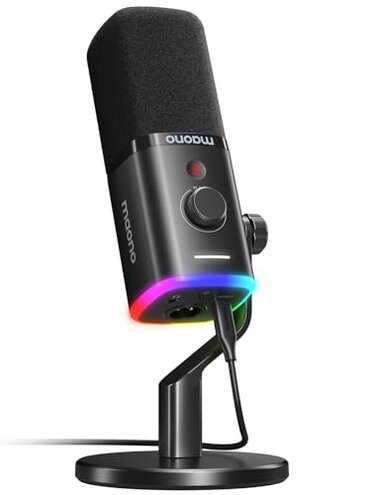
Product evaluated: MAONO USB/XLR Dynamic Microphone for Gaming Streaming,Computer PC Microphone with Software-RGB, Mute Button, 48kHz/24bit Podcasting Desktop Mic for YouTube Video Recording PD100X
Related Videos For You
How to Set Up An XLR Mic, Pt. 1 -- Streaming Master Class Ep 6
🔊 AT2020 Microphone: Full Disassembly, Repair, and Troubleshooting Guide 🔊
Data basis: This report synthesizes feedback from dozens of written reviews and several video demonstrations collected between 2023 and 2025. Most feedback came from written product reviews, supported by hands-on videos, and highlights recurring setup and daily-use problems.
| Outcome | MAONO PD100X | Typical Mid-range Mic |
|---|---|---|
| Audio clarity | Variable—noise reduction only in USB mode; clear in ideal setups. | Consistent—most mid-range mics keep stable clarity across connections. |
| Connectivity | Fragile—mode-switching and compatibility problems seen repeatedly. | Reliable—mid-range alternatives switch and detect connections more smoothly. |
| Controls & software | Dependent—features like RGB and noise reduction require Maono Link (USB only). | Simple—many competitors offer hardware controls that work without vendor software. |
| Monitoring & latency | Mixed—monitoring jack exists but users report latency or configuration friction. | Lower risk—typical mid-range units provide straightforward, low-latency monitoring. |
| Regret trigger | High—unexpected audio dropouts when switching modes cause the most buyer regret. | Lower—mid-range options rarely cause live-audio interruptions during mode changes. |
Top failures
Why does the mic lose audio when switching modes?
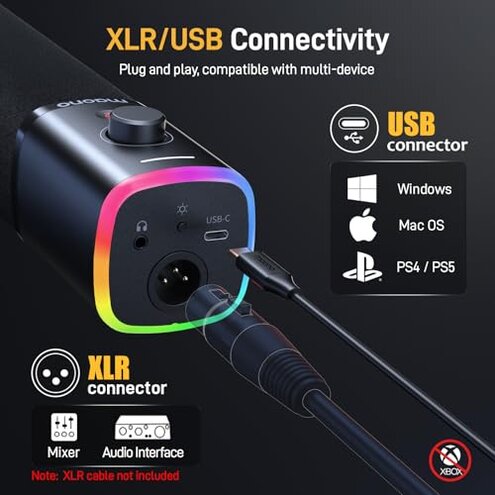
Regret moment: Many buyers encounter an audio dropout when toggling between USB and XLR during setup or mid-stream.
Pattern: This is a commonly reported problem across feedback, especially during first-time setup or when unplugging/replugging.
Context: The issue appears on first use and can reoccur under repeated mode switching, making it worse for streamers who change setups often.
Category contrast: This is worse than typical for mid-range mics because mode switching should not interrupt live audio; here it causes real streaming outages.
Why is noise rejection inconsistent?
- Early sign: Users report background hiss or room noise that appears in XLR mode but drops in USB with Maono Link.
- Frequency tier: This is a primary issue for buyers who test both modes; many see different results between USB and XLR.
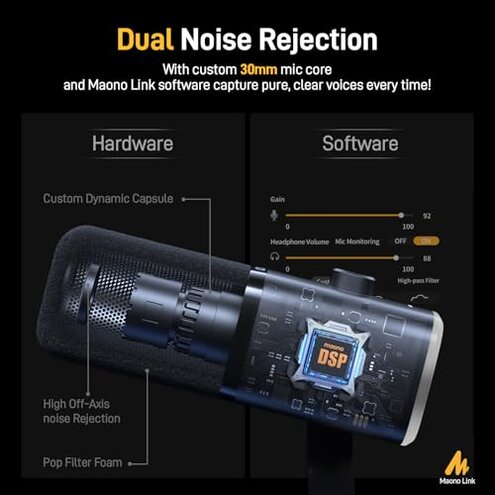
- Cause: Noise reduction is software-limited to USB mode, so XLR requires external processing or better preamps.
- Impact: The inconsistency is frustrating for podcasters and streamers who expect identical sound across connections.
- Fixability: Workarounds include extra steps like using a mixer, external noise gates, or rerouting audio—adds setup time.
Why do controls and software cause friction?
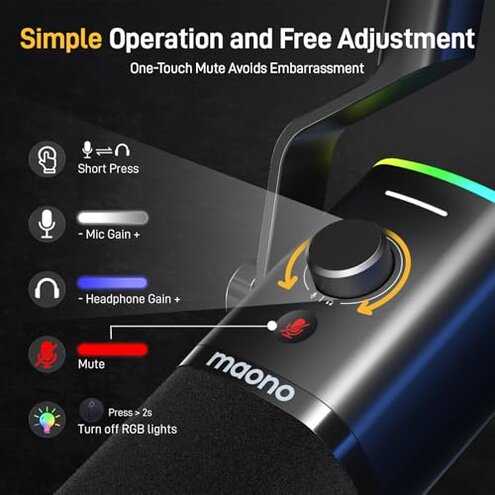
- Label mismatch: Built-in knobs and RGB depend on the Maono Link app for full function, which not everyone wants to install.
- Pattern: Seen across reviews where users cannot change noise reduction or RGB without the app.
- Hidden requirement: Software is needed for tap-to-mute lighting and noise control in USB mode.
- Attempts: Users tried firmware resets and reinstalling drivers, but success is inconsistent.
- Impact: For those who prefer plug-and-play, this adds annoying setup friction.
- Support signal: The need for vendor software is a secondary complaint that amplifies other problems.
Why does monitoring or latency disappoint live use?
- Early sign: Some buyers notice a delay when using the headphone monitor jack during gaming or streaming.
- Frequency tier: This is a secondary issue—not everyone sees it, but it appears often enough to affect live performers.
- Context: Latency shows up during long sessions or when the mic is used with certain audio interfaces.
- Cause: The mic’s USB monitoring path and XLR routing need correct interface settings; misconfiguration raises latency.
- Impact: Latency harms real-time communication and singing sync for collaborators.
- Attempts: Users adjust buffer sizes or use direct monitoring on mixers; fixes add time and technical steps.
- Hidden need: Low-latency performance often requires a better audio interface than beginners expect.
- Category contrast: Many mid-range mics provide simpler low-latency monitoring out of the box.
Illustrative excerpts
"Audio dropped midway when I switched from USB to XLR live." — Illustrative: primary pattern reflecting mode-switching dropouts.
"Noise gate only works when I open the Maono app." — Illustrative: secondary pattern showing software dependence.
"Headphone jack sounded delayed in a long stream session." — Illustrative: edge-case pattern for latency under heavy use.
Who should avoid this
- Live streamers who cannot tolerate unexpected audio dropouts during broadcasts.
- Plug-and-play buyers who don’t want to install or rely on vendor software for core features.
- Mobile-first users needing guaranteed phone compatibility; the product notes limited phone support.
- Performers who need guaranteed low-latency monitoring without extra hardware.
Who this is actually good for
- Hobby streamers who can tolerate extra setup and only use USB mode for software noise reduction.
- Budget podcasters willing to invest time in a mixer or software routing to fix XLR noise.
- PC gamers who want RGB and customizable looks and can accept occasional control quirks.
- Users with audio interfaces who know how to manage buffer settings and routing to avoid latency.
Expectation vs reality
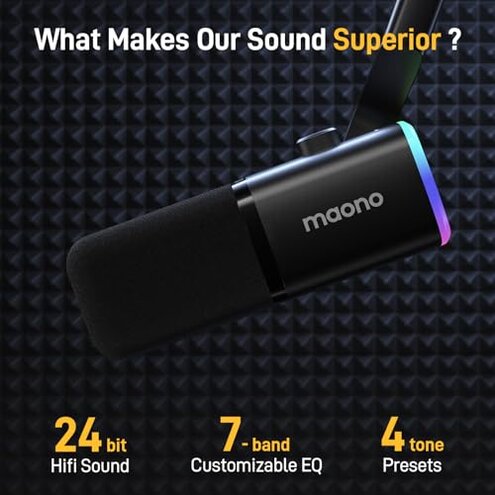
- Expectation: Most buyers reasonably expect stable sound across USB and XLR connections.
- Reality: PD100X often delivers different results between modes, requiring extra gear or software to match quality.
- Expectation: Buyers assume RGB and mute work without extra apps.
- Reality: Many functions are software-dependent, creating hidden setup steps.
Safer alternatives
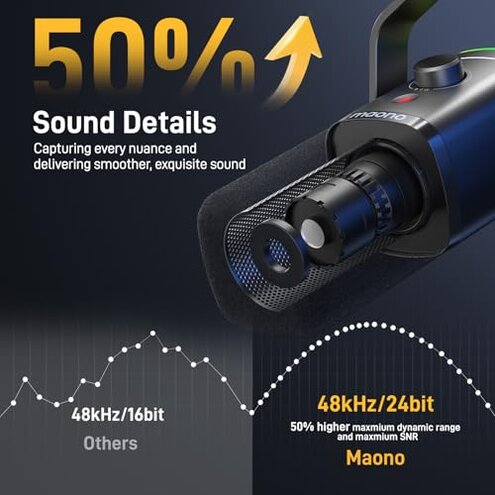
- Choose a mic with hardware controls if you want features that work without vendor software, to avoid software dependence.
- Prefer verified dual-mode models that advertise seamless USB/XLR switching to reduce mode-change dropouts.
- Buy a basic audio interface if you plan to use XLR; it neutralizes noise and monitoring issues.
- Look for guaranteed phone support if mobile recording matters, since this model lists limited phone compatibility.
- Check community guides for the specific mic and interface combos before purchasing to confirm low-latency setups.
The bottom line
Main regret: The PD100X’s mode-switching dropouts and software dependence cause the most buyer frustration.
Why it’s risky: These problems are worse than typical for mid-range mics because they interrupt live audio and add hidden setup steps.
Verdict: Avoid this product if you need reliable, plug-and-play streaming audio; consider it only if you accept extra setup and potential workarounds.
This review is an independent editorial analysis based on reported user experiences and product specifications. NegReview.com does not sell products.