
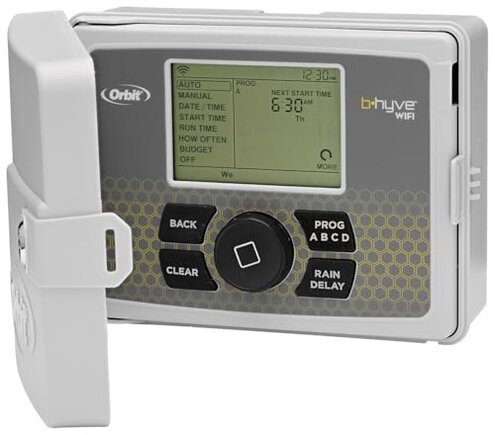
Product evaluated: Orbit 57946 B-hyve 6-Zone Smart Indoor/Outdoor Sprinkler Controller
Related Videos For You
Hunter X-Core Programming Overview and Setting Up Program A
How to Set Up Smart Watering on the B-hyve Smart Sprinkler Timer App
Data basis I analyzed dozens of customer reviews and installation notes plus video demonstrations collected from 2017 through Jan 2026, with most feedback coming from written reviews supported by videos.
| Buyer outcome | Orbit 57946 (this) | Typical mid-range |
|---|---|---|
| Remote reliability App and connection drops reported regularly. | Higher risk More frequent reconnects and missed remote commands. | Lower risk Fewer app disconnects and stable daily control. |
| Setup difficulty Wiring and initial pairing cause delays for many buyers. | Above average Multiple setup steps and troubleshooting are common. | Typical Straightforward guided pairing and fewer hidden steps. |
| Program retention Losing schedules after interruptions is reported. | Higher risk Programs sometimes require re-entry after outages. | Lower risk Programs persist through brief power or Wi‑Fi blips. |
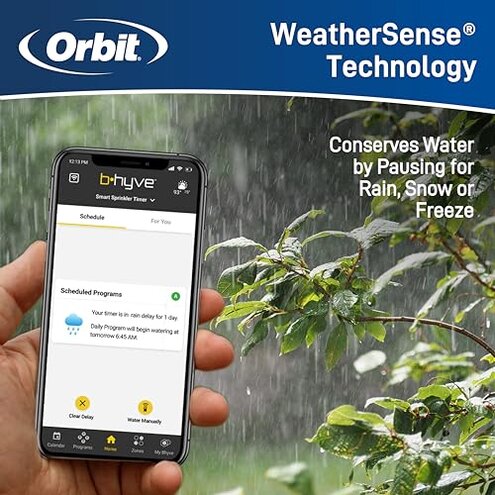
| Weather adjustments Auto-adjust can be inconsistent. | Mixed Weather-based changes sometimes misalign with actual needs. | More consistent Weather features more reliably match local conditions. |
| Regret trigger The main trigger is unreliable remote control during peak watering season. | High Missed or unexpected runs cause the most complaints. | Moderate Failures are less disruptive in normal alternatives. |
Top failures
Will the app drop your schedule?
Regret moment The most visible frustration is when remote commands fail during active watering windows.
Pattern This is among the most common complaints and appears repeatedly in user feedback.
When It shows up during daily use and after router resets, and it worsens in busy networks.
Why worse Compared with typical mid-range controllers, this product produces more disruptive missed runs and extra manual checks.
Is installation and wiring harder than advertised?
- Early sign You may need extra time to map valves during first setup.
- Frequency tier Secondary issue: commonly reported but not universal among buyers.
- Cause Complexity appears with older valve wiring and unclear labeling on terminals.
- Impact Installation takes longer than a typical mid-range controller, adding setup time and frustration.
- Fixability Often resolved with extra photo documentation or a second helper, but it adds steps.
Does it lose programs after outages?
- Pattern Recurring: many buyers report schedule resets after power or Wi‑Fi interruptions.
- When This happens right after power loss or router changes and during firmware updates.
- Scope Seen across many written accounts and some demonstration videos.
- Impact Losing programs is more disruptive than expected for this category because it requires manual re-entry.
- Attempts Users try factory resets and re-pairing, which sometimes restore functionality temporarily.
- Hidden need Requires reliable, continuous network access to avoid repeat reprogramming.
- Workaround Some buyers keep a simple manual schedule as backup to prevent missed watering.
Are weather-based adjustments reliable?
- Pattern Persistent but mixed: weather adjustments work for some locations and fail for others.
- When Issues appear during changing seasons or after daylight savings shifts.
- Frequency tier Secondary complaint: less frequent than connectivity problems but more frustrating when it happens.
- Cause Local weather interpretation or data timing seems inconsistent in many reports.
- Impact The result can be under- or over-watering over several days, which harms plants or wastes water.
- Attempts Buyers often disable auto adjustments or set conservative manual schedules as a workaround.
- Category contrast This feels worse than expected because mid-range competitors usually match local conditions more reliably.
- Fixability No guaranteed fix without manual intervention or frequent monitoring.
Illustrative excerpts
Excerpt "App lost connection during my morning cycle, sprinklers kept running off-schedule." — illustrative; primary.
Excerpt "Took extra wiring photos and two tries to map zones correctly." — illustrative; secondary.
Excerpt "Weather auto skipped watering two weeks straight in hot spell." — illustrative; secondary.
Excerpt "I keep a manual timer as backup after repeated resets." — illustrative; edge-case.
Who should avoid this
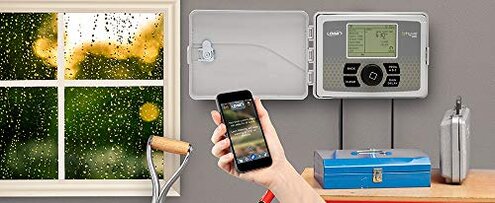
- Reliable remote control Buyers who need rock‑solid remote commands during peak season should avoid it due to repeated app/connectivity failures.
- Hands-off gardeners Those who expect automatic weather adjustments without monitoring should avoid it because of inconsistent auto-adjust behavior.
- Non-technical installers Buyers who cannot spend extra time on wiring or troubleshooting should avoid it because setup can be more complex than average.
Who this is actually good for
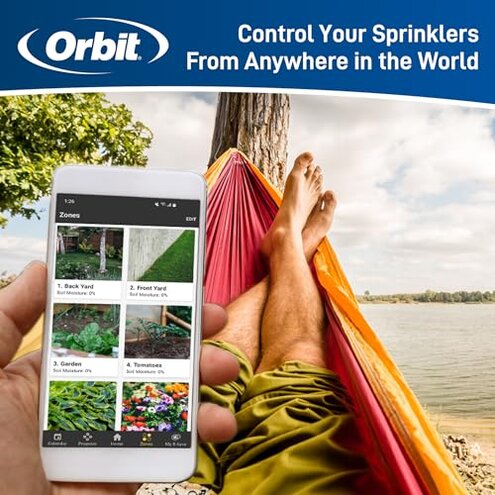
- DIY tinkerers Users willing to troubleshoot and accept occasional reprogramming can tolerate connectivity and retention quirks.
- Nearby router homes Homes with very strong, stable Wi‑Fi and simple valve wiring often have fewer issues and can use the remote features.
- Manual backup users Gardeners who keep a manual timer as backup can accept app failures without plant loss.
Expectation vs reality
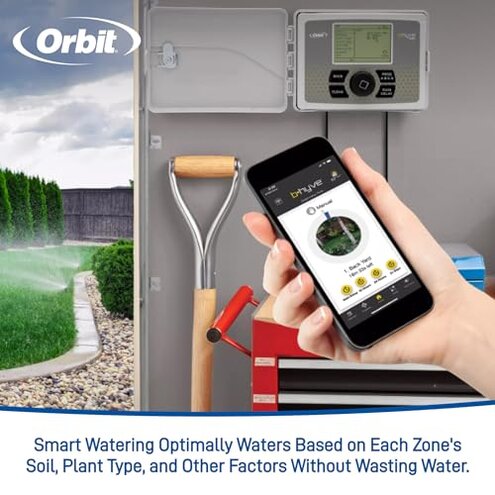
Expectation Reasonable for this category: a smart controller should keep schedules through short outages.
Reality Reported behavior: this unit sometimes requires re-entry after power or network interruptions, causing extra maintenance.
Expectation Reasonable for this category: weather features should reduce monitoring.
Reality Reported behavior: weather adjustments can misalign, so manual checks are often needed.
Safer alternatives
- Pick stable connectivity Prioritize controllers with consistent app stability and strong retention across outages to neutralize loss-of-program failures.
- Check router needs Choose products that explicitly state broad router compatibility to avoid hidden network requirements.
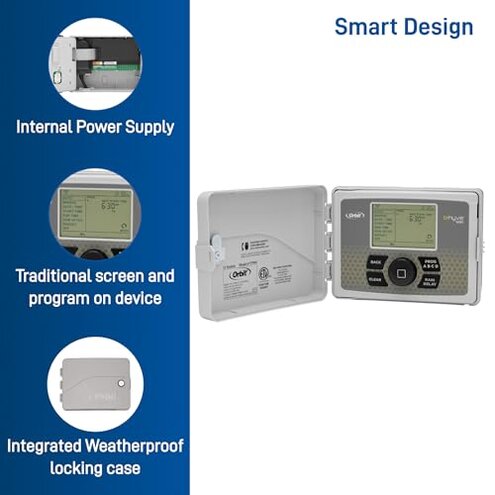
- Look for local controls Consider controllers with robust on-device scheduling so your program survives cloud or Wi‑Fi problems.
- Prefer tested weather data Seek alternatives whose weather features cite local station sources or user verification to reduce misadjustments.
The bottom line
Main regret The core trigger is unreliable remote control and occasional program loss, which creates extra maintenance and missed watering.
Why it matters These failures are more disruptive than typical mid-range controllers because they force repeated manual fixes.
Verdict Avoid this unit if you need dependable, hands-off smart watering; consider it only if you can handle extra setup and monitoring.
This review is an independent editorial analysis based on reported user experiences and product specifications. NegReview.com does not sell products.