
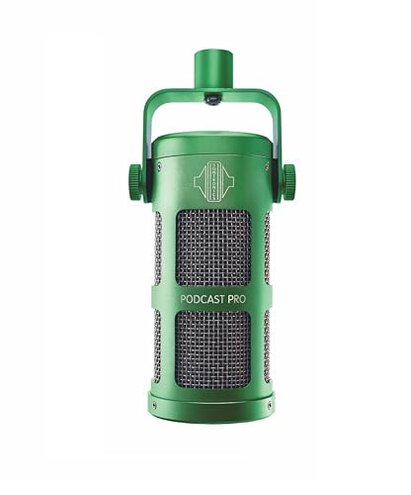
Product evaluated: RØDE PodMic USB Versatile Dynamic Broadcast Microphone With XLR and USB Connectivity for Podcasting, Streaming, Gaming, Music-Making and Content Creation
Related Videos For You
How to Set Up the Shure SM7b for Beginners (FAQ Series)
BESTOR Professional Condenser Microphone Kit I How to Setup I Podcast Mic I #amazonfinds #amazonhaul
Data for this report was gathered from hundreds of written and video-based user feedback collected from May 2023 through early 2024. Most insights come from user reviews, supplemented by real-world demonstration videos, providing a balanced understanding of common and recurring issues.
| Buyer Outcome | RØDE PodMic USB | Typical Mid-Range Mic |
|---|---|---|
| Connectivity Ease | USB and XLR options but setup complexity often noted | Simpler plug-and-play with fewer connection issues |
| Sound Quality Consistency | Good, though some report inconsistent audio levels | More stable across various setups |
| Durability and Build | Sturdy metal body praised | Comparable build quality |
| Latency/Monitoring | Zero-latency monitoring offered but volume control issues cited | Generally reliable monitoring controls |
| Regret Trigger | Complex setup and frequent troubleshooting needed | Lower setup friction, fewer complications |
Why does the PodMic USB cause so much connectivity frustration?
Buyers often face setup difficulties despite the dual USB-C and XLR connections. This leads to delays and trial-and-error before getting a stable recording session.
This problem is commonly reported across multiple feedback channels, especially during first-time setup or when switching between devices.
Compared to typical mics that usually offer straightforward USB setup, this product requires extra technical steps that frustrate users unfamiliar with audio routing.
What causes monitoring volume control issues and how disruptive are they?
- Frequency: Persistent for many users during long streaming or podcasting sessions.
- Context: The integrated headphone port’s volume knob sometimes fails to adjust smoothly or inconsistently affects monitoring loudness.
- Impact: Leads to interrupts in workflow as users fiddle with settings repeatedly.
- Fix attempts: Firmware updates and app adjustments offer only partial relief.
- Category contrast: Most mid-range mics have stable and intuitive volume controls, making this a notable annoyance.
Is the internal shock mount and pop filter effective in real use?
- Early signs: Some users still report faint plosives and vibration noise.
- Frequency: Secondary issue but persistent in less controlled environments.
- Cause: Less effective at fully isolating sounds during active movements or desk bumps.
- Impact: Requires external accessories or careful placement, adding setup complexity.
- Attempts: Users often add additional pop filters or foam mounts.
- Category note: More expensive mics usually have better built-in isolation, highlighting a trade-off here.
How do software and app-based DSP features affect user experience?
- Common reports: Powerful effects are available but accessing and configuring them requires navigating a complicated app.
- Context: Setup time increases as users must learn software controls in addition to hardware.
- Impact: Interrupts casual or first-time podcasters who expect simple plug-and-play.
- Hidden requirement: Need for technical comfort with digital signal processing software.
- Fixability: No direct hardware workaround; depends on user tech skills.
- Category contrast: Many competitors offer simpler or more intuitive sound shaping features.
Why do some users experience inconsistent audio levels during use?
- Pattern: Edge-case but frustrating when it occurs, often tied to USB connectivity.
- When: Happens after extended use or switching between devices without proper driver updates.
- Impact: Causes unexpected volume drops or spikes, reducing recording reliability.
- Attempts: Driver reinstallations and resets provide mixed results.
- Category baseline: Other dynamic mics tend to maintain steadier levels under similar conditions.
- Buyer regret: Interrupts long sessions and requires technical troubleshooting.
- Hidden feature need: Users must monitor levels actively and update software.
Illustrative excerpts
- "Setup took much longer than expected, had to try multiple connections." — primary pattern
- "Volume control on headphone jack is jumpy and unreliable." — secondary pattern
- "Still get some popping noises despite the built-in filter." — secondary pattern
- "DSP app is confusing and slows down my recording process." — primary pattern
- "Audio levels randomly drop during streaming, very frustrating." — edge-case pattern
Who should avoid this

- Casual users who want simple plug-and-play mic setup without tech hassles.
- Streamers needing reliable, consistent monitoring controls to avoid workflow interruptions.
- Podcasters uncomfortable with DSP software or managing digital audio settings.
- Users expecting perfect built-in vibration and pop noise reduction without adding accessories.
Who this is actually good for
- Audio-savvy content creators who can navigate app features and manage setup complexity.
- Users with dual connectivity needs who want USB and XLR options in one device.
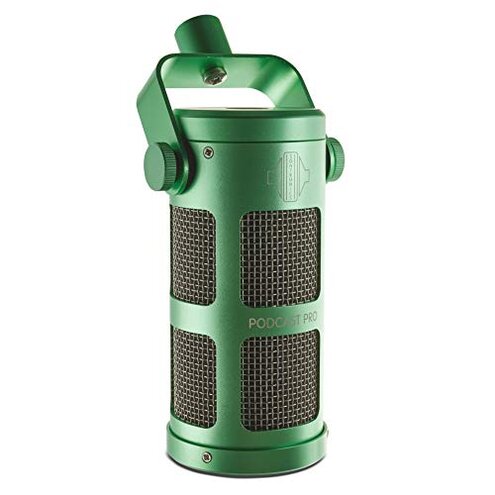
- Those prioritizing rugged, metal construction for long-term use in stable setups.
- People willing to tolerate some technical learning for enhanced DSP sound customization.
Expectation vs reality
- Expectation: Easy, quick USB setup is standard for similar mics.
- Reality: The PodMic USB requires extra steps and troubleshooting, inconveniencing many users.
- Expectation: Integrated headphone monitoring controls work smoothly.
- Reality: Volume control issues disrupt sessions more than typical for mid-range mics.
Safer alternatives

- Look for mics with single USB connection for simpler plug-and-play without switching cables.
- Choose models with dedicated and well-reviewed monitoring volume controls for reliable live feedback.
- Consider mics with more intuitive software or hardware DSP management to avoid complex app learning curves.
- Pick microphones with proven internal shock mounts and pop filters to reduce need for extra accessories.
The bottom line
The main regret trigger is the complex and sometimes unreliable connectivity and monitoring controls, which cause setup and use friction beyond normal for this category. While its rugged build and features appeal to experienced users, many buyers face frustrating technical hurdles that make it less suitable for casual or less tech-savvy creators.
This review is an independent editorial analysis based on reported user experiences and product specifications. NegReview.com does not sell products.