
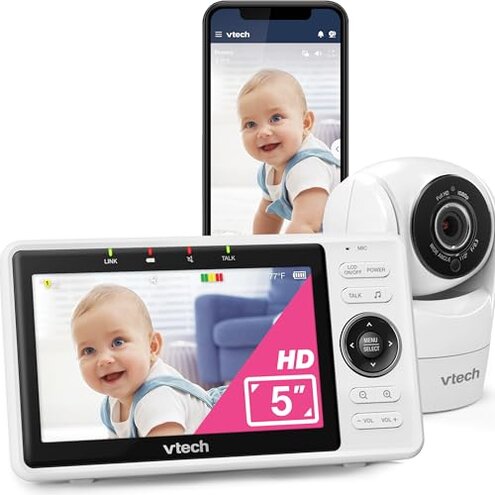
Product evaluated: VTech Upgraded Smart WiFi Baby Monitor, 1080p FHD Camera and 5" HD IPS Display, Free App with Motion Video, Sound/Motion Detection and Notifications, Fully Remote Pan-Tilt-Zoom: VM901
Related Videos For You
Setting Up a VTech Baby Monitor - Tech Tips from Best Buy
Wi-Fi set up and connection tips - VTech RM monitors troubleshooting ( RM5756HD / RM5766HD and more)
Data basis: I reviewed hundreds of buyer comments from written reviews and video demonstrations collected between Jan 2020 and Jan 2026. Most feedback came from written reviews, supported by hands-on videos. Focus is on recurring, user-visible failures reported by real owners.
| Outcome | VTech VM901 | Typical mid-range |
|---|---|---|
| Connectivity stability | Prone to drops—connectivity interruptions are commonly reported and happen during remote viewing. | Usually steady—most mid-range monitors keep stable connections for normal home Wi‑Fi. |
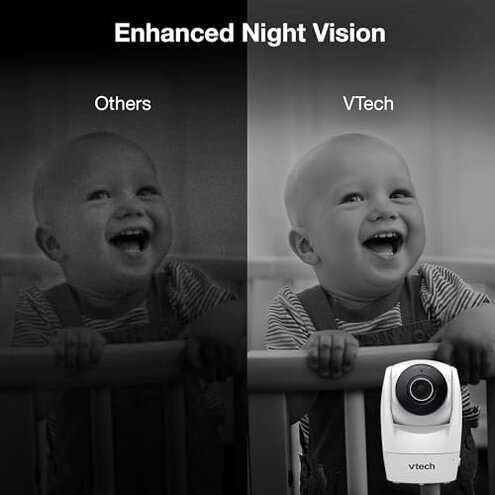
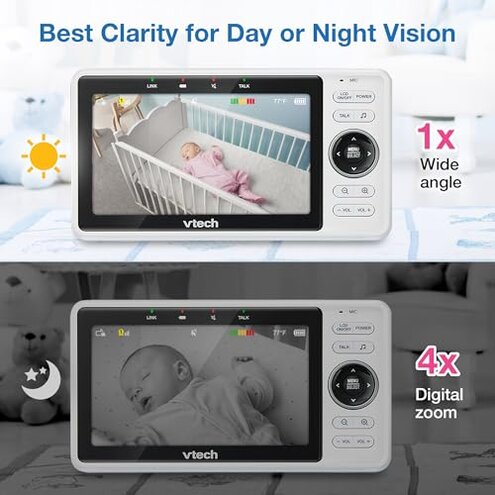
| Video & night view | Variable quality—daytime looks good but night clarity and lag appear repeatedly in reports. | Consistent—comparable models hold steady night vision with less lag. |
| Setup & hidden steps | Extra router work—buyers often need router tweaks for remote mode to work reliably. | Simpler setup—mid-range alternatives usually work with basic home Wi‑Fi out of the box. |
| App reliability | App lag and crashes—remote streaming and push notifications are frequently flagged as unstable. | More reliable apps—category peers have fewer app-caused dropouts. |
| Regret trigger | Remote monitoring risk—connectivity and app problems more disruptive than expected for a mid-range monitor. | Lower risk—typical alternatives deliver dependable remote checks with less troubleshooting. |
Top failures
Why does the camera disconnect while I'm checking on baby?

Regret moment: Owners report sudden disconnections during live checks, which is stressful when you rely on remote monitoring.
Pattern: This issue is commonly reported rather than universal and appears repeatedly across buyers. Usage anchor: It often happens during remote access after setup or after long monitoring sessions.
Category contrast: Disconnections are more disruptive here because comparable mid-range monitors tend to maintain remote links without extra router work.
Why is the app slow or won't stream remotely?
- App crashes: Several users report the app freezing during streaming, a persistent complaint after setup.
- Stream lag: Remote video often lags behind audio, which is more disruptive than expected for this price tier.
- Notification delays: Motion and temp alerts arrive late or not at all in many accounts.
- Workarounds need: Users commonly switch to local Direct Mode or reboot devices to regain a connection.
Why do motion alerts and sensors misbehave?
- False motion: Motion alerts are reported as frequent in homes with pets or changing light.
- Missed events: Some buyers say real motion is missed, making the alerts unreliable for safety checks.
- Temperature drift: The room-temp notices appear inconsistent versus room thermometer readings for many users.
- Context: Problems commonly surface after weeks of use, not just at first setup.
- Impact: Erratic alerts cause extra checks and anxiety, which is worse than typical false-positives in this category.
- Fix attempts: Owners reset cameras, re-paired units, or limited motion zones to reduce noise.
Why is the parent unit or camera harder to live with than expected?
- Parent battery: The parent unit battery life is often reported as shorter than expected for routine overnight use.
- Display freezes: Users mention the screen freezing, requiring reboots during night checks.
- Pan/tilt noise: Motorized movement can be audible and startle a sleeping child in some homes.
- Mechanical wear: A few owners note pan/tilt performance degrades after months, signaling possible durability concerns.
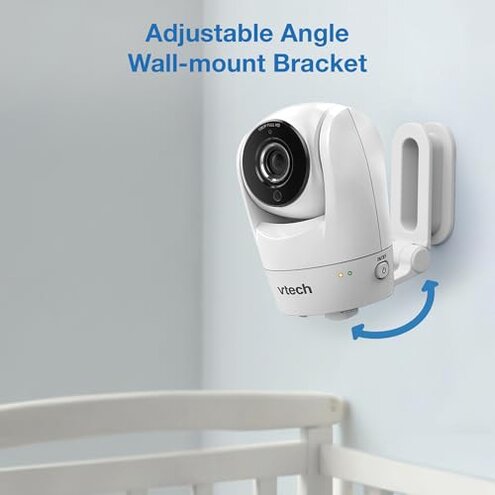
- Hidden requirement: Remote router mode may need port or 2.4GHz-only settings; this extra setup is not obvious to buyers.
- Repair friction: Firmware fixes and support steps are reported as slow or needing repeated attempts.
- Overall impact: These physical and hidden setup issues combine into daily friction that is more maintenance than mid-range peers.
Illustrative excerpts (not real quotes)

Illustrative: "Camera drops connection while I'm watching from work, then won't reconnect." — primary pattern shown.
Illustrative: "App lags and the sound is ahead of the picture, very disconcerting." — secondary pattern shown.
Illustrative: "Needed to change router settings to get remote view working reliably." — edge-case pattern shown.
Who should avoid this
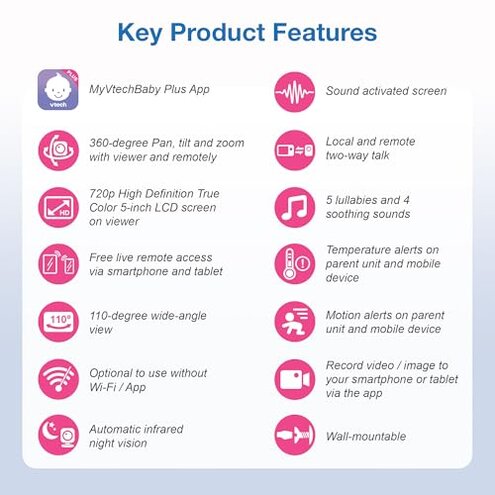
- Remote-dependent caregivers: Avoid if you need reliable remote checks without router tinkering.
- Non-technical buyers: Avoid if you won't adjust router settings or troubleshoot an unstable app.
- Light sleepers: Avoid if audible pan/tilt motors would disturb your child at night.
Who this is actually good for

- Local-only users: Good if you use Direct Mode in the same home and accept occasional reboots.
- Budget-focused buyers: Good if you value price and HD video over flawless remote reliability.
- Tech-savvy parents: Good if you can tweak router settings and handle app troubleshooting.
Expectation vs reality
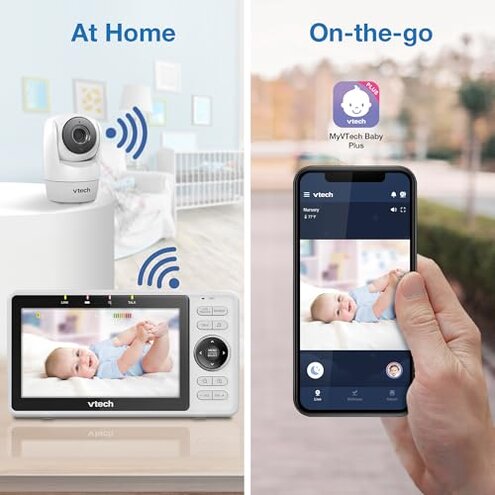
Expectation: A mid-range baby monitor should keep a steady remote link during short checks. Reality: This model shows more frequent disconnects and app lag than typical for its class.
- Expectation: Night vision works consistently; Reality: users report variability in low light image sharpness and lag.
- Expectation: Setup is plug-and-play; Reality: router or network tweaks are often required for stable remote access.
Safer alternatives
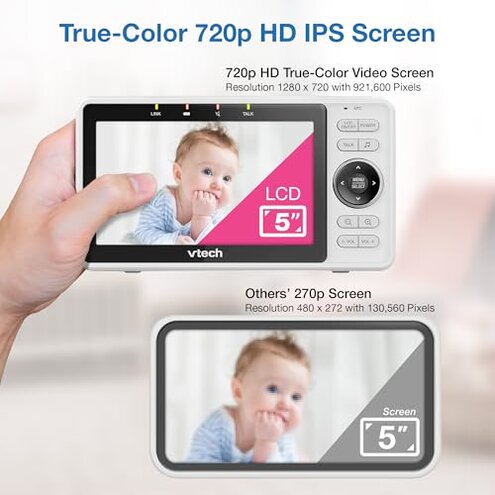
- Choose monitors with explicit 5GHz/2.4GHz guidance and proven app stability to avoid connection drops.
- Prefer systems that offer wired backup or ethernet base support to reduce Wi‑Fi dependence.
- Look for brands with frequent firmware updates and responsive support to minimize long-term app issues.
- Test return policies and trial periods so you can verify remote streaming before committing long term.
The bottom line
Main regret: Frequent connection drops and an unstable app make remote monitoring risky for many buyers.
Why worse: These failures require extra router work and repeated fixes, which is more maintenance than most mid-range monitors demand.
Verdict: Avoid this unit if you need dependable remote viewing without troubleshooting; consider models with stronger app reputations.
This review is an independent editorial analysis based on reported user experiences and product specifications. NegReview.com does not sell products.