
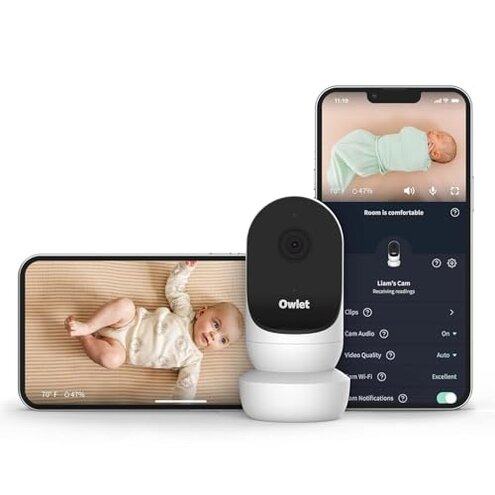
Product evaluated: Owlet Cam 2 (Gen 2) Smart Baby Monitor – HD Video Camera with Night Vision, 4X Zoom & Wide-Angle View, Two-Way Talk, Sound & Motion Alerts, Temp & Humidity Sensor, Encrypted WiFi | White
Related Videos For You
Setting Up a VTech Baby Monitor - Tech Tips from Best Buy
Expensive baby monitor switches to subscription model, parents are ticked
Data basis Dozens of written reviews and several video demonstrations were analyzed between Jan 2024 and Jan 2026 to build this report. Most feedback came from written reviews, supported by short video tests and Q&A threads.
| Outcome | Owlet Cam 2 | Typical mid-range monitor |
|---|---|---|
| Video reliability | Frequent dropouts reported during daily streaming and background audio use. | Stable streams for most mid-range models under the same home WiFi. |
| Notifications | Delayed/false motion and cry alerts appear repeatedly for many buyers. | More consistent push alerts on average for similar-priced competitors. |
| Clip storage cost | Short free window (48 hours) then subscription needed for longer history. | Longer free options or cheaper local storage options are common in this tier. |
| Setup friction | App pairing issues show up during first use, especially on older routers. | Smoother pairing and clearer setup steps are typical from rivals. |
| Regret trigger | Higher-than-normal risk of missing an event due to combined connectivity and paywall limits. | Lower regret when streaming and storage are reliable without extra cost. |
Top failures
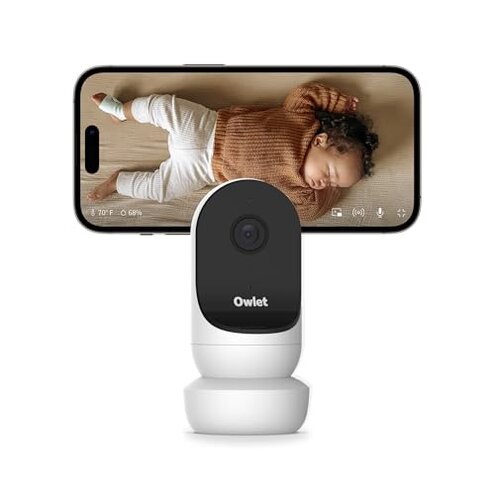
Why does the camera drop when I’m watching?
Live stream dropouts are the most common complaint and are a primary issue in this dataset.
Usage context Drops happen during everyday monitoring and often when the phone runs background apps or during long sessions.
Category contrast This is more disruptive than typical mid-range monitors, where occasional lag is expected but sustained disconnects are not.
Are I locked into a subscription to get useful footage?
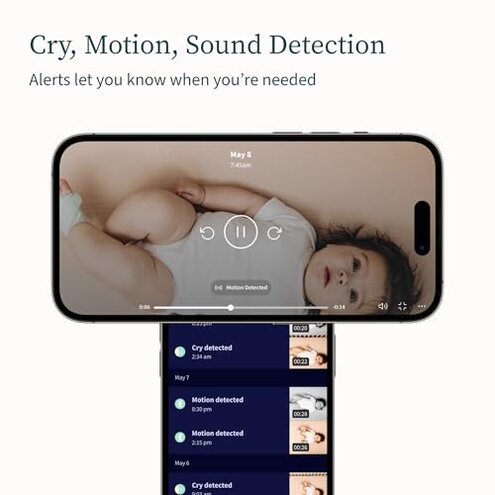
- Hidden requirement The camera includes 48 hours free of clip storage but requires an upgrade for longer history via the app.
- Pattern Buyers repeatedly report that 48 hours is too short to review incidents when away from home.
- When it shows This problem appears after you rely on recorded clips to verify a nap, fall, or incident.
- Impact The paywall creates ongoing costs and extra steps to retrieve older footage.
- Fixability Avoidable only by subscribing or exporting clips immediately, which adds time and friction.
Why is night video and zoom so fuzzy?
- Early sign Grainy image appears when you switch to night vision or use the 4x zoom.
- Frequency tier This is a secondary issue seen across many tests and demos.
- Cause Low-light processing and digital zoom reduce detail at typical nursery distances.
- When it matters It worsens when the camera is placed farther from the crib or aimed wide.
- Impact Makes it hard to read small details like toy positions or subtle baby movements.
- Category contrast Mid-range competitors often keep clearer night images or offer better optical options for similar prices.
- Attempted fixes Buyers report little improvement from repositioning or app settings.
Why do app alerts and audio not behave reliably?
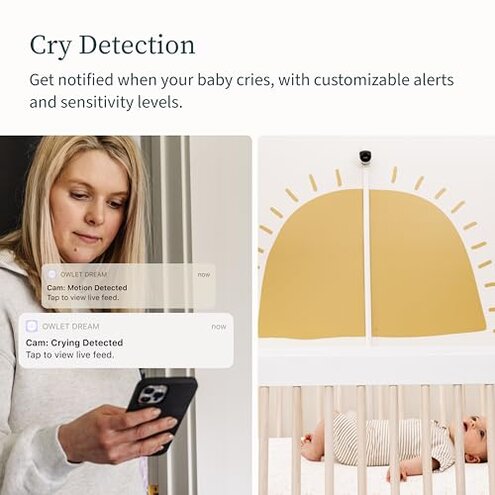
- Symptom Notifications arrive late or repeat, creating uncertainty about true events.
- Pattern Persistent across different phones and operating systems in the sample.
- When noticed Problems often appear during background audio use or when switching between app screens.
- Impact False positives erode trust and missed alerts leave parents checking manually more often.
- Root cause Likely a mix of app-server sync and local network sensitivity.
- Fix attempts Restarting camera, re-pairing, and firmware updates are commonly tried but not always effective.
- Support scope Buyers note extra back-and-forth with support, adding time to resolution.
- Category contrast Typical mid-range monitors have fewer false alerts or clearer tuning options.
Illustrative excerpts (not real quotes)
“Camera stopped streaming while baby was napping, app showed green but black video.” — reflects a primary pattern of dropouts.
“Only two days of clips, so the morning incident was gone already.” — reflects a secondary pattern tied to storage limits.
“Night zoom makes everything blocky and I can’t see details.” — reflects a secondary video-quality pattern.
“Notifications pinged five times for one tiny motion and then nothing later.” — reflects an edge-case pattern of alert flapping.
Who should avoid this
- Frequent remote monitors Avoid if you need reliable, always-on streaming without interruptions.
- Parents needing long history Avoid if you want more than 48 hours of free footage without extra cost.
- Night-vision critical users Avoid if clear night detail or accurate zoom is essential for you.
Who this is actually good for
- Budget short-term watchers Good for buyers who only need live view short-term and accept 48-hour clips.
- Secondary-room camera Works for those who want an extra camera when missed events are low-risk.
- App-savvy users Suitable if you’re comfortable managing subscriptions and app troubleshooting.
Expectation vs reality
Expectation Reasonable for this category: a mid-range baby monitor should keep a stable live feed for typical home WiFi.
Reality The camera has more frequent dropouts and notification friction than expected, causing extra checks and stress.
Expectation Reasonable for buyers: basic clip history to review incidents later.
Reality Free history is limited to 48 hours, so subscription pressure appears sooner than buyers expect.
Safer alternatives
- Choose local storage Look for monitors offering microSD or local NVR to avoid subscription limits.
- Prioritize wired Ethernet Use cameras or hubs that support wired connections to reduce dropouts.
- Compare night vision Pick models with proven optical night performance rather than heavy digital zoom.
- Check app reliability Read testing videos focusing on background audio and notification behavior before buying.
- Budget for subscriptions If you want clip history, include subscription cost in your comparison against rivals.
The bottom line
Main regret The combined risk of connectivity dropouts plus a short free clip window is the key buyer trigger.
Why worse These issues create more real-world disruption than most mid-range monitors and can lead to missed events or surprise costs.
Verdict Avoid if you need reliable continuous monitoring or free long-term clip access; consider alternatives that offer local storage and steadier streaming.
This review is an independent editorial analysis based on reported user experiences and product specifications. NegReview.com does not sell products.