
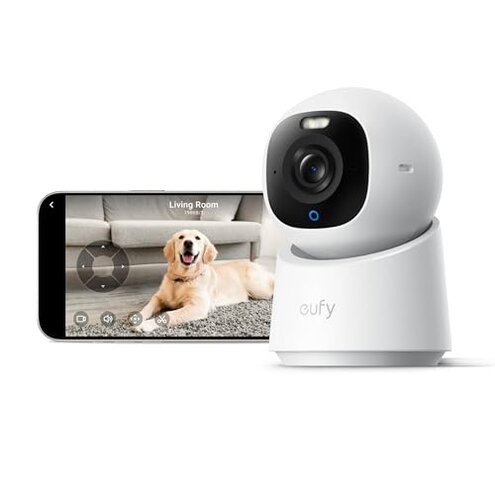
Product evaluated: eufy Indoor Cam E30, Latest Generation, 4K UHD Security Camera, Pet/Dog/Baby Camera with Phone app, Color Night Vision, Human/Pet Auto Tracking, 360 Pan-Tilt, Works with Homekit,White
Related Videos For You
How to SETUP & Use - Yi IoT Wireless WiFi Security Camera IP CCTV with Cloud Storage
Troubleshooting Wi-Fi for Ring Devices
Data basis: This report used feedback from dozens of written reviews and several video demonstrations collected between Dec 2024 and Jan 2026. Most feedback came from written reviews, supported by a minority of video posts and troubleshooting notes.
| Outcome | eufy Indoor Cam E30 (this product) | Typical mid-range indoor camera |
|---|---|---|
| Video quality | 4K promised but users report trade-offs when integrated with other systems. | 1080p reliable with consistent playback and fewer integration limits. |
| App stability | Unstable app and firmware updates are a common disruption during daily use. | Stable app with fewer frequent disconnects in typical alternatives. |
| Smart home integration | HomeKit limited to 1080p, reducing value of the camera's 4K capability. | Consistent resolution across integrations for most mid-range cameras. |
| Local storage & cost | SD card required (sold separately) and users report setup complexity for local recording. | Simpler setup with clearer local/cloud options in many mid-range models. |
| Regret trigger | Connectivity & app failures cause the most buyer regret and interrupt basic monitoring. | Lower risk of interruption with typical mid-range alternatives. |
Top failures
Why does my app keep disconnecting?
Regret moment: Users frequently lose live view or notifications during daily use, creating a gap in monitoring.
Pattern: This is a primary issue and appears repeatedly after setup and during routine viewing sessions.
Context: Problems worsen with multiple devices connected, long viewing sessions, or after firmware updates.
Category contrast: This is more disruptive than most mid-range indoor cameras because it interrupts the most basic function: continuous live monitoring.
Why does auto-tracking and detection feel unreliable?
- Early sign: The camera sometimes tracks non-human motion or misses a person entering the room.
- Frequency tier: This is a secondary complaint that appears commonly but not universally.
- Cause: On-device AI decisions are sensitive to lighting changes and rapid movement.
- Impact: Missed or false alerts reduce confidence for pet or baby monitoring.
- Attempted remedies: Users report tweaking sensitivity and zones, which adds extra setup steps.
- Fixability: Often requires firmware updates or repeated adjustments, not a one-time fix.
Why is HomeKit integration disappointing?
Regret moment: Buyers expecting full-featured 4K in HomeKit are surprised when HomeKit only supports 1080p.
Pattern: This is a primary hidden requirement reported across setup notes and integration tests.
Context: The limitation becomes clear only when you try to use the camera with HomeKit for daily automation or high-resolution recording.
Category contrast: Many competitors either match app features in integrations or clearly warn about resolution limits; this product's mismatch increases regret.
Why does local storage and setup feel more complicated than expected?
- Hidden requirement: An SD card is required for local recording and it is not included in the box.
- Early sign: Users notice missing local clips or no recording until the card is purchased and formatted.
- Frequency tier: This is a secondary pattern that appears frequently in first-week setup reports.
- Cause: App prompts and formatting steps add extra time during initial setup.
- Impact: Buyers expecting plug-and-play feel misled and face additional cost and effort.
- Attempted remedies: Workarounds include cloud subscriptions or repeated reformatting, which increases ongoing cost.
- Fixability: Resolves after correct card purchase and setup, but only after extra hassles.
Illustrative excerpts (not real quotes)
"App drops live view every few days, misses alerts when needed." — primary pattern
"HomeKit shows lower quality than app, wasted 4K expectation." — secondary pattern
"Had to buy SD card and reformat twice before recording worked." — secondary pattern
Who should avoid this

- Reliability-first buyers: Avoid if you need uninterrupted live monitoring and stable app performance.
- HomeKit-dependent users: Avoid if you rely on HomeKit for high-resolution recording or unified automation.
- Low-effort installers: Avoid if you expect true plug-and-play local storage without extra purchases.
Who this is actually good for
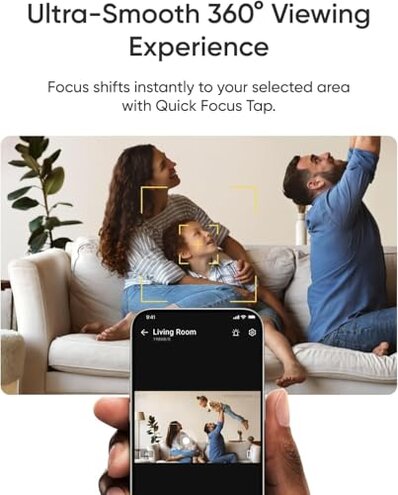
- Tech-savvy hobbyists: Good if you can troubleshoot app issues and tolerate firmware updates to improve behavior.
- Households prioritizing 4K on device: Good if you plan to use the camera primarily through its native app and accept HomeKit limits.
- Budget-conscious shoppers: Good if you want 4K marketing features at a lower price and can handle extra setup steps.
Expectation vs reality

- Expectation: Reasonable for this category is a stable app with reliable live view.
- Reality: Users often face app drops and notification gaps, which is worse than expected.
- Expectation: Reasonable to expect advertised resolution across integrations.
- Reality: HomeKit limiting to 1080p makes the camera's 4K claim less useful in practice.
Safer alternatives
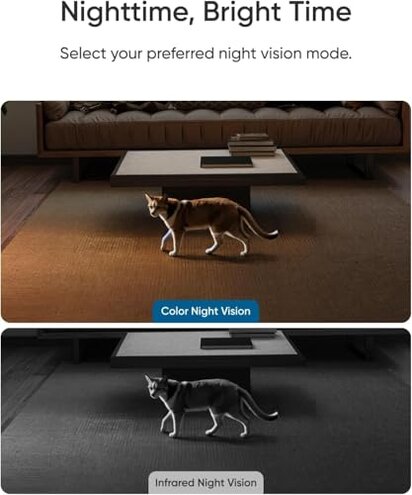
- Prioritize app stability: Look for cameras with a strong track record of reliable app updates and visible support notes.
- Check integration resolution: Verify that HomeKit or your ecosystem supports advertised resolution before purchase.
- Plan storage needs: Budget for an SD card up front and confirm supported card sizes and format steps.
- Prefer reviewed firmware: Choose models with recent stable firmware releases and clear rollback options.
The bottom line
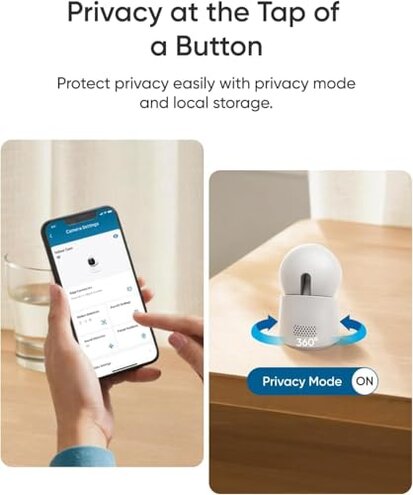
Main regret: The most common trigger is connectivity and app instability, which interrupts core monitoring duties.
Why worse: The combination of promised 4K features, HomeKit resolution limits, and extra setup makes this camera riskier than typical mid-range options.
Verdict: Avoid if you need seamless, worry-free home monitoring; consider it only if you accept extra setup and possible app troubleshooting.
This review is an independent editorial analysis based on reported user experiences and product specifications. NegReview.com does not sell products.