
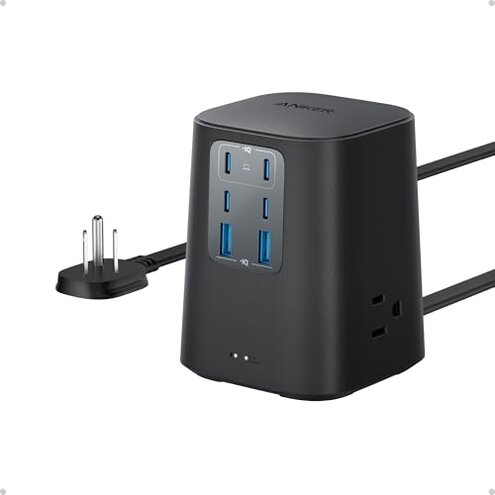
Product evaluated: Anker Charging Station (100W), 9-in-1 USB-C Power Strip with 300J Surge Protection, for iPhone 16 and MacBook, 5 ft Flat Cable and Plug, 4 USB-C and 2 USB-A Ports, 3 AC Outlets, for Home, Office
Related Videos For You
The Ultimate Multi-Device Charging Station
How To Install a USB C Outlet: The Quick & Easy Way
Data basis: This decision report is based on dozens of aggregated buyer submissions collected from written reviews and Q&A threads, spanning a recent multi-month window through early 2026. Most feedback came from short written notes about daily desk use, supported by a smaller set of longer troubleshooting write-ups that described what happened after weeks of charging multiple devices.
| Buyer outcome | This Anker station | Typical mid-range alternative |
| Desk clutter | Lower if it replaces several bricks and a strip | Medium, often needs extra chargers |
| Charge consistency | Higher risk of port-to-port behavior surprises during multi-device use | More predictable but usually fewer USB-C ports |
| Heat during use | Higher-than-normal concern when many ports are active | Moderate, fewer high-output ports at once |
| Cable/placement fit | Mixed due to flat plug and station footprint needs | Usually easier to place, but less “all-in-one” |
| Regret trigger | “All ports” not behaving like independent fast chargers | Fewer surprises, but less total capability |
Top failures
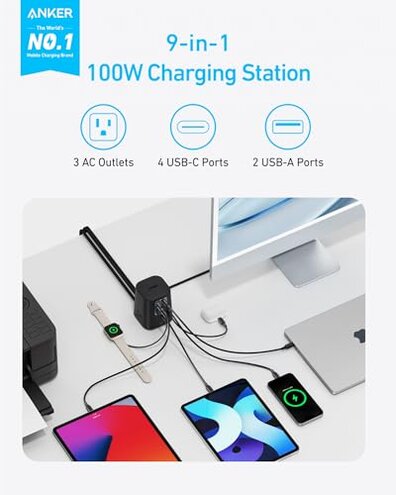
“Why did my charging speed suddenly drop when I plugged in one more device?”
Regret moment usually hits during daily desk charging when you add a second laptop, tablet, or battery pack and something slows down. Severity feels high because it turns a “one station” setup into a guessing game. Trade-off is lots of ports, but shared behavior that not everyone expects.
Pattern shows up repeatedly in aggregated feedback, but it is not universal. When it appears, it is most noticeable after setup, during routine multi-device sessions, not during single-device charging.
Category contrast: Mid-range power strips with a couple USB ports are often slower, but they are also more predictable. Here, buyers expected “100W class” behavior to feel consistent across common device mixes, and some report it doesn’t.
- Early sign is one device switching to “slow charging” right after you connect another device.
- Primary issue is shared power behavior feeling like a hidden limitation during multi-port use.
- Worsens in long sessions when several USB-C ports and AC outlets are used together.
- Impact is extra time and extra cable swapping to keep priority devices charging quickly.
- Workaround some buyers use is dedicating one port to a laptop and leaving other ports for low-draw gear.
- Hidden requirement is learning “which port mix” maintains speed, which many didn’t expect from a station.
- Fixability is limited because it is tied to how multi-device power sharing behaves in daily use.
“Is it supposed to feel this warm on my desk?”
- Regret moment shows up after hours of charging when the body feels noticeably warm to the touch.
- Recurring note appears repeatedly, especially from people charging multiple devices at once.
- When it happens, it is most obvious during long workdays with constant top-offs and background charging.
- Worsens when the station is pushed against walls, under monitors, or placed on soft surfaces.
- Category contrast: Some warmth is normal, but buyers describe this as more distracting than typical mid-range strips.
- Impact is relocation and airflow “babysitting” that defeats the idea of a simple desktop hub.
- Mitigation is leaving space around it and avoiding stacking adapters nearby, which adds setup constraints.
- Edge-case concern is people feeling uneasy about leaving it unattended, even if it keeps working.
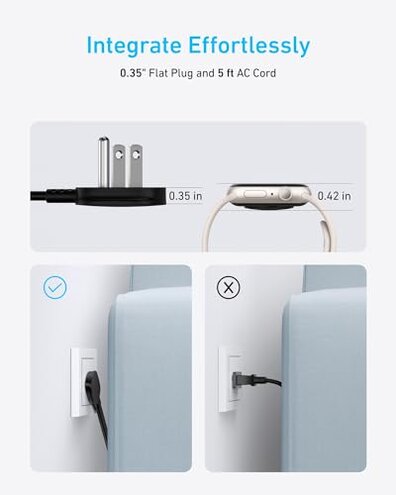
“Why does the flat plug or cable placement not work in my space?”
- Setup friction comes up when the flat plug orientation fights certain outlet layouts and furniture gaps.
- Persistent pattern appears less often than charging-speed complaints, but it is very annoying when it hits.
- When it shows, it is immediate on first install behind a desk, couch, or wall-mounted power bar.
- Worsens if your outlet is recessed, covered by a plate, or the station must sit flush to a wall.
- Category contrast: Most mid-range strips are flexible to place, while a “station” can be pickier.
- Impact is needing a new spot, re-routing cables, or adding an extension, which adds cost and clutter.
“Do the AC outlets and USB ports get in each other’s way?”
- Real-world annoyance appears when bulky plugs block access or make cable routing messy.
- Secondary issue shows up repeatedly from desk users with multiple adapters and oddly shaped plugs.
- When it happens, it is during daily use when swapping chargers, not during a one-time setup.
- Worsens with right-angle plugs, wide laptop bricks, or when USB-C cables stick out and snag.
- Category contrast: A basic strip often spaces outlets wider, while compact stations can feel cramped.
- Impact is not using all outlets you paid for, or constantly “re-Tetris-ing” plugs.
- Mitigation is using slimmer plugs or short extensions, which adds extra parts and reduces neatness.
Illustrative excerpts
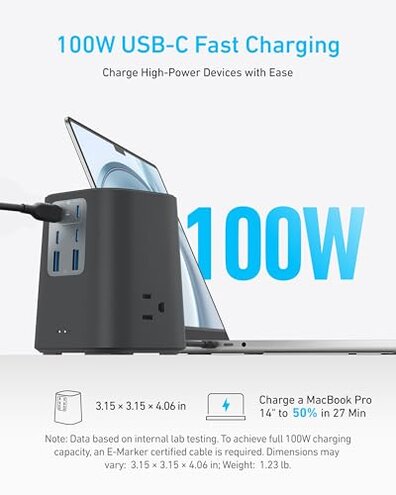
- Illustrative: “I plugged in my tablet and my laptop charge slowed right away.” Primary pattern tied to multi-device sharing.
- Illustrative: “It works, but it gets warmer than I’m comfortable leaving alone.” Secondary pattern tied to long sessions.
- Illustrative: “The flat plug didn’t fit with my outlet cover behind the desk.” Secondary pattern tied to placement constraints.
- Illustrative: “My big adapter blocks the other outlet, so I can’t use all three.” Secondary pattern tied to outlet spacing.
- Illustrative: “I keep moving cables around to get the ‘fast’ port behavior.” Primary pattern tied to hidden port-mix learning.
Who should avoid this
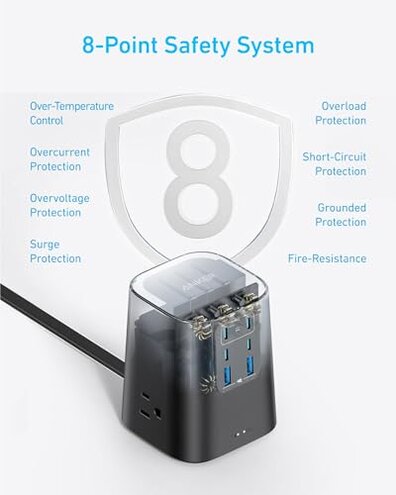
Multi-device power users should skip it if you expect every USB-C port to behave like a separate fast charger during busy days. Shared behavior is a primary regret trigger in aggregated feedback.
Heat-sensitive setups should avoid it if it must live in a tight cubby, under a pile of papers, or against fabric. Warm operation appears repeatedly during long charging sessions.
Hard-to-reach outlets are a bad match if your furniture forces awkward plug angles. Placement fit complaints show up early and can force buying extra accessories.
People with bulky plugs should be cautious if you rely on large power bricks. Outlet crowding can reduce how many sockets feel usable.
Who this is actually good for
- Single-laptop desks where you usually charge one big device plus small accessories, accepting occasional port juggling.
- Minimalist setups where reducing charger clutter matters more than perfect speed consistency across every port.
- Open-air workstations with good airflow and space around the unit, tolerating some warmth during long sessions.
- Users with slim plugs who mainly use USB and only sometimes use the AC outlets, avoiding crowding issues.
Expectation vs reality
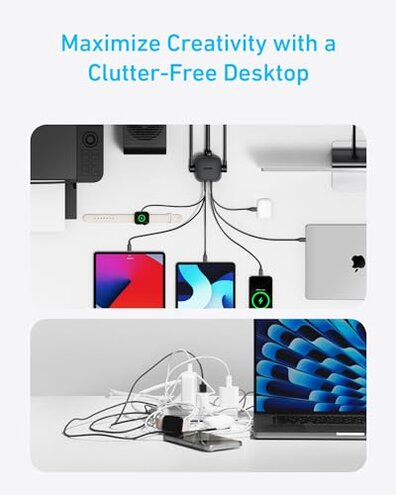
Expectation: It is reasonable for this category that total power is shared when many devices charge at once. Reality: Aggregated feedback suggests the sharing can feel more disruptive than expected during routine plug-in and unplug cycles.
- Expectation is “flat plug equals easy behind furniture.”
- Reality is some setups need extra spacing or an extension to make it physically fit.
Expectation: A desktop station should keep ports accessible.
Reality: Some buyers report outlet crowding once real-world bulky adapters enter the picture.
Safer alternatives
- Reduce surprises by choosing a strip with fewer USB-C ports but clearer, fixed-per-port behavior if you hate speed changes mid-day.
- Control heat by picking a lower-output hub if your station must live in a cramped or covered space.
- Improve fit by selecting a model with a rotating plug or a right-angle option if your outlet area is tight.
- Avoid crowding by choosing wider-spaced AC outlets if you regularly use chunky power bricks.
- Keep reliability by splitting roles: a basic surge strip for AC plus a separate single high-watt USB-C charger for your laptop.
The bottom line
Main regret is multi-device charging that can feel inconsistent, forcing extra cable and port management. Why it exceeds normal category risk is the mismatch between “many ports” expectations and the real shared-behavior learning curve. Verdict: Avoid if you want predictable fast charging for several devices at the same time.
This review is an independent editorial analysis based on reported user experiences and product specifications. NegReview.com does not sell products.