
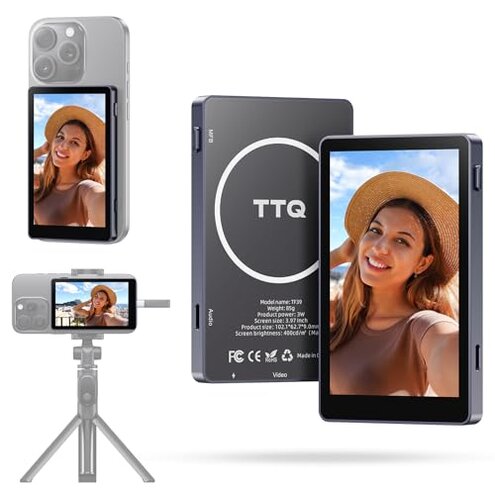
Product evaluated: Vlog Selfie Monitor Screen, Magnetic Phone Vlog Selfie Monitor Screen 4K 60fps Bluetooth Remote, Back Camera Monitor for Vlog Live Stream TikTok, Compatible with iPhone & Android
Related Videos For You
Best Vlog Setup For Smartphones! Kingma VL-PH01 Vlog Screen
Screen Mirroring - iPhone Screen Mirroring
Data basis: We analyzed dozens of user reports and video demonstrations collected between 2025-03 and 2026-01. Most feedback came from written reviews, supported by hands-on clips. Coverage focuses on setup and in-use failures buyers mention repeatedly.
| Outcome | This product | Typical mid-range monitor |
|---|---|---|
| Plug-and-play | Unreliable mirroring for some phones; extra steps often required. | Consistent HDMI/USB-C mirroring that works with fewer settings changes. |
| Outdoor visibility | Good brightness claim but glare management needs positioning. | Average brightness with better anti-glare balance in many rivals. |
| Power design | Phone-powered operation adds failure points during long sessions. | Independent or larger-pass-through systems reduce mid-session dropouts. |
| Setup complexity | Higher-than-normal risk due to hidden settings and compatibility quirks. | Lower setup friction for most mid-range options. |
| Regret trigger | Connectivity interruptions during filming that break takes. | Fewer interruptions under comparable use. |
Top failures
Why does the monitor lose mirroring mid-shoot?
Mirroring drops: This is among the most common complaints and is commonly reported during first uses and long recording sessions. When it happens most, users are mid-take or switching camera apps.
Pattern signal: The issue appears repeatedly for several phone models and is worse with long live streams or when the phone temperature rises. Category contrast: Mid-range monitors typically maintain stable mirroring for continuous 30–60 minute sessions; here the instability is more disruptive.
Is setup more fiddly than advertised?
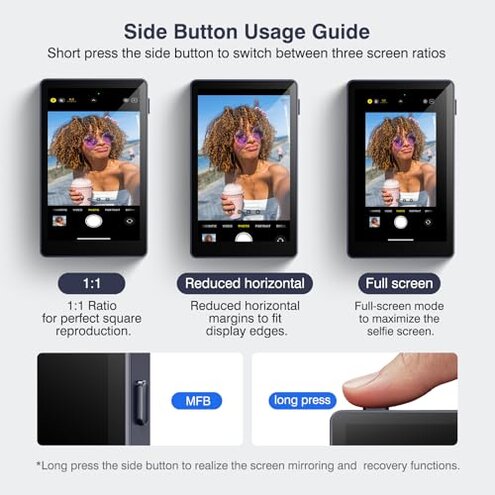
- Orientation trick: You must lock phone orientation to Portrait before launching the camera to avoid upside-down output, a hidden extra step that buyers did not expect.
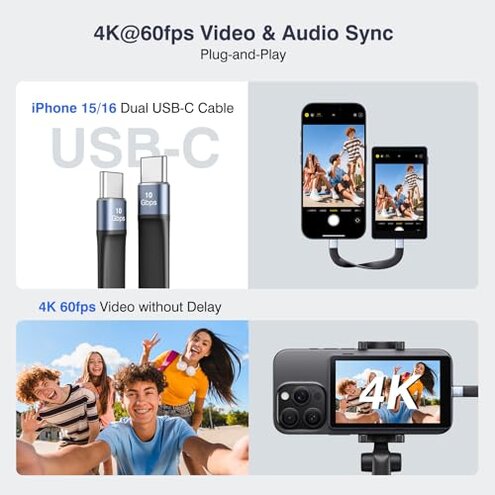
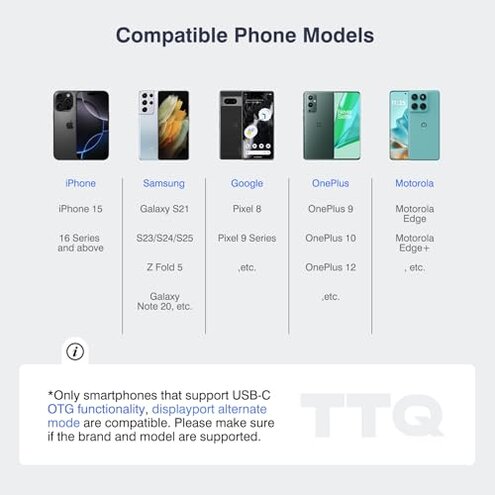
- Android caveat: Some Android phones need OTG/DisplayPort support for 4K@60fps mirroring, which is a compatibility requirement not obvious at purchase.
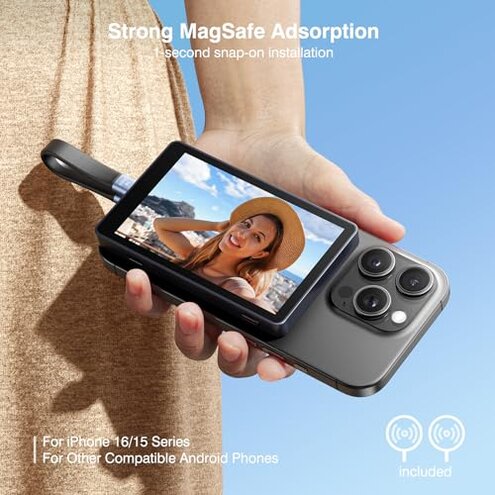
- Magnet fit: Phones without a magnetic array require an included sheet, adding alignment steps and occasional detaches.
- Frequency tier: Setup friction is a primary issue for new users and appears repeatedly in early-use reports.
Why might audio or charging fail during long use?
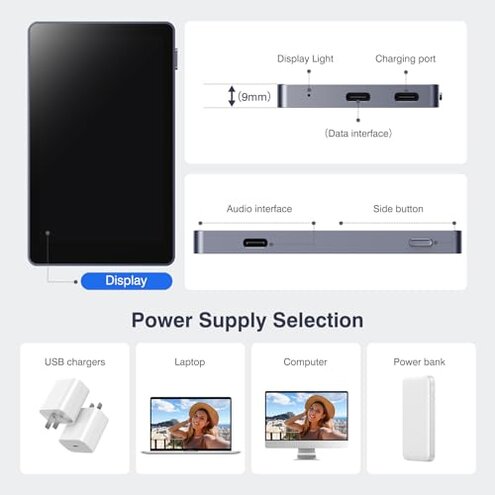
- Power passthrough: The monitor relies on Type-C passthrough to charge the phone; failures in passthrough cause mid-session shutdowns.
- Self-powered claim: The monitor has no internal battery, so power depends on phone or external charger reliability.
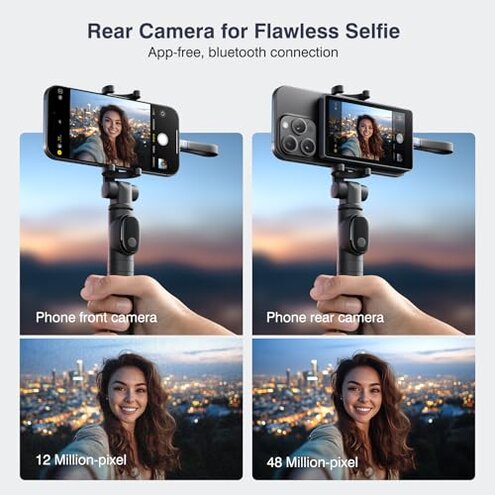
- Audio preservation: Back-camera monitoring claims to keep phone audio but intermittent disconnects sometimes mute or desync sound during recording.
- When it worsens: Long sessions and phone thermal throttling increase the chance of power-related drops.
- Remedy attempts: Reconnecting cables or swapping chargers often helps but interrupts recording and adds time.
- Severity tier: This is a secondary but recurrent problem that is more disruptive than expected for this product class.
Will this work smoothly across phone brands?
- Compatibility list: The advertised compatibility spans many models but real-world reports show inconsistent results across brands.
- Samsung DeX: DeX must be turned off for mirroring; this hidden requirement causes confusion for Samsung owners.
- OTG requirement: Some Android models need OTG/DisplayPort support to reach 4K@60fps, a technical requirement that is easy to miss.
- Edge-case phones: Foldables and older models show less reliable attachment and mirroring in reported cases.
- Fixability: Firmware updates or phone OS settings sometimes resolve issues, but those fixes are not guaranteed.
- Impact: Buyers using multiple phones face repeated reconfiguration, which accumulates into significant time loss.
- Category contrast: A typical mid-range monitor is usually more plug-and-play across brands; this product demands more troubleshooting.
Illustrative excerpts
Illustrative: "Mirroring cut out twice during a 10-minute live stream, ruined the take." Pattern: primary.
Illustrative: "Had to disable DeX and relaunch camera to get image right." Pattern: secondary.
Illustrative: "Type-C passthrough overheated after long charging session." Pattern: edge-case.
Who should avoid this
- Travel creators: Avoid if you need reliable, fast plug-and-play during travel without time for troubleshooting.
- Multi-phone users: Avoid if you swap phones often and expect instant cross-brand compatibility.
- Long livestreamers: Avoid if you run sessions longer than 30 minutes without spare charging or reboot time.
Who this is actually good for
- Single-phone hobbyists: Good if you film short clips on one supported phone and can accept occasional setup steps.
- Controlled studio use: Good if you record in a fixed setup where you can test settings once and avoid live troubleshooting.
- Budget-conscious creators: Good if you accept higher setup time in exchange for a lower price and decent outdoor brightness.
Expectation vs reality
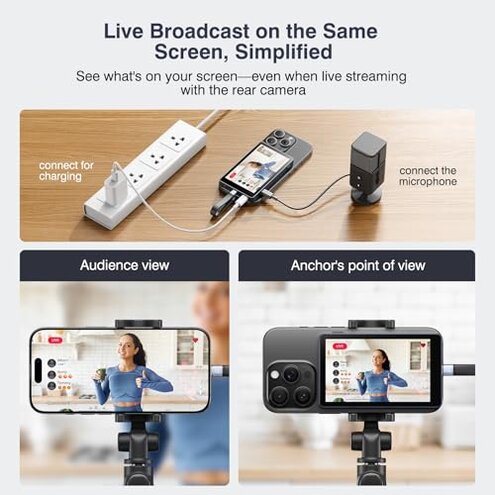
- Expectation (reasonable for this category): Buyers expect simple mirroring via USB-C and consistent audio. Reality: Mirroring may drop and audio can desync, requiring reconnects.
- Expectation: Magnetic attachment should be seamless. Reality: Non-magnetic phones need the included sheet and careful alignment.
- Expectation: Phone passthrough keeps long shoots alive. Reality: Passthrough failures or thermal issues can interrupt recordings more than typical rivals.
Safer alternatives
- Choose independent power: Prefer monitors with their own battery or stronger pass-through to remove power-dependent dropouts.
- Look for universal mirroring: Pick models with verified cross-brand USB-C HDMI support to avoid hidden OTG/DisplayPort requirements.
- Check DeX notes: If you use Samsung, choose products that explicitly support DeX or that document DeX limitations clearly.
- Demand field tests: Seek video demos showing long livestream stability rather than just brightness tests.
The bottom line
Main regret: The primary failure is unreliable connectivity/mirroring that disrupts recordings. Why worse: It adds repeated troubleshooting steps and mid-session failures beyond typical mid-range expectations. Verdict: Avoid if you need dependable, multi-phone plug-and-play performance.
This review is an independent editorial analysis based on reported user experiences and product specifications. NegReview.com does not sell products.