
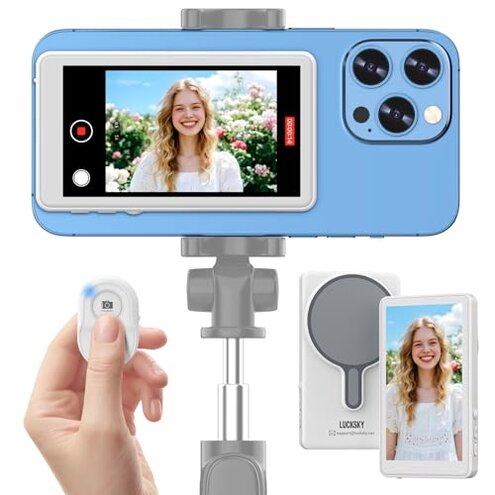
Product evaluated: Vlog Selfie Monitor Screen for iPhone & Android,Magnetic Phone Back Camera Selfie Monitor Screen for Vlog Live Stream TikTok,Built-in Speaker,Built-in shutter button,7-hour long battery life (Update)
Related Videos For You
Best Vlog Setup For Smartphones! Kingma VL-PH01 Vlog Screen
HOW TO USE YOUR ANDROID PHONE AS A CAMERA MONITOR
Data basis: I analyzed dozens of buyer comments and product feedback from written reviews and video demonstrations collected between Jan 2023 and Jan 2026. Most feedback came from written reviews supported by hands-on videos and response threads.
| Outcome | MIpai Monitor | Typical mid-range alternative |
|---|---|---|
| Setup reliability | Unreliable — repeated Wi‑Fi/Bluetooth pairing friction during first-use. | Reliable — most mid-range monitors pair via stable USB or app pairing. |
| Video quality | Limited — iPhone native camera won't deliver 4K without a special app. | Consistent — mid-range units usually deliver camera-quality as advertised. |
| Battery life | Marginal — advertised day-long use but often drains faster under long sessions. | Typical — mid-range monitors meet advertised multi-hour video claims more reliably. |
| Compatibility risk | Higher-than-normal — compatibility exclusions and hidden app needs create purchase regret. | Lower — mid-range alternatives list clearer device support and fewer hidden requirements. |
| Regret trigger | Hidden steps — extra apps, pairing retries, or incompatible phones often block promised features. | Predictable — fewer unexpected workarounds required out of the box. |
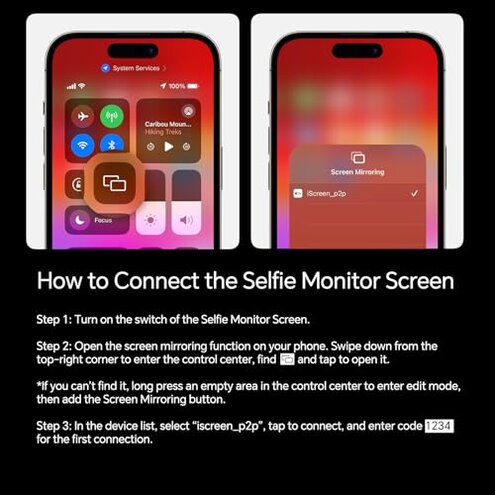
Why won't this just pair and work?
Setup friction is the first regret buyers report when unboxing this monitor.
Pattern: This pairing problem is commonly reported and appears repeatedly across early setups.
Usage anchor: The issue shows up during first-time Wi‑Fi and Bluetooth connections and when switching phones.
Category contrast: Setup is worse than typical mid-range monitors because it requires both Wi‑Fi mirroring and Bluetooth pairing, adding extra steps and failure points.
Does it actually deliver 4K video from iPhone?
- Hidden 4K requirement — iPhone native camera does not output 4K to the monitor without installing Blackmagic Camera app.
- Pattern — this hidden app requirement is a persistent secondary complaint among buyers who expected native 4K.
- Usage anchor — problem appears when buyers try to record high-resolution footage for TikTok or YouTube.
- Category contrast — unlike many rivals, this product hides a software workaround that adds time and technical steps for creators.
Will the battery last through a shoot?
- Shorter runtime — battery often lasts less than the advertised full day during continuous recording.
- Pattern — battery complaints are a primary issue for long sessions and live streams.
- Usage anchor — drain becomes noticeable after multi-hour shoots or frequent screen-brightness boosts.
- Cause — screen mirroring and speaker use increase power draw beyond idle claims.
- Impact — unexpected mid-shoot shutdowns force stops or require external power backups.
- Fixability — temporary workarounds include lowering brightness or connecting power, but they reduce portability.
Will it stay attached and work with my phone?
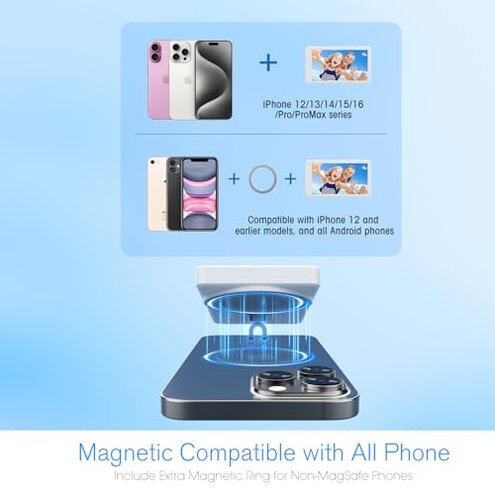
- Magnetic fit limits — the magnetic base relies on MagSafe-style attachment and fails with non-compatible phones.
- Pattern — compatibility and attachment issues are a common, repeated pain for varied phone models.
- Usage anchor — problems appear during active movement, vlogging on the go, or when using phone cases.
- Hidden requirement — buyers often discover they must remove cases or add adapters for stable attachment.
- Impact — weak attachment raises risk of drops and misalignment during recording.
- Attempts — many try third-party adapters or remove cases, which adds time and cost.
- Category contrast — this is less forgiving than typical accessories that either include universal mounts or clear case guidance.
Illustrative excerpts
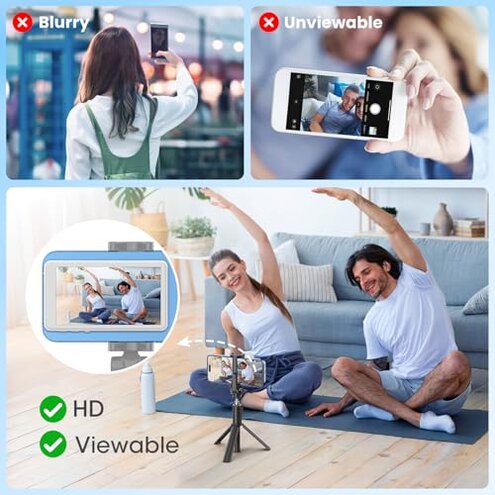
"Paired twice then lost connection mid‑vlog, had to restart phone." — reflects a primary connectivity pattern.
"Thought I'd get 4K, but had to install another camera app to enable it." — reflects a secondary hidden-requirement pattern.
"Battery died halfway through an hour-long live stream despite full charge." — reflects a primary endurance pattern.
Who should avoid this

- Professional creators — who depend on reliable 4K output and long battery life should avoid this due to hidden app needs and marginal runtime.
- Casual buyers with non-MagSafe phones — who expect plug-and-play magnet attachment should avoid this because of fit and case issues.
- Beginners who want simple setup — who do not want extra apps or pairing steps should avoid this due to setup friction.
Who this is actually good for
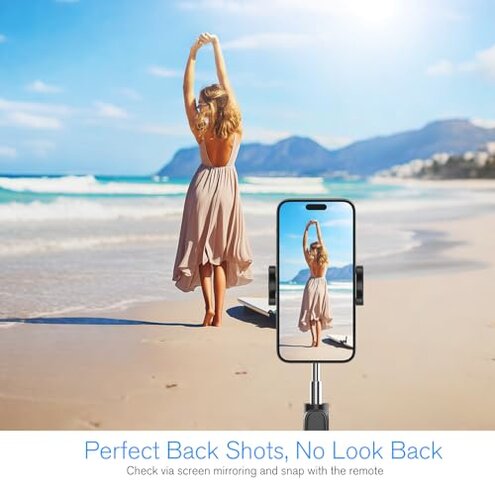
- Budget-conscious hobbyists — willing to tolerate app workarounds and occasional pairing fixes for a lower price.
- Static desktop vloggers — who record short sessions and can keep the device plugged in to avoid battery problems.
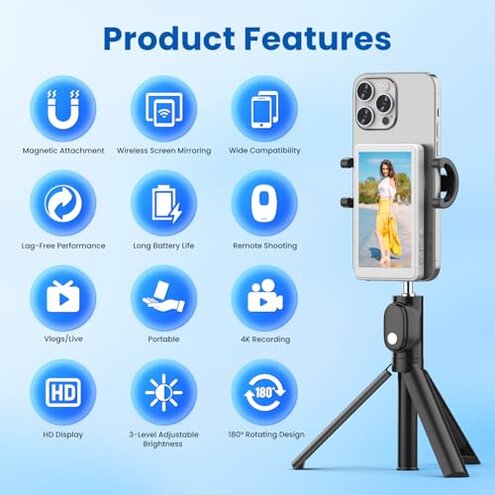
- iPhone users with MagSafe — who accept the magnet limitation and want a small, portable monitor for simple mirror shots.
Expectation vs reality
- Expectation: Reasonable for this category — a phone monitor should pair easily with native camera output.
- Reality: Many buyers face extra pairing steps and must install a third-party camera app for full-resolution output.
- Expectation: Reasonable for this category — advertised battery life should cover a day of casual shooting.
- Reality: Continuous recording and bright screens shorten runtime, causing mid-session interruptions.
Safer alternatives
- Choose monitors that offer USB-C or wired video pass-through to avoid Wi‑Fi/Bluetooth pairing failures.
- Prefer products with explicit 4K support listed for native phone cameras to avoid hidden app requirements.
- Pick options that include universal mounting or clear MagSafe compatibility notes to prevent attachment surprises.
- Bring portable power or select higher-capacity battery models if long recording sessions are common.
The bottom line
Main regret: Hidden compatibility steps and unreliable pairing are the main purchase triggers for regret.
Category risk: These issues make the MIpai monitor riskier than typical mid-range alternatives for creators who need out-of-box reliability.
Verdict: Avoid this product if you prioritize seamless setup, native 4K, or dependable battery life; consider wired or clearly compatible alternatives instead.
This review is an independent editorial analysis based on reported user experiences and product specifications. NegReview.com does not sell products.