
Product evaluated: Ableton Live 12 Standard
Related Videos For You
BEGINNER HOME STUDIO SETUP (and why every musician needs one)
Music Production For Beginners (Step By Step Masterclass)
Data basis: This report uses dozens of buyer feedback points collected from written comments and video demonstrations between 2024 and 2026. Most feedback came from longer written experiences, with supporting video walk-throughs helping confirm where frustration shows up during setup, activation, and early daily use.
| Buyer outcome | Ableton Live 12 Standard | Typical mid-range alternative |
|---|---|---|
| First-day setup | More steps and more chances for confusion before making music | Simpler start with fewer account and activation hurdles |
| Learning curve | Steeper for new users, especially after install | More guided for basic recording and editing |
| Workflow speed | Fast later, but slower until you learn its logic | Easier early, even if less flexible long term |
| Hidden requirements | Higher-than-normal risk of needing extra time, tutorials, and setup patience | Lower risk of outside help for basic use |
| Regret trigger | Paid a lot, but still stuck before comfortable daily use | Less regret if you want quick results over depth |
Why does it feel hard to use right after purchase?
This is a primary issue. The regret moment usually happens on first setup, when buyers expect to install, activate, and start recording quickly. Instead, the friction can feel more disruptive than expected for this category because this is paid software, not a free trial tool.
The pattern appears repeatedly. It is not universal, but it shows up often enough across mixed feedback to matter for first-time buyers. The trade-off is clear: deep features are here, but the path to using them is less forgiving than many mid-range alternatives.
- Early sign: You spend more time on account, download, and activation steps than on your first project.
- When it hits: The problem shows up before first use and can continue into the first few sessions.
- Why worse: A typical mid-range DAW usually gets you to a basic track faster, even if it offers fewer advanced tools.
- Impact: Buyers who wanted a smooth weekend start can lose momentum before learning the core workflow.
- Fixability: It often improves after tutorials, but that extra time is the hidden cost.
Illustrative: “I bought music software, but my first night became an account and setup chore.” Primary pattern
Do the advanced features become a burden if you just want basic recording?
- Frequency tier: This is a primary issue among beginner complaints, especially after setup is complete.
- Usage moment: It usually appears during daily use when users try simple recording, arranging, or editing tasks.
- Core cause: The software offers advanced tools like unlimited tracks, warping, and MIDI control, but that depth can crowd out simplicity.
- Buyer-visible effect: Common tasks can feel less obvious than expected if you do not already think in this software’s workflow.
- Why it stings: In this category, some learning curve is normal, but this feels steeper because buyers are paying for a standard edition, not an expert-only package.
- Trade-off: The same flexibility that helps experienced users can slow new users trying to do very normal home-studio tasks.
- Attempted workaround: Buyers often need outside guides, templates, or repeated trial and error to get comfortable.
Illustrative: “Even basic recording felt hidden behind someone else’s idea of how music should be built.” Primary pattern
Is the software overkill if you will not use its deeper tools?
This is a secondary issue. The frustration usually shows up after a few sessions, once buyers realize the extra features may not match their real needs. That mismatch is less frequent than setup friction, but more frustrating when it occurs because the price is $439.00.
The pattern is persistent. Buyers who only need simple multitrack recording or light editing can feel they paid for depth they will never touch. Compared with a typical mid-range alternative, the effort-to-benefit ratio can feel worse if you are not using features like advanced warping, audio-to-MIDI, or broader hardware integration.
- Hidden requirement: You need a clear plan to use its deeper toolkit, or the value can feel thin fast.
- When worse: It gets more noticeable during regular home use, where projects stay simple and repeated.
- Impact: Buyers can end up adapting themselves to the software instead of the software fitting their workflow.
- Category contrast: Mid-range competitors often give up some flexibility, but feel more proportionate for casual recording.
Illustrative: “I can tell it is powerful, but I do not need this much power to make demos.” Secondary pattern
Will you need extra help just to feel confident using what you paid for?
- Frequency tier: This is a secondary issue that appears repeatedly across newer-user feedback.
- Real moment: It tends to show up after installation, when buyers try to turn features into a normal working setup.
- What buyers notice: There is a confidence gap between owning the software and feeling fluent with it.
- Why worse than normal: Some self-teaching is reasonable for this category, but this can demand more outside learning than many mid-range alternatives.
- Time cost: The product can ask for extra tutorial time before it feels natural in daily use.
- Best-case fix: Patience helps, but the smoother outcome often depends on prior DAW experience.
- Who feels it most: Buyers moving from simpler software often notice the jump fastest.
- Regret angle: The problem is not that features are missing, but that using them comfortably can take longer than expected.
Illustrative: “It works, but I needed way more teaching than I expected at this price.” Secondary pattern
Who should avoid this
- New users who want to record quickly without tutorials should avoid it because the first-use friction is higher than normal.
- Casual creators making simple demos may regret paying for depth they will not use often enough.
- Impatient buyers who expect a fast start can get stuck before the software feels comfortable.
- Value-focused shoppers should be careful if their real need is basic multitrack work, not advanced sound shaping.
Who this is actually good for
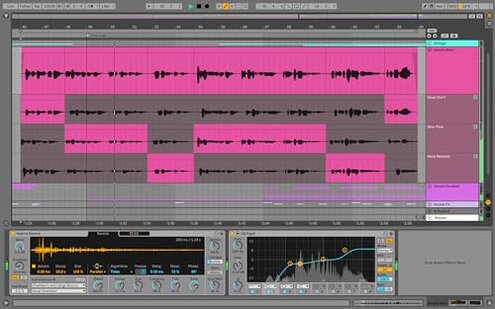
- Experienced users who already know DAW basics may accept the setup friction because the deeper tools matter to them.
- Electronic musicians who want flexible session-based creation can tolerate the learning curve for long-term workflow benefits.
- Users with patience for tutorials may still like it if they plan to use warping, MIDI tools, and larger project depth.
- Hardware-heavy setups may justify the extra effort because broader integration matters more than simplicity.
Expectation vs reality
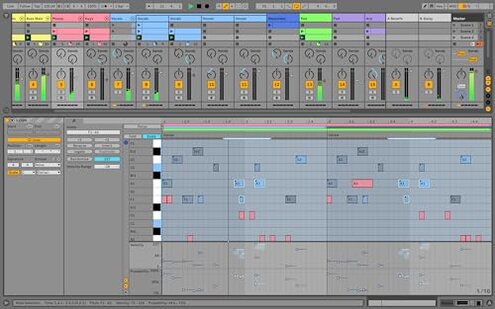
Expectation: A paid standard edition should feel fairly approachable after install.
Reality: Common feedback suggests the first-day experience can be more complicated than expected.
Expectation: More features should mean better value.
Reality: More depth only pays off if you will actually learn and use those tools regularly.
Expectation: Some learning curve is reasonable for this category.
Reality: The learning burden can feel worse than expected because it affects basic tasks, not just advanced ones.
Safer alternatives
- Choose simpler software if your main goal is recording vocals, podcasts, or demos without a long setup path.
- Prioritize guided onboarding if activation and first-day confidence matter more to you than deep feature breadth.
- Match features to use by buying only as much DAW complexity as your real projects need.
- Test workflow style through demos or tutorials first if you are switching from a more traditional recording layout.
- Budget for learning time if you still want this one, because that directly offsets its main frustration point.
The bottom line
The main regret trigger is paying $439.00 and then hitting more setup and learning friction than a normal buyer expects. That exceeds normal category risk because the difficulty can block even basic early use, not just advanced production work. Avoid it if you want quick, low-friction recording, and only consider it if you will truly use its deeper workflow and can tolerate the ramp-up.
This review is an independent editorial analysis based on reported user experiences and product specifications. NegReview.com does not sell products.