
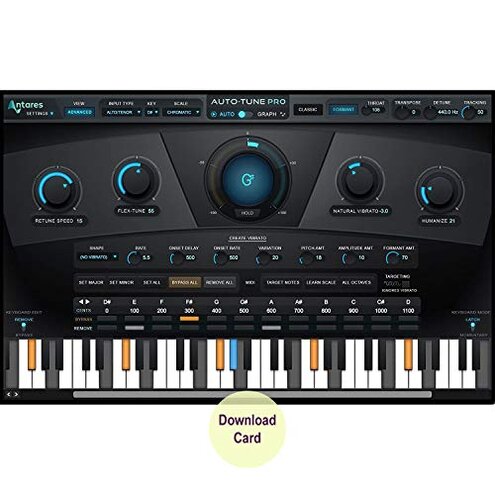
Product evaluated: Antares Auto-Tune Pro - Industry-Leading Pitch Correction Software (Download Card)
Related Videos For You
Can autotune fix bad singing? ✅ #autotune #musicproduction #musicproducer
Activating your Auto-Tune Plugins with iLok
Data basis for this report comes from analyzing dozens of aggregated buyer feedback collected from written reviews and Q&A-style posts, spanning a multi-month window up to recent entries. Most feedback came from longer written explanations, supported by shorter troubleshooting notes that focused on installation and activation behavior after first use.
| Buyer outcome | Auto-Tune Pro (download card) | Typical mid-range alternative |
| First-day success | Higher risk of “can’t use it yet” due to activation steps | Lower risk with simpler sign-in licensing |
| Ongoing access | More fragile if you change machines or accounts and hit re-authorization | More forgiving license handling for basic one-user setups |
| Time-to-fix | Longer when support is needed for license issues | Shorter because fewer steps can break |
| Live use confidence | Mixed if your setup needs dependable low latency every time | Steadier for basic real-time monitoring |
| Regret trigger | Paying and still being blocked by registration friction | Less “locked out” regret after purchase activation |
Top failures
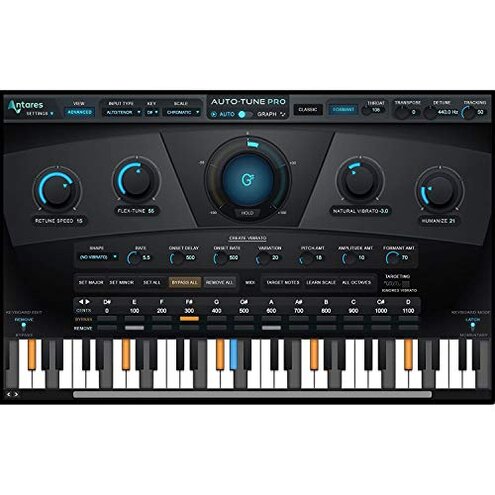
“Why can’t I use it right after I pay?”
Regret moment shows up during first setup when the download card feels like a quick install, but you hit extra authentication steps before you can open it in your DAW. Severity is high because it can turn a same-day session into a troubleshooting night.
Pattern is recurring rather than universal, and it clusters around first use and account linking. Contrast is that many mid-range plugins activate with fewer “moving parts,” so the same friction feels more disruptive here.
- Early sign is bouncing between portals and prompts instead of reaching a usable plugin screen.
- Primary pattern appears repeatedly around redeeming the code and completing required authentication steps.
- Hidden requirement is needing smooth access to the online workflow for retrieve and authenticate steps stated on the card.
- Where it hits is right before a session when you expect “download and go,” but must complete registration first.
- Why worse is that mid-range alternatives often feel more “one-screen,” while this flow can feel like multi-step gating.
- Workarounds commonly attempted include re-reading instructions, re-trying the code, and re-installing the plugin manager.
- Fixability can be fine once configured, but the up-front time cost is the complaint driver.
“Why does it suddenly stop working on my other computer?”
Regret moment tends to happen after you’ve already started using it and then you switch machines, update your system, or reorganize your studio setup. Severity is among the more frustrating software issues because it can block opening older projects.
- Recurring complaints show up after setup changes, not always on day one.
- When it appears is during project recall when the plugin loads and then asks for authorization again.
- Worsens with frequent laptop-to-desktop moves or fresh installs that create more license touchpoints.
- Impact is losing momentum because the session turns into account recovery instead of mixing.
- Category contrast is that many mid-range tools allow easier machine switching with fewer lockout moments.
- Support dependence becomes a pain when you need help quickly and the fix is not purely self-serve.
- Mitigation is planning migrations and keeping license details organized, but that’s extra admin work.
- Edge-case buyers report being stuck longer than expected when the licensing path fails mid-project.
“Why is ‘low latency’ not feeling low in my setup?”
Regret moment shows up when you try to track vocals live and the monitoring feel is not as immediate as expected. Severity is secondary to licensing issues, but it’s more disruptive than expected for performance-focused use.
- Secondary pattern appears repeatedly in live-style workflows that depend on consistent real time monitoring.
- Context is during recording or rehearsal when you enable Low Latency Mode but still notice delay.
- Worsens with heavier sessions, more plugins, or larger buffer settings that increase perceived lag.
- What you notice is vocals feeling “behind,” which can push singers off timing or pitch confidence.
- Category contrast is that mid-range pitch tools may be simpler, but they can feel more predictable in a light tracking chain.
- Attempts often include lowering buffer size, freezing tracks, or printing effects, which adds extra steps.
“Why is the learning curve steeper than I expected?”
Regret moment happens after installation when you open Graph Mode or time correction and realize it’s not a one-click fix. Severity is a primary disappointment for casual users because you can spend more time editing than creating.
Pattern is persistent for newcomers, especially when chasing “transparent” tuning without artifacts. Contrast is that many mid-range alternatives trade power for ease, while this one expects more skill to get clean results.
- Early sign is getting robotic artifacts when you change Retune Speed without understanding side effects.
- Primary pattern shows up during the first week when users try to balance Flex-Tune and Humanize.
- Where it bites is in detailed editing when Graph Mode tools feel slower than expected for quick touch-ups.
- Time cost grows on long sessions because small changes require repeated listening to avoid unnatural results.
- Category contrast is that simpler mid-range tools can be “good enough” faster, even if they are less precise.
- Mitigation is using presets and gentle settings, but that may underuse what you paid for at $500.00.
- Fixability is real with practice, yet the up-front frustration is a common regret driver for beginners.
Illustrative excerpts (not real quotes)
- “I bought it today and I’m still stuck on activation steps.” Primary pattern tied to first-use authentication friction.
- “It worked yesterday, now my project opens and it’s asking again.” Secondary pattern tied to re-authorization after changes.
- “Low latency mode is on, but singing still feels delayed.” Secondary pattern tied to real-time monitoring expectations.
- “Graph mode is powerful, but it’s slow when I just need quick fixes.” Primary pattern tied to learning curve and workflow time.
- “I expected a simple download, not accounts and extra installers.” Primary pattern tied to hidden setup overhead.
Who should avoid this
- Deadline users who need instant, reliable access on day one and can’t risk activation delays.
- Multi-computer users who frequently move between machines and hate unexpected re-authorization interruptions.
- Live performers who need consistently tight monitoring and can’t troubleshoot latency mid-rehearsal.
- Casual editors who want “automatic natural tuning” without investing time in controls and listening passes.
Who this is actually good for
- Studio users who will set it up once, keep a stable system, and tolerate the registration workflow to get the signature tools.
- Power editors who expect to spend time in Graph Mode and accept the learning curve for detailed control.
- Pro vocal producers who already manage plugin licensing and can absorb occasional account friction as normal overhead.
- Planned live setups where you can test buffers and monitoring in advance and won’t change the signal chain last minute.
Expectation vs reality
| Expectation | Reality buyers run into |
| Reasonable for this category: install, sign in, start tuning fast. | Extra steps from the download card workflow can delay first use during authentication. |
| Ongoing use should be stable once activated. | Re-checks can reappear after machine or setup changes, creating project interruptions. |
| Low-latency mode should feel immediate for tracking. | Mixed experiences show that session load and settings can still create noticeable delay. |
| Natural correction should be easy with smart features. | Practice is often needed to avoid artifacts while balancing Flex-Tune and Humanize. |
Safer alternatives
- Prefer plugins with simpler licensing if your biggest risk is first-day lockout and missed sessions.
- Choose tools known for easy machine transfers if you often switch rigs and need fewer authorization surprises.
- Prioritize “tracking-friendly” tools with predictable monitoring behavior if your use is mostly live recording.
- Pick a simpler pitch corrector if you want fast results and don’t plan to learn detailed graph editing.
- Buy from sellers that clearly explain redemption steps if you dislike download cards and want clear setup expectations.
The bottom line
Main regret trigger is paying a premium price and still losing time to activation and licensing friction when you just want to start working. Risk feels higher than normal because the issues tend to hit at the worst moment, like first setup or opening an important session.
Verdict: avoid if you need smooth, low-effort access and predictable live behavior, and consider it only if you can tolerate extra setup overhead for the feature set.
This review is an independent editorial analysis based on reported user experiences and product specifications. NegReview.com does not sell products.